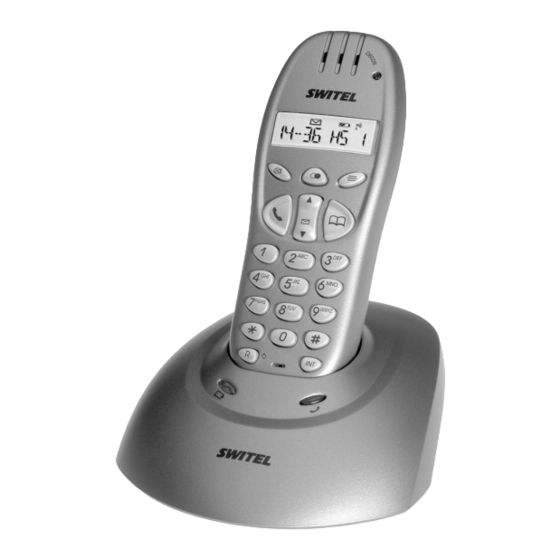
switel D6026 Bedienungsanleitung

Verwandte Anleitungen für switel D6026


Inhaltszusammenfassung für switel D6026
- Seite 1 Schnurlostelefon D6026 Téléphone sans fil Telefono senza fili Cordless telephone Bedienungsanleitung Mode d'emploi Istruzioni per l'uso Operating Instructions...
- Seite 2 D6026 Bedienungsanleitung ......Mode d'emploi ........
-
Seite 3: Inhaltsverzeichnis
- Inhaltsverzeichnis - Allgemeine Hinweise ..............Bestimmungsgemäße Verwendung . - Seite 4 - Inhaltsverzeichnis - Rufnummernanzeige (CLIP) ............Die Anruferliste .
-
Seite 5: Allgemeine Hinweise
Gerätefüße Spuren auf der Abstellfläche entstehen. Netzteil Verwenden Sie nur das mitgelieferte SWITEL Steckernetzteil, da andere Netzteile das Telefon zerstören können. Netzteil nicht öffnen. Es besteht Lebensgefahr, wenn das Netzteil geöffnet wird, solange es an das Stromnetz angeschlossen ist. -
Seite 6: Temperatur Und Umgebungsbedingungen
- Allgemeine Hinweise - 1.10 Temperatur und Umgebungsbedingungen Das Telefon ist für den Betrieb in geschützten Räumen mit einem Temperaturbereich von 10 °C bis 30 °C ausgelegt. Die Basisstation darf nicht in Feuchträumen wie Bad oder Waschküche aufgestellt werden. Vermeiden Sie die Nähe zu Wärmequellen wie Heizkörpern und setzen Sie das Gerät keiner direkten Sonnenbestrahlung aus. -
Seite 7: Bedienelemente
- Bedienelemente - Bedienelemente Mobilteil 1. Gesprächsanzeige 2. Wahlwiederholung 3. Menü 4. Telefonbuch 5. Auswahltasten / Anruferliste CLIP 6. Interne und Konferenzgespräche 7. R-Signaltaste / Ein / Aus 8. Gesprächstaste 9. Stumm / Löschtaste Basisstation 10. Paging-Taste (Mobilteil suchen) 11. LED Gesprächs- und Netzanzeige 12. -
Seite 8: Nebenstellenanlagen / Zusatzdienste
Händler, bei dem die Anlage gekauft wurde. R -Taste und die Zusatzdienste Ihres Netzbetreibers Ihr SWITEL-Telefon unterstützt die wichtigsten Zusatzdienste Ihres Netzbetreibers (z. B. Makeln, Anklopfen, Dreier-Konferenz). Zur Nutzung von Mehrwertdiensten Ihres Netzbetreibers müssen Sie die Flash-Zeit auf 100 ms einstellen (Einstellung siehe Kapitel 10.5). -
Seite 9: Inbetriebnahme
- Inbetriebnahme - Inbetriebnahme Sicherheitshinweise Achtung: Lesen Sie vor der Inbetriebnahme unbedingt die allgemeinen Hinweise am Anfang dieser Bedienungsanlei tung. Verpackungsinhalt prüfen Zum Lieferumfang gehören: eine Basisstation ein Telefonanschlusskabel ein Mobilteil zwei Standard-Akkus ein Netzteil eine Bedienungsanleitung Basisstation anschließen Stellen Sie die Basisstation in der Nähe Ihrer Telefonanschlussdose und einer Netzsteckdose auf. Verwenden sie nur die mitgelieferten Komponenten. -
Seite 10: Menüstruktur
- Menüstruktur - Menüstruktur Hier finden Sie die Menüstruktur Ihres Telefons. Im Stand-by öffnen Sie die Menüauswahl durch Drücken der Taste Telefonbuch Hinzufuegen Name ? Nummer ? Melodie 1-5 Aendern Loeschen Einstellung Basis-Lautst Lautstaerke 1, 2, 3, 4, 5, Ton aus Basis-Melody Melodie 1, 2, 3, 4, 5 MT-abmelden... - Seite 11 - Menüstruktur - Mobilteil Toene Tastenton Ein - Aus Akku Leer Ein - Aus Reichweite Ein - Aus Int Ruf Laut Lautstaerke 1, 2, 3, 4, 5, Ton aus Ext Ruf Laut Lautstaerke 1, 2, 3, 4, 5, Ton aus Int Melodie Melodie 1, 2, 3, 4, 5 Ext Melodie...
-
Seite 12: Bedienung
- Bedienung - Bedienung Das Display Display Beschreibung Konstant: Sie führen ein Gespräch. Konstant: Sie führen ein externes Gespräch. Blinkt: Es erreicht Sie ein externer Anruf. Konstant: Sie führen ein internes Gespräch. Blinkt: Es erreicht Sie ein interner Anruf. Konstant: Sie befinden sich in der Anruferliste. Blinkt: Es sind neue Anrufe in der Anruferliste. -
Seite 13: Gespeicherte Rufnummern Aus Dem Telefonbuch Wählen
- Bedienung - Gespeicherte Rufnummern aus dem Telefonbuch wählen Im Telefonbuch gespeicherte Rufnummern (siehe Rufnummer in das Telefonbuch eingeben" Kapitel 8.1) können Sie schnell und einfach abrufen. 1. Drücken Sie die Taste H. Das Display zeigt nun in alphabetischer Reihenfolge den ersten gespeicherten Telefonbucheintrag. -
Seite 14: Das Telefonbuch
- Das Telefonbuch - Das Telefonbuch In das Telefonbuch können 50 Rufnummern inklusive eines Namens gespeichert werden. Für die Eingabe eines Namens haben Sie 12 Buchstaben zur Verfügung. Die maximale Länge einer Rufnummer beträgt 20 Stellen. Rufnummern in das Telefonbuch eingeben 1. -
Seite 15: Rufnummernanzeige (Clip)
- Rufnummernanzeige (CLIP) - Rufnummernanzeige (CLIP) Wenn Ihnen die Rufnummernanzeige zur Verfügung steht, zeigt das Display bei eingehendem Anruf die Rufnummer des Anrufers an. Haben Sie diese Rufnummer in Ihrem Telefonbuch gespeichert, wird der Name angezeigt. Hat der Anrufer das Übertragen seiner Rufnummer unterdrückt, wird die Rufnummer nicht angezeigt. Es erscheint im Display die Meldung NR GEHEIM". -
Seite 16: Sonderfunktionen
- Sonderfunktionen - Sonderfunktionen Sie haben die Möglichkeit, einige Einstellungen am Mobilteil und der Basisstation Ihren Wünschen anzupassen. Dabei ist zu beachten: Wenn Sie sich im Menü befinden, erscheint im Display das Symbol e. Durch Drücken der Taste H gelangen Sie eine Menüebene zurück. Durch langes Drücken der Taste H brechen Sie den Vorgang an jeder Stelle im Menü... -
Seite 17: Werkseinstellungen Wiederherstellen
- Sonderfunktionen - 10.6 Werkseinstellungen wiederherstellen Mit dieser Funktion werden das Mobilteil und die Basisstation auf die Werkseinstellungen zurückgesetzt. Werkseinstellungen: Sprache: Deutsch Name Mobilteil: DSPG Warnton Akku: Ein Automatische Rufannahme: Ein Warnton Reichweite: Ein Tonrufmelodie extern: 3 Tastenklick: Ein Tonrufmelodie intern: 1 Hörerlautstärke: 3 Tonruflautstärke Mobilteil: 3 PIN: 0000... -
Seite 18: Uhrzeit Einstellen
- Sonderfunktionen - 10.10 Uhrzeit einstellen 1. Drücken Sie die Taste C und wählen Sie mit der Taste E den Menüpunkt MOBILTEIL". 2. Bestätigen Sie mit der Taste C und wählen Sie mit der Taste E den Menüpunkt UHR EINST". 3. -
Seite 19: Mehrere Mobilteile
Sie können fünf Mobilteile an Ihre Basisstation anmelden. Jedes Mobilteil kann gleichzeitig nur an eine Basisstation angemeldet sein. Hinweis: Über den international genormten GAP Standard können SWITEL-Mobilteile und auch Mobilteile von Fremdherstellern in das Telefonsystem integriert werden. Genauso können Sie ein SWITEL-Mobilteil an Basisstationen anderer Hersteller anmelden, sofern diese Geräte nach dem GAP Standard arbeiten. -
Seite 20: An- Und Abmelden Von Mobilteilen
- Mehrere Mobilteile - 11.4 An- und Abmelden von Mobilteilen 11.4.1 Anmelden von Mobilteilen 1. Drücken Sie die Paging-Taste K an der Basisstation für drei Sekunden, bis Sie zwei Signaltöne hören. Melden Sie das neue Mobilteil jetzt innerhalb von 90 Sekunden an. 2. -
Seite 21: Fehlerbeseitigung
- Fehlerbeseitigung - Fehlerbeseitigung Haben Sie Probleme mit Ihrem Telefon, kontrollieren Sie bitte zuerst die folgenden Hinweise. Bei Garantieansprüchen wenden Sie sich bitte an Ihren Fachhändler. Fehler Lösungen Kein Telefongespräch möglich Die Telefonleitung ist nicht korrekt angeschlossen oder gestört. Verwenden Sie nur das mitgelieferte Telefonkabel. -
Seite 22: Wichtige Informationen
Sollte Ihr Gerät dennoch einen Defekt innerhalb der Garantiezeit aufweisen, wenden Sie sich bitte unter Vorlage Ihrer Kaufquittung ausschließlich an das Geschäft, in dem Sie Ihr SWITEL - Gerät gekauft haben. Alle Gewährleistungsansprüche nach diesen Bestimmungen sind ausschließlich gegenüber Ihrem Fachhändler geltend zu machen. Nach Ablauf von zwei Jahren... - Seite 23 - Table des matières - Généralités ................Utilisation conforme aux prescriptions .
- Seite 24 - Table des matières - Affichage du numéro d'appel (CLIP) - ..........Le journal des appels .
-
Seite 25: Généralités
Bloc secteur N'utilisez que le bloc d'alimentation enfichable de SWITEL fourni avec l'appareil car d'autres blocs d'alimentation peuvent détruire le téléphone. Ne pas ouvrir le bloc d'alimentation. Il y a danger de mort à ouvrir le bloc d'alimentation tant qu'il est raccordé au réseau. -
Seite 26: Température Et Conditions D'environnement
- Généralités - 1.10 Température et conditions d'environnement Le téléphone est conçu pour fonctionner dans des pièces abritées d'une température de 10 °C à 30 °C. La base ne doit pas être placée dans des pièces humides comme la salle de bains ou la buanderie. Evitez le contact avec des sources de chaleur comme les radiateurs et n'exposez pas l'appareil à... -
Seite 27: Eléments De Manipulation
- Eléments de manipulation - Eléments de manipulation Combiné 1. Affichage de communications 2. Répétition automatique des derniers numéros 3. Menu 4. Répertoire (annuaire) 5. Touches de sélection / Journal des appels CLIP 6. Communications internes et en conférence 7. Touche de signal R / Marche / Arrêt 8. -
Seite 28: Installations À Postes Supplémentaires / Services Supplémentaires
Touche R et les services confort de votre exploitant de réseau Votre téléphone SWITEL supporte les services confort les plus importants de votre exploitant de réseau (par ex. le va-et-vient, la signalisation d'appel en instance, la conférence à trois). Pour utiliser les services confort de votre exploitant de réseau, vous devez régler le temps de flash sur 100 ms (pour le réglage, voir au chapitre 10.5). -
Seite 29: Mise En Service
- Mise en service - Mise en service Remarques concernant la sécurité Attention : Avant la mise en service, vous devez lire les généralités se trouvant au début de ce mode d'emploi. Contrôle du contenu du paquet Les éléments suivants font partie de la livraison : une base un câble de raccordement téléphonique un combiné... -
Seite 30: Structure Du Menu
- Structure du menu - Structure du menu Vous trouverez ci-dessous la structure du menu de votre téléphone. En mode de veille, ouvrez la sélection de menu en appuyant sur la touche Répertoire Ajouter Nom ? Numéro ? Mélodie 1-5 Modifier Supprimer Réglage... - Seite 31 - Structure du menu - Combiné Bips Bip touche Active - désactivé Batterie faible Activé - désactivé Hors portée Activé - désactivé Vol son int Volume 1, 2, 3, 4, 5, Volume coupé Vol son ext Volume 1, 2, 3, 4, 5, Volume coupé Mélodie int Mélodie 1, 2, 3, 4, 5 Mélodie ext...
-
Seite 32: Manipulation
-Manipulation Manipulation L'écran Ecran Description Constant : Vous passez une communication. Constant : Vous passez une communication externe. Clignote : Un appel externe vous parvient. Constant : Vous passez une communication interne. Clignote : Un appel interne vous parvient. Constant : Vous vous trouvez dans le journal des appels. Clignote : Il existe de nouveaux appels dans le journal des appels. -
Seite 33: Composition Des Numéros D'appel Enregistrés Dans Le Répertoire
-Manipulation Composition des numéros d'appel enregistrés dans le répertoire Vous pouvez appeler rapidement et facilement les numéros d'appel enregistrés dans le répertoire (voir Saisie des numéros d'appel dans le répertoire" chapitre 8.1). 1. Appuyez sur la touche H. L'écran montre maintenant en ordre alphabétique le premier enregistrement téléphonique. -
Seite 34: Le Répertoire
-Le répertoire Le répertoire Vous pouvez enregistrer 50 numéros d'appel, nom inclus, dans le répertoire. Pour la saisie d'un nom, vous avez 12 lettres à votre disposition. La longueur maximale d'un numéro d'appel est de 20 positions. Saisie des numéros d'appel dans le répertoire 1. -
Seite 35: Affichage Du Numéro D'appel (Clip)
- Affichage du numéro d'appel (CLIP) - Affichage du numéro d'appel (CLIP) - Si vous disposez de l'affichage du numéro d'appel, l'écran vous indique le numéro d'appel du correspondant à l'arrivée de l'appel. Si vous avez enregistré ce numéro d'appel dans votre répertoire, le nom sera affiché. Si le correspondant a bloqué... -
Seite 36: Fonctions Spéciales
- Fonctions spéciales - Fonctions spéciales Vous avez la possibilité d'adapter à vos besoins quelques réglages effectués sur le combiné et sur la base. A cet effet, tenir compte du fait suivant : Si vous vous trouvez dans le menu, le symbole e apparaît à l'écran. En apppuyant sur la touche H, vous retournez à... -
Seite 37: Restauration Des Réglages Usines
- Fonctions spéciales - 10.6 Restauration des réglages usines Cette fonction permet de remettre le combiné et la base en réglages usine. Réglages usine : Langue : français Nom du combiné : DSPG Signal d'avertissement des piles rechargeables : activé Prise d'appel automatique : activé... -
Seite 38: Réglage De L'heure
- Fonctions spéciales - 10.10 Réglage de l'heure 1. Appuyez sur la touche C et sélectionnez l'option COMBINE" avec la touche E. 2. Confirmez avec la touche C et sélectionnez l'option "REG HEURE" en appuyant sur la touche E. 3. Confirmez avec la touche C et saisissez l'heure actuelle en format horaire de 24 heures par l'intermédiaire du clavier. -
Seite 39: Plusieurs Combinés
Vous pouvez déclarer cinq combinés sur votre base. Chaque combiné ne peut être inscrit simultanément que sur une base. Remarque : Par l'intermédiaire du GAP standard normé international, il est possible d'intégrer les combinés SWITEL ainsi que les combinés d'autres fabricants dans le système téléphonique. De même, vous pouvez inscrire un combiné SWITEL sur des bases d'autres fabricants dans la mesure où... -
Seite 40: Déclaration Et Annulation De Combinés
- Plusieurs combinés - 11.4 Déclaration et annulation de combinés 11.4.1 Déclaration de combinés 1. Appuyez sur la touche de paging K de la base pendant trois secondes jusqu'à ce que vous entendiez deux signaux sonores. Déclarez maintenant le nouveau combiné dans les 90 secondes. 2. -
Seite 41: Elimination Des Perturbations
- Elimination des perturbations - Elimination des perturbations Si vous avez des problèmes avec votre téléphone, contrôlez tout d'abord les indications suivantes sur votre appareil. En ce qui concerne le droit à la garantie, veuillez vous adresser à votre revendeur. Erreurs Solutions Pas de communication... -
Seite 42: Informations Importantes
Garantie Les appareils Switel sont fabriqués et testés selon les procédés de production les plus modernes. Les matériaux choisis et la haute technologie assure un fonctionnement parfait et une longue durée de vie. La garantie ne rentre pas en jeu si l'exploitant du réseau téléphonique ou une installation à... - Seite 43 - Indice - Indicazioni generali ..............Utilizzo conforme alle disposizioni .
- Seite 44 - Indice - Visualizzazione del numero di chiamata (CLIP) ......... L'elenco chiamate .
-
Seite 45: Indicazioni Generali
Alimentatore di rete Utilizzare esclusivamente l'alimentatore a spina SWITEL fornito in dotazione visto che altri alimentatori di rete potrebbero addirittura danneggiare il telefono. Non aprire l'alimentatore di rete. Pericolo di vita in caso di apertura dell'alimentatore di rete fino a quando questo è... -
Seite 46: Temperatura E Ambiente Circostante
- Indicazioni generali - 1.10 Temperatura e ambiente circostante Il telefono è stato progettato per l'uso in ambienti chiusi e protetti con una temperatura compresa tra 10 °C e 30 °C. Si consiglia di evitare l'uso della stazione base in ambienti esposti a umidità come bagno e locali di lavaggio. Evitare peraltro anche la vicinanza a fonti di calore come termosifoni e non esporre l'apparecchio alla diretta irradiazione solare. -
Seite 47: Elementi Di Comando
- Elementi di comando - Elementi di comando Unità portatile 1. Visualizzazione di chiamata 2. Ripetizione di chiamata 3. Menu 4. Rubrica telefonica 5. Tasti di selezione / Elenco chiamate CLIP 6. Chiamate interne e conversazioni in conferenza 7. Tasto di segnalazione R / ON / OFF 8. -
Seite 48: Impianti Telefonici Interni / Servizi Addizionali
Tasto R e i servizi a valore aggiunto del proprio gestore di rete telefonica Il telefono SWITEL supporta i più importanti servizi a valore aggiunto del proprio gestore di rete telefonica (per es. funzioni di chiamata in attesa, avviso di chiamata, conferenza a tre). Per accedere alle funzioni dei servizi a valore aggiunto del proprio gestore di rete telefonica è... -
Seite 49: Messa In Funzione
- Messa in funzione - Messa in funzione Indicazioni di sicurezza Attenzione: Leggere assolutamente prima della messa in funzione le indicazioni generali riportate all'inizio delle pre senti istruzioni per l'uso. Verificare il contenuto della confezione La confezione contiene: una stazione base un cavo di collegamento telefonico un'unità... -
Seite 50: Struttura Di Menu
- Struttura di menu - Struttura di menu Qui è riportata la struttura di menu del presente telefono. In stato di stand-by la selezione dei menu disponibili è realizzata premendo il tasto Rubrica Aggiungere Nome ? Numero ? Melodia 1-5 Modificare Cancellare Impostare... - Seite 51 - Struttura di menu - Portatile Bip tasti Attivato - Disattivato Bat scarica Attivato - Disattivato Fuori campa Attivato - Disattivato Vol suon int Volume 1, 2, 3, 4, 5, Silenzio Vol suon est Volume 1, 2, 3, 4, 5, Silenzio Suoneria int Melodia 1, 2, 3, 4, 5 Suoneria est...
-
Seite 52: Esercizio
- Esercizio - Esercizio Il display Display Descrizione Costante: Chiamata telefonica in corso. Costante: Chiamata telefonica esterna in corso. Lampeggia: Chiamata telefonica esterna in arrivo. Costante: Chiamata telefonica interna in corso. Lampeggia: Chiamata telefonica interna in arrivo. Costante: Ci si trova nell'elenco chiamate. Lampeggia: Nuove chiamate nell'elenco chiamate. -
Seite 53: Selezionare Numeri Di Chiamata Memorizzati Nella Rubrica Telefonica
- Esercizio - Selezionare numeri di chiamata memorizzati nella rubrica telefonica Il richiamo di numeri di chiamata memorizzati nella rubrica telefonica (vedi Immettere numero di chiamata nella rubrica telefonica" capitolo 8.1) è rapido e semplice. 1. Premere il tasto H. Il display indica in ordine alfabetico la prima voce memorizzata nell'elenco telefonico. Con i tasti D e E si ha modo di selezionare una delle voci dall'elenco telefonico. -
Seite 54: La Rubrica Telefonica
- La rubrica telefonica - La rubrica telefonica La rubrica telefonica consente inoltre di memorizzare i 50 numeri di chiamata assieme al nome del rispettivo interlocutore. Per l'immissione di un nome sono disponibili 12 spazi per caratteri. La lunghezza max. di un numero di chiamata è di 20 spazi. Immettere numero di chiamata nella rubrica telefonica 1. -
Seite 55: Visualizzazione Del Numero Di Chiamata (Clip)
- Visualizzazione del numero di chiamata (CLIP) - Visualizzazione del numero di chiamata (CLIP) Essendo abilitati alla visualizzazione del numero di chiamata, il display indica in caso di telefonata in arrivo il numero del rispettivo chiamante. Se il numero di chiamata è stato precedentemente memorizzato nella rubrica telefonica viene visualizzato il nome. Nel caso di blocco da parte del chiamante della trasmissione del proprio numero telefonico, il numero di chiamata non sarà... -
Seite 56: Funzioni Speciali
- Funzioni speciali - Funzioni speciali E' dato modo di eseguire delle impostazioni presso unità portatile e stazione base in base alle proprie esigenze. Facendo questo è importante osservare: Se si è all'interno del menu, sul display appare il simbolo e. Premendo il tasto H all'interno del menu si torna indietro di un livello. -
Seite 57: Ripristinare Le Impostazioni Di Default
- Funzioni speciali - 10.6 Ripristinare le impostazioni di default Con questa funzione si ha modo di ripristinare le impostazioni di default per l'unità portatile e la stazione base. Impostazione di default: Lingua: Tedesco Nome unità portatile: DSPG Suono di avviso batteria: ON Accettazione di chiamata automatica: ON Suono di avviso portata: ON Melodia di suoneria esterna: 3... -
Seite 58: Impostare L'orario
- Funzioni speciali - 10.10 Impostare l'orario 1. Premere il tasto C sull'unità portatile e selezionare con il tasto E la voce di menu PORTATILE". 2. Confermare con il tasto C e selezionare quindi con il tasto E la voce di menu IMPOSTA ORA". 3. -
Seite 59: Maggior Numero Di Unità Portatili
E' possibile registrare cinque unità portatili alla stazione base. Ogni unità portatile può essere selezionata contemporaneamente presso una sola stazione base. Avvertenza: Lo standard internazionale GAP consente di integrare unità portatili SWITEL così come unità portatili di altri costruttori in un unico sistema telefonico. Allo stesso modo è possibile selezionare unità portatili SWITEL per stazioni base di altri costruttori, a condizione che gli apparecchi dispongano della funzione GAP standard. -
Seite 60: Selezione E Deselezione Di Unità Portatili
- Maggior numero di unità portatili- 11.4 Selezione e deselezione di unità portatili 11.4.1 Selezione di unità portatili 1. Premere il tasto di ricerca unità portatile (tasto di paging) K sulla stazione base per 3 secondi fino ad avvertire due segnali acustici. -
Seite 61: Eliminazione Di Errori
- Eliminazione di errori - Eliminazione di errori In presenza di problemi con il telefono, si prega di verificare innanzitutto quanto riportato nelle seguenti indicazioni. In caso di reclami entro il periodo di garanzia, rivolgersi al rivenditore autorizzato. Errore Soluzione Non è... -
Seite 62: Informazioni Importanti
13.2 Garanzia Gli apparecchi Switel sono costruiti e collaudati in osservanza dei processi di produzione più moderni. L'impiego di materiali selezionati e tecnologie altamente sviluppate garantiscono un perfetto funzionamento ed una lunga durata in vita. Non è possibile richiamarsi alla presente garanzia nel caso in cui la causa per il malfunzionamento dell'apparecchio risalga al gestore della rete telefonica o ad un eventuale impianto telefonico interno interposto. - Seite 63 - Contents - General Information ..............Intended use .
- Seite 64 - Contents - Caller Number Display (CLIP Function) ..........Calls list .
-
Seite 65: General Information
Power supply Only use the SWITEL power adapter plug supplied because other power supplies could destroy the telephone. Do not open the power adapter plug. There is a risk of fatal injury if the power adapter plug is opened and not disconnected from the power supply. -
Seite 66: Temperature And Ambient Conditions
- General Information - 1.10 Temperature and ambient conditions The telephone is designed for use in protected rooms with a temperature range from 10 °C to 30 °C. The base station should not be used in rooms exposed to moisture, such as bathrooms or laundries. Do not locate the device in the vicinity of sources of heat such as radiators, and never expose it to direct sunlight. -
Seite 67: Operating Elements
- Operating Elements - Operating Elements Handset 1. Call indicator 2. Redialling button 3. Menu 4. Phone book 5. Scrolling button / Calls list (CLIP) 6. Internal and conference calls 7. R-signal button / On/Off 8. Call button 9. Muting / Delete button Base station 10. -
Seite 68: Private Branch Exchanges / Supplementary Services
R button and supplementary services offered by your telephone network provider Your SWITEL telephone supports the most important supplementary services provided by your telephone network provider (e.g. brokering, call waiting, three-way conferencing, etc.). To use the supplementary services offered by your telephone network provider, set the Flash time to 300 ms (for settings, refer to Chapter 10.5). -
Seite 69: Starting Up
- Starting Up - Starting Up Safety notes Caution: It is essential to read the General Information at the beginning of this manual before starting up. Checking the package contents The package contains: a base station a telephone connection cable a handset two standard batteries a power adapter plug... -
Seite 70: Menu Structure
- Menu Structure - Menu Structure This section describes the menu structure of your telephone. When the telephone is in standby, open the menu by pressing the button. Phone Book Add Entry Name ? Number ? Melody 1-5 Modify Entry Delete Entry Setup Base Volume... - Seite 71 - Menu Structure - Handset Beep Key Tone On - Off Empty On - Off Range On - Off Int Ring Vol Volume 1, 2, 3, 4, 5, Volume Off Ext Ring Vol Volume 1, 2, 3, 4, 5, Volume Off Int Melody Melody 1, 2, 3, 4, 5 Ext Melody...
-
Seite 72: Operation
- Operation - Operation Display Display Description On: A call is currently being made. On: An external call is currently being made. Flashing: An external call has been received. On: An internal call is currently being made. Flashing: An internal call has been received. On: You have accessed the calls list. -
Seite 73: Dialling Phone Numbers Stored In The Phone Book
- Operation - Dialling phone numbers stored in the phone book Phone numbers stored in the phone book (refer to Storing phone numbers in the phone book" Chapter 8.1) can be dialled quickly and easily. 1. Press the H button. The callers stored in the phone book are displayed in alphabetical order. Use the D and E buttons to scroll through and select an entry stored in the phone book. -
Seite 74: Phone Book
- Phone Book - Phone Book The phone book can store 50 phone numbers, each with the associated name. A name can have a maximum of 12 letters. The maximum length of a phone number is 20 digits. Entering phone numbers in the phone book 1. -
Seite 75: Caller Number Display (Clip Function)
- Caller Number Display (CLIP Function) - Caller Number Display (CLIP Function) If the caller number display function (CLIP function) is available, the phone number of the caller is displayed when a call is received. If the caller's number is stored in the phone book, the caller's name appears in the display. If the caller has suppressed the transfer of his phone number, the number is not displayed. -
Seite 76: Special Functions
- Special Functions - Special Functions It is possible to adapt certain settings on the handset and base station to suit your personal requirements. Observe the following in this case: When you access the menu, the e icon appears in the display. Press the H button to move one menu level back. -
Seite 77: Restoring The Default Settings
- Special Functions - 10.6 Restoring the default settings This function resets the handset and base station settings to their default status on leaving the factory. Default settings: Language: English Name of handset: DSPG Battery warning signal: On Automatic answer: On Range warning signal: On External ringing melody: 3 Key tone: On... -
Seite 78: Setting The Time
- Special Functions - 10.10 Setting the time 1. Press C and use the E button to select menu option HANDSET". 2. Press C to confirm the selection and then press the E button to select menu option CLOCK SET". 3. -
Seite 79: Multiple Handsets
The standardised GAP Standard enables SWITEL handsets and even those from other manufacturers to be integrated in the telephone system. In the same way, a SWITEL handset can be registered on base stations from other manufacturers as long as they comply with the GAP Standard. -
Seite 80: Registering And Deregistering Handsets
- Multiple Handsets - 11.4 Registering and deregistering handsets 11.4.1 Registering handsets 1. Press the Paging button K on the base station for three seconds until two acoustic signals are issued. Register the new handset within 90 seconds. 2. Press the C button on the handset and use the E button to select menu option REGISTER". 3. -
Seite 81: Troubleshooting
- Troubleshooting - Troubleshooting Should problems arise with the telephone, refer to the following information. In the case of claims under the terms of guarantee, contact your sales outlet. Faults Corrective measures No telephone calls possible The telephone line is not connected properly or is defective. Only use the telephone line cable supplied. -
Seite 82: Important Information
If your device shows signs of defect during the period of guarantee, please return it to the sales outlet in which you purchased the SWITEL device together with the purchase receipt. All rights to claims under the terms of guarantee in accordance with this agreement must be asserted exclusively with regard to your sales outlet. - Seite 84 TELGO AG Route d'Englisberg 17 CH-1763 Granges-Paccot Declare under our own responsibility that the product MODEL: D6026 DESCRIPTION: DECT Cordless telephone Is in conformity with directives: R&TTE Directive (1999/5/EC) COMPLIANCE IS ACHIEVED BY CONFORMITY TO THE FOLLOWING: EN 301 406...