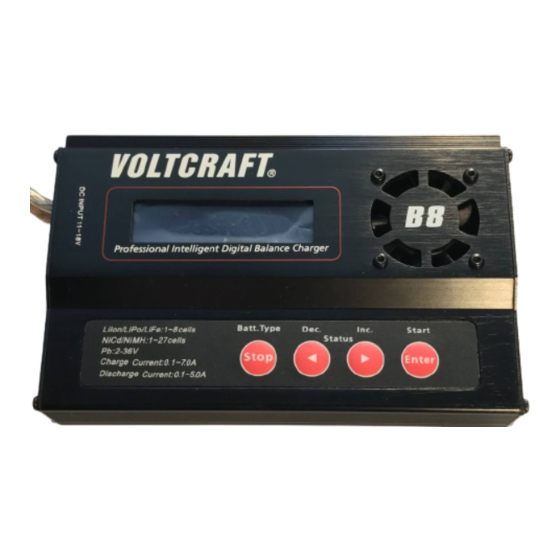
VOLTCRAFT B8 Bedienungsanleitung
Impressum
Diese Bedienungsanleitung ist eine Publikation von Voltcraft®, Lindenweg 15, D-92242 Hirschau,
Tel.-Nr. 0180/586 582 7 (www.voltcraft.de).
Alle Rechte einschließlich Übersetzung vorbehalten. Reproduktionen jeder Art, z. B. Fotokopie, Mikroverfilmung, oder
die Erfassung in elektronischen Datenverarbeitungsanlagen, bedürfen der schriftlichen Genehmigung des
Herausgebers. Nachdruck, auch auszugsweise, verboten.
Diese Bedienungsanleitung entspricht dem technischen Stand bei Drucklegung. Änderung in Technik und Ausstattung
vorbehalten.
© Copyright 2009 by Voltcraft®.
Legal Notice
These operating instructions are a publication by Voltcraft®, Lindenweg 15, D-92242 Hirschau/Germany,
Phone +49 180/586 582 7 (www.voltcraft.de).
All rights including translation reserved. Reproduction by any method, e.g. photocopy, microfilming, or the capture in
electronic data processing systems require the prior written approval by the editor. Reprinting, also in part, is prohibited.
These operating instructions represent the technical status at the time of printing. Changes in technology and equipment
reserved.
© Copyright 2009 by Voltcraft®.
Information légales
Ce mode d'emploi est une publication de la société Voltcraft®, Lindenweg 15, D-92242 Hirschau/Allemagne,
Tél. +49 180/586 582 7 (www.voltcraft.de).
Tous droits réservés, y compris de traduction. Toute reproduction, quelle qu'elle soit (p. ex. photocopie, microfilm, saisie dans
des installations de traitement de données) nécessite une autorisation écrite de l'éditeur. Il est interdit de le réimprimer,
même par extraits.
Ce mode d'emploi correspond au niveau technique du moment de la mise sous presse. Sous réserve de modifications
techniques et de l'équipement.
© Copyright 2009 par Voltcraft®.
Colofon
Deze gebruiksaanwijzing is een publicatie van de firma Voltcraft®, Lindenweg 15, D-92242 Hirschau/Duitsland,
Tel. +49 180/586 582 7 (www.voltcraft.de).
Alle rechten, vertaling inbegrepen, voorbehouden. Reproducties van welke aard dan ook, bijvoorbeeld fotokopie,
microverfilming of de registratie in elektronische gegevensverwerkingsapparatuur, vereisen de schriftelijke toestemming van
de uitgever. Nadruk, ook van uittreksels, verboden.
Deze gebruiksaanwijzing voldoet aan de technische stand bij het in druk bezorgen. Wijziging van techniek en uitrusting
voorbehouden.
© Copyright 2009 by Voltcraft®.
PRO MULTILADER-ENTLADER „B8"
BEDIENUNGSANLEITUNG
PRO MULTI CHARGER / DISCHARGER „B8"
OPERATING INSTRUCTIONS
CHARGEUR / DÉCHARGEUR MULTIPLE
PROFESSIONNEL « B8 »
NOTICE D'EMPLOI
PRO MULTILADER-ONTLADER „B8"
GEBRUIKSAANWIJZING
Best.-Nr. / Item No. /
N° de commande / Bestnr.:
23 57 12
02_0709_01
SEITE 2 - 49
PAGE 50 - 97
PAGE 98 - 145
PAGINA 146 - 193
VERSION 07/09
Kapitel

Verwandte Anleitungen für VOLTCRAFT B8


Inhaltszusammenfassung für VOLTCRAFT B8
- Seite 1 CHARGEUR / DÉCHARGEUR MULTIPLE Information légales PROFESSIONNEL « B8 » Ce mode d'emploi est une publication de la société Voltcraft®, Lindenweg 15, D-92242 Hirschau/Allemagne, Tél. +49 180/586 582 7 (www.voltcraft.de). NOTICE D’EMPLOI PAGE 98 - 145 Tous droits réservés, y compris de traduction. Toute reproduction, quelle qu'elle soit (p. ex. photocopie, microfilm, saisie dans des installations de traitement de données) nécessite une autorisation écrite de l'éditeur.
-
Seite 2: Inhaltsverzeichnis
Inhaltsverzeichnis Seite Einführung ........................4 Bestimmungsgemäße Verwendung ................5 Lieferumfang ......................... 5 Symbol-Erklärung ......................6 Sicherheitshinweise ...................... 6 Akkuhinweise ........................ 9 a) Allgemein ....................... 9 b) Zusätzliche Informationen zu Lithium-Akkus ............. 11 Verwendbare Akkutypen ..................... 13 Bedienelemente ......................15 Inbetriebnahme ...................... - Seite 3 Seite 13. Bleiakkus (Pb) ......................29 a) Allgemein ......................29 b) Akku laden („CHARGE“) ..................29 c) Akku entladen („DISCHARGE“) ................31 14. Akkudaten speichern ....................32 15. Akkudaten laden ......................34 16. Diverse Grundeinstellungen („USER SET“) .............. 35 17. Warnmeldungen im Display ..................41 18.
-
Seite 4: Einführung
Spanning Laadstroom Ontlaadstroom 3,3V/cel Sehr geehrte Kundin, sehr geehrter Kunde, mit dem Kauf eines Voltcraft® - Produktes haben Sie eine sehr gute Entscheidung getroffen, 13,2 für die wir Ihnen danken. 16,5 19,8 Voltcraft® - Dieser Name steht auf dem Gebiet der Mess-, Lade- sowie Netztechnik für 23,1 überdurchschnittliche Qualitätsprodukte, die sich durch fachliche Kompetenz, außergewöhn-... -
Seite 5: Bestimmungsgemäße Verwendung
Laadstroom Ontlaadstroom 1,2V/cel Der „Pro Multilader-Entlader B8“ dient zum Aufladen von Akkus des Typs NiCd + NiMH (1-27 Zellen), LiPo/LiIon/LiFe (1-8 Zellen) sowie für Bleiakkus (1-18 Zellen, 2V-36V). Der Ladestrom kann abhängig von den angeschlossenen Akkus und deren Zellenzahl/Kapazität zwischen 0.1A und 7.0A eingestellt werden (siehe Tabellen in Kapitel 22). -
Seite 6: Symbol-Erklärung
4. Symbol-Erklärung 22. Technische gegevens Bedrijfsspanning: ......11-18 V=, gestabiliseerd Das Symbol mit dem Ausrufezeichen im Dreieck weist auf wichtige Hinweise Stroomopname: ......Afhankelijk van laadstroom en accu in dieser Bedienungsanleitung hin, die unbedingt zu beachten sind. (8 A-adapter of auto-accu aanbevolen) ... -
Seite 7: Batterijen En Accu´s
21. Afvalverwijdering Dadurch wird das Ladegerät zerstört, außerdem besteht höchste Gefahr eines Brandes. Trennen Sie in diesem Fall das Produkt sofort von der Betriebsspannung, a) Algemeen trennen Sie danach den Akku vom Ladegerät. Der Akku ist außen komplett abzutrocknen bzw. zu reinigen. Betreiben Sie das Ladegerät nicht mehr, bringen Sie es in eine Fachwerkstatt. - Seite 8 Lassen Sie das Ladegerät (und den/die Akkus) zuerst auf Zimmertempera- • Dek het laadapparaat en de accu nooit af! Door een hittestuwing wordt niet tur kommen, bevor Sie das Ladegerät mit der Versorgungsspannung verbin- alleen het laadapparaat beschadigd maar bestaat er ook brand- en den und in Betrieb nehmen.
-
Seite 9: Akkuhinweise
19. Onderhoud en reiniging 6. Akku-Hinweise Het apparaat is nagenoeg onderhoudsvrij en mag absoluut niet worden geopend. Obwohl der Umgang mit Akkus im täglichen Leben heute eine Selbstverständlichkeit ist, bestehen zahlreiche Gefahren und Probleme. Speziell bei LiPo-/LiIon-/LiFe-Akkus mit ihrem Laat het apparaat uitsluitend door een deskundige of elektrotechnisch bedrijf repareren; hohen Energieinhalt (im Vergleich zu herkömmlichen NiCd- oder NiMH-Akkus) sind diverse anders bestaat het gevaar dat het product defect raakt en bovendien vervalt hierdoor de Vorschriften unbedingt einzuhalten, da andernfalls Explosions- und Brandgefahr besteht. -
Seite 10: In Power Voltage
18. Informatie van het laadapparaat Das hier gelieferte Ladegerät verfügt über eine Schutzschaltung gegen Falschpolung. Trotzdem kann eine Falschpolung hier in bestimmten Situa- tionen zu Beschädigungen führen. Tijdens het laad-/ontlaadproces worden door meerdere keren te drukken op de toets „DEC“ •... -
Seite 11: B) Zusätzliche Informationen Zu Lithium-Akkus
De spanning in een cel van een lithium-accu (LiPo, b) Zusätzliche Informationen zu Lithium-Akkus BATTERY VOLTAGE BATTERY VOLTAGE BATTERY VOLTAGE BATTERY VOLTAGE BATTERY VOLTAGE LiIon, LiFe) is te hoog. Dit kan voorkomen wanneer Moderne Akkus mit Lithium-Technik verfügen nicht nur über eine deutlich höhere Kapazität als CELL HIGH VOL CELL HIGH VOL CELL HIGH VOL... - Seite 12 17. Waarschuwingen op het display • Verwenden Sie zum Aufladen eines Akkus mit Lithiumtechnik nur ein dafür geeignetes Ladegerät. Herkömmliche Ladegeräte für NiCd-, NiMH- oder Bleiakkus dürfen nicht verwendet werden, es besteht Brand- und Explosi- onsgefahr! REVERSE POLARITY REVERSE POLARITY REVERSE POLARITY REVERSE POLARITY REVERSE POLARITY...
-
Seite 13: Verwendbare Akkutypen
7. Verwendbare Akkutypen • Met de toets „INC“ gaat u naar de volgende instelling (resp. met de toets „DEC“ naar de voorafgaande instelling of met de toets „Batt Type/Stop“ gaat u terug naar het hoofdmenu). Input Power Low Input Power Low NiCd Input Power Low Input Power Low... - Seite 14 • Met de toets „INC“ gaat u naar de volgende instelling (resp. met de toets „DEC“ naar de voorafgaande instelling of met de toets „Batt Type/Stop“ gaat u terug naar het hoofdmenu). Spannung: 2,0V/Zelle Capacity Cut-OFF Capacity Cut-OFF Capacity Cut-OFF Capacity Cut-OFF Capacity Cut-OFF Max.
-
Seite 15: Bedienelemente
8. Bedienelemente • Met de toets „INC“ gaat u naar de volgende instelling (resp. met de toets „DEC“ naar de voorafgaande instelling of met de toets „Batt Type/Stop“ gaat u terug naar het hoofdmenu). Safety Timer Safety Timer Safety Timer Safety Timer Safety Timer 120min... -
Seite 16: Inbetriebnahme
9. Inbetriebnahme Opdat deze functie zou kunnen worden gebruikt, is een externe temperatuursensor nodig, die op het laadapparaat wordt aangesloten (zie hoofdstuk 8, positie 9). Das Ladegerät muss mit einer stabilisierten Gleichspannung (11-18V=) betrieben werden. De temperatuursensor wordt niet met het laadapparaat meegeleverd, maar Betreiben Sie das Ladegerät niemals an einer anderen Spannung, dies moet apart besteld worden. - Seite 17 • Met de toets „INC“ gaat u naar de volgende instelling (resp. met de toets „DEC“ naar de Ladegerät/Ladekabel. Beim Abstecken gehen Sie in umgekehrter Reihen- voorafgaande instelling of met de toets „Batt Type/Stop“ gaat u terug naar het hoofdmenu). folge vor.
-
Seite 18: Menüstruktur
10. Menüstruktur 16. Diverse basisinstellingen („USER SET“) Start • Selecteer in het hoofdmenu met de toets „Batt Type/Stop“ het „USER“-menu. Program S elect E nter LiXX LiXX Charge LiXX Balance Lithium Battery Fast Charg e USER SET USER SET USER SET USER SET USER SET PROGRAM->... -
Seite 19: Lithium-Akkus (Lipo, Liion, Life)
Adapter für die Balancer-Stecker. display „LOAD...“. Nur bei Verwendung eines Balancers (im Ladegerät „B8“ integriert) so haben De gegevens worden overgenomen en alle instellingen worden volgens de opgeslagen alle Zellen nach dem Ladevorgang die gleiche Spannung und es kommt nicht waarden geactiveerd. -
Seite 20: Akku Ohne Balancer-Anschluss Laden ("Charge")
Danach können mit den Tasten „INC“ und „DEC“ die verschiedenen Funktionen ausgewählt • Druk kort op de toets „Start/Enter“ en de stroomwaarde op de onderste regel knippert. werden: Bij NiCd- resp. NiMH-accu's kan door gelijktijdig op de toetsen „INC“ en „DEC“ •... -
Seite 21: Accugegevens Opslaan
14. Accugegevens opslaan Andernfalls erscheint z.B. folgende Anzeige (abwechselnd): R: 3SER R: 3SER S: 3SER S: 3SER R: 3SER R: 3SER S: 3SER S: 3SER R: 3SER R: 3SER R: 3SER S: 3SER S: 3SER S: 3SER R: 3SER R: 3SER R: 3SER S: 3SER S: 3SER... -
Seite 22: Akku Mit Balanceranschluss Laden ("Balance")
c) Akku mit Balanceranschluss laden („BALANCE“) c) Accu ontladen („DISCHARGE“) Im Gegensatz zum einfachen Ladeprogramm „CHARGE“ wird hier die Spannung jeder • Nadat u in het hoofdmenu met de toets „Batt Type/Stop“ het „Pb“-programma hebt geselecteerd einzelnen Zelle überwacht und der Ladestrom entsprechend eingestellt. en met de toets „Start/Enter“... -
Seite 23: Schnellladung ("Fast Chg")
• Om het laadproces te starten, houdt u de toets „Start/Enter“ langer ingedrukt (ca. 3 d) Schnellladung („FAST CHG“) seconden). Beim Laden eines Lithium-Akkus wird der Ladestrom durch das verwendete Ladeverfahren • Indien de instellingen verkeerd zijn resp. het laadapparaat een fout vaststelt, dan klinkt een bei Lithium-Akkus immer geringer, je voller der Akku ist. -
Seite 24: Loodaccu's (Pb)
13. Loodaccu's (Pb) f) Akku entladen („DISCHARGE“) Normalerweise ist es bei Lithium-Akkus nicht erforderlich, diese zu entladen (entgegen NiCd- a) Algemeen Akkus). Der Akku kann unabhängig von seinem vorhandenem Zustand sofort aufgeladen werden. Loodaccu's zijn een heel ander soort accu's dan NiMH- of NiCd-accu's. Deze kunnen Falls Sie trotzdem einen solchen Akku entladen möchten, so kann der Entladestrom zwischen vergeleken met hun hoge capaciteit slechts een geringe stroom leveren en bovendien is het 0,1A und 5,0A eingestellt werden. -
Seite 25: Nimh- Und Nicd-Akkus
12. NiMH- und NiCd-Akkus c) Cyclusprogramma („CYCLE“) Om accu's te testen of te „Refreshen“ (een zwakke, oude accu krachtiger met meer capaciteit a) Akku laden („CHARGE“) te maken), kunt u maximaal 5 cycli automatisch achter elkaar uitvoeren. Zowel de combinatie „laden/ontladen“... - Seite 26 Wenn der Stromwert blinkt, kann durch gleichzeitiges Drücken der Tasten „INC“ und b) Accu ontladen („DISCHARGE“) „DEC“ zwischen dem manuellen und dem automatischen Modus umgeschaltet • Nadat u in het hoofdmenu met de toets „Batt Type/Stop“ het „NiMH“- resp. „NiCd“- werden.
-
Seite 27: B) Akku Entladen („Discharge")
Wanneer de stroomwaarde knippert, kan door gelijktijdig op de toetsen „INC“ en b) Akku entladen („DISCHARGE“) „DEC“ te drukken, worden gewisseld tussen de handmatige modus en de automati- • Nachdem Sie im Hauptmenü mit der Taste „Batt Type/Stop“ das „NiMH“- bzw. „NiCd“- sche modus. -
Seite 28: C) Zyklus-Programm („Cycle")
12. NiMH- en NiCd-accu's c) Zyklus-Programm („CYCLE“) Um Akkus zu testen oder zu „Refreshen“ (einen schwachen, alten Akku leistungsfähiger zu a) Accu laden („CHARGE“) machen), können Sie bis zu 5 Zyklen automatisch nacheinander durchführen. Sowohl die Kombination „Laden/Entladen“ („CHG>DCHG“) bzw. „Entladen/Laden“ („DCHG>CHG“) ist De in te stellen laadstroom is afhankelijk van de capaciteit van de accu en dient normaliter 1C möglich. -
Seite 29: Bleiakkus (Pb)
13. Bleiakkus (Pb) f) Accu ontladen („DISCHARGE“) Normaliter is het bij lithium-accu's niet nodig deze te ontladen (dit in tegenstelling tot NiCd- a) Allgemein accu's). De accu kan ongeacht zijn capaciteit direct worden opgeladen. Indien u een dergelijke accu toch wilt ontladen, dan kan de ontlaadstroom tussen 0,1A en 5,0A Bleiakkus unterscheiden sich völlig von NiMH- oder NiCd-Akkus. - Seite 30 • Um den Ladevorgang zu starten, halten Sie die Taste „Start/Enter“ länger gedrückt (ca. 3 d) Snelladen („FAST CHG“) Sekunden). Bij het laden van een lithium-accu wordt de laadstroom door het toegepaste laadproces bij • Falls die Einstellungen falsch sind bzw. das Ladegerät einen Fehler feststellt, so wird ein lithium-accu's steeds lager, des te voller de accu is.
-
Seite 31: C) Akku Entladen („Discharge")
c) Accu met Balancer-aansluiting opladen („BALANCE“) c) Akku entladen („DISCHARGE“) In tegenstelling tot het eenvoudige laadprogramma „CHARGE“ wordt hier de spanning van • Nachdem Sie im Hauptmenü mit der Taste „Batt Type/Stop“ das „Pb“-Programm ausgewählt elke afzonderlijke cel bewaakt en wordt de laadstroom dienovereenkomstig ingesteld. und mit der Taste „Start/Enter“... -
Seite 32: Akkudaten Speichern
14. Akkudaten speichern Anders verschijnt bijv. de volgende weergave (afwisselend): R: 3SER R: 3SER S: 3SER S: 3SER R: 3SER R: 3SER S: 3SER S: 3SER R: 3SER R: 3SER R: 3SER S: 3SER S: 3SER S: 3SER R: 3SER R: 3SER R: 3SER S: 3SER... - Seite 33 Daarna kunnen met de toetsen „INC“ en „DEC“ de verschillende functies worden geselecteerd: • Drücken Sie kurz die Taste „Start/Enter“, der Stromwert in der unteren Zeile blinkt. • „CHARGE“: lithium-accu zonder balancer-aansluiting opladen Bei NiCd- bzw. NiMH-Akkus kann durch gleichzeitiges Drücken der Tasten „INC“...
-
Seite 34: Akkudaten Laden
• Halten Sie die Taste „Start/Enter“ länger gedrückt (ca. 3 Sekunden), so erscheint im Display verkrijgbaar voor balancer-stekkers. kurz „LOAD...“. Alleen bij het gebruik van een balancer (in laadapparaat „B8“ geïntegreerd) Die Daten werden übernommen, alle Einstellungen entsprechend den abgespeicherten hebben alle cellen na het laadproces dezelfde spanning en komt een overlading Werten vorgenommen. -
Seite 35: Diverse Grundeinstellungen („User Set")
10. Menustructuur 16. Diverse Grundeinstellungen („USER SET“) Start • Wählen Sie im Hauptmenü mit der Taste „Batt Type/Stop“ das „USER“-Menü aus. Program S elect E nter LiXX LiXX Charge LiXX Balance Lithium Battery Fast Charg e USER SET USER SET USER SET USER SET USER SET... - Seite 36 • Mit der Taste „INC“ gelangen Sie zur nächsten Einstellung (bzw. mit der Taste „DEC“ zur laadapparaat/de laadkabel. Bij het loskoppelen, gaat u in omgekeerde vorhergehenden Einstellung oder mit der Taste „Batt Type/Stop“ zurück ins Hauptmenü). volgorde te werk. Er bestaat anders het gevaar van kortsluiting (bijv. door de beide 4 mm ronde stekkers van de laadkabel).
- Seite 37 9. Ingebruikname Damit diese Funktion verwendet werden kann, ist ein externer Temperatur- sensor erforderlich, der am Ladegerät angeschlossen wird (siehe Kapitel 8, Position 9). Het laadapparaat moet op een gestabiliseerde gelijkspanning van 11V= tot 18V= worden Der Temperatursensor ist nicht im Lieferumfang des Ladegeräts, sondern gebruikt.
- Seite 38 8. Bedieningselementen • Mit der Taste „INC“ gelangen Sie zur nächsten Einstellung (bzw. mit der Taste „DEC“ zur vorhergehenden Einstellung oder mit der Taste „Batt Type/Stop“ zurück ins Hauptmenü). Safety Timer Safety Timer Safety Timer Safety Timer Safety Timer 120min 120min 120min 120min...
- Seite 39 • Mit der Taste „INC“ gelangen Sie zur nächsten Einstellung (bzw. mit der Taste „DEC“ zur vorhergehenden Einstellung oder mit der Taste „Batt Type/Stop“ zurück ins Hauptmenü). Spanning: 2,0V / cel Capacity Cut-OFF Capacity Cut-OFF Capacity Cut-OFF Capacity Cut-OFF Capacity Cut-OFF Max.
-
Seite 40: Geschikte Accutypen
7. Geschikte accutypen • Mit der Taste „INC“ gelangen Sie zur nächsten Einstellung (bzw. mit der Taste „DEC“ zur vorhergehenden Einstellung oder mit der Taste „Batt Type/Stop“ zurück ins Hauptmenü). NiCd Input Power Low Input Power Low Input Power Low Input Power Low Input Power Low Cut-Off... -
Seite 41: Warnmeldungen Im Display
17. Warnmeldungen im Display of loodaccu's mogen niet worden gebruikt; er bestaat brand- en explosiegevaar! • Wanneer u een accu met lithiumtechniek met meer dan een cel oplaadt, REVERSE POLARITY REVERSE POLARITY REVERSE POLARITY REVERSE POLARITY REVERSE POLARITY gebruik dan altijd een zogenaamde balancer (bijv. in dit geleverde Die Polarität der Akkuanschlüsse ist vertauscht. -
Seite 42: Battery Voltage
Die Spannung in einer Zelle eines Lithium-Akkus b) Extra informatie over lithium-accu's BATTERY VOLTAGE BATTERY VOLTAGE BATTERY VOLTAGE BATTERY VOLTAGE BATTERY VOLTAGE (LiPo, LiIon, LiFe) ist zu hoch. Dies kann vorkom- Moderne accu's met lithium-techniek hebben niet alleen een veel hogere capaciteit dan NiMH- CELL HIGH VOL CELL HIGH VOL CELL HIGH VOL... -
Seite 43: Informationen Des Ladegeräts
18. Informationen des Ladegeräts Het hier geleverde laadapparaat is voorzien van een veiligheidsschakeling tegen omgekeerde polariteit. Toch kan een omgekeerde polariteit hier in bepaalde gevallen leiden tot beschadigingen. Während einem Lade-/Entladevorgang werden durch mehrfachen Druck auf die Taste „DEC“ • Wanneer u het apparaat langere tijd niet gebruikt (bijv. bij opslag), dient u diverse Informationen im Display angezeigt. -
Seite 44: Wartung Und Reinigung
19. Wartung und Reinigung 6. Accuvoorschriften Das Produkt ist für Sie wartungsfrei, zerlegen Sie es deshalb niemals. Het gebruik van accu´s is vandaag de dag weliswaar vanzelfsprekend, maar er bestaan toch tal van gevaren en problemen. Vooral bij LiPo-/LiIon-/LiFe-accu´s met hun hoge energie- Lassen Sie eine Reparatur ausschließlich von einer Fachkraft bzw. - Seite 45 • Onderhouds-, instellings- of reparatiewerkzaamheden mogen uitsluitend • Achten Sie beim Aufstellen und bei Betrieb darauf, dass die Kabel nicht door een erkend technicus/elektrotechnisch bedrijf worden uitgevoerd. geknickt oder gequetscht werden. Binnenin het apparaat bevinden zich geen onderdelen die door de gebruiker •...
-
Seite 46: Entsorgung
21. Entsorgung Hierdoor kan het laadapparaat beschadigd raken en bestaat het gevaar van explosie of brand! Trek in dit geval direct de stekker uit het stopcontact en neem de accu a) Allgemein vervolgens uit het laadapparaat. De buitenkant van de accu moet geheel worden afgedroogd of schoongemaakt. -
Seite 47: Technische Daten
4. Verklaring van symbolen 22. Technische Daten Het symbool met het uitroepteken in een driehoek wijst op belangrijke Betriebsspannung: ......11 - 18V=, stabilisiert aanwijzingen in deze gebruiksaanwijzing die in ieder geval nageleefd moeten Stromaufnahme: ......Abhängig vom Ladestrom und Akku worden. -
Seite 48: Voorgeschreven Gebruik
Entladestrom (A) (1,2V/Zelle) De „Pro Multilader-ontlader B8“ dient voor het laden van accu´s van het type NiCd + NiMH (1- 27 cellen), LiPo/LiIon/LiFe (1-8 cellen) en voor loodaccu“s (1-18 cellen, 2V-36V). De laadstroom kan afhankelijk van de aangesloten accu“s en hun aantal cellen/de capaciteit daarvan worden ingesteld tussen 0,1A en 7,0A. - Seite 49 Spannung Ladestrom (A) Entladestrom (A) (3,3V/Zelle) Geachte klant, Wij danken u hartelijk voor het aanschaffen van een Voltcraft®-product. Hiermee heeft u een uitstekend apparaat in huis gehaald. 13,2 16,5 19,8 Voltcraft® - deze naam staat op het gebied van meettechniek, laadtechniek en...
- Seite 50 Table of contents Pagina 13. Loodaccu's (Pb) ......................173 Page a) Algemeen ......................173 Introduction ......................... 52 b) Accu laden („CHARGE“) ..................173 Intended Use ....................... 53 c) Accu ontladen („DISCHARGE“) ................ 175 Contents ........................53 14. Accugegevens opslaan .................... 176 Symbol explanation ....................
- Seite 51 Inhoudsopgave Page 13. Lead accumulators (Pb) ..................... 77 Pagina a) General information ..................... 77 Inleiding ........................148 b) Charging accumulators ("CHARGE") ..............77 Voorgeschreven gebruik ................... 149 c) Discharging accumulators ("DISCHARGE") ............79 Omvang van de levering ..................149 14.
-
Seite 52: Introduction
3,3V/élément de charge (A) de décharge (A) Dear Customer, In purchasing this Voltcraft® product, you have made a very good decision for which we would 13,2 like to thank you. 16,5 19,8 Voltcraft® - In the field of measuring, charging and network technology, this name stands for... -
Seite 53: Intended Use
(A) de décharge (A) The "Multi charger discharger B8" is used to charge NiCd + NiMH type batteries (1-27 cells), LiPo/LiIon/LiFe batteries (1-8 cells) and lead acid batteries (1-18 cells, 2V-36V). The charge current can be set between 0.1A and 7.0A depending on the connected accumulators and their cell number/capacity. -
Seite 54: Symbol Explanation
4. Symbol explanation 22. Caractéristiques techniques Tension de service : ..... 11-18V=, stabilisée An exclamation mark in a triangle indicates important instructions in this Consommation de courant : ..selon le courant de charge et l´accu operating manual which absolutely have to be observed. (Bloc d’alimentation 8 A ou accu de véhicule automobile recommandé) ... -
Seite 55: Généralités
21. Elimination If this occurs, immediately disconnect the product from the power supply, then disconnect the accumulator from the charger. The exterior of the accumulator must be completely dried off and/or cleaned. a) Généralités Do not use the charger again - bring it to a specialist workshop. •... - Seite 56 • In industrial facilities, the regulations for the prevention of accidents laid • Lors de l’installation et du fonctionnement, veillez à ce que le câble ne soit down by the professional trade associations for electrical equipment and ni coudé ni écrasé. facilities must be adhered to.
-
Seite 57: Maintenance Et Nettoyage
19. Maintenance et nettoyage 6. Notes on the accumulators Le produit ne nécessite aucun entretien de votre part, par conséquent, ne le démontez jamais. Despite the fact that batteries, both rechargeable and non-rechargeable, have become a normal part of today's life, there are still numerous dangers and problems involved. In Ne laissez qu'un atelier spécialisé... -
Seite 58: Informations Du Chargeur
18. Informations du chargeur • If the product is not to be used for a long period of time (e.g. storage), disconnect any accumulator from the charger that may be attached, disconnect the charger from the power supply. Pendant un processus de charge/décharge, vous pouvez faire afficher des informations •... -
Seite 59: Battery Voltage
La tension d’un élément d'un accumulateur au b) Additional information on Lithium accumulators BATTERY VOLTAGE BATTERY VOLTAGE BATTERY VOLTAGE BATTERY VOLTAGE BATTERY VOLTAGE lihtium (LiPo, LiIon, LiFe) est trop élevée. Ceci Modern accumulators with lithium technology do not only have a clearly higher capacity than CELL HIGH VOL CELL HIGH VOL CELL HIGH VOL... - Seite 60 17. Messages d’avertissement à l’écran • Only use a suitable charger to charge lithium accumulators. Due to a risk of fire and explosion, ordinary chargers for NiCd, NiMH and lead acid batteries may not be used! REVERSE POLARITY REVERSE POLARITY REVERSE POLARITY REVERSE POLARITY REVERSE POLARITY...
-
Seite 61: Usable Accumulator Types
7. Usable accumulator types • Passez à l'aide de la touche « INC » au prochain réglage (ou par la touche « DEC » au réglage précédent ou retournez par la touche « Batt Type/Stop » au menu principal). NiCd Input Power Low Input Power Low Input Power Low... - Seite 62 • Passez à l'aide de la touche « INC » au prochain réglage (ou par la touche « DEC » au réglage précédent ou retournez par la touche « Batt Type/Stop » au menu principal). Voltage: 2.0V/cell Capacity Cut-OFF Capacity Cut-OFF Capacity Cut-OFF Capacity Cut-OFF Capacity Cut-OFF...
-
Seite 63: Operating Elements
8. Operating elements • Passez à l'aide de la touche « INC » au prochain réglage (ou par la touche « DEC » au réglage précédent ou retournez par la touche « Batt Type/Stop » au menu principal). Safety Timer Safety Timer Safety Timer Safety Timer... -
Seite 64: Initial Operation
9. Initial operation Pour pouvoir utiliser cette fonction, un détecteur de température externe qui est connecté sur le chargeur est requis (voir chapitre 8, position 9). Le détecteur de température n´est pas compris dans la livraison du chargeur The charger must be used with a stabilised direct current voltage (11-18V=). mais doit être commandé... - Seite 65 • Passez à l'aide de la touche « INC » au prochain réglage (ou par la touche « DEC » au When disconnecting, do so in reverse order to the above. Failure to do so réglage précédent ou retournez par la touche « Batt Type/Stop » au menu principal). presents the danger of a short circuit (e.g.
-
Seite 66: Menu Structure
10. Menu structure 16. Divers réglages de base (« USER SET ») Start • Sélectionnez dans le menu principal le menu « USER » à l'aide de la touche « Batt Type/Stop ». Program S elect E nter LiXX LiXX Charge LiXX Balance Lithium Battery Fast Charg e... -
Seite 67: Lithium Accumulators (Lipo, Liion, Life)
• Maintenez enfoncée la touche « Start/Enter » (pendant env. 3 secondes), l'écran affiche alors brièvement « LOAD...». When using a balancer (integrated in the charger "B8"), all cells have the same voltage after the charge process, which prevents the overcharging of individual Les données seront reprises, tous les réglages seront effectués conformément aux données... -
Seite 68: B) Charging Accumulators Without Balancer Connection ("Charge")
Afterwards, you can select the different functions with the buttons "INC" and "DEC". Si la touche « Start/Enter » est maintenue trop longtemps, l'écran affiche « SAVE », les réglages sont sauvegardés. Redémarrez le réglage ensuite. • "CHARGE": Charge lithium accumulator without balancer connection •... -
Seite 69: Sauvegarder Les Données D'accumulateur
14. Sauvegarder les données d'accumulateur If you do not, the following display appears (alternating): R: 3SER R: 3SER S: 3SER S: 3SER R: 3SER R: 3SER S: 3SER S: 3SER R: 3SER R: 3SER R: 3SER S: 3SER S: 3SER S: 3SER R: 3SER R: 3SER... -
Seite 70: C) Charging Accumulators With Balancer Connection ("Balance")
c) Charging accumulators with balancer connection ("BALANCE") c) Décharger l'accumulateur (« DISCHARGE ») In contrast to the simple charging program "CHARGE", the voltage of each individual cell is • Après avoir sélectionné dans le menu principal le programme « Pb » à l'aide de la touche monitored and the charge current is adjusted correspondingly. -
Seite 71: D) Fast Charge ("Fast Chg")
• La tension/le nombre d'éléments clignote ensuite. Modifiez la valeur à l'aide des touches « d) Fast charge ("FAST CHG") INC » et « DEC ». Il convient de veiller à ce que la tension ne soit modifiée qu’à l’aide du When charging a Lithium accumulator, the charge current becomes increasingly lower the nombre d’éléments (par ex. -
Seite 72: F) Discharging Accumulators ("Discharge")
13. Accumulateurs au plomb (Pb) f) Discharging accumulators ("DISCHARGE") Normally, it is not necessary to discharge lithium accumulators (contrary to NiCd accumulators). a) Généralités The accumulator can be charged immediately independent of its current status. If you still want to discharge such an accumulator, you can set the discharge current between Les accumulateurs au plomb diffèrent complètement des accumulateurs NiMH ou NiCd. -
Seite 73: Nimh And Nicd Accumulators
12. NiMH and NiCd accumulators c) Programme cycle (« CYCLE ») Pour tester ou raffraîchir (augmenter la performance d'un accumulateur vieux et faible) les a) Charging accumulators ("CHARGE") accumulateurs vous pouvez effectuer automatiquement jusqu'à 5 cycles de charge successifs. Cela est aussi bien possible pour la combinaison « Charge/Décharge » (« CHG>DCHG ») que The charge current to be set depends on the accumulator capacity and is usually 1C. - Seite 74 If the current value blinks, you can switch between manual and automatic mode by b) Décharger l'accumulateur (« DISCHARGE ») simultaneously pressing the buttons "INC" and "DEC". • Après avoir sélectionné dans le menu principal le programme « NiMH » ou « NiCd » à l'aide ...
-
Seite 75: B) Discharging Accumulators ("Discharge")
• Appuyez brièvement sur la touche « Start/Enter » pour entrer au mode de réglages. La b) Discharging accumulators ("DISCHARGE") valeur de courant commence à clignoter alors sur l'écran. • After you have selected the "NiMH" or "NiCd" program in the main menu with the button "Batt Si la valeur de courant clignote vous pouvez commuter entre les modes manuel et Type/Stop"... -
Seite 76: C) Cycle Program ("Cycle")
12. Accumulateurs NiMH et NiCd c) Cycle program ("CYCLE") To test or refresh accumulators, you can perform up to 5 cycles in sequence. The two possible a) Charger l'accumulateur (« CHARGE ») combinations are "Charge/Discharge" ("CHG>DCHG") and "Discharge/Charge" ("DCHG>CHG"). Le courant de charge à régler dépend de la capacité de l’accumulateur et doit habituellement •... -
Seite 77: Lead Accumulators (Pb)
13. Lead accumulators (Pb) f) Décharger l'accumulateur (« DISCHARGE ») Normalement, il n'est pas nécessaire de décharger les accumulateurs au lithium (au contraire a) General information des accumulateurs NiCd). Indépendamment de son état présent, l'accumulateur peut être immédiatement rechargé. Lead acid batteries are completely different to NiMH or NiCd batteries. In comparison to their Si vous souhaitez toutefois décharger un tel accumulateur, le courant de charge peut être réglé... - Seite 78 • To begin the charging process, keep the "Start/Enter" button pressed (approx. 3 seconds). Si votre pack d'accumulateurs LiPo dispose d’un raccord d'équilibreur, il faut toujours utiliser le programme de charge « BALANCE ». • If the settings are wrong, or if the charger detects a problem, an audio signal is emitted and the appropriate information is shown on the display.
-
Seite 79: C) Discharging Accumulators ("Discharge")
c) Charger un accumulateur avec branchement à l'équilibreur c) Discharging accumulators ("DISCHARGE") (« BALANCE ») • After you have selected the "Pb" program in the main menu with the button "Batt Type/Stop" and confirmed this with the button "Start/Enter", you can select the discharge function using Contrairement au programme de charge simple «... -
Seite 80: Saving Accumulator Data
14. Saving accumulator data Autrement, l'affichage suivant apparaît par ex. (en alternant) : R: 3SER R: 3SER S: 3SER S: 3SER R: 3SER R: 3SER S: 3SER S: 3SER R: 3SER R: 3SER R: 3SER S: 3SER S: 3SER S: 3SER R: 3SER R: 3SER R: 3SER... - Seite 81 Ensuite vous pouvez sélectionner les différentes fonctions par les touches « INC » et « DEC » : • Briefly press the button "Start/Enter"; the current value in the bottom line starts to blink. • « CHARGE » : charger un accumulateur au lithium sans branchement à l'équilibreur With NiCd or NiMH accumulators, you can switch between manual and automatic mode by simultaneously pressing the buttons "INC"...
-
Seite 82: Loading Accumulator Data
Uniquement en cas de l'utilisation d'un équilibreur (intégré dans le chargeur « B8 ») tous les éléments présentent la même tension après le processus de charge ce qui empêche une surcharge de l'un des éléments. Une surcharge n'entrave pas seulement la longévité d'un accumulateur LiPo mais risque aussi de détruire l'accumulateur et de provoquer un incendie ou une explosion ! -
Seite 83: Various Basic Settings ("User Set")
10. Structure du menu 16. Various basic settings ("USER SET") Start • In the main menu, select the "USER" menu with the button "Batt Type/Stop". Program S elect E nter LiXX LiXX Charge LiXX Balance Lithium Battery Fast Charg e USER SET USER SET USER SET... - Seite 84 • With the "INC" button, you access the next setting (or with the button "DEC" the previous chargeur/câble de charge. Pour l'enlever, procédez dans l'ordre inverse. setting). Return to the main menu with the button "Batt Type/Stop". Autrement il y a risque d'un court-circuit (par les deux connecteurs ronds de 4mm du câble de charge par ex.).
- Seite 85 9. Mise en service An external temperature sensor is required to use this function, which is connected to the charger (see chapter 8, position 9). The temperature sensor is not part of the delivery and must be ordered Le chargeur doit être utilisé avec une tension continue stabilisée (11 à 18V=). separately.
-
Seite 86: Éléments De Commande
8. Éléments de commande • With the "INC" button, you access the next setting (or with the button "DEC" the previous setting). Return to the main menu with the button "Batt Type/Stop". Safety Timer Safety Timer Safety Timer Safety Timer Safety Timer 120min 120min... - Seite 87 • With the "INC" button, you access the next setting (or with the button "DEC" the previous setting). Return to the main menu with the button "Batt Type/Stop". Tension : 2,0V/élément Capacity Cut-OFF Capacity Cut-OFF Capacity Cut-OFF Capacity Cut-OFF Capacity Cut-OFF Tension de charge maxi.
-
Seite 88: Types D'accumulateur Utilisables
7. Types d'accumulateur utilisables • With the "INC" button, you access the next setting (or with the button "DEC" the previous setting). Return to the main menu with the button "Batt Type/Stop". NiCd Input Power Low Input Power Low Input Power Low Input Power Low Input Power Low Tension nominale :... -
Seite 89: Warning Messages On The Display
17. Warning messages on the display Ne touchez l'accumulateur que prudemment, utilisez des gants de protection appropriés. Éliminez l'accumulateur dans le respect de l'environnement. • Utilisez uniquement un chargeur approprié pour charger un accumulateur REVERSE POLARITY REVERSE POLARITY REVERSE POLARITY REVERSE POLARITY REVERSE POLARITY The polarity of the accumulator poles has been... - Seite 90 The voltage in one of the cells of a LiPo, LiIon, LiFe b) Informations supplémentaires afférentes aux accumulateurs BATTERY VOLTAGE BATTERY VOLTAGE BATTERY VOLTAGE BATTERY VOLTAGE BATTERY VOLTAGE accumulator is too high. This can occur if a multicell au lithium CELL HIGH VOL CELL HIGH VOL CELL HIGH VOL...
-
Seite 91: Information By The Charger
18. Information by the charger Le chargeur fourni dispose d'un circuit de protection contre une inversion de la polarité. Il est toutefois possible qu'une inversion de la polarité peut entraîner des endommagements dans certaines situations. Various information is indicated on the display during a charge/discharge process by repeatedly •... -
Seite 92: Maintenance And Cleaning
19. Maintenance and cleaning 6. Informations relatives aux accumulateurs The product does not require any maintenance. You should never take it apart. Bien que le maniement d’accumulateurs dans la vie quotidienne fait partie de la normalité de la vie, ceci représente toutefois nombreux problèmes et dangers. En particulier avec les The product should only be repaired by a specialist or specialist workshop or it might be accumulateurs LiPo/LiIon/LiFe avec leur haut contenu énergétique (en comparaison avec des damaged. - Seite 93 • Les travaux d'entretien, de réglage ou de réparation ne doivent être effectués • When setting up and using the product, make sure that the cable is not folded que par du personnel qualifié ou par un atelier spécialisé. L´intérieur du or squeezed.
-
Seite 94: Disposal
21. Disposal Cela détruit le chargeur, en outre vous risqueriez de provoquer un incendie. Dans ce cas, débranchez immédiatement le produit de la tension de service et retirez ensuite l'accumulateur du chargeur. a) General information Puis séchez ou nettoyez complètement l'extérieur de l'accumulateur. N'utilisez plus l'appareil, amenez-le pour réparation chez un spécialiste. -
Seite 95: Technical Data
4. Explication des symboles 22. Technical data Operating voltage: ......11 - 18V=, stabilised Le symbole du point d'exclamation signale les informations importantes dans Current consumption: ....Depends on charge current and accumulator le présent mode d'emploi. (An 8A power supply unit or automotive battery is ... -
Seite 96: Utilisation Conforme
Cells (1.2V/cell) Le « Chargeur / déchargeur multiple professionnel B8 » sert à recharger les accumulateurs du type NiCd + NiMH (1-27 éléments), LiPo/LiIon/LiFe (1-8 éléments) et les accumulateurs au plomb (1-18 éléments, 2V-36V). Le courant de charge peut être réglé entre 0,1 A et 7,0 A en fonction des accus raccordés, de leur nombre d´éléments et de leur capacité. - Seite 97 13,2 16,5 Voltcraft® - Ce nom est en effet garant d'une qualité au dessus de la moyenne dans les 19,8 23,1 domaines de la mesure, de la recharge ainsi que des appareils de réseau, tous se distinguant 26,4 par leur compétence technique, leur fiabilité, leur longévité...
- Seite 98 Table des matières Page 13. Accumulateurs au plomb (Pb) ................... 125 Page a) Généralités ......................125 Introduction ........................ 100 b) Charger l'accumulateur (« CHARGE ») ............. 125 Utilisation conforme ....................101 c) Décharger l'accumulateur (« DISCHARGE ») ..........127 Contenu de la livraison ....................