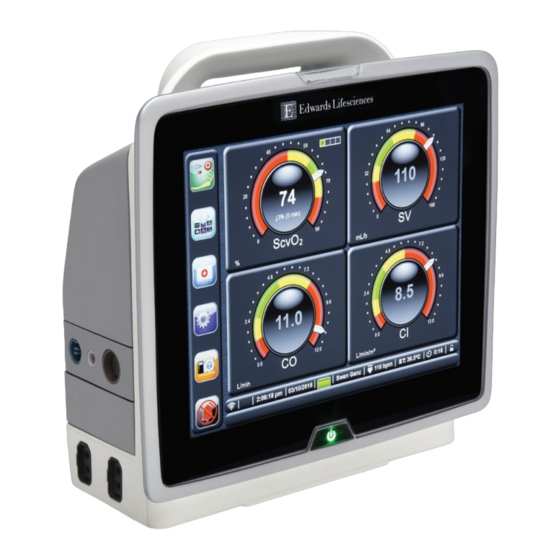
Edwards HemoSphere Kurzanleitung
Multifunktionalen monitor
Vorschau ausblenden
Andere Handbücher für HemoSphere:
- Benutzerhandbuch (436 Seiten) ,
- Benutzerhandbuch (340 Seiten) ,
- Benutzerhandbuch (200 Seiten)
Inhaltsverzeichnis
Verfügbare Sprachen
Verfügbare Sprachen
Quicklinks
English (en)..............................................................................................................................................................................................................................................................................................1
Français (fr).............................................................................................................................................................................................................................................................................................. 4
Deutsch (de)............................................................................................................................................................................................................................................................................................7
Español (es)...........................................................................................................................................................................................................................................................................................10
Italiano (it)............................................................................................................................................................................................................................................................................................. 13
Dansk (da)..............................................................................................................................................................................................................................................................................................16
Svenska (sv)...........................................................................................................................................................................................................................................................................................19
Ελληνικά (el)..........................................................................................................................................................................................................................................................................................22
Português (pt)...................................................................................................................................................................................................................................................................................... 25
Česky (cs)............................................................................................................................................................................................................................................................................................... 28
Magyar (hu)...........................................................................................................................................................................................................................................................................................31
Norsk (no).............................................................................................................................................................................................................................................................................................. 34
Български (bg)....................................................................................................................................................................................................................................................................................37
Română (ro).......................................................................................................................................................................................................................................................................................... 40
Eesti (et)..................................................................................................................................................................................................................................................................................................43
Lietuvių (lt)............................................................................................................................................................................................................................................................................................ 46
Latviešu (lv)........................................................................................................................................................................................................................................................................................... 49
Hrvatski (hr).......................................................................................................................................................................................................................................................................................... 52
English
HemoSphere Advanced Monitor Release Notes
The following is a list of known device implementation anomalies and troubleshooting steps associated with the listed software release version.
The software version is listed on the Versions screen (Settings → Help → Versions). These issues are continually updated and compiled as a result of
ongoing product improvements.
HemoSphere advanced monitor anomalies for software release version 02.03.000.103
Known anomaly
The Event Review screen logs an extra
(duplicate) Monitoring Stopped message when
switching between monitoring modes.
"Fault: Oximetry Cable Disconnected" is not
cleared after touching the Silence Audible
Alarm button while on New Patient Data screen.
While in Non-Invasive monitoring mode,
the ART source indicator is not dimmed
on the Patient Monitor tab of Zero &
Waveform screen despite no source signal
(HemoSphere ClearSight module disconnected)
or pressure-out channel disconnected.
Internal system failure occurs after 24 hours of
monitoring.
Touch screen of monitor slows or freezes during
normal user interaction.
Edwards, Edwards Lifesciences, the stylized E logo, Acumen, Acumen IQ, ClearSight, HemoSphere, HPI, and Swan-Ganz are trademarks of
Edwards Lifesciences Corporation. All other trademarks are the property of their respective owners.
Directory
Cause
After a monitoring mode switch from
Minimally- Invasive to Invasive or Non-Invasive,
the pressure module manager is still processing
events from HemoSphere pressure cables.
Touching the Silence Audible Alarm button on
the New Patient screen does not cancel any
disconnect faults.
The cause for this anomaly is still under
investigation.
The cause for this anomaly is still
under investigation. The host module lost
communication with the data bridge module
and connection could not be re-established.
The cause for this anomaly is still under
investigation.
1
Suggested actions
No troubleshooting steps currently available.
Proceed as usual. The time-stamp on the
duplicate messages are the same.
Re-connect the oximetry cable.
No troubleshooting steps currently available.
A signal can-not be sent without
an actively monitored waveform and
connected pressure-out cable. Check
connections.
Power cycle the monitor.
Power cycle the monitor.
Inhaltsverzeichnis

Verwandte Anleitungen für Edwards HemoSphere


Inhaltszusammenfassung für Edwards HemoSphere
-
Seite 7: Deutsch (De)
Zeitstempel des HRS-Nullabgleichs korrekt ist. Ist er nicht korrekt, nehmen Sie einen erneuten Nullabgleich des HRS vor. Edwards, Edwards Lifesciences, das stilisierte E-Logo, Acumen, Acumen IQ, ClearSight, HemoSphere, HPI und Swan-Ganz sind Marken der Edwards Lifesciences Corporation. Alle anderen Marken sind Eigentum der jeweiligen Inhaber. - Seite 8 Ethernet-Schnittstellenstatus (online/offline). Benutzerinteraktion erfolgt. Beim Anschließen eines korrekten Der Monitor empfängt keine rechtzeitige Trennen Sie das HemoSphere ClearSight Modul HemoSphere ClearSight Moduls wird „Fehler: Antwort auf den Befehl „zum Einstellen von und schließen Sie es wieder an oder schalten Sie Modulsteckplatz L-Tech –...
- Seite 9 Bei der Übermittlung von Gewebe-Oxymetrie- Dem Ausgabekanal wurde ein niedriger StO Überprüfen Sie die StO -Parameterwerte auf Überwachungsdaten an ein externes Wert anstatt eines nicht zugewiesenen Werts dem HemoSphere Monitor. Patientenüberwachungssystem mittels IFMout- zugewiesen. Protokoll kann für Kanäle ohne StO -Anschluss eine „StO -Niedrig“-Alarmmeldung auf dem...