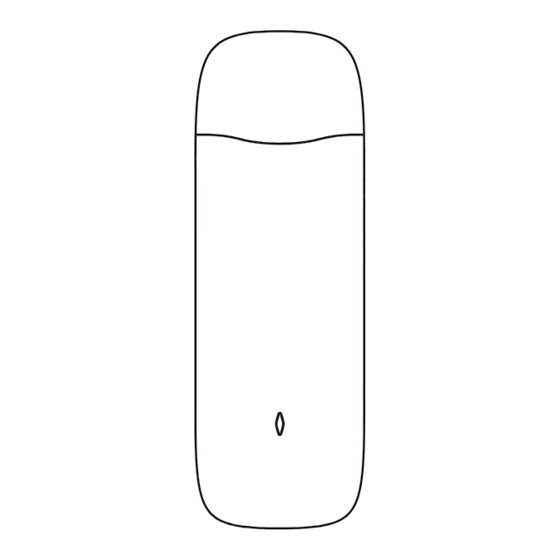
Hitachi HC-IoTGW4G Bedienungsanleitung
Inhaltsverzeichnis
Verfügbare Sprachen
Verfügbare Sprachen
Quicklinks
Security Information
Before using and operating the equipment, please read and
follow the precautions below to ensure the best performance
of the equipment and avoid dangerous or illegal situations.
Electronic Equipment
Do not use the device in areas where the use of wireless
devices is expressly prohibited, otherwise it will interfere with
other electronic devices or cause other dangers.
Impact on Medical Devices
•
In medical and health care areas where the use of
wireless devices is expressly prohibited, please follow
the rules and turn off the device.
•
The radio waves generated by the device may affect
the normal operation of implantable medical devices
or personal medical devices, such as pacemakers,
cochlear implants, hearing aids, etc. If these
medical devices are in use, please check with their
manufacturers instructions for restrictions.
•
When using this device, please keep a distance of at
least 15cm from implanted medical devices (such as
pacemakers, cochlear implants).
Flammable and Explosive Areas
•
Do not use this equipment at a fueling station or near
any flammable or explosive materials and follow all
graphic or text instructions. The equipment may cause
an explosion or fire in or around fuel oil or chemical
storage and transportation areas or in other explosive
areas.
Power Safety
•
When plugging in or unplugging the device, please
power off the airCloud Gateway in advance.
•
Do not touch the device with wet hands to avoid short
circuit, failure or electric shock.
Children's Safety
•
The device and its accessories may contain small parts.
Keep the device and its accessories out of the reach of
children. Children may inadvertently damage the device
and its accessories, or swallow small parts, causing
choking or other hazards.
•
The device is not a toy and children should use the
device under adult supervision.
airCloud Pro 4G Module
User Quick Start Guide
Model: HC-IoTGW4G
Original Instructions
System Configuration
This manual is dedicated to airCloud Pro 4G module and the
system configuration is shown as below.
Power Line
airCloud Pro
4G Module
4G
Cloud
Platform
airCloud Gateway
Power Line
Remote Access
App/Web
1.
Hitachi - Johnson Controls Air Conditioner provides airCloud Pro 4G
module (optional), airCloud Gateway and cloud platform. Other related
parts should be prepared by users.
2.
If airCloud Pro 4G module is used on devices other than airCloud
Gateway, the network traffic changes incurred will be at user's own
expense, and the airCloud Pro 4G module might be disabled.
Exterior
Key Parts
USB 2.0
21.68mm
NOTE:
The memory card function is not supported at this time.
Specifications
LTE:
Network Bands
HSPA: B1/2/5/8
LTE:
Data Rate
HSPA: DL: 42Mbps/UL: 5Mbps
Operation Temp: 0 ~ 40 ˚C
Environment
Storage Temp: -10 ~ 50 ˚C
Weight
35g
Color
Black
Dimension
103×35×11.3 mm
H-LINK
SIM card slot
21.63mm
B1/3/5/7/8/28/38/40
DL: 150Mbps/ UL: 50Mbps
LED
Inhaltsverzeichnis

Verwandte Anleitungen für Hitachi HC-IoTGW4G


Inhaltszusammenfassung für Hitachi HC-IoTGW4G
- Seite 9 Situationen zu vermeiden. Fernzugriff App / Web Elektronische Geräte Hitachi - Johnson Controls Klimaanlage bietet das airCloud Pro 4G Modul (optional), das airCloud Gateway und die Cloud-Plattform an. Verwenden Sie das Gerät nicht in Bereichen, in denen die Andere zugehörige Teile sollten von den Benutzern vorbereitet werden.
-
Seite 10: Einbau
Schritt 5 Wiederverwendung von Materialressourcen zu fördern. Um HC-IoTGW4G Ihr gebrauchtes Gerät zurückzugeben, nutzen Sie bitte die Rückgabe- und Sammelsysteme oder wenden Sie sich an den Händler, bei dem das Produkt gekauft wurde. Diese können dieses Produkt zum umweltgerechten Recycling...