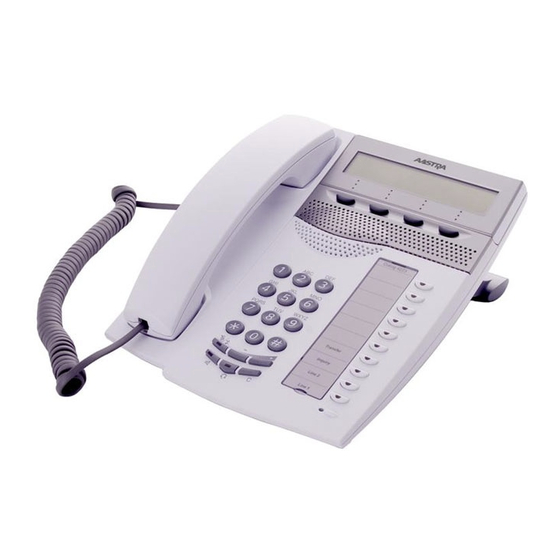
Aastra Dialog 4223 Professional Kurzanleitung
Vorschau ausblenden
Andere Handbücher für Dialog 4223 Professional:
- Bedienungsanleitung (152 Seiten) ,
- Kurzanleitung (40 Seiten) ,
- Bedienungsanleitung (148 Seiten)
Verfügbare Sprachen
Verfügbare Sprachen
Dialog 4223 Professional / Dialog 3213
Cover Page Graphic
Place the graphic directly on the page, do not care about
putting it in the text flow. Select Graphics > Properties
and make the following settings:
•
•
•
•
This text should then be hidden.
BusinessPhone Communication Platform
Quick Reference Guide
Width: 15,4 cm (Important!)
Height: 11,2 cm (May be smaller)
Top: 5,3 cm (Important!)
Left: -0,3 cm (Important!)
Inhaltsverzeichnis

Verwandte Anleitungen für Aastra Dialog 4223 Professional


Inhaltszusammenfassung für Aastra Dialog 4223 Professional
- Seite 8 Zum Hörer wechseln: Follow me (Rufnummer Eigene Nr. í Â für Rufmitnahme): Neue Nr. # 2 1 * Lauthören: Ô Aufheben: Eigene Nr. Gespräch individuell í Leitung 1 halten: Für Wiederaufn. blinkende Leitungstaste betätigen BusinessPhone – Dialog 4223 Professional / Dialog 3213...
- Seite 9 Anfangsbuchstaben d. Warnung: Unter Umständen kann der Namens eingeben Hörer kleine magnetische Metallobjekte anziehen, die sich in der Hörmuschel Suchen: verfangen. suchen Vorwärts blättern: vorwärts Rückwärts blättern: rückwärts Anrufen: anrufen Telefonbuch verlassen: ende BusinessPhone – Dialog 4223 Professional / Dialog 3213...