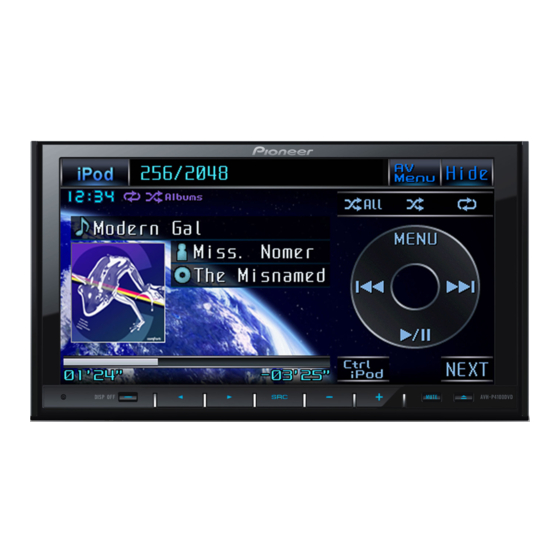
Pioneer AVH-P4100DVD Bedienungsanleitung
Dvd rds av receiver
Vorschau ausblenden
Andere Handbücher für AVH-P4100DVD:
- Bedienungsanleitung (127 Seiten) ,
- Installationsanleitung (86 Seiten)
Verfügbare Sprachen
Verfügbare Sprachen
Quicklinks
Quick start guide
DVD RDS AV RECEIVER
AVH-P4100DVD
This guide is intended to guide you through the basic functions of this unit.
For details, please refer to the Operation manual stored in CD-ROM.
Furthermore, manuals are available on the website
http://www.pioneer.eu
<CRD4393-A/N>
: Touch
: Touch and slide
Selecting the source
Display the source
menu
Select a source
Setting the clock
Display the
1
main menu
Select
2
System Menu
Select
3
Clock Adjustment
4
Adjust the clock
Tuner operation
English
EW
Display the
Display the
radio text
PTY information
Select a preset channel
1
2
Scroll the list
1
2
Touch AF to
3
3
activate AF
function
DVD-V, DVD-VR, VCD and DivX operation
Display the menu
Select a band
Select a
preset frequency
Select a
frequency
Fast forward and
reverse
Operating DVD menu
1
Display the
Select the desired menu item
preset list
Select a channel
CD, Compressed audio and USB operation
Display the
main menu
Select
Function Menu
Fast forward and
reverse
Touch TA to
activate TA
function
Scroll the list
iPod operation
Stop playback
Select a
chapter/track
Play or pause
Select a folder
Select a track
Scroll the
Play or pause
category list
Select a song from list
1
Display the list
Select a track/file/
2
folder
Play all songs in a
selected folder
Select a track
Play or pause
Change between
Video and Music
Select a song from list
1
Display the list
2
Select a category
Play all songs in a
selected category
<KSNZX> <08J00000>

Verwandte Anleitungen für Pioneer AVH-P4100DVD


Inhaltszusammenfassung für Pioneer AVH-P4100DVD
- Seite 5 Schnellstartanleitung Deutsch Zeigen Sie das Wählen Sie ein Menü an Frequenzband DVD-RDS-AV-EMPFÄNGER Wählen Sie einen AVH-P4100DVD Stoppen Sie die Wählen Sie eine Titel Wiedergabe voreingestellte Frequenz Wählen Sie ein Diese Anleitung führt Sie durch die grundlegenden Funktionen dieses Geräts. Wählen Sie eine Kapitel/einen Titel Einzelheiten finden Sie in der Bedienungsanleitung, die auf der CD-ROM enthalten ist.
-
Seite 6: Bedienungselemente
Bedienungselemente Notepad Notepad Notepad Taste RESET Tasten +/– (VOLUME) Zum Zurücksetzen auf die Drücken Sie diese Taste, um die Werkseinstellungen (Grundeinstellungen). Lautstärke schrittweise zu erhöhen oder zu vermindern. Taste DISP OFF Taste MUTE Zum Ausschalten der Informationsanzeige. Drücken Sie diese Taste, um den Ton auszuschalten.