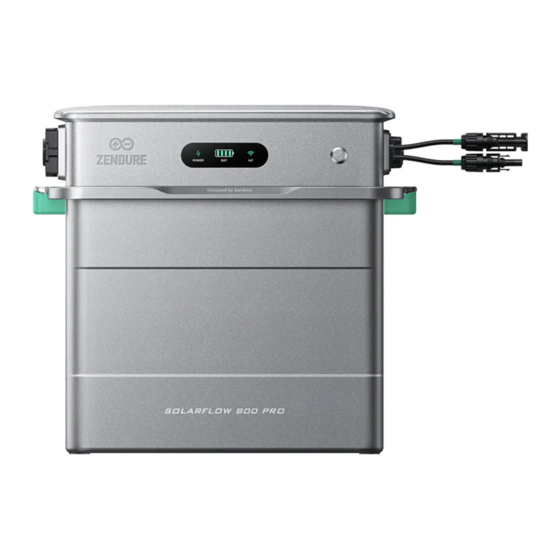
Zendure SolarFlow 800 Pro Bedienungsanleitung
Vorschau ausblenden
Andere Handbücher für SolarFlow 800 Pro:
- Bedienungsanleitung (92 Seiten) ,
- Bedienungsanleitung (30 Seiten)

Verwandte Anleitungen für Zendure SolarFlow 800 Pro


Inhaltszusammenfassung für Zendure SolarFlow 800 Pro
- Seite 1 SolarFlow 800 Pro User Manual/Bedienungsanleitung/Manuel d'utilisation/ Manuale d'uso/Manual de usuario/Gebruikershandleiding...
-
Seite 2: Inhaltsverzeichnis
Users are fully responsible for the safe usage and operation of this product. Make sure you are familiar with the relevant regulations in your area. It is your sole responsibility to ensure compliance with these regulations while using Zendure products. Content 1. -
Seite 3: Solarflow 800 Pro Specification
1. SolarFlow 800 Pro Specification SolarFlow 800 Pro Power Station Parameter Specification Model ZDSF800P PV Input Max. PV Input Voltage 55V d.c. Max. PV Input Current 18A d.c. Max. PV Input Isc 22.5A d.c. Max. PV Input Power 2640W(4*660W) Operating Voltage Range 14-55V d.c. -
Seite 4: Safety Instruction
2. Safety Instruction 2.1 Safety Guidelines 1.Please carefully read all current documentation before installing, using, or servicing the product, as documentation may be updated over time. 2.Please check whether the product is damaged, cracked, leaking liquids, becoming hot, or exhibiting other abnormalities, and check any cables for damage before operating. -
Seite 5: Disposal Guide
2.3 EC DECLARATION OF CONFORMITY ZENDURE TECHNOLOGY CO., LIMITED declares that the SolarFlow 800 Pro complies with the directive 2014/53/EU (RED), 2011/65/EU(RoHS), 2015/863/EU(RoHS). The full text of the Declaration of Conformity is available at the following web address: https: //zendure.de/ pages/download-center Declaration of conformity The EU Declaration of Conformity can be requested at this address: https: //zendure.de/pages/... -
Seite 6: Important Tips
√ √ Protect from Direct Sunlight: Ensure that the SolarFlow 800 Pro is placed in a shaded area to avoid rapid temperature increases that could affect performance. Accessory Check: Verify the necessary accessories prior to installation, as some may need to be purchased separately. -
Seite 7: Overview
CT 2 CT 3 Name Description Included / Not Included The SolarFlow 800 Pro supports up to four sets of solar panels Solar Panel for efficient power generation. Solar Cables Used to connect the SolarFlow 800 Pro to the solar panels. -
Seite 8: Product Overview
LED indicator lights up to show remaining Press once (powered on) battery level or other operational statuses. Press for 2 seconds Turns on the SolarFlow 800 Pro. Press for 3 seconds Resets the Wi-Fi connection. Press for 6 seconds Turns off the SolarFlow 800 Pro. -
Seite 9: Led Display
7. Installing the SolarFlow 800 Pro 7.1 Before Assemble • This user guide only describes the cable connection method and assembly of the SolarFlow 800 Pro system. To install solar modules, please read the instructions for the solar module and accessories. - Seite 10 ≥5cm ≥15cm Ensure that the SolarFlow 800 Pro is installed within the length range of the solar panel cables and the 3m AC connection cable. Before making any connections, measure the distance and position the solar panels in the desired location.
-
Seite 11: Cable Connection
The SolarFlow 800 Pro can be installed indoors or outdoors. Be sure the device is placed in area where it will not be subjected to direct sunlight or rain. Place SolarFlow 800 Pro on a solid, level surface. 7.3 Cable Connection... -
Seite 12: Cable Managemet
Connect the Add-on Batteries to the SolarFlow 800 Pro by stacking them underneath, ensuring the battery cable terminals lock into place. A single SolarFlow 800 Pro can be connected up to 5 AB1000/AB2000 series batteries, which can maximumly reach to 11.52kWh capacity. -
Seite 13: Connect To The Solar Panels
7.3.3 Connect to the Solar Panels 1. The SolarFlow 800 Pro features four independent MPPTs, with each PV input operating as an isolated MPPT • Open Circuit Voltage (Voc): Must be below 55V per PV input. • Short Circuit Current (Isc): Must be below 22.5A per PV input. - Seite 14 We are not liable for any damages resulting from improper connections. (3) PV Cross-Source Error: The SolarFlow 800 Pro has four independent PV ports, each linked to its own MPPT. The connection method illustrated in the diagram incorrectly parallels two originally independent PV ports. This wiring approach can create a PV cross-source issue, resulting in uneven power distribution between the ports and potentially damaging the product.
-
Seite 15: Connect To The Grid
(2) Plug to the Socket Using the provided AC power cord, first connect the cable to the SolarFlow 800 Pro, then plug it into a household power outlet on the appropriate circuit. -
Seite 16: Product Placement And Cable Management
Alternatively, connect the SolarFlow 800 Pro to a home load using an AC cable with a Schuko plug. For critical loads, the off-grid socket supports Emergency Power Supply (EPS), which automatically switches the power supply from the grid to the SolarFlow 800 Pro within 20ms. -
Seite 17: Download & Register
2. After entering the Add Device section, the App will automatically search for nearby Zendure devices; if SolarFlow 800 Pro is found, you can directly click to add it. 3.If it is not found automatically, you can swipe down to select SolarFlow 800 Pro and follow the prompts to manually add it. -
Seite 18: How To Use Solarflow 800 Pro
8.3 How to use SolarFlow 800 Pro 8.3.1 Charge/Discharge Status •Charging: The battery is in charging status. •Discharging: The battery is in discharging status. •Standby: No input/output, device standby. Bypass: The battery is fully charged or charged to SOC limit or abnormal, and the solar energy directly supplies power to the home 8.3.2 Energy Flow... -
Seite 19: Device Setting
8.3.7 Device Setting 1.Enter the Setting page 2. Device Information • Device Name • Device SN 3. General Setting • Device Information: More information. • Network Setup: Reconfigure the network. • Instruction Manual: Electronic version of the product manual. 4. Commom Setting •... -
Seite 20: How To Use Home Energy Management System
4.Select Device: Select the device. To create a system, there must be an energy storage device that supports the system. Currently, SolarFlow 800 Pro\SolarFlow 2400 AC is supported. Previous device models are not supported temporarily, but you can click "Support Device" to view. If there are Meters or Plugs in your home, you can add them to the system synchronously. -
Seite 21: Home Status
7. Create System Successfully: System creation successful. You can rename your system and then use it. •Create with SolarFlow 800 Pro's initialization. After successfully adding the SolarFlow 800 Pro, you can complete the system creation through the device initialization guide. 8.4.2 Home Status 1.Solar Panel... - Seite 22 2.Consumption Display the type of electricity consumption data currently being used to control the output of the energy storage system. As shown in the figure, the current system has not configured any sensors (Smart Appliances), the energy system automatically outputs according to the basic load plan. If the system is connected to a Smart Appliance, this will display the monitored values of the devices.
- Seite 23 4.Total Output\Input The total discharge or charging power of all energy storage devices to the home. If the maximum safe value is reached, a "Max" mark will be displayed (as shown in the figure below). Clicking the "Max" mark can adjust the safe value. 5.
-
Seite 24: Smart Mode
8.4.3 Smart Mode Currently, only Smart Mode is provided. Smart Mode can automatically select the best operating strategy based on the device configuration within the system and electricity prices. • Smart Mode Operation Strategy: -If a Smart Meter is configured, the output of the energy storage device is dynamically controlled according to the real-time monitoring data of the Smart Meter. -
Seite 25: Historical Data
The newly upgraded historical data section allows you to view the historical data of all devices within the entire system. Available data to view: •Solar energy: Data from your energy storage device( such as SolarFlow 800 Pro). •Battery charging and discharging: Data from your energy storage device( such as SolarFlow 800 Pro). - Seite 26 • Set Electricity Price -If you choose a fixed electricity price, you need to manually enter the price. -If you choose a dynamic electricity price, select the electricity price source according to your actual needs, set your expected high and low electricity price ranges, and the system will automatically discharge according to the strategy during high electricity price periods and charge during low electricity price periods (charging is limited by the maximum safe charging power).
- Seite 27 • Safety Power The total discharge and charging power of the system will not exceed this safe discharge power limit and safe charging power limit. • National Standards Select according to the national standards used at the equipment installation site, and switch the voltage and frequency of the equipment charging and discharging.
- Seite 28 • Battery Settings Adjust all energy storage devices' battery discharge limit and charging limit. • General Setting -Device Management You can add or remove all devices within the system here. When multiple energy storage devices are in operation, the exception handling logic is as follows: offline devices will actively shut down their output to 0W, and the remaining online devices will actively take over their target power.
- Seite 29 • System Information You can modify the name of the energy storage system here.
-
Seite 30: System Management
8.4.6 System Management This is where you can access all the home energy systems you can access, including those you created and those you joined as a member of someone else's creation. 8.4.7 Exception handling logic 1. When an energy storage device is actively removed/deleted from the system by the user: the system operates with an output of 0W. -
Seite 31: Maintenance
Use the disconnection wrench included in the package to safely unplug the solar cable connectors. 3. Power Off: Press and hold the power button on the SolarFlow 800 Pro for 6 seconds to turn off the device. 4. Bracket Removal: Unscrew and detach the brackets securing the SolarFlow 800 Pro unit to the wall. - Seite 32 6.4 LED-Anzeige ................................38 7. ProInstallation des SolarFlow 800 Pro .......................... 38 7.1 Vor der Montage ................................. 38 7.2 ProAuswahl eines Standorts für den SolarFlow 800 Pro ................... 38 7.3 Kabelverbindung ................................. 40 7.3.1 Kabelmanagement ..............................41 7.3.2 Mit den Zusatzbatterien verbinden ........................41 7.3.3 Mit einem Solarpanel verbinden ..........................
-
Seite 33: Solarflow 800 Pro Spezifikation
1. SolarFlow 800 Pro Spezifikation SolarFlow 800 Pro Stromstation Parameter Spezifikation Modell ZDSF800P PV-Eingang Max. PV-Eingangsspannung 55V d.c. Max. PV-Eingangsstrom 18A d.c. Max. PV Eingangs-Isc 22.5A d.c. Max. PV Eingangsleistung 2640W(4*660W) Betriebsspannungsbereich 14-55V d.c. AC Parameter Max. AC Dauerleistung (Netz) 800W Max. -
Seite 34: Sicherheitsanweisung
2. Sicherheitsanweisung 2.1 Sicherheitsrichtlinien 1. Bitte lesen Sie die gesamte aktuelle Dokumentation sorgfältig durch, bevor Sie das Produkt installieren, verwenden oder warten, da die Dokumentation im Laufe der Zeit aktualisiert werden kann. 2. Bitte überprüfen Sie, ob das Produkt beschädigt, rissig, undicht, überhitzt oder andere Abnormalitäten aufweist, und überprüfen Sie alle Kabel auf Beschädigungen, bevor Sie es in Betrieb nehmen. -
Seite 35: Entsorgungsanleitung
2.3 EG-Konformitätserklärung ZENDURE TECHNOLOGY CO., LIMITED declares that the SolarFlow 800 pro complies with directive 2014/53/EU (RED), 2011/65/EU(RoHS), 2015/863/EU(RoHS). The full text of the Declaration of Conformity is available at the following web address: https://zendure.de/ pages/download-center Konformitätserklärung Die EU-Konformitätserklärung kann unter folgender Adresse abgerufen werden: https: // zendure.de/pages/download-center... -
Seite 36: Wichtige Tipps
√ √ √ Vor direkter Sonneneinstrahlung schützen: Stellen Sie sicher, dass das SolarFlow 800 Pro in einem schattigen Bereich platziert wird, um schnelle Temperaturanstiege zu vermeiden, die die Leistung beeinträchtigen könnten. Zubehörprüfung: Überprüfen Sie die erforderlichen Zubehörteile vor der Installation, da einige möglicherweise separat gekauft werden müssen. -
Seite 37: Übersicht
CT 1 CT 2 CT 3 Name Beschreibung Inklusive/Nicht enthalten Der SolarFlow 800 Pro unterstützt bis zu vier Sets von Solarpanel Solarpanels für eine effiziente Stromerzeugung.. Wird verwendet, um den SolarFlow 800 Pro mit den Solarpanels Solarleitungen zu verbinden. Verbindet Solarpanels, Zusatzbatterien und das Haushaltsnetz SolarFlow 800 Pro und sorgt für eine effiziente Energiespeicherung und nahtlose... -
Seite 38: Produktübersicht
Einmal drücken LED indicator lights up to show remaining (eingeschaltet) battery level or other operational statuses. 2 Sekunden drücken Schaltet den SolarFlow 800 Pro ein. 3 Sekunden drücken Setzt die Wi-Fi-Verbindung zurück. 6 Sekunden drücken Schaltet den SolarFlow 800 Pro aus. -
Seite 39: Led-Anzeige
• Wir empfehlen, alle solarbezogenen Einstellungen an einem sonnigen Tag vorzunehmen, da es einfacher ist, die Leistung Ihres Systems zu beurteilen und eventuelle Probleme zu überprüfen. 7.2 ProAuswahl eines Standorts für den SolarFlow 800 Pro Stellen Sie sicher, dass das Gerät im WLAN-Abdeckungsbereich ist. - Seite 40 ≥5cm ≥15cm Stellen Sie sicher, dass der SolarFlow 800 Pro innerhalb des Längenbereichs der Solarpanelkabel und des 3 m langen AC-Anschlusskabels installiert ist. Messen Sie vor dem Herstellen von Verbindungen die Entfernung und positionieren Sie die Solarpanels an der gewünschten Stelle.
-
Seite 41: Kabelverbindung
Der SolarFlow 800 Pro kann drinnen oder draußen installiert werden. Stellen Sie sicher, dass das Gerät an einem Ort platziert wird, an dem es nicht direkter Sonneneinstrahlung oder Regen ausgesetzt ist. Stellen Sie den SolarFlow 800 Pro auf eine feste, ebene Fläche. -
Seite 42: Kabelmanagement
7.3.1 Kabelmanagement Der SolarFlow 800 Pro sollte so positioniert werden, dass die Solar- und AC-Kabel gerade nach unten verlaufen können, ohne dass sie stark gebogen werden. 7.3.2 Mit den Zusatzbatterien verbinden Entfernen Sie die Silikon-Schutzabdeckung von den Batterieklemmen des SolarFlow 800 Pro und der Zusatzbatterien (separat erhältlich). -
Seite 43: Mit Einem Solarpanel Verbinden
7.3.3 Mit einem Solarpanel verbinden 1. Der SolarFlow 800 Pro verfügt über vier unabhängige MPPTs, wobei jeder PV-Eingang als isolierter MPPT arbeitet. • Offene Stromspannung (Voc): Muss unter 55V pro PV-Eingang liegen. • Kurzschlussstrom (Isc): Muss unter 22,5A pro PV-Eingang liegen. - Seite 44 Wir übernehmen keine Haftung für Schäden, die aus unsachgemäßen Verbindungen resultieren. (3)PV-Cross-Source-Fehler: Der SolarFlow 800 Pro verfügt über vier unabhängige PV-Ports, die jeweils mit ihrem eigenen MPPT verbunden sind. Die im Diagramm dargestellte Anschlussmethode parallelisiert fälschlicherweise zwei ursprünglich unabhängige PV- Ports.
-
Seite 45: Mit Dem Stromnetz Verbinden
Neutral Erdung Dieses Setup ist ideal für den Anschluss des SolarFlow 800 Pro, da es nur Steckdosen enthält. Jede Steckdose kann mit den beschriebenen Methoden individuell geschützt werden. Wenn in Ihrem Verteilungspanel ungenutzte Plätze vorhanden sind, kann ein Elektriker diese Konfiguration zu relativ geringen Kosten umsetzen. -
Seite 46: Produktplatzierung Und Kabelmanagement
7.4 Installation mehrerer SolarFlow 800 Pro Sets 1. Mehrere SolarFlow 800 Pro Sets können auf einer einzelnen Phase installiert oder separat über die drei einzelnen Phasen eines dreiphasigen Systems installiert werden. 2. Verwenden Sie die Zendure-App, um die AC-Stromausgabe ins Netz zu konfigurieren und sicherzustellen, dass sie die Sicherheitsgrenzen Ihres Landes oder Ihrer Region nicht überschreitet. -
Seite 47: App: Herunterladen Und Registrieren
Zendure-Geräten; wenn der SolarFlow 800 Pro gefunden wird, können Sie ihn direkt hinzufügen, indem Sie darauf klicken. 3. Wenn es nicht automatisch gefunden wird, können Sie nach unten wischen, um den SolarFlow 800 Pro auszuwählen, und den Anweisungen folgen, um ihn manuell hinzuzufügen. -
Seite 48: So Verwenden Sie Den Solarflow 800 Pro
8.3 So verwenden Sie den SolarFlow 800 Pro 8.3.1 Lade-/Entladezustand Laden: Die Batterie befindet sich im Ladezustand. • Entladen: Die Batterie befindet sich im Entladezustand. • Standby: Kein Eingang/Ausgang, Gerät im Standby. • Bypass: Die Batterie ist vollständig geladen oder bis zur SOC- Grenze geladen oder abnormal, und die Solarenergie versorgt direkt das Haus mit Strom. -
Seite 49: Geräteeinstellungen
Netzwerkverbindung hat. Wenn es ein wichtiges Update für die Firmware des SolarFlow 800 Pro gibt, wird die App Sie durch den Prozess führen. Stellen Sie sicher, dass Ihre Geräte eingeschaltet und mit Wi-Fi verbunden sind, bevor Sie das Update durchführen. -
Seite 50: Wie Man Ein Home Energy Management System Verwendet
4. Gerät auswählen: Wählen Sie das Gerät aus. Um ein System zu erstellen, muss ein Energiespeichergerät vorhanden sein, das das System unterstützt. Derzeit werden SolarFlow 800 Pro/SolarFlow 2400 AC unterstützt. Frühere Gerätemodelle werden vorübergehend nicht unterstützt, aber Sie können auf „Unterstützte Geräte“... -
Seite 51: Hausstatus
7. System erfolgreich erstellt: Die Systemerstellung war erfolgreich. Sie können Ihr System umbenennen und dann verwenden. • Erstellen mit der Initialisierung des SolarFlow 800 Pro. Nach dem erfolgreichen Hinzufügen des SolarFlow 800 Pro können Sie die Systemerstellung über den Geräte-Initialisierungsleitfaden abschließen. 8.4.2 Hausstatus 1.Solarpanel... - Seite 52 2.Verbrauch Zeigen Sie die Art der derzeit verwendeten Stromverbrauchsdaten an, um die Ausgabe des Energiespeichersystems zu steuern. Wie in der Abbildung gezeigt, hat das aktuelle System keine Sensoren (Smart Appliances) konfiguriert; das Energiesystem gibt automatisch gemäß dem Grundlastplan aus. Wenn das System mit einem Smart Appliance verbunden ist, werden die überwachten Werte der Geräte angezeigt.
- Seite 53 4.Gesamtausgabe\Gesamteingabe Die gesamte Entlade- oder Ladeleistung aller Energiespeichergeräte zum Haus. Wenn der maximale sichere Wert erreicht ist, wird ein „Max“-Zeichen angezeigt (wie in der Abbildung unten dargestellt). Durch Klicken auf das „Max“-Zeichen kann der sichere Wert angepasst werden. 5.Netz: Wenn ein Smart Meter im System installiert ist, kann der Energiefluss zwischen dem Haus und dem Netz hier erkannt werden.
-
Seite 54: Smart-Modus
8.4.3 Smart-Modus Derzeit wird nur der Smart-Modus angeboten. Der Smart-Modus kann die beste Betriebsstrategie basierend auf der Gerätekonfiguration im System und den Strompreisen automatisch auswählen. • Betriebsstrategie im Smart-Modus: - Wenn ein Smart Meter konfiguriert ist, wird die Ausgabe des Energiespeichergeräts dynamisch gemäß den Echtzeitüberwachungsdaten des Smart Meters gesteuert. -
Seite 55: Historische Daten
Der neu aktualisierte Abschnitt für historische Daten ermöglicht es Ihnen, die historischen Daten aller Geräte im gesamten System einzusehen. Verfügbare Daten zur Ansicht: • Solarenergie: Daten von Ihrem Energiespeichergerät (z. B. SolarFlow 800 Pro). • Batterieladung und -entladung: Daten von Ihrem Energiespeichergerät (z. B. SolarFlow 800 Pro). - Seite 56 • Strompreis festlegen - Wenn Sie einen festen Strompreis wählen, müssen Sie den Preis manuell eingeben. - Wenn Sie einen dynamischen Strompreis wählen, wählen Sie die Strompreisquelle entsprechend Ihren tatsächlichen Bedürfnissen, legen Sie Ihre erwarteten Hoch- und Niedrigstrompreisbereiche fest, und das System wird automatisch gemäß...
- Seite 57 • Sicherheitsleistung Die gesamte Entlade- und Ladeleistung des Systems wird diese Grenze für die sichere Entladeleistung und die sichere Ladeleistung nicht überschreiten. • National Standards Wählen Sie gemäß den nationalen Standards, die am Installationsort des Geräts verwendet werden, und schalten Sie die Spannung und Frequenz des Geräts für das Laden und Entladen um. •...
- Seite 58 • Batterieeinstellungen Passen Sie die Entladegrenze und die Ladegrenze aller Energiespeichergeräte an. • Allgemeine Einstellungen - Geräteverwaltung Hier können Sie alle Geräte im System hinzufügen oder entfernen. Wenn mehrere Energiespeichergeräte in Betrieb sind, gilt die folgende Ausnahmebehandlungslogik: Offline- Geräte stellen aktiv ihre Ausgabe auf 0 W ein, und die verbleibenden online Geräte übernehmen aktiv ihre Zielleistung.
- Seite 59 • Systeminformationen Hier können Sie den Namen des Energiespeichersystems ändern.
-
Seite 60: Systemverwaltung
8.4.6 Systemverwaltung Hier können Sie auf alle Heimenergiesysteme zugreifen, auf die Sie Zugriff haben, einschließlich der Systeme, die Sie erstellt haben, und der Systeme, denen Sie als Mitglied einer anderen Erstellung beigetreten sind.“ 8.4.7 Ausnahmebehandlungslogik 1. Wenn ein Energiespeichergerät aktiv vom Benutzer aus dem System entfernt/löscht wird: Das System arbeitet mit einer Ausgabe von 0 W. -
Seite 61: Wartung
Drücken und halten Sie die Einschalttaste am SolarFlow 800 Pro für 6 Sekunden, um das Gerät auszuschalten. 4. Entfernung der Halterungen: Schrauben Sie die Halterungen ab und lösen Sie sie, die das SolarFlow 800 Pro Set an der Wand sichern. 5. Trennung der Batterie: Trennen Sie das Produkt von der Zusatzbatterie, indem Sie das SolarFlow 800 Pro Gerät anheben und entfernen. - Seite 62 Les utilisateurs sont entièrement responsables de l'utilisation et du fonctionnement sûrs de ce produit. Assurez-vous d'être familiarisé avec les réglementations pertinentes dans votre région. Il est de votre seule responsabilité de garantir la conformité à ces réglementations lors de l'utilisation des produits Zendure. Contenu 1.
-
Seite 63: Spécifications Du Solarflow 800 Pro
1. Spécifications du SolarFlow 800 Pro Centrale électrique SolarFlow 800 Pro Paramètre Spécification Modèle ZDSF800P Entrée PV Tension d'entrée PV maximale 55V c.c. Courant d'entrée PV maximal 18A c.c. Courant de court-circuit d'entrée PV maximal 22.5A c.c. Puissance d'entrée PV maximale... -
Seite 64: Instructions De Sécurité
2. Instructions de sécurité 2.1 Directives de sécurité 1. Veuillez lire attentivement toute la documentation actuelle avant d'installer, d'utiliser ou d'entretenir le produit, car la documentation peut être mise à jour au fil du temps. 2. Veuillez vérifier si le produit est endommagé, fissuré, s'il fuit des liquides, devient chaud ou présente d'autres anomalies, et vérifier tout câble pour détecter des dommages avant de l'utiliser. -
Seite 65: Guide D'élimination
2.3 DÉCLARATION DE CONFORMITÉ CE ZENDURE TECHNOLOGY CO., LIMITED déclare que l'SolarFlow 800 Pro est conforme à la directive 2014/53/EU (RED), 2011/65/EU (RoHS), 2015/863/EU (RoHS). Le texte complet de la Déclaration de conformité est disponible à l'adresse suivante : https://zendure.de/pages/ download-center Déclaration de conformité... -
Seite 66: Conseils Importants
√ √ Protéger du soleil direct : Assurez-vous que le SolarFlow 800 Pro est placé à l'ombre pour éviter les augmentations rapides de température qui pourraient affecter les performances. Vérification des accessoires : Vérifiez les accessoires nécessaires avant l'installation, car certains peuvent devoir être achetés séparément. -
Seite 67: Aperçu
SolarFlow 800 Pro pour optimiser l'utilisation de l'énergie. Moniteur Surveille la consommation d'électricité domestique et intelligent Zendure communique sans fil avec le SolarFlow 800 Pro pour l'optimisation de l'énergie. Des accessoires optionnels sont disponibles à l'achat sur le site officiel de Zendure. -
Seite 68: Présentation Du Produit
Fonction L'indicateur LED s'allume pour montrer le Appuyer une fois (allumé) niveau de batterie restant ou d'autres statuts opérationnels. Appuyer pendant 2 Allume le SolarFlow 800 Pro. secondes Appuyer pendant 3 Réinitialise la connexion Wi-Fi. secondes Appuyer pendant 6 Éteint le SolarFlow 800 Pro. -
Seite 69: Affichage Led
7.1 Avant l'assemblage • Ce guide de l'utilisateur décrit uniquement la méthode de connexion des câbles et l'assemblage du système SolarFlow 800 Pro. Pour installer les modules solaires, veuillez lire les instructions concernant le module solaire et les accessoires. • Nous recommandons d'effectuer toute configuration liée au solaire par une journée ensoleillée, car cela facilitera l'évaluation des performances de votre système et la vérification de tout problème. - Seite 70 ≥5cm ≥15cm Assurez-vous que le SolarFlow 800 Pro est installé dans la plage de longueur des câbles des panneaux solaires et du câble de connexion AC de 3 m. Avant de faire des connexions, mesurez la distance et positionnez les panneaux solaires à...
-
Seite 71: Connexion De Câble
Le SolarFlow 800 Pro peut être installé à l'intérieur ou à l'extérieur. Assurez-vous que l'appareil est placé dans un endroit où il ne sera pas exposé à la lumière directe du soleil ou à la pluie. Place SolarFlow 800 Pro on a solid, level surface. -
Seite 72: Gestion Des Câbles
7.3.2 Connectez-vous aux batteries supplémentaires Retirez le couvercle de protection en silicone des bornes de la batterie sur le SolarFlow 800 Pro et les batteries supplémentaires (vendues séparément). Connectez les batteries supplémentaires au SolarFlow 800 Pro en les empilant en dessous, en vous assurant que les bornes des câbles de la batterie s'enclenchent correctement. -
Seite 73: Connectez-Vous À Un Panneau Solaire
7.3.3 Connectez-vous à un panneau solaire 1. Le SolarFlow 800 Pro est équipé de quatre MPPT indépendants, chaque entrée PV fonctionnant comme un MPPT isolé. • Tension de circuit ouvert (Voc) : Doit être inférieure à 55V par entrée PV. - Seite 74 Nous ne sommes pas responsables des dommages résultant de connexions incorrectes. (3) Erreur de croisement de source PV :Le SolarFlow 800 Pro dispose de quatre ports PV indépendants, chacun relié à son propre MPPT. La méthode de connexion illustrée dans le diagramme met incorrectement en parallèle deux ports PV initialement indépendants.
-
Seite 75: Se Connecter Au Réseau
7.3.4 Se connecter au réseau (1) Sélectionnez le circuit approprié Lors de la connexion du SolarFlow 800 Pro à un circuit dérivé, il est important de choisir la bonne configuration pour garantir un fonctionnement sûr et efficace. Configuration A Disjoncteur de dérivation... -
Seite 76: Placement Du Produit Et Gestion Des Câbles
Alternativement, connectez le SolarFlow 800 Pro à une charge domestique à l'aide d'un câble CA avec une prise Schuko. Pour les charges critiques, la prise hors réseau prend en charge l'alimentation électrique d'urgence (EPS), qui commute automatiquement l'alimentation du réseau vers le SolarFlow 800 Pro en 20 ms. -
Seite 77: Application : Télécharger Et S'inscrire
2. Après être entré dans la section Ajouter un appareil, l'application recherchera automatiquement les appareils Zendure à proximité ; si le SolarFlow 800 Pro est trouvé, vous pouvez simplement cliquer pour l'ajouter. 3、S'il n'est pas trouvé automatiquement, vous pouvez faire glisser vers le bas pour sélectionner le SolarFlow 800 Pro et suivre les instructions pour l'ajouter manuellement. -
Seite 78: Comment Utiliser Le Solarflow 800 Pro
8.3 Comment utiliser le SolarFlow 800 Pro 8.3.1 État de charge/décharge • Chargement : La batterie est en état de charge. • Décharge : La batterie est en état de décharge. • Veille : Pas d'entrée/sortie, appareil en veille. • Bypass : La batterie est complètement chargée ou chargée jusqu'à... -
Seite 79: Paramètres De L'appareil
S'il y a une mise à jour importante pour le firmware du SolarFlow 800 Pro, l'application vous guidera tout au long du processus. Assurez-vous que vos appareils sont allumés et connectés au Wi-Fi avant de procéder à la mise à jour. -
Seite 80: Comment Utiliser Le Système De Gestion De L'énergie Domestique (Hems)
4. Sélectionner un appareil : Sélectionnez l'appareil. Pour créer un système, il doit y avoir un dispositif de stockage d'énergie qui prend en charge le système. Actuellement, les modèles SolarFlow 800 Pro et SolarFlow 2400 AC sont pris en charge. Les modèles d'appareils précédents ne sont pas temporairement pris en charge, mais vous pouvez cliquer sur "Appareils pris en charge"... -
Seite 81: État De La Maison
•Créer avec l'initialisation de SolarFlow 800 Pro. Après avoir ajouté avec succès le SolarFlow 800 Pro, vous pouvez compléter la création du système grâce au guide d'initialisation de l'appareil. 8.4.2 État de la maison 1.Panneau solaire... - Seite 82 2.Consommation Affichez le type de données de consommation d'électricité actuellement utilisées pour contrôler la sortie du système de stockage d'énergie. Comme indiqué dans la figure, le système actuel n'a configuré aucun capteur (appareils intelligents), le système énergétique sort automatiquement selon le plan de charge de base. Si le système est connecté à un appareil intelligent, cela affichera les valeurs surveillées des dispositifs.
- Seite 83 4.Sortie/Entrée Totale La puissance totale de décharge ou de charge de tous les dispositifs de stockage d'énergie vers la maison. Si la valeur maximale de sécurité est atteinte, un marquage "Max" sera affiché (comme indiqué dans la figure ci-dessous). En cliquant sur le marquage "Max", vous pouvez ajuster la valeur de sécurité. 5.Réseau Si un compteur intelligent est installé...
-
Seite 84: Mode Intelligent
8.4.3 Mode intelligent. Actuellement, seul le mode intelligent est proposé. Le mode intelligent peut automatiquement sélectionner la meilleure stratégie de fonctionnement en fonction de la configuration de l'appareil dans le système et des prix de l'électricité. • Stratégie de fonctionnement du mode intelligent : - Si un compteur intelligent est configuré, la sortie du dispositif de stockage d'énergie est contrôlée dynamiquement en fonction des données de surveillance en temps réel du compteur intelligent. -
Seite 85: Données Historiques
• Charge et décharge de la batterie : Données de votre dispositif de stockage d'énergie (tel que SolarFlow 800 Pro). • Consommation d'électricité domestique : Données de votre dispositif de stockage d'énergie (tel que SolarFlow 800 Pro). • Réseau : Données de votre compteur intelligent." 8.4.5 Paramètres du système •... - Seite 86 • Définir le prix de l'électricité - Si vous choisissez un prix de l'électricité fixe, vous devez entrer manuellement le prix. - Si vous choisissez un prix de l'électricité dynamique, sélectionnez la source de prix de l'électricité en fonction de vos besoins réels, définissez vos plages de prix élevées et basses attendues, et le système déchargera automatiquement selon la stratégie pendant les périodes de prix élevés et se chargera pendant les périodes de prix bas (la charge est limitée par la puissance de charge maximale sécuritaire).
- Seite 87 • Puissance de sécurité La puissance totale de décharge et de charge du système ne dépassera pas cette limite de puissance de décharge sécuritaire et cette limite de puissance de charge sécuritaire. • Normes nationales Sélectionnez en fonction des normes nationales utilisées sur le site d'installation de l'équipement, et changez la tension et la fréquence de la charge et de la décharge de l'équipement.
- Seite 88 • Paramètres de batterie Ajustez la limite de décharge et la limite de charge de tous les dispositifs de stockage d'énergie. • Paramètres généraux - Gestion des appareils Vous pouvez ajouter ou supprimer tous les appareils au sein du système ici. Lorsque plusieurs dispositifs de stockage d'énergie sont en fonctionnement, la logique de gestion des exceptions est la suivante : les appareils hors ligne arrêteront activement leur sortie à...
- Seite 89 • Informations sur le système Vous pouvez modifier le nom du système de stockage d'énergie ici.
-
Seite 90: Gestion Du Système
8.4.6 Gestion du système C'est ici que vous pouvez accéder à tous les systèmes énergétiques domestiques auxquels vous pouvez accéder, y compris ceux que vous avez créés et ceux auxquels vous avez adhéré en tant que membre de la création de quelqu'un d'autre. 8.4.7 Logique de gestion des exceptions 1. -
Seite 91: Maintenance
1. Déconnexion du câble d'alimentation CA : • Débranchez d'abord le câble CA de la prise CA. • Appuyez sur le bouton de déverrouillage du connecteur CA sur le SolarFlow 800 Pro et tirez le câble. 2. Retrait du câble du panneau solaire : Utilisez la clé... - Seite 92 6.4 LED Display .................................. 98 7. Installazione del SolarFlow 800 Pro ..........................98 7.1 Prima dell'Assemblaggio ............................98 7.2 Selezionare una Posizione per il SolarFlow 800 Pro .................... 98 7.3 Connessione dei Cavi ............................... 100 7.3.1 Gestione dei Cavi ..............................101 7.3.2 Collegare le Batterie Aggiuntive ........................
-
Seite 93: Specifiche Del Solarflow 800 Pro
1. Specifiche del SolarFlow 800 Pro Stazione di alimentazione SolarFlow 800 Pro Parametro Specifiche Modello ZDSF800P Ingresso FV Tensione massima di ingresso FV 55V c.c. Corrente massima di ingresso FV 18A c.c. Isc massima di ingresso FV 22.5A c.c. Potenza massima di ingresso FV... -
Seite 94: Istruzioni Di Sicurezza
2. Istruzioni di Sicurezza 2.1 Linee Guida di Sicurezza 1. Si prega di leggere attentamente tutta la documentazione attuale prima di installare, utilizzare o manutenere il prodotto, poiché la documentazione può essere aggiornata nel tempo. 2. Controllare se il prodotto è danneggiato, crepato, perde liquidi, si surriscalda o presenta altre anomalie, e controllare eventuali cavi per danni prima di operare. -
Seite 95: Disposal Guide
2.3 DICHIARAZIONE DI CONFORMITÀ CE ZENDURE TECHNOLOGY CO., LIMITED dichiara che l’inverter ibrido SolarFlow 800 Pro è conforme alle direttive 2014/53/UE (RED), 2011/65/UE (RoHS), 2015/863/UE (RoHS). Il testo completo della dichiarazione di conformità UE è disponibile nel seguente indirizzo web: https: //zendure. -
Seite 96: Consigli Importanti
Assicurarsi che l'uscita sia conforme ai limiti di potenza di sicurezza del proprio paese o regione per prevenire sovraccarichi. Procedura di Spegnimento: Prima di rimuovere il SolarFlow 800 Pro, premere e tenere premuto il pulsante per 6 secondi per spegnere il dispositivo e scollegare tutti i cavi di alimentazione per motivi di sicurezza. -
Seite 97: Panoramica
CT 2 CT 3 Nome Descrizione Incluso/Non Incluso Il SolarFlow 800 Pro supporta fino a quattro set di pannelli solari Pannello Solare per una generazione di energia efficiente. Cavi Solari Utilizzati per collegare il SolarFlow 800 Pro ai pannelli solari. -
Seite 98: Panoramica Del Prodotto
L'indicatore LED si accende per mostrare il Premi una volta livello della batteria rimanente o altri stati (acceso) operativi. Premi per 2 secondi Accende il SolarFlow 800 Pro. Premi per 3 secondi Ripristina la connessione Wi-Fi. Premi per 6 secondi Spegne il SolarFlow 800 Pro. -
Seite 99: Led Display
• Si consiglia di effettuare qualsiasi configurazione relativa al solare in una giornata di sole, poiché sarà più facile valutare le prestazioni del sistema e controllare eventuali problemi. 7.2 Selezionare una Posizione per il SolarFlow 800 Pro Assicurati che il dispositivo sia all'interno dell'area di copertura Wi-Fi. - Seite 100 ≥5cm ≥15cm Assicurati che il SolarFlow 800 Pro sia installato entro il raggio di lunghezza dei cavi dei pannelli solari e del cavo di connessione AC da 3 m. Prima di effettuare qualsiasi connessione, misura la distanza e posiziona i pannelli solari nella posizione desiderata.
-
Seite 101: Connessione Dei Cavi
Il SolarFlow 800 Pro può essere installato all'interno o all'esterno. Assicurati che il dispositivo sia posizionato in un'area dove non sarà esposto alla luce solare diretta o alla pioggia. Posiziona il SolarFlow 800 Pro su una superficie solida e livellata. -
Seite 102: Gestione Dei Cavi
• Non toccare i pin metallici delle porte con le mani o altri oggetti. Puliscili delicatamente con un panno asciutto quando necessario. • Si raccomanda di utilizzare i supporti e le viti forniti con i pacchi batteria per fissare saldamente il SolarFlow 800 Pro sopra e garantire stabilità. -
Seite 103: Collegare A Un Pannello Solare
7.3.3 Collegare a un Pannello Solare 1. Il SolarFlow 800 Pro è dotato di quattro MPPT indipendenti, con ciascun ingresso PV che funziona come un MPPT isolato. • Tensione a Circuito Aperto (Voc): Deve essere inferiore a 55V per ogni ingresso PV. - Seite 104 Non ci assumiamo responsabilità per eventuali danni derivanti da collegamenti impropri. (3) Errore di Cross-Source PV: Il SolarFlow 800 Pro ha quattro porte PV indipendenti, ciascuna collegata al proprio MPPT. Il metodo di collegamento illustrato nel diagramma collega erroneamente in parallelo due porte PV originariamente indipendenti.
-
Seite 105: Collegare Alla Rete
(2) Collega alla Presa Utilizzando il cavo di alimentazione AC fornito, collega prima il cavo al SolarFlow 800 Pro, quindi inseriscilo in una presa di corrente domestica sul circuito appropriato. -
Seite 106: Product Placement And Cable Management
In alternativa, collegare il SolarFlow 800 Pro a un carico domestico utilizzando un cavo AC con spina Schuko. Per i carichi critici, la presa off-grid supporta l'Alimentazione di Emergenza (EPS), che commuta automaticamente l'alimentazione dalla rete al SolarFlow 800 Pro entro 20 ms. -
Seite 107: App: Scarica E Registrati
2. Dopo essere entrato nella sezione Aggiungi Dispositivo, l'App cercherà automaticamente i dispositivi Zendure nelle vicinanze; se viene trovato SolarFlow 800 Pro, puoi cliccare direttamente per aggiungerlo. 3. Se non viene trovato automaticamente, puoi scorrere verso il basso per selezionare SolarFlow 800 Pro e seguire le istruzioni per aggiungerlo manualmente. -
Seite 108: Come Usare Solarflow 800 Pro
8.3 Come usare SolarFlow 800 Pro 8.3.1 Stato di carica/scarica • In carica: La batteria è in fase di carica. • In scarica: La batteria è in fase di scarica. • Standby: Nessun input/output, dispositivo in standby. • Bypass: La batteria è completamente carica o carica fino al limite SOC o anomala, e l'energia solare alimenta direttamente la casa. -
Seite 109: Impostazioni Del Dispositivo
Se è disponibile un aggiornamento importante per il firmware di SolarFlow 800 Pro, l'app ti guiderà attraverso il processo. Assicurati che i tuoi dispositivi siano accesi e connessi al Wi- Fi prima di aggiornare. -
Seite 110: Come Utilizzare Il Sistema Di Gestione Dell'energia Domestica
4.Seleziona Dispositivo: Seleziona il dispositivo. Per creare un sistema, deve esserci un dispositivo di accumulo di energia che supporti il sistema. Attualmente, sono supportati SolarFlow 800 Pro e SolarFlow 2400 AC. I modelli di dispositivo precedenti non sono supportati temporaneamente, ma puoi cliccare su "Dispositivi Supportati"... -
Seite 111: Stato Della Casa
7.Sistema Creato con Successo: Creazione del sistema avvenuta con successo. Puoi rinominare il tuo sistema e quindi utilizzarlo. •Crea con l'inizializzazione di SolarFlow 800 Pro. Dopo aver aggiunto correttamente il SolarFlow 800 Pro, puoi completare la creazione del sistema tramite la guida all'inizializzazione del dispositivo. 8.4.2 Stato della Casa 1.Pannello Solare... - Seite 112 2.Consumo Visualizza il tipo di dati di consumo elettrico attualmente utilizzato per controllare l'uscita del sistema di accumulo di energia. Come mostrato in figura, il sistema attuale non ha configurato alcun sensore (Elettrodomestici Intelligenti), il sistema energetico emette automaticamente in base al piano di carico base. Se il sistema è connesso a un Elettrodomestico Intelligente, qui verranno visualizzati i valori monitorati dei dispositivi.
- Seite 113 4.Uscita/Ingresso Totale La potenza totale di scarica o carica di tutti i dispositivi di accumulo di energia verso l'abitazione. Se viene raggiunto il valore massimo di sicurezza, verrà visualizzato un contrassegno "Max" (come mostrato nella figura sotto). Cliccando sul contrassegno "Max" è possibile regolare il valore di sicurezza. 5.Rete Elettrica Se nel sistema è...
-
Seite 114: Modalità Intelligente
8.4.3 Modalità Intelligente Attualmente, è disponibile solo la Modalità Intelligente. La Modalità Intelligente può selezionare automaticamente la migliore strategia operativa in base alla configurazione dei dispositivi all'interno del sistema e ai prezzi dell'elettricità. •Strategia Operativa della Modalità Intelligente: - Se è configurato un Contatore Intelligente (Smart Meter), l'uscita del dispositivo di accumulo di energia viene controllata dinamicamente in base ai dati di monitoraggio in tempo reale del Contatore Intelligente. -
Seite 115: Dati Storici
•Energia solare: Dati dal tuo dispositivo di accumulo di energia (come SolarFlow 800 Pro). •Carica e scarica della batteria: Dati dal tuo dispositivo di accumulo di energia (come SolarFlow 800 Pro). •Consumo di elettricità domestica: Dati dal tuo dispositivo di accumulo di energia (come SolarFlow 800 Pro). - Seite 116 • Imposta Prezzo Elettricità - Se scegli un prezzo dell'elettricità fisso, devi inserire manualmente il prezzo. - Se scegli un prezzo dell'elettricità dinamico, seleziona la fonte del prezzo dell'elettricità in base alle tue effettive esigenze, imposta gli intervalli di prezzo dell'elettricità alto e basso previsti e il sistema si scaricherà automaticamente secondo la strategia durante i periodi di prezzo dell'elettricità...
- Seite 117 • Potenza di Sicurezza La potenza totale di scarica e carica del sistema non supererà questo limite di potenza di scarica sicura e questo limite di potenza di carica sicura. • Standard Nazionali Seleziona in base agli standard nazionali utilizzati nel sito di installazione dell'apparecchiatura e commuta la tensione e la frequenza di carica e scarica dell'apparecchiatura.
- Seite 118 • Impostazioni Batteria Regola il limite di scarica e il limite di carica della batteria di tutti i dispositivi di accumulo di energia. •Impostazioni Generali - Gestione Dispositivi Qui puoi aggiungere o rimuovere tutti i dispositivi all'interno del sistema. Quando sono in funzione più dispositivi di accumulo di energia, la logica di gestione delle eccezioni è la seguente: i dispositivi offline interromperanno attivamente la loro uscita a 0W e i restanti dispositivi online assumeranno attivamente la loro potenza target.
- Seite 119 - Informazioni di Sistema Qui puoi modificare il nome del sistema di accumulo di energia.
-
Seite 120: Gestione Del Sistema
8.4.6 Gestione del Sistema Qui puoi accedere a tutti i sistemi di energia domestica a cui hai accesso, inclusi quelli che hai creato e quelli a cui hai aderito come membro della creazione di qualcun altro. 8.4.7 Logica di gestione delle eccezioni 1.Quando un dispositivo di accumulo di energia viene attivamente rimosso/cancellato dal sistema dall'utente: il sistema funziona con un'uscita di 0W. -
Seite 121: Manutenzione
-20° C a 65° C. In conformità con le leggi e i regolamenti applicabili, Zendure si riserva il diritto finale di interpretare questo documento e tutti i documenti relativi al prodotto, inclusi, ma non limitati a, periodi di garanzia, idoneità ai servizi di garanzia e altri termini. Zendure si riserva inoltre il diritto di modificare questi documenti in risposta agli aggiornamenti del prodotto. - Seite 122 6.4 Pantalla LED ................................128 7. Instalación del SolarFlow 800 Pro ..........................128 7.1 Antes de ensamblar ..............................128 7.2 Selección de una ubicación para el SolarFlow 800 Pro ..................128 7.3 Conexión de cables ..............................130 7.3.1 Gestión de Cables ..............................131 7.3.2 Conectar las Baterías Adicionales ........................
-
Seite 123: Especificaciones Del Solarflow 800 Pro
1. Especificaciones del SolarFlow 800 Pro Estación de Energía SolarFlow 800 Pro Parámetro Especificación Modelo ZDSF800P PV Input Voltaje Máximo de Entrada PV 55V c.c. Corriente Máxima de Entrada PV 18A c.c. Isc Máxima de Entrada PV 22.5A c.c. Potencia Máxima de Entrada PV 2640W(4*660W) Rango de Voltaje de Operación... -
Seite 124: Instrucciones De Seguridad
2. Instrucciones de seguridad 2.1 Pautas de seguridad 1. Por favor, lea cuidadosamente toda la documentación actual antes de instalar, usar o dar servicio al producto, ya que la documentación puede actualizarse con el tiempo. 2. Verifique si el producto está dañado, agrietado, con fugas de líquidos, caliente o presenta otras anomalías, y revise cualquier cable en busca de daños antes de operar. -
Seite 125: Guía De Eliminación
2.3 DECLARACIÓN DE CONFORMIDAD CE ZENDURE TECHNOLOGY CO., LIMITED declara que el SolarFlow 800 Pro cumple con la directiva 2014/53/EU (RED), 2011/65/EU (RoHS), 2015/863/EU (RoHS). El texto completo de la Declaración de Conformidad está disponible en la siguiente dirección web: https:// zendure.de/pages/download-center... -
Seite 126: Consejos Importantes
√ √ Proteger de la Luz Solar Directa: Asegúrese de que el SolarFlow 800 Pro esté colocado en un área sombreada para evitar aumentos rápidos de temperatura que puedan afectar el rendimiento. Verificación de Accesorios: Verifique los accesorios necesarios antes de la instalación, ya que algunos pueden necesitar ser comprados por separado. -
Seite 127: Descripción General
Monitorea el consumo de electricidad del hogar y se comunica de Inteligente forma inalámbrica con el SolarFlow 800 Pro para la optimización Zendure de energía. Los accesorios opcionales están disponibles para su compra en el sitio web oficial de Zendure. -
Seite 128: Descripción Del Producto
El indicador LED se enciende para mostrar Presionar una vez el nivel de batería restante u otros estados (encendido) operativos. Presionar durante 2 Enciende el SolarFlow 800 Pro. segundos Presionar durante 3 Restablece la conexión Wi-Fi. segundos Presionar durante 6 Apaga el SolarFlow 800 Pro. -
Seite 129: Pantalla Led
• Recomendamos realizar cualquier configuración relacionada con la energía solar en un día soleado, ya que será más fácil evaluar el rendimiento de su sistema y verificar cualquier problema. 7.2 Selección de una ubicación para el SolarFlow 800 Pro Asegúrese de que el dispositivo esté dentro del área de cobertura de Wi-Fi. - Seite 130 ≥15cm Asegúrese de que el SolarFlow 800 Pro esté instalado dentro del rango de longitud de los cables del panel solar y del cable de conexión de CA de 3 m. Antes de realizar cualquier conexión, mida la distancia y coloque los paneles solares en la ubicación deseada.
-
Seite 131: Conexión De Cables
El SolarFlow 800 Pro se puede instalar en interiores o exteriores. Asegúrese de que el dispositivo esté colocado en un área donde no esté expuesto a la luz solar directa o a la lluvia. Coloque el SolarFlow 800 Pro sobre una superficie sólida y nivelada. -
Seite 132: Gestión De Cables
7.3.1 Gestión de Cables El SolarFlow 800 Pro debe estar posicionado de manera que los cables solares y de CA puedan bajar rectos sin que haya curvas significativas. 7.3.2 Conectar las Baterías Adicionales Retire la cubierta protectora de silicona de los terminales de la batería en el SolarFlow 800 Pro y las Baterías Adicionales (vendidas por separado). -
Seite 133: Conectar A Un Panel Solar
7.3.3 Conectar a un Panel Solar 1. El SolarFlow 800 Pro cuenta con cuatro MPPT independientes, con cada entrada PV operando como un MPPT aislado. • Voltaje de Circuito Abierto (Voc): Debe estar por debajo de 55V por entrada PV. - Seite 134 No nos hacemos responsables de ningún daño resultante de conexiones inadecuadas. (3) Error de Cruce de Fuentes PV: El SolarFlow 800 Pro tiene cuatro puertos PV independientes, cada uno vinculado a su propio MPPT. El método de conexión ilustrado en el diagrama paraleliza incorrectamente dos puertos PV originalmente independientes.
-
Seite 135: Conectar A La Red
7.3.4 Conectar a la Red (1) Seleccionar el Circuito Apropiado Al conectar el SolarFlow 800 Pro a un circuito de derivación, es importante elegir la configuración correcta para garantizar un funcionamiento seguro y eficiente. Configuración A Interruptor de Derivación Configuración A... -
Seite 136: Colocación Del Producto Y Gestión De Cables
Schuko. Para cargas críticas, el tomacorriente fuera de la red admite Suministro de Energía de Emergencia (EPS), que cambia automáticamente la fuente de alimentación de la red al SolarFlow 800 Pro en un plazo de 20 ms. Por favor, confirme que las especificaciones del microinversor, como el voltaje máximo de salida y la corriente de cortocircuito, se encuentren dentro del rango operativo de la potencia de entrada del tomacorriente fuera de la red. -
Seite 137: Aplicación: Descargar Y Registrarse
4. Después de que el SolarFlow 800 Pro se haya agregado con éxito, la aplicación te guiará automáticamente para crear un Sistema de Gestión de Energía en el Hogar (en adelante, HEMS). Sigue las indicaciones de la... -
Seite 138: Cómo Usar El Solarflow 800 Pro
8.3 Cómo usar el SolarFlow 800 Pro 8.3.1 Estado de carga/descarga • Cargando: La batería está en estado de carga. • Descargando: La batería está en estado de descarga. • En espera: Sin entrada/salida, el dispositivo está en espera. • Bypass: La batería está completamente cargada o cargada hasta el límite de SOC o anormal, y la energía solar suministra directamente... -
Seite 139: Configuración Del Dispositivo
Si hay una actualización importante para el firmware del SolarFlow 800 Pro, la aplicación te guiará a través del proceso. Asegúrate de que tus dispositivos estén encendidos y conectados a Wi-Fi antes de actualizar. -
Seite 140: Cómo Utilizar El Sistema De Gestión De Energía En El Hogar
4. Seleccionar dispositivo: Selecciona el dispositivo. Para crear un sistema, debe haber un dispositivo de almacenamiento de energía que sea compatible con el sistema. Actualmente, se admite SolarFlow 800 Pro/ SolarFlow 2400 AC. Los modelos de dispositivos anteriores no son compatibles temporalmente, pero puedes hacer clic en "Dispositivos compatibles"... -
Seite 141: Estado Del Hogar
•Crear con la inicialización del SolarFlow 800 Pro. Después de agregar con éxito el SolarFlow 800 Pro, puedes completar la creación del sistema a través de la guía de inicialización del dispositivo. 8.4.2 Estado del hogar 1. - Seite 142 2. Consumo Muestra el tipo de datos de consumo de electricidad que se está utilizando actualmente para controlar la salida del sistema de almacenamiento de energía. Como se muestra en la figura, el sistema actual no ha configurado ningún sensor (electrodomésticos inteligentes);...
- Seite 143 4. Salida\Entrada total La potencia total de descarga o carga de todos los dispositivos de almacenamiento de energía hacia el hogar. Si se alcanza el valor máximo seguro, se mostrará una marca de "Máx" (como se muestra en la figura a continuación).
-
Seite 144: Modo Inteligente
8.4.3 Modo inteligente Actualmente, solo se proporciona el Modo Inteligente. El Modo Inteligente puede seleccionar automáticamente la mejor estrategia de operación según la configuración del dispositivo dentro del sistema y los precios de la electricidad. • Estrategia de operación del Modo Inteligente: - Si se configura un medidor inteligente, la salida del dispositivo de almacenamiento de energía se controla dinámicamente según los datos de monitoreo en tiempo real del medidor inteligente. -
Seite 145: Datos Históricos
SolarFlow 800 Pro). • Carga y descarga de la batería: Datos de tu dispositivo de almacenamiento de energía (como el SolarFlow 800 Pro). • Uso de electricidad en el hogar: Datos de tu dispositivo de almacenamiento de energía (como el SolarFlow 800 Pro). - Seite 146 • Establecer precio de electricidad - Si eliges un precio de electricidad fijo, necesitas ingresar manualmente el precio. - Si eliges un precio de electricidad dinámico, selecciona la fuente de precio de electricidad según tus necesidades reales, establece tus rangos de precios de electricidad altos y bajos esperados, y el sistema descargará...
- Seite 147 • Potencia de seguridad La potencia total de descarga y carga del sistema no excederá este límite de potencia de descarga segura y límite de potencia de carga segura. • Normas nacionales Selecciona según las normas nacionales utilizadas en el sitio de instalación del equipo y cambia el voltaje y la frecuencia de la carga y descarga del equipo.
- Seite 148 • Configuración de la batería Ajusta el límite de descarga y el límite de carga de todas las baterías de los dispositivos de almacenamiento de energía • Configuración general - Gestión de dispositivos Puedes agregar o eliminar todos los dispositivos dentro del sistema aquí. Cuando múltiples dispositivos de almacenamiento de energía están en funcionamiento, la lógica de manejo de excepciones es la siguiente: los dispositivos fuera de línea apagarán activamente su salida a 0W, y los dispositivos en línea restantes asumirán activamente su potencia objetivo.
- Seite 149 • Información del sistema Puedes modificar el nombre del sistema de almacenamiento de energía aquí.
-
Seite 150: Gestión Del Sistema
8.4.6 Gestión del sistema Aquí puedes acceder a todos los sistemas de energía del hogar a los que puedes acceder, incluidos los que creaste y aquellos a los que te uniste como miembro de la creación de otra persona. 8.4.7 Lógica de manejo de excepciones 1. -
Seite 151: Mantenimiento
1. Desconexión del cable de alimentación de CA: • Desenchufa primero el cable de CA de la toma de corriente. • Presiona el botón de liberación del conector de CA en el SolarFlow 800 Pro y tira del cable. 2. Retiro del cable del panel solar: Utiliza la llave de desconexión incluida en el paquete para desenchufar de manera segura los conectores del cable solar de las... - Seite 152 6.4 LED-display ................................. 158 7. Installatie van de SolarFlow 800 Pro ..........................158 7.1 Voor de Assemblage ..............................158 7.2 Een Locatie Kiezen voor de SolarFlow 800 Pro ....................158 7.3 Kabelverbinding ................................. 160 7.3.1 Kabelbeheer ................................161 7.3.2 Aansluiten op de extra batterijen ........................161 7.3.3 Sluit aan op een zonnepaneel ..........................
-
Seite 153: Specificatie Van De Solarflow 800 Pro
1. Specificatie van de SolarFlow 800 Pro SolarFlow 800 Pro Power Station Parameter Specificatie Model ZDSF800P PV Input Max. PV Ingangsspanning 55V d.c. Max. PV Ingangsstroom 18A d.c. Max. PV Ingangs Isc 22.5A d.c. Max. PV Ingangsvermogen 2640W(4*660W) Werkspanningsbereik 14-55V d.c. -
Seite 154: Veiligheidsinstructie
2. Veiligheidsinstructie 2.1 Veiligheidsrichtlijnen 1. Por favor, lea cuidadosamente toda la documentación actual antes de instalar, usar o dar servicio al producto, ya que la documentación puede actualizarse con el tiempo. 2. Por favor, verifique si el producto está dañado, agrietado, con fugas de líquidos, caliente o presenta otras anormalidades, y revise los cables en busca de daños antes de operar. -
Seite 155: Afvalgids
2.3 EC-VERKLARING VAN CONFORMITEIT ZENDURE TECHNOLOGY CO., LIMITED verklaart dat de Solar Flow 800 Pro voldoet aan de richtlijn 2014/53/EU (RED), 2011/65/EU (RoHS), 2015/863/EU (RoHS). De volledige tekst van de Verklaring van Conformiteit is beschikbaar op het volgende webadres: https:// zendure.de/pages/download-center... -
Seite 156: Belangrijke Tips
1 minuut om de SolarFlow 800 Pro met het net te verbinden. Set Safe AC Output: Use the Zendure app to configure the AC output for home use. Ensure the output complies with your country or region’s safety power limits to prevent overloads. -
Seite 157: Overzicht
Uitbreidbare Expandable batteries that store electricity for household use. The Batterij SolarFlow 800 Pro can connect to up to 5 add-on batteries. Connects the Hyper 2000 inverter to the household power AC Voedingskabel socket. Zendure... -
Seite 158: Productoverzicht
LED-indicator licht op om het resterende Druk eenmaal batterijniveau of andere operationele (ingeschakeld) statussen weer te geven. Druk 2 seconden Zet de SolarFlow 800 Pro aan. Druk 3 seconden Reset de Wi-Fi-verbinding. Druk 6 seconden Zet de SolarFlow 800 Pro uit. -
Seite 159: Led-Display
7. Installatie van de SolarFlow 800 Pro 7.1 Voor de Assemblage • Deze gebruikershandleiding beschrijft alleen de kabelverbinding en de assemblage van het SolarFlow 800 Pro- systeem. Voor de installatie van zonnepanelen, lees de instructies voor de zonnepanelen en accessoires. - Seite 160 ≥5cm ≥15cm Zorg ervoor dat de SolarFlow 800 Pro is geïnstalleerd binnen de lengte van de zonnepanelen kabels en de 3 meter AC-verbindingkabel. Meet de afstand en positioneer de zonnepanelen op de gewenste locatie voordat u verbindingen maakt.
-
Seite 161: Kabelverbinding
De SolarFlow 800 Pro kan binnen of buiten worden geïnstalleerd. Zorg ervoor dat het apparaat op een plek wordt geplaatst waar het niet wordt blootgesteld aan direct zonlicht of regen. Plaats de SolarFlow 800 Pro op een stevige, vlakke ondergrond. -
Seite 162: Kabelbeheer
Verwijder de siliconen beschermkap van de batterijterminals op de SolarFlow 800 Pro en de uitbreidingsbatterijen (apart verkocht). Sluit de uitbreidingsbatterijen aan op de SolarFlow 800 Pro door ze onder elkaar te stapelen, en zorg ervoor dat de batterijkabelterminals op hun plaats vergrendelen. -
Seite 163: Sluit Aan Op Een Zonnepaneel
• Aanbevolen Vermogensbereik: Elke PV-ingang ondersteunt zonnepanelen met een vermogen tussen 400W en 900W. (1) Sluit één zonnepaneel aan op de SolarFlow 800 Pro. Zorg ervoor dat je de afstand meet en de zonnepanelen op de gewenste locatie installeert voordat je ze op de SolarFlow 800 aansluit. - Seite 164 Wij zijn niet aansprakelijk voor eventuele schade als gevolg van onjuiste aansluitingen. (3) PV Cross-Source Fout: De SolarFlow 800 Pro heeft vier onafhankelijke PV-poorten, die elk zijn gekoppeld aan hun eigen MPPT. De verbindingsmethode die in het diagram is geïllustreerd, parallelleert onjuist twee oorspronkelijk onafhankelijke PV-poorten.
-
Seite 165: Aansluiten Op Het Net
7.3.4 Aansluiten op het Net (1) Selecteer de juiste Circuit Bij het aansluiten van de SolarFlow 800 Pro op een takcircuit is het belangrijk om de juiste configuratie te kiezen om een veilige en efficiënte werking te waarborgen. Configuratie A... -
Seite 166: Productplaatsing En Kabelbeheer
Alternatively, connect the SolarFlow 800 Pro to a home load using an AC cable with a Schuko plug. For critical loads, the off-grid socket supports Emergency Power Supply (EPS), which automatically switches the power supply from the grid to the SolarFlow 800 Pro within 20ms. -
Seite 167: App: Downloaden & Registreren
2. Nadat je de sectie Apparaat toevoegen hebt geopend, zal de app automatisch zoeken naar Zendure- apparaten in de buurt; als SolarFlow 800 Pro wordt gevonden, kun je er direct op klikken om het toe te voegen. 3.Als het niet automatisch wordt gevonden, kun je omlaag swipen om SolarFlow 800 Pro te selecteren en de aanwijzingen volgen om het handmatig toe te voegen. -
Seite 168: Hoe De Solarflow 800 Pro Te Gebruiken
8.3 Hoe de SolarFlow 800 Pro te gebruiken 8.3.1 Laad-/Ontlaadstatus • Opladen: De batterij wordt opgeladen. • Ontladen: De batterij wordt ontladen. • Stand-by: Geen input/output, apparaat in stand-by. • Bypass: De batterij is volledig opgeladen of opgeladen tot de SOC- limiet of is abnormaal, en de zonne-energie levert direct stroom aan het huis. -
Seite 169: Apparaatinstelling
Als er een belangrijke update is voor de firmware van SolarFlow 800 Pro, zal de app u door het proces leiden. Zorg ervoor dat uw apparaten aan staan en verbonden zijn met Wi-Fi voordat u gaat updaten. -
Seite 170: Hoe Het Energiebeheersysteem Voor Thuis Te Gebruiken
"Volgende stap" om naar de volgende interface te gaan. 4.Apparaat selecteren: Selecteer het apparaat. Om een systeem te creëren, moet er een energieopslagapparaat zijn dat het systeem ondersteunt. Momenteel wordt SolarFlow 800 Pro\SolarFlow 2400 AC ondersteund. Eerdere apparaatmodellen worden tijdelijk niet ondersteund, maar u kunt op "Apparaat ondersteunen"... -
Seite 171: Thuisstatus
7.Systeem succesvol aangemaakt: Het systeem is succesvol aangemaakt. U kunt uw systeem een nieuwe naam geven en het vervolgens gebruiken. •Creëer met de initialisatie van SolarFlow 800 Pro. Nadat u de SolarFlow 800 Pro succesvol hebt toegevoegd, kunt u de systeemcreatie voltooien via de apparaatinitialisatiegids. 8.4.2 Thuisstatus 1.Zonnepaneel... - Seite 172 2.Verbruik Geeft het type elektriciteitsverbruiksgegevens weer dat momenteel wordt gebruikt om de output van het energieopslagsysteem te regelen. 3.Zoals in de afbeelding te zien is, heeft het huidige systeem geen sensoren (slimme apparaten) geconfigureerd. Het energiesysteem voert automatisch uit volgens het basisbelastingplan. Als het systeem is verbonden met een slim apparaat, worden hier de bewaakte waarden van de apparaten weergegeven.
- Seite 173 4.Totale output/input Het totale ontlaad- of laadvermogen van alle energieopslagapparaten naar het huis. Als de maximale veilige waarde is bereikt, wordt een "Max"-markering weergegeven (zoals in de onderstaande afbeelding). Door op de "Max"-markering te klikken, kan de veilige waarde worden aangepast. 5.Net Als er een slimme meter in het systeem is geïnstalleerd, kan de energiestroom tussen het huis en het elektriciteitsnet hier worden gedetecteerd.
-
Seite 174: Slimme Modus
8.4.3 Slimme modus Momenteel wordt alleen de slimme modus aangeboden. De slimme modus kan automatisch de beste operationele strategie selecteren op basis van de apparaatconfiguratie binnen het systeem en de elektriciteitsprijzen. • Operationele strategie slimme modus: - Als er een slimme meter is geconfigureerd, wordt de output van het energieopslagapparaat dynamisch geregeld op basis van de realtime monitoringgegevens van de slimme meter. -
Seite 175: Historische Gegevens
Pro). • Batterij laden en ontladen: gegevens van uw energieopslagapparaat (zoals SolarFlow 800 Pro). • Elektriciteitsverbruik huishouden: gegevens van uw energieopslagapparaat (zoals SolarFlow 800 Pro). • Net: gegevens van uw slimme meter. 8.4.5 Systeeminstellingen •Functie-instelling - Energieplan: geeft het energieplan weer dat momenteel in het energiesysteem wordt uitgevoerd. - Seite 176 • Elektriciteitsprijs instellen - Als u een vaste elektriciteitsprijs kiest, moet u de prijs handmatig invoeren. - Als u een dynamische elektriciteitsprijs kiest, selecteert u de elektriciteitsprijsbron op basis van uw werkelijke behoeften, stelt u uw verwachte hoge en lage elektriciteitsprijsbereiken in en het systeem zal automatisch ontladen volgens de strategie tijdens perioden met hoge elektriciteitsprijzen en laden tijdens perioden met lage elektriciteitsprijzen (het laden is beperkt door het maximale veilige laadvermogen).
- Seite 177 • Veilig vermogen Het totale ontlaad- en laadvermogen van het systeem zal deze veilige ontlaadvermogenslimiet en veilige laadvermogenslimiet niet overschrijden. • Nationale normen Selecteer op basis van de nationale normen die worden gebruikt op de installatieplaats van de apparatuur en schakel de spanning en frequentie van het laden en ontladen van de apparatuur.
- Seite 178 • Batterij-instellingen Pas de ontlaadlimiet en laadlimiet van alle energieopslagapparaten aan. •Algemene instellingen - Apparaatbeheer U kunt hier alle apparaten binnen het systeem toevoegen of verwijderen. Wanneer meerdere energieopslagapparaten in bedrijf zijn, is de logica voor uitzonderingsafhandeling als volgt: offline apparaten zullen hun output actief uitschakelen naar 0W, en de overige online apparaten zullen actief hun doelvermogen overnemen.
- Seite 179 - Systeeminformatie U kunt hier de naam van het energieopslagsysteem wijzigen.
-
Seite 180: Systeembeheer
8.4.6 Systeembeheer Hier heeft u toegang tot alle energieopslagsystemen voor thuisgebruik waartoe u toegang heeft, inclusief de systemen die u zelf heeft aangemaakt en de systemen waar u lid van bent geworden die door iemand anders zijn aangemaakt 8.4.7 Uitzonderingsafhandelingslogica 1. -
Seite 181: Onderhoud
3. Uitschakelen: Houd de aan/uit-knop op de SolarFlow 800 Pro 6 seconden ingedrukt om hem uit te schakelen. 4. Beugels verwijderen: Schroef de beugels los en verwijder ze waarmee de SolarFlow 800 Pro aan de muur is bevestigd. 5. Batterij loskoppelen: Ontkoppel het product van de extra batterij door de SolarFlow 800 Pro-eenheid op te tillen en te verwijderen. - Seite 182 Help Center/Claim the Product Warranty Please scan the QR code to visit the Zendure Help Center or claim the product warranty. Scannen Sie den QR-Code, um das Help Center zu besuchen oder Ihre Garantie zu aktivieren. Scannez le QR code pour accéder au centre d'assistance ou activer la garantie de votre produit.