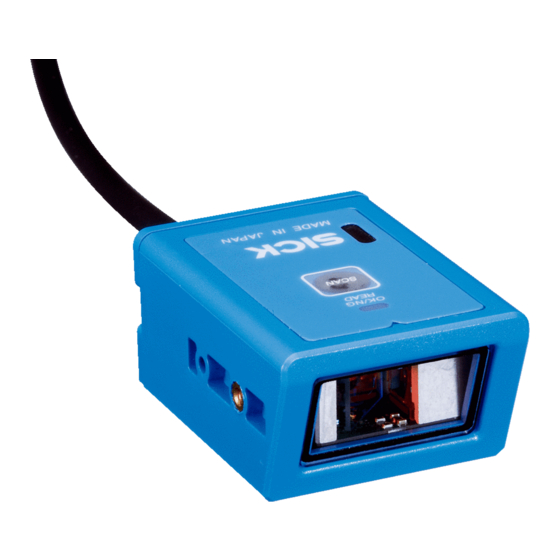
SICK CLV503 Bedienungsanleitung
Inhaltsverzeichnis
Verfügbare Sprachen
Quicklinks
Inhaltsverzeichnis

Verwandte Anleitungen für SICK CLV503


Inhaltszusammenfassung für SICK CLV503
- Seite 2 Parameterwerte zur An- passung an die Applikation geändert werden. Weiterführende Informationen finden Sie auf der Produktseite. Der Aufruf erfolgt über die SICK Product ID: pid.sick. com/{P/N}/{S/N} {P/N} entspricht der Artikelnummer des Produkts, siehe Typenschild. {S/N} entspricht der Seriennummer des Produkts, siehe Typenschild (falls angegeben).
-
Seite 4: Inhaltsverzeichnis
Inhalt Einstieg ................ 8 Elektrischer Anschluss..........9 Technische Informationen ........13 Konfigurations-Barcodes ..........16 Werkseitige Grundeinstellung ........16 Schnittstellen ............17 Baud-Rate (RS-232) ..........18 Daten, Parität, Stopp-Bits (RS-232) ......19 Handshake (RS-232) ..........20 Keyboard-Sprache .............21 Zu lesende Codearten aktivieren ......23 Datenausgabeformat ..........27 Lesebetriebsarten .............30 Hinweise zur UL-Zertifikation ........34 Technische Daten ............35 CLV 50 3/C LV 50 5 BA R C ODE S CA N N E RS | SI C K 2 023- 08/1KQM... - Seite 6 CLV 503/ CLV 5 0 5 BA R C O DE S CA NNERS | SI C K 2 023- 08/1KQM...
- Seite 7 Laserstrahlung Die Geräte arbeiten mit einer Laserdiode (Rotlicht, λ = 650 nm) der Klasse 1 gemäß EN 60825-1:2014 +A11:2021/IEC 60825-1:2014. Entspricht 21 CFR 1040.10 und 1040.11 mit Aus- nahme der Konformität mit IEC 60825-1 Ed. 3, wie in der Laser Notice No. 56 vom 8. Mai 2019 beschrie- ben.
-
Seite 9: Ausgangsleistung: Output Power
Complies with 21CFR1040.10/11 except for IEC 60825-1 Ed.3, see Laser conformance with IEC 60825-1 Ed.3, see Notice No.56, May 8, 2019 Laser Notice No.56, May 8, 2019 CLV503 CLV505 1 Vorsicht-Laserstrahlung. Nicht in den Strahl blicken Klasse 1 Laserprodukt 2 Entspricht 21CFR1040.10/11 mit Ausnahme der Konformität mit IEC 60825-1 Ed.3, siehe... -
Seite 10: Einstieg
(Good Read / No Read) 2 = Taste für Lesetakt (Trigger) Getting started Contents of package • CLV503/CLV505 fixed mount barcode scanner with RS 232 or USB interface, depending on the order • Quick Start Control elements 1 = reading results status indicator... -
Seite 11: Elektrischer Anschluss
Braun Spannungsversorgung Betriebsspannung DC 5 V ± 10 % Leistungsaufnahme, typ. 85 ... 150 mA (CLV503) 205 ... 500 mA (CLV505) Leistungsaufnahme, max. 1.500 mA (CLV503) 2.000 mA (CLV505) 202 3- 08 /1KQM S IC K | CLV 50 3/ C LV 505 BAR C ODE S CAN N E RS... - Seite 12 RS-232-Schnittstelle > Gerät an die RS-232-Schnittstelle des Computers gemäß Aderfarbbelegung Seite 11 anschließen. > Um manuell einen Trigger auszulösen: Taste am Gehäuse drücken (siehe Seite 10). > Um das Gerät per Kommando zu triggern: folgende Kommandos über ein Terminalprogramm an das Gerät schicken: „ESC Z CR“...
-
Seite 15: Technische Informationen
Prinzipielle Zuordnung der Scanlinie zum Barcode auf dem Objekt und zur Förderrichtung Allocation of the scanning line(s) for the barcode and conveyor system Öffnungswinkel / Aperture angle CLV503 CLV505 Öffnungswinkel / Aperture angle 44° 40° 202 3- 08 /1KQM S IC K | CLV 50 3/ C LV 505 BAR C ODE S CAN N E RS... -
Seite 16: Winkelausrichtung Des Geräts (Tilt, Pitch, Skew)
Winkelausrichtung des Geräts (Tilt, Pitch, Skew) Angle alignment of the device (Tilt, Pitch, Skew) CLV503 CLV505 α Azimuthwinkel (Tilt) / ± 20° ± 25° α Azimuth angle (Tilt) β Neigungswinkel (Pitch) / ± 35° ± 30° β Inclination angle (Pitch) γ... -
Seite 18: Konfigurations-Barcodes
CLV505 Leseabstand/Reading field height (mm) –50 –100 –150 –200 Leseabstand/Reading distance (mm) Auflösung/Resolution b: 0.25 mm a: 0.15 mm c: 0.50 mm d: 1.00 mm Konfigurations-Barcodes Werkseitige Grundeinstellung Die Werte der Grundeinstellung sind im Folgenden fett gedruckt (Seite 20 ff.). Um das Gerät auf die Grundeinstellung zurückzuset- zen, folgendermaßen vorgehen: 1. -
Seite 19: Schnittstellen
Configuration barcodes Default settings The values of the basic default settings are printed in bold below (from page 20 on). efaults 1. Defaults Proceed as follows to reset the device with the basic default settings: _ZZ_ _ZZ_ 1. Scan barcode for “SET” 2. -
Seite 20: Baud-Rate (Rs-232)
. Baud rate settings 2.1.1. Baud rate settings The baud rate is the rate at which bits are The baud rate is the rate at which bits a transmitted from the reader to the host, and transmitted from the reader to the host, Baud-Rate (RS-232) vice versa. -
Seite 21: Daten, Parität, Stopp-Bits (Rs-232)
Daten, Parität, Stopp-Bits (RS-232) Data, parity, stop bits (RS 232) _ZZ_ _ZZ_ _L0_ _L0_ ata bits 7 data bits _L1_ _L1_ ata bits 8 data bits _L2_ _L2_ parity No parity _L3_ _L3_ en parity Even parity _L4_ _L4_ d parity Odd parity _L5_ _L5_... -
Seite 22: Handshake (Rs-232)
Handshake (RS-232) Handshaking (RS 232) . Handshaking 2.1.3. Handshaking _ZZ_ _ZZ_ _P0_ _P0_ handshake No handshake _P1_ _P1_ sy/ready Busy/ready _P2_ _P2_ Modem _ZG_ _ZG_ N/XOFF XON/XOFF _P3_ _P3_ K/NAK ACK/NAK K/NAK NO ACK/NAK NO _P4_ _P4_ SPONSE RESPONSE ow Control time out Flow Control time out _I0_ _I0_... -
Seite 23: Keyboard-Sprache
e language that has been selected on your same language that has been selected on your anguages supported depend on the The languages supported depend on the Keyboard-Sprache er model and software release. Please reader model and software release. Please ult your sales office for the languages consult your sales office for the languages Keyboard language... - Seite 24 Keyboard-Sprache (2) Keyboard language (2) _ZZ_ _ZZ_ _PK_ _PK_ iss ( German ) Swiss ( German ) _PI_ _PI_ Dutch _PJ_ _PJ_ gian Belgian _PD_ _PD_ edish Swedish _PG_ _PG_ nish Finnish _KK_ _KK_ nish Danish _PE_ _PE_ rwegian Norwegian _PM_ _PM_ panese...
-
Seite 25: Zu Lesende Codearten Aktivieren
Zu lesende Codearten aktivieren Enabling code types All codes excl. add-on Disable all 2023- 08/1 KQM SI C K | C LV5 0 3 /C LV 505 BAR C ODE S CANN ERS... - Seite 26 Zu lesende Codearten aktivieren (2) Enabling code types (2) 3.1.2. Enabling of readable codes 3.1.2. Enabling of readable codes _ZZ_ _ZZ_ _A0_ _A0_ All codes excl. add-on All codes excl. add-on _R1_ _R1_ Enable UPC Enable UPC _R2_ _R2_ Enable UPC + 2 Enable UPC + 2 _R3_ _R3_...
- Seite 27 Zu lesende Codearten aktivieren (3) Enabling code types (3) _ZZ_ _ZZ_ _BB_ _BB_ Enable Matrix 2of5 Enable Matrix 2of5 Enable Chinese Post Enable Chinese Post _JS_ _JS_ Matrix 2of5 Matrix 2of5 Enable Korean Postal Enable Korean Postal _WH_ _WH_ Authority code Authority code _B4_ _B4_...
- Seite 28 Zu lesende Codearten aktivieren (4) Enabling code types (4) _ZZ_ _ZZ_ _BCM_ _BCM_ able all 1D codes Enable all 1D codes _B0_ _B0_ able all Disable all _ZZ_ _ZZ_ CLV 503/ CLV 5 0 5 BA R C O DE S CA NNERS | SI C K 2 023- 08/1KQM...
-
Seite 29: Datenausgabeformat
Datenausgabeformat Setzen von Prefix und Suffix Dieser Abschnitt zeigt die gebräuchlichsten Beispiele für ein Prefix (Vorspann) und ein Suffix (Nachspann), die jeweils im Leseergebnis aller Codearten entspre- chend gesetzt werden. Data output format Set prefix and suffix Here you will find the most common examples for a prefix and suffix which will be set for all code types. - Seite 30 STX DATA ETX DATA CR LF CLV 503/ CLV 5 0 5 BA R C O DE S CA NNERS | SI C K 2 023- 08/1KQM...
-
Seite 31: Löschen Aller Prefixe Und Suffixe
Löschen aller Prefixe und Suffixe Clear all prefixes and suffixes 2023- 08/1 KQM SI C K | C LV5 0 3 /C LV 505 BAR C ODE S CANN ERS... -
Seite 32: Lesebetriebsarten
Lesebetriebsarten Die folgenden Lesebetriebsarten sind wählbar: Einzellesung (Single read) Wenn das Gerät einen Barcode erfolgreich gelesen hat, schaltet es sich aus. Für eine weitere Lesung ist das Gerät erneut zu triggern. Diese Option und die Betriebsart „Disable trigger“ können nicht gleichzeitig eingestellt werden.