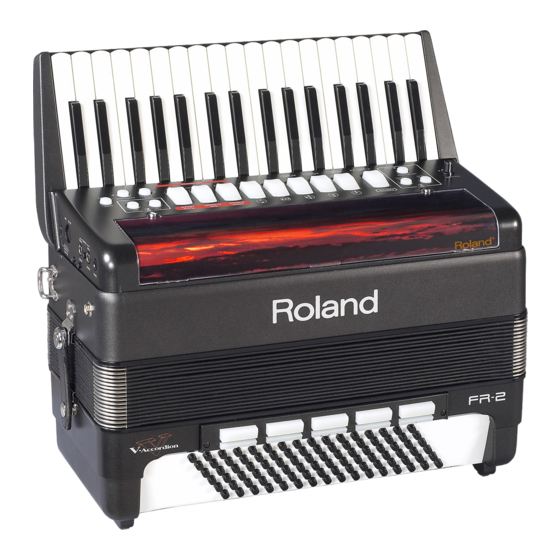
Roland FR-2 Bedienungsanleitung
Verfügbare Sprachen
Verfügbare Sprachen
Quicklinks
r®
Kindly take note of the following
The following functions have been added or changed as a result of a system software update for both FR-2 models (FR-2 and
FR-2b).
Bass-to-Treble mode
The FR-2 also provides a mode in which it can be used like a
bassoon accordion. In this mode, the bass part is played with
the right hand. The bass and chord buttons are inactive (a
real bassoon accordion doesn't have bass/chord buttons and
can only be played with one hand).
(1) Press [SET] E + register [5] to activate Bass-to-Treble
mode.
(2) Use the Treble registers F to select the desired bass-to-
treble sound.
These sounds are not the same as the ones you can usually
select with the bass registers. (The bass registers cannot be
used in this mode.)
There are five accordion sounds and six orchestral sounds.
The numbers in the table below refer to the Treble registers
you need to press.
Bass-to-Treble sounds
Accordion sounds
1
Classic
2
Jazz
3
I-Folk
4
D-Folk
5
Bandoneon
Each register [6]~[8] allows you to select two orchestral
sounds. Press it once to select the "a" sound, and again to
select the "b" sound. Pressing it a third time will select the
"a" sound again.
(3) Start playing the bass part with your right hand.
See also the notes below.
(4) Press [SET] + register [5] again to leave Bass-to-Treble
mode.
You can also leave this mode by pressing and holding the
[SONG÷DEMO] button J (to listen to the demo songs), by
pressing the [SONG÷DEMO] button (to select Song mode)
or by pressing [SET] + register [4] (to select Free Bass mode).
Notes regarding Bass-to-Treble mode
In Bass-to-Treble mode...
• The bass & chord part (left hand) is not available (the bass
& chord buttons do nothing).
602.000.0359
Orchestral sounds
6a
Acoustic
6b
Fretless
7a
Fingered
7b
Picked
8a
Tuba Mix
8b
Bowed
• The accordion volume (registers [1]~[5]) can be set with the
"Treble/Bass & Chord Balance" parameter; the orchestral
bass volume (registers [6]~[8]) is set with the "Orchestra
Bass Level" parameter.
• The FR-2 transmits and receives on MIDI channel "2" (Bass
& Free Bass channel).
• The following functions are not available:
Set selection
Playing drum sounds with the bass and chord buttons
Orchestral Bass part
Orchestral Chord part
Bass registers (the bass & chord parts are not available)
Octave UP & DOWN
Free Bass mode & sounds
The FR-2 also provides a Free Bass mode. A free-bass system
on an accordion allows performers to play melodies and their
own chords with their left hand. In this "free" mode, each
left-hand button therefore only triggers one note. The avail-
able range covers three octaves or even more.
Using the Free Bass section
(1) Press [SET] E + register [4] to activate Free Bass mode.
(2) Use the bass registers to select the desired Free Bass
sound.
Free Bass registers
1
Low
2
Low, Low + High
3
Low + High
4
Low, High
5
High
(3) Press [SET] + register [4] again to return to normal bass
and chord mode.
RES 703-09 FR-2 V2 Addendum E/D/F
r
V-Accordion
Addendum
Bass
Free Bass
8'
4'
L
H
16'
8'
1

Verwandte Anleitungen für Roland FR-2


Inhaltszusammenfassung für Roland FR-2
- Seite 7 V-Accordion r® Addendum Bitte beachten Sie folgende Dinge Die nachfolgenden Funktionen wurden im Rahmen einer Aktualisierung beider FR-2-Ausführungen (FR-2 und FR-2b) hinzugefügt oder geändert. • Wird die Akkordeonlautstärke (Register [1]~[5]) mit dem Rechtshändiger Bassmodus Parameter “Balance Diskant & Bass/Akkorde” eingestellt.
- Seite 8 Drücken Sie [DEC], um das Tempo zu verringern bzw. [INC], TION-Modus wieder zu verlassen. um es zu erhöhen. Das FR-2 puffert den von Ihnen gewähl- ten Tempowert. Für jedes der 8 internen Stücke kann ein Folgende Funktionen sind neu hinzugekommen: abweichender Tempowert gepuffert werden.
- Seite 9 Bedenken Sie, dass das hier gewählte System nur für den Off, –40~0~+40 Vorgabe: 0 MIII-Modus des FR-2 gilt. Es hat also keinen Einfluss auf Die Bass-Sektion fast aller Akkordeons ist mit Knöpfen ver- den “normalen” Bassmodus. Die Notenzuordnungen finden sehen. Diese erzeugen beim Drücken typische Geräusche.
- Seite 10 Modell (oder eine Modellfamilie) versteht. So etwas TION-Modus wieder zu verlassen. nennt man “systemexklusive Befehle” oder schlicht “SysEx”. Wenn Sie sie zu einem zweiten FR-2 übertragen, können Sie die Einstellungen Ihres Instruments zum V-Accordion eines Übertragen von Datenblöcken zum FR-2 Freundes, Kollegen oder Schülers “kopieren”.
- Seite 11 V-Accordion Addendum MIII-Modus (Free Bass) N. Europe Finnish (C3= Notennummer 48) Anmerkung: Die Notennamen der Bassknöpfe entsprechen den MIDI-Notennummern. Der Bass-Part hat einen Tonumfang von 1 Oktave. Anmerkung: Die tatsächliche Lage richtet sich nach der gewählten Zunge und Fußlage.
-
Seite 12: Parameterübersicht
Roland Arranger-Steuerung Off, On “AUS”: Wird beim Ausschalten des FR-2 zurückgestellt. “OK”: Kann im Global-Bereich gespeichert werden (gilt für alle Sets). Anmerkung: Die Vorgaben der folgenden Parameter wurden geändert: “Balg-Expression (Übertragung)” (Off), “Programmwechsel (Übertragung)” (Off), “Akkordoktavierung (Übertragung)” (1), “Bassoktavierung (Übertragung)” (–1), “Orchesterakkorde-Oktavierung (Übertragung)” (1).