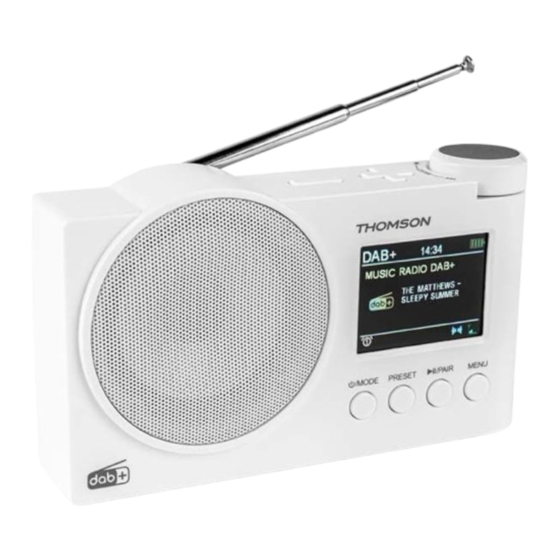
THOMSON RT400DABBT Bedienungsanleitung
Mit bluetooth/dab/dab+/ukw

Verwandte Anleitungen für THOMSON RT400DABBT


Inhaltszusammenfassung für THOMSON RT400DABBT
- Seite 1 RT400DABBT RADIO NUMÉRIQUE BLUETOOTH DAB/DAB+/FM MODE D’EMPLOI AVANT D’UTILISER CET APPAREIL, VEUILLEZ LIRE ATTENTIVEMENT CE MODE D’EMPLOI ET LE CONSERVER AFIN DE POUVOIR LE CONSULTER ULTÉRIEUREMENT.
- Seite 2 Démarrage Avertissement concernant la batterie Avertissements et consignes de sécurité Spécifications techniques Contenu de la boîte Protection de l’environnement Description des pièces Informations supplémentaires Pour commencer Déclaration de conformité Utilisation Garantie Démarrage • Sortez l’appareil de la boîte. • Retirez tous les matériaux d’emballage du produit. •...
- Seite 3 10. Les batteries (bloc-batterie ou piles installées) ne doivent pas être exposées à une chaleur excessive, comme les rayons du soleil, un incendie, etc. 11. Débranchez toujours l’appareil avant de le nettoyer. Ne lubrifiez aucune partie de cet appareil. Nettoyez-le avec un chiffon doux. N’utilisez pas de produits abrasifs ni de nettoyants agressifs.
- Seite 4 Le symbole de l’éclair dans un triangle équilatéral alerte les utilisateurs de la présence de tensions électriques dangereuses non isolées à l’intérieur de l’appareil, suffisamment fortes pour présenter un risque d’électrocution. Le point d’exclamation dans un triangle indique la présence de consignes importantes relatives au fonctionnement et à...
- Seite 5 Description des pièces Sélecteur d’entrée (Radio, USB, Bluetooth, Auxiliaire) Rappel mémorisé/Mémorisation préréglée Lecture/Pause/Recherche Menu/Informations Antenne Chanson suivante/Syntonisation VOL- VOL+ Chanson précédente/Syntonisation - FR 5 -...
-
Seite 6: Alimentation De L'appareil
Pour commencer ALIMENTATION DE L’APPAREIL Courant continu de type C : branchez le câble de type C sur l’appareil et branchez l’adaptateur sur une prise murale. REMARQUE : Utilisez en priorité l’alimentation en courant continu de type C. Veuillez utiliser un adaptateur 5V/2A pour que la charge fonctionne. BOUTON D’ALIMENTATION •... -
Seite 7: Mode Dab
Utilisation MODE DAB • Allumez la radio et appuyez sur « » pour passer en mode DAB, puis appuyez longuement sur le bouton « MENU » pour accéder aux réglages DAB. Recherche automatique • Lorsque l’écran <Recherche automatique> s’affiche, appuyez sur le bouton « »... -
Seite 8: Paramètres Du Système
RECHERCHE AUTOMATIQUE ET STATIONS MÉMORISÉES Recherche automatique • En mode FM, appuyez sur le bouton « » pendant deux secondes. La radio commence à rechercher des stations automatiquement. Lorsque la radio reçoit un signal de station, elle enregistre automatiquement la fréquence comme station préréglée (P01-30). - Seite 9 • Tournez « » pour activer ou non le réveil et appuyez sur « » pour enregistrer les réglages. Réglage de l’heure • Sélectionnez <Heure> et appuyez sur « » pour accéder aux réglages de l’heure. Tournez « » pour sélectionner <Régl. heure/date>, <MAJ Automatique>, <Régl.
-
Seite 10: Lecture Usb
» pour passer en mode Bluetooth. • Allumez votre téléphone portable ou un autre appareil Bluetooth et faites une recherche d’appareil Bluetooth (Nom Bluetooth : RT400DABBT) pour effectuer le jumelage. Lorsque vous entendez le son, cela indique que le jumelage est réussi. •... - Seite 11 (Les écouteurs ne sont pas inclus) Avertissement concernant la batterie Ce produit contient une batterie. • Utilisez la batterie correctement afin d’éviter toute blessure ou un incendie causé par une fuite, une surchauffe, une explosion, une érosion ou tout autre dommage. •...
- Seite 12 AVERTISSEMENT PILE GARDER HORS DE PORTEE DES ENFANTS Ne pas ingérer la pile, risque de brûlure chimique. En cas d’ingestion, en à peine 2 heures, la pile bouton peut causer des brûlures internes sévères qui peuvent être mortelles. En cas de soupçon d’inges- tion d’une pile, ou d’introduction dans une partie quelconque du corps, demander immédiatement un avis médical.
- Seite 13 POWER. • S’il y a un appel entrant alors que le système RT400DABBT est connecté à votre téléphone portable pour lire de la musique, la musique est immédiatement mise en pause lorsque vous répondez à l’appel et la lecture reprendra une fois l’appel terminé (selon le type de téléphone portable, la lecture pourra parfois rester en pause après la fin de l’appel.)
- Seite 14 Garantie Ce produit est garanti par Bigben pendant une durée de 2 ans à partir de la date d’achat sauf dans les pays de l’Espace Économique Européen offrant une durée de garantie plus longue. Nous vous recommandons de conserver votre ticket de caisse pour toute réclamation. La garantie couvre les pannes dues à...
- Seite 15 RT400DABBT DAB/DAB+/FM BLUETOOTH DIGITAL RADIO OPERATING INSTRUCTIONS PLEASE READ THIS USER MANUAL CAREFULLY BEFORE OPERATING THIS UNIT AND RETAIN FOR FUTURE REFERENCE.
-
Seite 16: Inhaltsverzeichnis
Getting started Warning about batteries Safety warning and notice Technical specifications What's in the box Care for the environment Description of parts Additional information To start Declaration of conformity Warranty Getting started • Take the appliance out of the box. •... - Seite 17 11. Always unplug the device before cleaning it. Never lubricate any part of this appliance. Clean it with a soft cloth. Do not use abrasive products or harsh cleaners. 12. Ensure that you always have easy access to the power cord, plug or adaptor to disconnect this appliance from the mains if necessary.
-
Seite 18: What's In The Box
The lightning bolt symbol within an equilateral triangle alerts users to the presence of dangerous uninsulated electrical voltages inside the appliance that are strong enough to present a risk of electric shock. The exclamation mark inside a triangle indicates the presence of important operating and maintenance (repair) instructions in the literature accompanying the appliance. -
Seite 19: Description Of Parts
Description of parts Input selector (Radio, USB, Bluetooth, Auxiliary) Preset Recall/Preset Store Play/Pause/Scanning Menu/Information Antenna Next song / Tuning VOL- VOL+ Previous song / Tuning - EN 19 -... -
Seite 20: To Start
To start POWERING THE DEVICE Type-C Direct Current: Plug in the type-c cable and plug the adapter into a wall outlet. NOTE: Use the type-c direct current power supply in priority. Please use a 5V/2A adapter or it will not charge. POWER ON/OFF •... -
Seite 21: Use
DAB MODE • Press “ ” to switch to DAB mode after you turn on the radio, and then long press the “MENU” button to access the DAB settings. Full Scan • In the <Full scan> screen, press the “ ”... -
Seite 22: System Settings
Preset Recall • Short press the “PRESET” button to display the preset stations (P01-30). Rotate “ ” to select preset station, short press “ ” to confirm. Preset Store • Long press the “PRESET” button to display the Preset Store (P01-30). Rotate “... - Seite 23 ” to switch to Bluetooth mode. • Switch on your mobile phone or other device to Bluetooth, and search for Bluetooth device (Bluetooth name: “RT400DABBT”) to pair, when you hear the voice, it shows pairing is successful. • Volume Control: After successful pairing, you can adjust the volume using the “+”/“-”...
-
Seite 24: Usb Playback
• Long press “ ” to disconnect the Bluetooth connection. USB PLAYBACK • Turn on the radio, short press “ ”. • Plug in a USB flash drive to play. • Operation function: Press “ ” to play/pause. Rotate “ ”... -
Seite 25: Warning About Batteries
Warning about batteries This product contains one or more batteries. • Use batteries correctly to prevent any injury or fire caused by a leak, overheating, explosion, erosion or other damage. • Keep new and used batteries out of the reach of children or any vulnerable person. Stop using the device if the battery compartment does not close properly. -
Seite 26: Technical Specifications
Technical specifications FM: 88.8-108MHz Frequency Language 7 languages DAB: 174.928-239.200MHz Maximum Bluetooth 1.2W power Output 3.5mm earphone Charger DC IN 5V/2A Note: the maximum connection distance is approximately 10 metres. Place your Bluetooth speaker as close as possible to the device to avoid the connection being disrupted. In an environment with electrostatic discharge, the device may turn off. -
Seite 27: Additional Information
POWER selector again. • If there is an incoming call while RT400DABBT is connected to your cell phone for music playback, it will pause at once when you answer the call and resume after the call ends. (Sometimes it will remain on pause after the end of the call, it depends on your cell phone.) -
Seite 28: Warranty
Warranty This product is guaranteed by Bigben for a period of 2 years from the date of purchase, except in countries of the European Economic Area, which offer a longer warranty period. We recommend that you keep your receipt for any claims. The warranty covers breakdowns due to defective material, a missing element or manufacturing defect. - Seite 29 RT400DABBT RADIO DIGITAL BLUETOOTH DAB/DAB+/FM INSTRUCCIONES DE FUNCIONAMIENTO LEA ATENTAMENTE ESTE MANUAL DE INSTRUCCIONES ANTES DE UTILIZAR ESTE ESTE APARATO Y CONSÉRVELO PARA FUTURAS CONSULTAS.
- Seite 30 Puesta en funcionamiento Advertencia relativa a la batería Advertencias e instrucciones de seguridad 30 Especificaciones técnicas Contenido de la caja Protección del medio ambiente Descripción de los elementos Información adicional Primeros pasos Declaración de conformidad Garantía Puesta en funcionamiento • Saque el aparato de la caja.
- Seite 31 10. Las baterías (bloque de la batería o pilas instaladas) no se deben exponer a un calor excesivo, por ejemplo, los rayos del sol, un incendio, etc. 11. Antes de limpiarlo, desconecte siempre el aparato. No lubrique ninguna pieza de este aparato.
- Seite 32 El símbolo del rayo dentro de un triángulo equilátero advierte a los usuarios sobre la presencia de tensiones peligrosas no aisladas en el interior del aparato que son bastante potentes como para constituir un riesgo de electrocución. El signo de exclamación dentro de un triángulo indica la presencia de instrucciones importantes relativas al funcionamiento y al mantenimiento (reparación) en la documentación del aparato.
- Seite 33 Descripción de los elementos Selector de entrada (Radio, USB, Bluetooth, Auxiliar) Memoria progr./emisoras programadas Reproducción/Pausa/P+/Buscar Menú/Información Antena Siguiente canción / Sintonización VOL- VOL+ Canción anterior/ Sintonización - ES 33 -...
- Seite 34 Primeros pasos ALIMENTACIÓN DEL DISPOSITIVO Corriente continua tipo C: conecte el cable tipo C y enchufe el adaptador a una toma de corriente. OBSERVACIONES: Utilice prioritariamente la fuente de alimentación de corriente continua tipo C. Utilice un adaptador de 5 V/2 A, de lo contrario, no se cargará. ENCENDIDO/APAGADO •...
- Seite 35 MODO DAB • Tras encender la radio, pulse " " para cambiar al modo DAB y, a continuación, mantenga pulsado el botón "MENU" para acceder a los ajustes DAB. Búsqueda completa • En la pantalla <Búsqueda completa>, pulse el botón " "...
-
Seite 36: Configuración Del Sistema
BÚSQUEDA AUTOMÁTICA Y ESTACIONES MEMORIZADAS Búsqueda automática • En el modo FM, mantenga pulsado el botón " " durante 2 segundos y la radio empezará a buscar emisoras automáticamente. Cuando la radio reciba la señal de una emisora, guardará automáticamente la frecuencia como emisora programada (P01-30). - Seite 37 • Gire " " para activar o no la alarma y, a continuación, pulse " " para guardar los ajustes. Ajustes de la hora • Seleccione <Hora> y pulse " " para acceder a los ajustes de la hora. Gire " "...
-
Seite 38: Reproducción Usb
" para cambiar al modo Bluetooth. • Encienda el teléfono móvil u otro dispositivo Bluetooth y busque el dispositivo Bluetooth (nombre Bluetooth: "RT400DABBT") para emparejar. Cuando oiga el sonido, significa que el emparejamiento se ha realizado correctamente. • Control del volumen una vez realizado el emparejamiento, puede ajustar el volumen con los botones "+/-"... - Seite 39 (Auriculares no incluidos) Advertencia relativa a la batería Este producto contiene una batería. • Utilice la batería correctamente para evitar cualquier lesión o incendio provocado por una fuga, un sobrecalentamiento, una explosión, una erosión o cualquier otro daño. • Guarde y mantenga la batería nueva y usada fuera del alcance de los niños y de cualquier otra personas vulnerable.
-
Seite 40: Especificaciones Técnicas
ADVERTENCIA DE BATERÍA MANTENER ALEJADA DE LOS NIÑOS La ingestión puede provocar quemaduras químicas, la perforación de tejidos blandos y la muerte. Puede provocar quemaduras graves dentro de las 2 horas posteriores a la ingestión. Busque atención médica inmediatamente. En caso de sustituir la pila por una de un tipo incorrecto, existe riesgo de incendio o de explosión. - Seite 41 • Si se produce una llamada entrante mientras la RT400DABBT está conectada al teléfono móvil para la reproducción de música, esta se pausará al responder a la llamada y se reanudará una vez finalizada esta última. (en ocasiones, la música permanecerá pausada al final de la llamada;...
- Seite 42 Garantía Bigben garantiza este producto durante 2 años a partir de la fecha de compra, excepto en los países del Espacio Económico Europeo que ofrezcan una garantía más extensa. Le recomendamos conservar su resguardo de la compra en caso de cualquier reclamación. La garantía cubre las averías que se deban a defectos del material, elementos faltantes o un vicio de fabricación.
- Seite 43 RT400DABBT DAB/DAB+/FM RADIO DIGITALE BLUETOOTH ISTRUZIONI PER L'USO LEGGERE IL PRESENTE MANUALE CON ATTENZIONE PRIMA DI METTERE IN FUNZIONE IL DISPOSITIVO E CONSERVARLO PER UNA CONSULTAZIONE FUTURA.
- Seite 44 Come iniziare Avvertenza relativa alle batterie Avvertenze e istruzioni di sicurezza Specifiche tecniche Contenuto della confezione Tutela dell'ambiente Descrizione dei componenti Informazioni aggiuntive Per iniziare Dichiarazione di conformità Utilizzo Garanzia Come iniziare • Togliere l'apparecchio dalla scatola. • Rimuovere tutti i materiali di imballaggio del prodotto. •...
- Seite 45 fornelli o da qualsiasi altro dispositivo (compresi gli amplificatori) che generi calore. Non deve essere installato in prossimità di fonti di calore. 10. Le batterie (pacco batterie o batterie integrate) non devono essere esposte a calore eccessivo, ad esempio al sole, al fuoco, ecc. 11.
- Seite 46 Il simbolo del fulmine all'interno di un triangolo equilatero avverte gli utilizzatori della presenza, all'interno dell'apparecchio, di tensioni elettriche pericolose non isolate e sufficientemente potenti da presentare un rischio di elettrocuzione. Il punto esclamativo all'interno di un triangolo indica la presenza di istruzioni importanti relative al funzionamento e alla manutenzione (riparazione) nella documentazione che accompagna l'apparecchio.
- Seite 47 Descrizione dei componenti Selettore di ingresso (radio, USB, Bluetooth, AUX) Visualizza preselezione/Memorizza preselezione Riproduci/Pausa/Ricerca Menu/Informazioni Antenna Canzone successiva/Sintonizzazione VOL- VOL+ Canzone precedente/Sintonizzazione - IT 47 -...
-
Seite 48: Alimentazione Del Dispositivo
Per iniziare ALIMENTAZIONE DEL DISPOSITIVO Corrente continua di Tipo C: collegare il cavo di Tipo C e inserire l'adattatore in una presa di corrente. NOTA: Utilizzare prioritariamente l'alimentazione a corrente continua di Tipo C. Utilizzare un adattatore da 5V/2A, altrimenti non si ricarica. ACCENSIONE/SPEGNIMENTO •... -
Seite 49: Modalità Dab
Utilizzo MODALITÀ DAB • Premere “ ” per passare alla modalità DAB dopo avere acceso la radio, quindi premere a lungo il tasto “MENU” per accedere alle impostazioni DAB. Ricerca completa • Nella schermata <Ricerca completa> premere il pulsante “ ”... -
Seite 50: Impostazioni Di Sistema
SCANSIONE AUTOMATICA E STAZIONI MEMORIZZATE Scansione automatica • In modalità FM premere a lungo il pulsante “ ” per 2 secondi e la radio inizierà automaticamente la scansione delle stazioni. Quando la radio riceve il segnale di una stazione, salverà automaticamente la frequenza come stazione preimpostata (P01- 30). - Seite 51 • Ruotare “ ” per selezionare se la sveglia è attiva o meno e premere “ ” per salvare le impostazioni. Impostazione dell'ora • Selezionare <Ora> e premere “ ” per accedere alle impostazioni dell'ora. Ruotare “ ” per selezionare <Impostazione ora/data>, <Aggiornamento automatico>, <Impostazione 12/24 ore>, <Impostazione formato data>.
-
Seite 52: Riproduzione Usb
” per passare alla modalità Bluetooth. • Accendere il cellulare o un altro dispositivo Bluetooth e cercare il dispositivo Bluetooth (nome del Bluetooth: “RT400DABBT”) per effettuare l'associazione. Quando si sente una voce, significa che l'associazione è andata a buon fine. •... - Seite 53 (Le cuffie non sono incluse) Avvertenza relativa alle batterie Il prodotto contiene una o più batterie. • Utilizzare correttamente le pile per evitare lesioni o incendi causati da perdite, surriscaldamento, esplosione, erosione o altri danni. • Conservare e tenere le pile nuove e usate fuori dalla portata dei bambini o di altre persone vulnerabili.
-
Seite 54: Specifiche Tecniche
AVVERTENZA RELATIVA ALLA BATTERIA TENERE FUORI DALLA PORTATA DEI BAMBINI L'ingestione può causare ustioni chimiche, perfora- zione dei tessuti molli e portare alla morte. Ustioni gravi possono insorgere a 2 ore dall'ingestione. Consultare subito un medico. Sostituire la batteria con una non idonea comporta un rischio di fuoco o di esplosione. -
Seite 55: Informazioni Aggiuntive
• In caso di chiamata entrante mentre il RT400DABBT è connesso al cellulare per la riproduzione musicale, si metterà in pausa immediatamente quando si risponde alla chiamata e riprenderà a chiamata terminata. (a volte continuerà a restare in pausa anche dopo la fine della chiamata, questo dipende dal proprio telefono cellulare). - Seite 56 Garanzia Il prodotto è garantito da Bigben per un periodo di due anni dalla data di acquisto ad esclusione dei Paesi dello Spazio economico europeo, dove il periodo di garanzia viene esteso. Si raccomanda di conservare lo scontrino o la ricevuta in caso di reclamo. La garanzia copre i guasti dovuti a materiale difettoso, elemento mancante o vizio di fabbricazione.
-
Seite 57: Instruções De Funcionamento
RT400DABBT DAB/DAB+/FM RÁDIO DIGITAL BLUETOOTH INSTRUÇÕES DE FUNCIONAMENTO ANTES DE UTILIZAR ESTE APARELHO, LEIA ATENTAMENTE ESTE MANUAL DE UTILIZAÇÃO E GUARDE-O PARA CONSULTA POSTERIOR. - Seite 58 Começar Aviso relativo às baterias Advertências e avisos de segurança Especificações técnicas O que está na caixa? Proteção ambiental Descrição das peças Informações adicionais Para começar Declaração de conformidade Utilização Garantia Começar • Retirar o aparelho da caixa. • Retirar toda a embalagem do produto. •...
- Seite 59 10. As baterias (conjunto de baterias ou pilhas inseridas) não devem ser expostas ao calor excessivo, como raios de sol, fogo, etc. 11. Desligar sempre o aparelho antes de limpá-lo. Não lubrificar nenhuma parte deste aparelho. Limpar com um pano macio. Não utilizar produtos abrasivos nem produtos de limpeza agressivos.
- Seite 60 O símbolo do relâmpago dentro de um triângulo equilátero avisa o utilizador da presença, dentro do produto, de tensões elétricas perigosas não isoladas e suficientemente potentes para representar um risco de eletrocussão. O ponto de exclamação no interior de um triângulo indica a presença de instruções importantes relativas ao funcionamento e à...
- Seite 61 Descrição das peças Seletor de entradas (Rádio, USB, Bluetooth, Auxiliar) Recuperação de Predefinições/Armazenamento de Predefinições Reproduzir/Pausar/Procurar Menu/Informação Antena Próxima música / Sintonização VOL- VOL+ Música anterior / Sintonização - PT 61 -...
-
Seite 62: Ligar O Aparelho
Para começar LIGAR O APARELHO Corrente Contínua Tipo C: Ligue o cabo tipo-c e ligue o adaptador a uma tomada de parede. NOTA: Utilizar prioritariamente a fonte de alimentação de corrente contínua tipo C. Utilizar um adaptador de 5V/2A, caso contrário o aparelho não irá carregar. LIGAR/DESLIGAR •... - Seite 63 Utilização MODO DAB • Premir « » para mudar para o modo DAB depois de ligar o rádio e, em seguida, premir e manter premido o botão «MENU» para aceder às definições DAB. Pesquisa Completa • No ecrã <Pesquisa Completa>, prima o botão « »...
-
Seite 64: Configurações Do Sistema
PESQUISA AUTOMÁTICA E ESTAÇÕES GUARDADAS Pesquisa Automática • No modo FM, prima e mantenha premido o botão « » durante 2 segundos e o rádio começará a procurar estações automaticamente. Quando o rádio receber um sinal de estação, salvará automaticamente a frequência como uma estação predefinida (P01-30). - Seite 65 • Rode « » para selecionar se o alarme está ou não ligado e prima « » para guardar as configurações. Configurações de Hora • Selecione <Hora> e prima « » para aceder às configurações de hora. Rode « » para selecionar <Definir Hora/Data>, <Atualização automática>, <Definir 12/24 horas>, <Definir formato da data>.
-
Seite 66: Entrada Para Auscultadores
» para mudar para o modo Bluetooth. • Ligue o seu telemóvel ou outro dispositivo ao Bluetooth e procure o dispositivo Bluetooth (nome Bluetooth: «RT400DABBT») para emparelhar, quando ouvir a voz, indica que o emparelhamento foi bem-sucedido. • Controlo do Volume: Após o emparelhamento bem-sucedido, pode ajustar o volume usando os botões «+»/«-»... - Seite 67 (Os auscultadores não estão incluídos) Aviso relativo às baterias Este produto contém uma ou várias baterias. • Utilize as baterias corretamente para evitar qualquer ferimento ou um incêndio causado por uma fuga, um sobreaquecimento, uma explosão, uma erosão ou qualquer outro dano.
- Seite 68 AVISO DA BATERIA MANTER FORA DO ALCANCE DAS CRIANÇAS Engolir pode provocar queimaduras químicas, perfu- ração dos tecidos moles e morte. Podem ocorrer queimaduras graves no prazo de 2 horas após a ingestão. Consulte um médico imediatamente. Risco de fogo ou de explosão se a bateria for substituída por um tipo incorreto. A eliminação de uma bateria num fogo ou num forno quente, a sua destruição mecânica ou corte poderá...
-
Seite 69: Informações Adicionais
• Se receber uma chamada enquanto a RT400DABBT estiver ligada ao seu telemóvel para reprodução de música, esta para imediatamente assim que atender a chamada e continua depois de terminar a chamada. (Às vezes, pode permanecer em pausa depois de terminar a chamada, depende do seu telemóvel). - Seite 70 Garantia Este produto é garantido pela Bigben durante 2 anos a partir da data de compra, salvo nos países do Espaço Económico Europeu que oferecem um período de garantia mais longo. Recomendamos que conserve o seu talão de compra para uma eventual reclamação. A garantia cobre as avarias devidas a material defeituoso, a uma elemento em falta ou a um defeito de fabrico.
-
Seite 71: Digitales Radio
RT400DABBT DIGITALES RADIO MIT BLUETOOTH/DAB/DAB+/UKW BEDIENUNGSANLEITUNG LESEN SIE DIESE ANLEITUNG BITTE VOR GEBRAUCH DES GERÄTS SORGFÄLTIG DURCH UND BEWAHREN SIE SIE ZUR SPÄTEREN EINSICHTNAHME AUF. - Seite 72 Erste Schritte Warnhinweis zum Akku Warnungen und Sicherheitshinweise Technische Daten Verpackungsinhalt Umweltschutz Beschreibung der Teile Weitere Informationen Starten Konformitätserklärung Bedienung Garantie Erste Schritte • Nehmen Sie das Gerät aus der Verpackung. • Entfernen Sie alle Verpackungsmaterialien vom Produkt. • Verstauen Sie die Verpackungsmaterialien im Karton oder entsorgen Sie sie sicher gemäß...
- Seite 73 Gerät muss temperierter Umgebung benutzt werden. direkter Sonneneinstrahlung, offenen Flammen oder Hitze schützen. Auf ausreichenden Abstand zu Heizungen, Öfen oder anderen Geräten (einschließlich Verstärkern), die Wärme erzeugen, achten. Das Gerät nicht in der Nähe von Wärmequellen installieren. 10. Die Batterien (Akkublock oder eingelegte Batterien) vor übermäßiger Hitze wie z. B. Sonnenlicht, Feuer usw.
-
Seite 74: Verpackungsinhalt
Das Blitzsymbol in einem gleichseitigen Dreieck weist den Benutzer auf das Vorliegen einer gefährlichen, nicht isolierten Spannung im Inneren des Geräts hin, die eine Stromschlaggefahr darstellen kann. Das Ausrufezeichen in einem Dreieck weist den Benutzer auf wichtige Sicherheitshinweise für den Betrieb oder die Wartung (Reparatur) in der dem Gerät beiliegenden Bedienungsanleitung hin. - Seite 75 Beschreibung der Teile Eingangswahlschalter (Radio, USB, Bluetooth, Aux) Anzeige/Speicher voreingestellte Sender Wiedergabe./Pause/Suchlauf Menü/Info-Service Antenne Nächster Titel / Tuning VOL- VOL+ Vorheriger Song / Tuning - DE 75 -...
-
Seite 76: Gerät Einschalten
Starten GERÄT EINSCHALTEN Typ-C-Gleichstrom: Stecken Sie das Typ-C-Kabel ein und schließen Sie den Adapter an eine Steckdose an. HINWEIS: Verwenden Sie vorrangig das Gleichstromnetzteil vom Typ C. Bitte verwenden Sie einen 5V/2A-Adapter, da das Gerät sonst nicht aufgeladen wird. EIN-/AUSSCHALTER •... -
Seite 77: Bedienung
Bedienung DAB-MODUS • Drücken Sie nach dem Einschalten des Radios „ “, um in den DAB-Modus zu wechseln, und drücken Sie dann lange die Taste „MENU“, um die DAB-Einstellungen aufzurufen. Vollständiger Suchlauf • Drücken Sie im Bildschirm „Vollständiger Suchlauf“ die Taste „ “, um alle Frequenzen zu suchen. -
Seite 78: Automatischer Suchlauf Und Gespeicherte Sender
AUTOMATISCHER SUCHLAUF UND GESPEICHERTE SENDER Automatischer Suchlauf • Halten Sie im UKW-Modus die Taste „ “ 2 Sekunden lang gedrückt, damit das Radio automatisch nach Sendern sucht. Wenn das Radio ein Sendersignal empfängt, speichert es die Frequenz automatisch als voreingestellten Sender (P01-30). Anzeige voreingestellte Sender •... - Seite 79 • Drehen Sie „ “, um die Lautstärke des Klingeltons auszuwählen, und drücken Sie „ “, um zu bestätigen und zum nächsten Schritt zu gelangen. • Drehen Sie „ “, um auszuwählen, ob der Wecker aktiviert ist oder nicht, und drücken Sie „ “, um die Einstellungen zu speichern.
-
Seite 80: Klinkenanschluss Für Kopfhörer
• Schalten Sie Ihr Mobiltelefon oder ein anderes Gerät auf Bluetooth und suchen Sie nach dem Bluetooth-Gerät (Bluetooth-Name: „RT400DABBT“), um es zu koppeln. Wenn Sie die Sprachansage hören, war die Kopplung erfolgreich. • Lautstärkeregler Nach erfolgreicher Kopplung können Sie die Lautstärke mit den Tasten „+“/„-“... - Seite 81 (Kopfhörer sind nicht im Lieferumfang enthalten) Warnhinweis zum Akku Dieses Produkt enthält einen Akku. • Verwenden Sie den Akku ordnungsgemäß, um Verletzungen oder Brände durch Auslaufen, Überhitzung, Explosion, Erosion oder andere Schäden zu vermeiden. • Lagern und bewahren Sie neue und gebrauchte Akkus außerhalb der Reichweite von Kindern oder anderen gefährdeten Personen auf.
-
Seite 82: Maximale Leistung
BATTERY WARNING KEEP REACH CHILDREN Swallowing can lead to chemical burns, perforation of soft tissue, and death. Severe burns can occur within 2 hours of ingestion. Seek medical attention imme- diately. Es besteht Brand- oder Explosionsgefahr, wenn die Batterie durch einen falschen Batterietyp ersetzt wird. -
Seite 83: Konformitätserklärung
Interactive erfolgt unter Lizenz. Die anderen Marken und Markennamen sind Eigentum der jeweiligen Inhaber. • THOMSON ist eine Marke von Talisman Brands, Inc. und wird unter der Lizenz von Bigben Interactive genutzt. • Dieses Produkt wird im Auftrag von Bigben Interactive hergestellt und verkauft. - Seite 84 Garantie Für dieses Produkt gewährt Bigben eine Garantie von 2 Jahren ab Kaufdatum, außer in den Ländern des Europäischen Wirtschaftsraums, in denen eine längere Garantiezeit gewährt wird. Wir empfehlen Ihnen, Ihren Kassenbeleg für eventuelle Reklamationen aufzubewahren. Die Garantie gilt für Mängel, die auf defektes Material, fehlende Teile oder Herstellungsfehler zurückzuführen sind.
- Seite 85 RT400DABBT DAB/DAB+/FM BLUETOOTH DIGITALE RADIO GEBRUIKSAANWIJZING ALVORENS DIT APPARAAT TE GEBRUIKEN, LEES DEZE INSTRUCTIES AANDACHTIG DOOR EN BEWAAR DEZE VOOR TOEKOMSTIGE RAADPLEGING.
-
Seite 86: Waarschuwingen En Veiligheidsinstructies
Om te beginnen Waarschuwing betreffende de batterijen 95 Waarschuwingen en veiligheidsinstructies 86 Technische kenmerken Inhoud van de verpakking Bescherming van het milieu Omschrijving van de onderdelen Aanvullende informatie Om te beginnen Conformiteitsverklaring Gebruik Garantie Om te beginnen • Haal het apparaat uit de doos. •... - Seite 87 Dit apparaat moet bij kamertemperatuur gebruikt worden, beschermd tegen direct zonlicht, open vuur of warmtebronnen, verwarmingsapparatuur, kachels en andere apparaten (met inbegrip van versterkers) die warmte produceren. Plaats dit apparaat niet in de buurt van warmtebronnen. 10. De batterijen (geïnstalleerde accu of batterijen) mogen niet worden blootgesteld aan extreme hitte, zoals zonnestralen, brand, enz.
- Seite 88 Het symbool van een bliksemschicht in een gelijkzijdige driehoek waarschuwt gebruikers over de aanwezigheid van gevaarlijke niet geïsoleerde elektrische spanning in het apparaat die krachtig genoeg is om een elektrische schok te veroorzaken. Het uitroepteken in een driehoek geeft de aanwezigheid van belangrijke instructies aan met betrekking tot de functionering en het onderhoud (reparatie) in de documententatie meegeleverd met het apparaat.
- Seite 89 Omschrijving van de onderdelen Ingangskeuzeschakelaar (radio, USB, Bluetooth, aux) Voorinstelling opvragen / Voorinstelling opslaan Afspelen/Pauzeren/Scannen Menu/Informatie Antenne Volgende nummer / Afstemmen VOL- VOL+ Vorig nummer/Afstemmen - NL 89 -...
-
Seite 90: Het Apparaat Aanzetten
Om te beginnen HET APPARAAT AANZETTEN Type-C gelijkstroom: Sluit de USB-C-kabel aan en steek de adapter in een stopcontact. OPMERKINGEN: Gebruik bij voorkeur de type-c gelijkstroomvoeding. Gebruik een 5V/2A adapter, anders wordt het apparaat niet opgeladen. IN-/UITSCHAKELEN • Druk lang op de knop " "... - Seite 91 Gebruik DAB-MODUS • Druk op " " om over te schakelen naar de DAB-modus nadat u de radio hebt aangezet en druk vervolgens lang op de knop "MENU" om de DAB-instellingen te openen. Volledige scan • Druk in het scherm <Volledige scan> op de knop " "...
-
Seite 92: Automatisch Scannen En Opgeslagen Zenders
AUTOMATISCH SCANNEN EN OPGESLAGEN ZENDERS Automatisch scannen • Houd in de FM-modus de knop " " 2 seconden lang ingedrukt en de radio begint automatisch naar zenders te scannen. Wanneer de radio een zendersignaal ontvangt, wordt de frequentie automatisch opgeslagen als een voorkeuzezender (P01- 30). - Seite 93 • Draai aan " " om het volume van het wekgeluid te selecteren en druk op " " om te bevestigen en naar de volgende stap te gaan. • Draai aan " " om te selecteren of de wekker aan staat of niet en druk op "...
- Seite 94 " om over te schakelen naar de Bluetooth-modus. • Schakel uw mobiele telefoon of ander apparaat in op Bluetooth en zoek naar het te koppelen Bluetooth-apparaat (Bluetooth-naam: "RT400DABBT"). Wanneer u de stem hoort, geeft dit aan dat het koppelen gelukt is. •...
- Seite 95 (Oortelefoons zijn niet inbegrepen) Waarschuwing betreffende de batterijen Dit product bevat een of meerdere batterijen. • Gebruik de batterijen op de juiste wijze om letsels of brand als gevolg van lekkage, oververhitting, explosie, erosie of andere schade te voorkomen. • Bewaar nieuwe en gebruikte batterijen buiten het bereik van kinderen en andere kwetsbare personen.
- Seite 96 WAARSCHUWING BETREFFENDE DE BATTERIJ BUITEN HET BEREIK VAN KINDEREN HOUDEN Inslikken kan chemische brandwonden, perforatie van zacht weefsel en de dood veroorzaken. Er kunnen binnen 2 uur na het inslikken ernstige brand- wonden optreden. Roep onmiddellijk medische hulp Risico op brand of explosie als de batterij vervangen wordt door een verkeerd type.
-
Seite 97: Conformiteitsverklaring
• Als er een oproep binnenkomt terwijl RT400DABBT is aangesloten op uw mobiele telefoon voor het afspelen van muziek, zal het pauzeren tijdens het gesprek en weer verdergaan als het gesprek beëindigd is. (Soms zal het op pauze blijven staan na beëindiging van het gesprek, dit is afhankelijk van uw mobiele telefoon.) - Seite 98 Garantie Bigben geeft een garantie van 2 jaar op dit product vanaf de datum van aankoop behalve in de landen van de Economische Europese Ruimte waarin de garantie langer is. Wij raden u aan uw kassabon te bewaren voor het geval er klachten zijn. De garantie dekt defecten te wijten aan een materieel defect, een ontbrekend onderdeel of een fabricagefout.
-
Seite 99: Instrukcja Obsługi
RT400DABBT RADIO CYFROWE BLUETOOTH DAB/DAB+/FM INSTRUKCJA OBSŁUGI PRZED UŻYCIEM URZĄDZENIA DOKŁADNIE PRZECZYTAĆ INSTRUKCJĘ I ZACHOWAĆ JĄ DO WYKORZYSTANIA W PRZYSZŁOŚCI. - Seite 100 Przed rozpoczęciem użytkowania Ostrzeżenie o baterii Ostrzeżenia i instrukcje bezpieczeństwa 100 Specyfikacja techniczna Zawartość opakowania Ochrona środowiska Opis części Informacje dodatkowe Aby rozpocząć Deklaracja zgodności Obsługa Gwarancja Przed rozpoczęciem użytkowania • Wyjąć urządzenie z pudełka. • Usunąć wszystkie materiały opakowaniowe z produktu. •...
- Seite 101 To urządzenie należy stosować w klimacie umiarkowanym, z dala od bezpośredniego światła słonecznego, otwartego ognia lub ciepła, grzejników, kuchenek lub wszelkich innych urządzeń (w tym wzmacniaczy), które generują ciepło. Nie montować go w pobliżu źródeł ciepła. 10. Baterie (akumulator lub włożone baterie) nie mogą być wystawiane na działanie nadmiernego ciepła, na przykłada na bezpośrednie światło słoneczne, ogień...
- Seite 102 Symbol błyskawicy w trójkącie równobocznym ostrzega użytkowników o znajdujących się wewnątrz urządzenia niebezpiecznych nieizolowanych napięć elektrycznych, które są wystarczająco silne, aby stwarzać ryzyko porażenia prądem. Wykrzyknik w trójkącie wskazuje obecność ważnych instrukcji dotyczących obsługi i konserwacji (naprawy) w dokumentacji dołączonej do urządzenia.
- Seite 103 Opis części Przełącznik wejść (radio, USB, Bluetooth, pomocnicze) Przywoływanie/zapamiętywanie ustawień wstępnych Odtwarzanie/Pauza/Skanowanie Menu/Informacje Antena Następny utwór / Strojenie VOL- VOL+ Poprzedni utwór/ Strojenie - PL 103 -...
- Seite 104 Aby rozpocząć WŁĄCZANIE ZASILANIA URZĄDZENIA Prąd stały typu C: Podłączyć kabel typu C i podłączyć adapter do gniazdka ściennego. UWAGA: Najlepiej jest zapewnić zasilanie prądem stałym typu C. Użyć zasilacza 5 V/ 2 A, ponieważ w przeciwnym razie urządzenie nie będzie się ładować. WŁĄCZANIE LUB WYŁĄCZANIE ZASILANIA •...
- Seite 105 Obsługa TRYB DAB • Nacisnąć przycisk „ ”, aby przełączyć się w tryb DAB po włączeniu radia, a następnie nacisnąć i przytrzymać przycisk „MENU”, aby uzyskać dostęp do ustawień DAB. Pełne skanowanie • Na ekranie <Full scan> (Pełne skanowanie) nacisnąć przycisk „ ”, aby przeskanować...
-
Seite 106: Ustawienia Systemowe
AUTOMATYCZNE SKANOWANIE I ZAPISANE STACJE Automatyczne skanowanie • W trybie FM nacisnąć i przytrzymać przycisk „ ” przez 2 sekundy, a radio rozpocznie automatyczne wyszukiwanie stacji. Gdy radio odbierze sygnał stacji, automatycznie zapisze tę częstotliwość jako zaprogramowaną stację (P01-30). Przywoływanie zaprogramowanych ustawień •... - Seite 107 • Obrócić „ ”, włączyć wyłączyć budzik nacisnąć „ ”, aby zapisać ustawienia. Ustawienia czasu • Wybrać <Time> (Czas) i nacisnąć „ ”, aby uzyskać dostęp do ustawień czasu. Obrócić „ ”, aby wybrać opcję <Set Time/Date> (Ustaw godzinę/ datę), <Auto update> (Automatyczna aktualizacja), <Set 12/24 hour> (Ustaw format 12/24-godzinny), <Set date format>...
- Seite 108 ”, aby przełączyć się w tryb Bluetooth. • Włączyć Bluetooth w telefonie komórkowym lub innym urządzeniu i wyszukać urządzenie Bluetooth (nazwa Bluetooth: „RT400DABBT”), aby sparować. Gdy rozlegnie się głos oznacza to, że parowanie się powiodło. • Sterowanie głośnością: Po pomyślnym sparowaniu można regulować głośność za pomocą...
- Seite 109 (Słuchawki nie są dołączone) Ostrzeżenie o baterii Ten produkt zawiera baterię lub baterie. • Używać baterii prawidłowo, aby uniknąć obrażeń ciała lub pożaru spowodowanego wyciekiem, przegrzaniem, wybuchem, erozją lub innymi uszkodzeniami. • Nowe i zużyte baterie należy przechowywać w miejscu niedostępnym dla dzieci i innych narażonych osób.
-
Seite 110: Specyfikacja Techniczna
OSTRZEŻENIE DOTYCZĄCE BATERII TRZYMAĆ POZA ZASIĘGIEM DZIECI Połknięcie może doprowadzić oparzeń chemicznych, perforację tkanek miękkich i śmierć. Poważne oparzenia mogą wystąpić w ciągu 2 godzin od połknięcia. Natychmiast poszukać pomocy medy- cznej. Ryzyko pożaru lub wybuchu w razie wymiany baterii na baterię nieodpowiedniego typu. - Seite 111 Bluetooth SIG, Inc., a każde użycie tych znaków przez BigBen Interactive jest objęte licencją. Wszystkie inne marki i nazwy handlowe są własnością podmiotów, które je posiadają. • THOMSON jest znakiem towarowym Talisman Brands, Inc. używanym w ramach licencji przez Bigben Interactive. • Produkt został wyprodukowany i sprzedany na odpowiedzialność Bigben Interactive.
- Seite 112 Gwarancja Ten produkt jest objęty gwarancją firmy Bigben przez 2 lata od daty zakupu, z wyjątkiem krajów Europejskiego Obszaru Gospodarczego oferujących dłuższy okres gwarancji. Zalecamy zachowanie paragonu kasowego na wypadek ewentualnej reklamacji. Gwarancja obejmuje awarie spowodowane wadami materiałowymi, brakiem elementu lub wadą fabryczną.
-
Seite 113: Návod K Obsluze
RT400DABBT DIGITÁLNÍ RÁDIO DAB/DAB+/FM BLUETOOTH NÁVOD K OBSLUZE PŘED POUŽITÍM TOHOTO ZAŘÍZENÍ SI PEČLIVĚ PŘEČTĚTE TENTO NÁVOD K POUŽITÍ A USCHOVEJTE JEJ PRO BUDOUCÍ POUŽITÍ. - Seite 114 Spuštění Upozornění týkající se baterií Varování a bezpečnostní pokyny Technické vlastnosti Obsah balení Ochrana životního prostředí Popis dílů Další informace Úvodem Prohlášení o shodě Použití Záruka Spuštění • Vyjměte zařízení z krabice. • Odstraňte z výrobku veškerý obalový materiál. • Vložte obalové...
- Seite 115 11. Před čištěním zařízení vždy odpojte. Žádnou část tohoto zařízení nemažte. Čistěte jej jemným hadříkem. Nepoužívejte abrazivní prostředky ani drsné čisticí prostředky. 12. Vždy se ujistěte, že máte snadný přístup k napájecímu kabelu, zástrčce nebo adaptéru, abyste mohli toto zařízení v případě potřeby odpojit ze síťové zásuvky. 13.
- Seite 116 Symbol blesku v rovnostranném trojúhelníku upozorňuje uživatele na přítomnost nebezpečného neizolovaného elektrického napětí uvnitř zařízení, které je dostatečně silné k tomu, aby představovalo riziko úrazu elektrickým proudem. Vykřičník v trojúhelníku označuje přítomnost důležitých provozních a údržbových (servisních) pokynů v průvodní dokumentaci zařízení. Materiál třídy II Stejnosměrný...
- Seite 117 Popis dílů Volič vstupů (rádio, USB, Bluetooth, pomocný) Vyvolání/ukládání předvoleb Přehrávání/Pozastavení/Vyhledávání Menu/Informace Anténa Další skladba / Ladění VOL- VOL+ Předchozí skladba / Ladění - CS 117 -...
- Seite 118 Úvodem NAPÁJENÍ ZAŘÍZENÍ Stejnosměrný typu C: Zapojte kabel typu C a připojte adaptér do zásuvky. POZNÁMKY: Přednostně používejte stejnosměrný napájecí zdroj typu C. Použijte adaptér 5 V / 2 A, jinak nebude nabíjet. ZAPNUTÍ/VYPNUTÍ • Dlouhým stisknutím tlačítka „ “ zapnete rádio a na displeji se zobrazí čas. •...
- Seite 119 Použití REŽIM DAB • Po zapnutí rádia přepněte do režimu DAB stisknutím tlačítka „ “ a poté dlouhým stisknutím tlačítka „MENU“ přejděte do nastavení DAB. Úplné prohledávání • Na obrazovce <Full scan> (Úplné prohledávání) stiskněte tlačítko „ “ pro prohledávání všech frekvencí. Všechny přijímané stanice jsou uloženy v seznamu programů...
-
Seite 120: Nastavení Systému
AUTOMATICKÉ PROHLEDÁVÁNÍ A ULOŽENÉ STANICE Automatické prohledávání • V režimu FM dlouze stiskněte tlačítko „ “ na 2 sekundy a rádio začne automaticky vyhledávat stanice. Když rádio přijme signál stanice, automaticky ji uloží jako předvolenou stanici (P01-30). Volání předvoleb • Krátkým stisknutím tlačítka „PRESET“ zobrazíte předvolené stanice (P01-30). Otáčením tlačítka „... - Seite 121 • Otočením „ “ vyberte, zda je budík zapnutý nebo vypnutý, a stisknutím „ “ uložte nastavení. Nastavení času • Vyberte možnost <Time> (Čas) a stiskněte tlačítko „ “ pro přístup k nastavení času. Otočením „ “ vyberte <Set Time/Date> (Nastavit čas/datum), <Auto update>...
- Seite 122 “ přepněte do režimu Bluetooth. • Zapněte mobilní telefon nebo jiné zařízení Bluetooth a vyhledejte zařízení Bluetooth (název Bluetooth: „RT400DABBT“) pro spárování, když uslyšíte zvuk, ukáže se, že spárování proběhlo úspěšně. • Ovládání hlasitosti: Po úspěšném spárování můžete nastavit hlasitost pomocí tlačítek „+“/„-“...
- Seite 123 (Sluchátka nejsou součástí dodávky) Upozornění týkající se baterií Tento výrobek obsahuje baterii nebo baterie. • Používejte baterie správným způsobem, aby nedošlo ke zranění nebo požáru, který může být způsoben vytečením, přehřátím, explozí, erozí nebo jiným poškozením. • Nové a použité baterie skladujte a uchovávejte mimo dosah dětí nebo zranitelných osob. Nelze-li přihrádku na baterie správně...
- Seite 124 VAROVÁNÍ BATERIE UCHOVÁVEJTE MIMO DOSAH DĚTÍ Baterii nepolykejte, hrozí nebezpečí chemického popálení. Při spolknutí již za 2 hodiny může knoflí- ková baterie způsobit vážné vnitřní popáleniny, které mohou být smrtelné. Pokud existuje podezření na spolknutí baterie nebo vniknutí do jakékoli části těla, okamžitě...
- Seite 125 úspory energie do úsporného režimu. Lze jej znovu ZAPNOUT pomocí voliče NAPÁJENÍ • Dojde-li během přehrávání hudby k příchozímu hovoru a systém RT400DABBT je právě připojen k vašemu mobilnímu telefonu, hudba se po přijetí hovoru okamžitě pozastaví a po ukončení hovoru se obnoví. (Někdy zůstane pozastavení zapnuté i po skončení...
- Seite 126 Záruka Společnost Bigben na tento výrobek poskytuje 2letou záruku počínající datem nákupu s výjimkou zemí Evropského hospodářského prostoru, které nabízejí delší záruční dobu. Pro případné reklamace doporučujeme uschovat účtenku. Záruka se vztahuje na poruchy vyplývající z vadného materiálu, chybějícího prvku nebo výrobní vady. V takovém případě kontaktujte naši technickou podporu.