Anmelden
Hochladen
Anleitungen
Marken
Storz Anleitungen
Endoscope
TC300
Storz TC300 Handbücher
Anleitungen und Benutzerhandbücher für Storz TC300. Wir haben
3
Storz TC300 Anleitungen zum kostenlosen PDF-Download zur Verfügung: Gebrauchsanweisung
Storz TC300 Gebrauchsanweisung (80 Seiten)
Marke:
Storz
| Kategorie:
Medizinische Ausstattung
| Dateigröße: 2 MB
Inhaltsverzeichnis
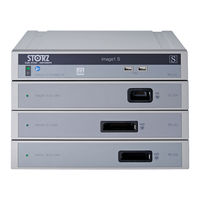
Geräteabbildungen
4
IMAGE1 S™ Kombinationsmöglichkeiten
4
Images of the Equipment
4
Possible Combinations for IMAGE1 S
4
Bedienungselemente, Anzeigen, Anschlüsse und Ihre Funktion
5
Controls, Displays, Connectors, and Their Uses
5
Symbolerläuterungen
6
Symbole zur Bedienung
6
Symbols Employed
6
Symbols for Operation
6
Explicación de Los Símbolos
6
Símbolos Referentes al Manejo
6
Symbole auf Label und Verpackung
7
Label and Packaging Symbols
7
Símbolos Utilizados en el Etiquetado y el Embalaje
7
Inhaltsverzeichnis
9
Allgemeines
12
Gerätebeschreibungen
12
Schutzrechte
12
General Information
12
Description of the Devices
12
Property Rights
12
Generalidades
12
Descripción de Los Aparatos
12
Derechos de Propiedad
12
Sicherheitshinweise
13
Erklärung zu Warn- und Vorsichtshinweisen
13
Safety Instructions
13
Explanation of Warnings and Cautions
13
Instrucciones de Seguridad
13
Explicación Referente a las Indicaciones de Alarma y Advertencia
13
Allgemeine Sicherheitshinweise
14
General Safety Information
14
Instrucciones Generales de Seguridad
14
Bestimmungsgemäßer Gebrauch
18
Zweckbestimmung
18
Kontraindikationen
18
Indications for Use
18
Intended Use
18
Contraindications
18
Empleo Previsto
18
Uso Previsto
18
Contraindicaciones
18
Profil des Patienten
19
Profil des Anwenders (Facharzt)
19
Patient Profile
19
User Profile (Specialist Physician)
19
Perfil del Paciente
19
Perfil del Usuario (Médico Especialista)
19
Profil des Anwenders (Hilfsperson)
20
User Profile (Assistant)
20
Perfil del Usuario (Asistente)
20
Sicherheitsmaßnahmen am Aufstellort
21
Sicherheitsmaßnahmen Beim Einsatz des Gerätes
21
Safety Precautions at the Site of Installation
21
Safety Precautions When Operating the Device
21
Medidas de Seguridad en el Lugar de Emplazamiento
21
Medidas de Seguridad Durante el Empleo del Equipo
21
Inbetriebnahme
22
Grundausstattung
22
Tc 200 Image1 S Connect
22
Tc 300 Image1 S™ H3-Link
22
Tc 301 Image1 S™ X-Link
22
Tc 302 Image1 S D3-Link
22
Tc 304 Image1 S™ 4U-Link
22
Auspacken des Gerätes
22
Initial Operation
22
Basic Equipment
22
Gerät für Anwendung Vorbereiten
23
Aufstellen
23
Potentialausgleich Anschließen
23
IMAGE1 S™ LINK-Module mit IMAGE1 S CONNECT™ Verbinden
23
SCB-Verbindung Herstellen
23
Preparing the Device for Use
23
Installation
23
Connecting the Potential Equalization
23
Connecting the IMAGE1 S™ LINK Module with IMAGE1 SCONNECT
23
Connecting SCB
23
Monitor Anschließen
24
Anschließen von USB-Geräten
24
Netzverbindung Herstellen
24
Connecting the Monitor
24
Connecting USB Devices
24
Connecting the Power Supply
24
Conexión del Monitor
24
Conexión de Aparatos USB
24
IMAGE1 S CONNECT™ Einschalten
25
USB-Speichermedium Verbinden
25
Switching on the IMAGE1 SCONNECT
25
Kamerakopf/Videoendoskop Anschließen
25
Weißabgleich Durchführen
25
Connecting USB Storage Media
25
Connecting the Camera Head/Video Endoscope
25
Performing the White Balance
25
Puesta en Marcha de IMAGE1 SCONNECT
25
Conexión de un Dispositivo de Almacenamiento USB
25
Funktionstest
26
Test for Proper Functioning
26
Prueba de Funcionamiento
26
Installationsübersicht
27
Installation Overview
27
Vista General de la Instalación
27
Bedienhinweise
28
Grundsätzliches zur Bedienung
28
Tastatur und Maus
28
Kamerakopftasten
28
Dashboard
28
Operating Instructions
28
Basic Information on Operation
28
Keyboard and Mouse
28
Camera Head Buttons
28
Instrucciones Operativas
28
Funktionsbeschreibung der
29
Verwendeten Symbole
29
Description of Functions of the Symbols Used
29
Descripción de la Función de Los Símbolos Empleados
29
Live-Menü
33
Live Menu
33
Menú Live
33
Funktionsbeschreibung der
34
Verwendeten Symbole
34
Description of Functions of the Symbols Used
34
Descripción de la Función de Los Símbolos Empleados
34
Setup-Menü
39
Allgemeine Einstellungen (IMAGE1 S CONNECT™)
39
Setup Menu
39
General Settings (IMAGE1 S CONNECT™)
39
Menú Setup
39
Ajustes Generales (IMAGE1 S CONNECT™)
39
Voreinstellungen
43
LINK-Spezifische Einstellungen
43
Presets
43
LINK-Specific Settings
43
Preajustes
43
Ajustes Específicos de LINK
43
Patientendaten Privatsphäre
44
Patient Data Privacy
44
Privacidad de Los Datos de Paciente
44
Aufbereitung
46
Allgemeine Sicherheitshinweise
46
Reprocessing
46
General Safety Information
46
Preparación
46
Instrucciones Generales de Seguridad
46
Wischdesinfektion von Geräten
47
Wipe-Down Disinfection of Devices
47
Instandhaltung
48
Wartung und Sicherheitsüberprüfung
48
Wartung
48
Sicherheitsüberprüfung
48
Service and Repair
48
Maintenance and Safety Check
48
Maintenance
48
Safety Check
48
10 Mantenimiento
48
Mantenimiento y Control Técnico de Seguridad
48
Instandsetzung
49
Entsorgung
49
Servicing and Repair
49
Disposal
49
Reparaciones
49
Gestión de Desecho
49
Reparaturprogramm
50
Repair Program
50
Programa de Reparaciones
50
Verantwortlichkeit
51
Garantie
51
Limitation of Liability
51
Warranty
51
Responsabilidad
51
Garantía
51
Technische Beschreibung
52
Technische Daten
52
Technical Description
52
Technical Data
52
Descripciones Técnicas
52
Datos Técnicos
52
Conformidad con la Directiva para IMAGE1 S™ (TC 200
54
Technische Unterlagen
54
Normenkonformität
54
Richtlinienkonformität für IMAGE1 S™ (TC 200, TC 300, TC 301, TC 302 und TC 304)
54
Technical Documentation
54
Standard Compliance
54
Directive Compliance for IMAGE1 S™ (TC 200, TC 300, TC 301, TC 302 and TC 304)
54
Documentación Técnica
54
Conformidad con las Normas
54
Software-Eigentum und Lizenzvergabe
55
Software Ownership and Licensing
55
Propiedad del Software y Concesión de Licencia
55
Ersatzteile, Empfohlenes Zubehör
57
Kompatible Kameraköpfe für
57
Kompatible Kameraköpfe für IMAGE1 S™ H3-LINK TC 300 ohne S-Technologien
57
Spare Parts, Recommended Accessories
57
Compatible Camera Heads for
57
Piezas de Repuesto, Accesorios Recomendados
57
Cabezales de Cámara Compatibles con IMAGE1 S™ H3-LINK TC 300, con Tecnologías S
57
Cabezales de Cámara Compatibles con IMAGE1 S™ H3-LINK TC 300, sin Tecnologías S
57
IMAGE1 S™ H3-LINK TC 300 mit
58
Kompatible Kameraköpfe für IMAGE1 S™ X-LINK TC 301 mit S-Technologien
58
Kompatible Kameraköpfe für IMAGE1 S™ X-LINK TC 301 ohne S-Technologien
58
Kompatible Videoendoskope
58
Mit S-Technologien
58
S Technologies
58
Compatible Camera Heads for
58
Compatible Video Endoscopes
58
For IMAGE1 S™ X-LINK TC 301
58
With S Technologies
58
Kompatible Videoendoskope und Kameraköpfe für IMAGE1 S D3-LINK™ TC 302 mit S-Technologien
60
Compatible Video Endoscopes and Camera Heads for IMAGE1 S D3-LINK™ TC 302 with S Technology
60
Videoendoscopios y Cabezales de la Cámara Compatibles para IMAGE1 S D3-LINK™ TC 302, con Tecnologías S
60
Kompatible Kameraköpfe für IMAGE1 S™ 4U-LINK TC 304 mit S-Technologien
61
Compatible Camera Heads for IMAGE1 S™ 4U-LINK TC 304 with S Technology
61
Cabezales de la Cámara Compatibles para IMAGE1 S™ 4U-LINK TC 304, con Tecnologías S
61
Empfohlenes Zubehör
62
Recommended Accessories
62
Accesorios Recomendados
62
Bedienbare SCB-Lichtquellen
63
Bedienbare SCB-Insufflatoren
63
Kompatible 3D-Monitore
63
Operable SCB Light Sources
63
Operable SCB Insufflators
63
Compatible 3D Monitors
63
Fuentes de Luz SCB Utilizables
63
Insufladores SCB Utilizables
63
Monitores 3D Compatibles
63
Hinweise zur Elektromagnetischen Verträglichkeit (EMV)
64
Information on Electromagnetic Compatibility (EMC)
64
Indicaciones sobre Compatibilidad Electromagnética (CEM)
65
EMV Tabellen für IMAGE1 S
66
EMC Tables for IMAGE1 S
66
Tablas CEM para IMAGE1 S
66
Niederlassungen
78
Subsidiaries
78
Sociedades Distribuidoras
78
Storz TC300 Gebrauchsanweisung (76 Seiten)
Marke:
Storz
| Kategorie:
Medizinische Ausstattung
| Dateigröße: 1 MB
Inhaltsverzeichnis
Wichtiger Hinweis für die Benutzer von KARL STORZ Geräten
3
Important Information for Users of KARL STORZ Devices
3
Geräteabbildungen
4
IMAGE1 S Kombinationsmöglichkeiten
4
Images of the Equipment
4
Possible Combinations for IMAGE1 S
4
Bedienungselemente, Anzeigen, Anschlüsse und Ihre Funktion
5
Controls, Displays, Connectors, and Their Uses
5
Symbolerläuterungen
6
Symbole zur Bedienung
6
Symbols Employed
6
Symbols for Operation
6
Symbole auf Label und Verpackung
7
Label and Packaging Symbols
7
Inhaltsverzeichnis
8
Allgemeines
11
Gerätebeschreibungen
11
Schutzrechte
11
General Information
11
Description of the Devices
11
Property Rights
11
Sicherheitshinweise
12
Erklärung zu Warn- und Vorsichtshinweisen
12
Safety Instructions
12
Explanation of Warnings and Cautions
12
Allgemeine Sicherheitshinweise
13
General Safety Information
13
Bestimmungsgemäßer Gebrauch
17
Zweckbestimmung
17
Kontraindikationen
17
General Safety Information
17
Indications for Use
17
Intended Use
17
Contraindications
17
Profil des Patienten
18
Profil des Anwenders (Facharzt)
18
Patient Profile
18
User Profile (Specialist Physician)
18
Profil des Anwenders (Hilfsperson)
19
User Profile (Assistant)
19
Sicherheitsmaßnahmen am Aufstellort
20
Sicherheitsmaßnahmen Beim Einsatz des Gerätes
20
Safety Precautions at the Site of Installation
20
Safety Precautions When Operating the Device
20
Inbetriebnahme
21
Grundausstattung
21
Tc 200 Image1 S Connect
21
Tc 300 Image1 S H3-Link
21
Tc 301 Image1 S X-Link
21
Tc 302 Image1 S D3-Link
21
Auspacken des Gerätes
21
Initial Operation
21
Basic Equipment
21
Unpacking the Equipment
21
Gerät für Anwendung Vorbereiten
22
Aufstellen
22
Potentialausgleich Anschließen
22
IMAGE1 S LINK-Module mit IMAGE1 SCONNECT Verbinden
22
SCB-Verbindung Herstellen
22
Preparing the Device for Use
22
Connecting the Potential Equalization
22
Connecting the IMAGE1 S LINK Module with IMAGE1 S CONNECT
22
Connecting SCB
22
Monitor Anschließen
23
Anschließen von USB-Geräten
23
Netzverbindung Herstellen
23
Connecting the Monitor
23
Connecting USB Devices
23
Connecting the Power Supply
23
IMAGE1 S CONNECT Einschalten
24
USB-Speichermedium Verbinden
24
Kamerakopf/Videoendoskop Anschließen
24
Weißabgleich Durchführen
24
Switching on the IMAGE1 S CONNECT
24
Connecting the Camera Head/Video Endoscope
24
Performing the White Balance
24
Funktionstest
25
Test for Proper Functioning
25
Installationsübersicht
26
Installation Overview
26
Bedienhinweise
27
Grundsätzliches zur Bedienung
27
Tastatur und Maus
27
Kamerakopftasten
27
Dashboard
27
Basic Information on Operation
27
Operating Instructions
27
Keyboard and Mouse
27
Camera Head Buttons
27
Funktionsbeschreibung der
28
Verwendeten Symbole
28
Description of Functions of the Symbols Used
28
Live-Menü
32
Live Menu
32
Funktionsbeschreibung der
33
Verwendeten Symbole
33
Description of Functions of the Symbols Used
33
Setup-Menü
38
Allgemeine Einstellungen (IMAGE1 S CONNECT)
38
Setup Menu
38
General Settings (IMAGE1 S CONNECT)
38
Voreinstellungen
42
LINK-Spezifische Einstellungen
42
Presets
42
LINK-Specific Settings
42
Reinigung, Desinfektion, Pflege und Sterilisation
43
Allgemeine Sicherheitshinweise
43
Cleaning, Disinfection, Care and Sterilization
43
General Safety Information
43
Wischdesinfektion von Geräten
44
Wipe-Down Disinfection of Devices
44
Instandhaltung
45
Wartung und Sicherheitsüberprüfung
45
Wartung
45
Sicherheitsüberprüfung
45
Service and Repair
45
Maintenance and Safety Check
45
Maintenance
45
Safety Check
45
Instandsetzung
46
Entsorgung
46
Servicing and Repair
46
Disposal
46
Reparaturprogramm
47
Repair Program
47
Verantwortlichkeit
48
Garantie
48
Limitation of Liability
48
Warranty
48
Technische Beschreibung
49
Technische Daten
49
Technical Description
49
Technical Data
49
Technische Unterlagen
50
Normenkonformität
50
Technical Documentation
50
Standard Compliance
50
Richtlinienkonformität für IMAGE1 S (TC 200, TC 300, TC 301 und TC 302)
51
Software-Eigentum und Lizenzvergabe
51
Directive Compliance for IMAGE1 S (TC 200, TC 300, TC 301 and TC 302)
51
Software Ownership and Licensing
51
Image1 S (Tc 200, Tc 300, Tc 301 Tc 302)
51
Ersatzteile, Empfohlenes Zubehör
53
Kompatible Kameraköpfe
53
Mit S-Technologien
53
Ohne S-Technologien
53
Spare Parts, Recommended Accessories
53
Compatible Camera Heads
53
For IMAGE1 S H3-LINK TC 300
53
With S Technologies
53
Without S Technologies
53
Image1 S H3-Link Tc 300 S
53
Kompatible Kameraköpfe
54
Mit S-Technologien
54
Ohne S-Technologien
54
Kompatible Videoendoskope
54
Compatible Camera Heads
54
For IMAGE1 S X-LINK TC 301
54
With S Technologies
54
Without S Technologies
54
Compatible Video Endoscopes
54
Image1 S X-Link Tc 301 S
54
Kompatible Videoendoskope und
56
Compatible Video Endoscopes and Camera Heads for IMAGE1 S D3-LINK 12. 6 TC 302 with S Technology
56
Image1 S D3-Link Tc 302 S
56
Empfohlenes Zubehör
57
Recommended Accessories
57
Bedienbare SCB-Lichtquellen
58
Bedienbare SCB-Insufflatoren
58
Kompatible 3D-Monitore
58
Operable SCB Light Sources
58
Operable SCB Insufflators
58
Scb
58
Hinweise zur Elektromagnetischen Verträglichkeit (EMV)
59
Information on Electromagnetic Compatibility (EMC)
59
EMV Tabellen für IMAGE1 S
61
EMV Tables for IMAGE1 S
61
Niederlassungen
73
Subsidiaries
73
Storz TC300 Gebrauchsanweisung (72 Seiten)
Marke:
Storz
| Kategorie:
Endoscope
| Dateigröße: 6 MB
Inhaltsverzeichnis
Inhaltsverzeichnis
3
Allgemeine Informationen
5
Gebrauchsanweisung Lesen
5
Gebrauchsanweisung der Kombinierbaren Produkte Lesen
5
Geltungsbereich
5
Allgemeine Zeichen und Symbole
5
Erklärung zu Warnhinweisen
6
Bestimmungsgemäßer Gebrauch
7
Zweckbestimmung
7
Indikationen
7
Kontraindikationen
7
Anwenderzielgruppen
7
Patientenpopulation
7
Sicherheit und Warnung
8
Schwerwiegende Vorkommnisse
8
Umgebungsbedingungen Einhalten
8
Kombination mit anderen Komponenten
8
Gefahren durch Eindringende Flüssigkeit in Elektrische Komponenten
8
Gefahren durch Elektrischen Strom
9
Explosions- und Brandgefahr
9
Elektromagnetische Störungen
10
Nicht Gereinigtes Produkt
10
Ausfall von Produkten
10
Produktbeschreibung
11
Funktionsbeschreibung
11
Produktübersicht
11
Technische Daten
14
Kombinationsmöglichkeiten
16
Installationsübersicht IMAGE1 S CONNECT
16
Installationsübersicht IMAGE1 S CONNECT II
17
Symbolerläuterung
18
Symbole auf der Verpackung
18
Symbole auf dem Produkt
20
Symbole auf der Benutzeroberfläche
20
Umgebungsbedingungen
23
Vorbereitung
25
Produkt Auspacken
25
Produkt Prüfen
25
Produkt Aufstellen
25
Produkt Anschließen
25
Produkt in Betrieb Nehmen
28
Weißabgleich Durchführen
30
Anwendung
31
Dashboard
31
Live-Menü
32
Enhance (S-Technologien)
35
Opal1
35
Anzeige (Live-Menü)
36
Setup-Menü
37
Anzeige (Setup-Menü)
40
Netzwerk
41
Patientendaten Privatsphäre
43
Remote Service
45
Setup
46
Update Durchführen
47
Produkt Ausschalten
48
Wartung, Instandsetzung, Instandhaltung und Entsorgung
49
Wartung
49
Sicherheitsprüfung nach IEC 62353
49
Sichtprüfung
49
Elektrische Messungen
49
Produkt Instand Setzen
49
Produkt Entsorgen
50
Zubehör und Ersatzteile
51
Zubehör
51
Elektromagnetische Verträglichkeit
59
Allgemeine Hinweise zur Betriebsumgebung
59
Zubehör und Kabel
59
Telekommunikationsgeräten und dem Produkt
66
Niederlassungen
67
Verwandte Produkte
Storz E-Box TP012
Storz TH 120
Storz TC200
Storz TC201
Storz TC301
Storz TC302
Storz TC304
Storz TC100
Storz TH 200
Storz TC 014
Storz Kategorien
Medizinische Ausstattung
Laborzubehör & Laborgeräte
Endoscope
Monitore
Pumpen
Weitere Storz Anleitungen
Anmelden
Anmelden
ODER
Mit Facebook anmelden
Mit Google anmelden
Anleitung hochladen
Von PC hochladen
Von URL hochladen