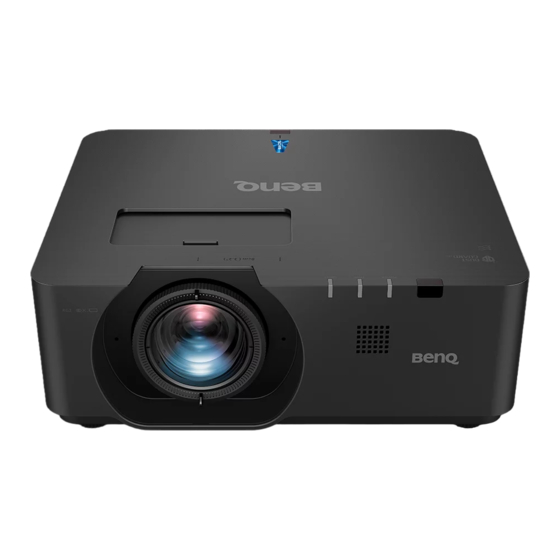
BenQ LU960ST2 Installationsanleitung
Inhaltsverzeichnis
Quicklinks
Inhaltsverzeichnis

Verwandte Anleitungen für BenQ LU960ST2


Inhaltszusammenfassung für BenQ LU960ST2
- Seite 1 | LU960ST / LU960 / LU960ST2...
-
Seite 2: Inhaltsverzeichnis
Projector dimension ................16 RS232 command control ..............17 RS232 pin assignment ....................17 RS232 serial port with a crossover cable ..............17 PJLink ..........................24 Please visit below website for latest version of User Manual / Installation Guide. http://business-display.benq.com/ V1.00... -
Seite 3: Notice
Notice Notice on laser Caution – use of controls or adjustments or performance of procedures other than those specified herein may result in hazardous radiation exposure. Do not point laser or allow laser light to be directed or reflected toward other people or reflective objects. -
Seite 4: Cooling Notice
Cooling notice Allow at least 50 cm (19.7 inch) for clearance around the exhaust vent. Make sure no objects block air inlet within 50 cm (19.7 inch). Keep the outlet at least 1 m away from the inlets of other projectors. Air outlet Air inlet •... - Seite 5 • Allow at least 50 cm of clearance around the exhaust vent. Minimum 50 cm Minimum 50 cm (19.69 inch) (19.69 inch) Minimum 50 cm (19.69 inch) Minimum 100 cm (39.37 inch) Minimum 50 cm (19.69 inch) • Ensure that the air intake vents do not recycle hot air from the exhaust vent. •...
-
Seite 6: Product Information
Product information Packing content Specification LU960ST LU960 LU960ST2 Projection system 1-CHIP DMD Native resolution 1920*1200 pixels, 16:10 Light source Laser diodes Throw ratio 0.77 ~ 0.84 1.13 ~ 1.70 0.501 Power consumption 450Watts (Normal mode)/ 350Watts (Eco mode) Dimension 479.6 x 402 x 182.8 mm... -
Seite 7: Terminals
Make sure the port is valid before inserting a wired remote controller. The remote controller may be damaged in case of an invalid port, e.g. a wired remote controller is connected to trigger output. For more information about upgrading firmware via Lan, please contact BenQ service. -
Seite 8: Remote Control
Remote control ON / OFF Toggles the projector between standby mode and on. KEYSTONE+/KEYSTONE- Manually corrects distorted images resulting from an angled projection. VOLUME +/VOLUME - Increases/decreases the projector volume. QUICK INSTALL Displays the Quick Install OSD menu. MUTE Toggles projector audio between on and off. Arrow keys (▲... - Seite 9 OVERSCAN Press to select overscan mode. FREEZE Freezes the projected image. LAMP MODE Press to display OSD menu to select desired light mode. 3D MODE Press to display 3D setup menu. INFO. Press to display INFORMATION menu. LIGHT Press to open backlight of remote controller. CLEAR Clear remote ID SET assigned to all projectors.
-
Seite 10: Installation
Installation Lens Cap / Lens Lock 1. Remove lens cap before booting. 2. Install lens lock 3. Secure with screws, do not fully tighten 4. Adjust the focus 5. Tighten the screws LU960ST / LU960 LU960ST2... -
Seite 11: Projection Table
Projection table • LU960ST The screen aspect ratio is 16:10 and the projected picture is 16:10. Note: To optimize the projection quality, we suggest to project images in an area without grayscale. Image size Distance Diagonal Width Height Min distance - Wide Average Max distance - Tele Inch... - Seite 12 87.2 2214 Note: • For more visualized instructions, please go to BenQ calculator website http://projectorcalculator.benq.com/. • Ceiling installation must be done by a qualified professional. Contact your dealer for more information. It is not recommended you install the projector yourself.
- Seite 13 • Lens shift range diagram Normal projection position Vertical shift Desk-Front Projection Max 0.62V Height of projected image Vertical shift Max 0.62V 0.24H 0.24H Width of projected image Ceiling Mount-Front Projection Max 0.62V Vertical shift Height of projected image Shift to Left Shift to Right Max 0.62 V Vertical shift...
-
Seite 14: Led Indicator
LED indicator • LED Usage LED Name Detailed Description Display the power on/off sequence status Orange : Power Off (Green + Red) Power LED Green : Power On Blink : Warming up/Shutting Down & Cooling / Error Code Display the Thermal status (Fan Fail, Over Temperature, etc.) Temperature Status LED Red : Thermal Over Temperature... -
Seite 15: Burn-In Messages
• Burn-In Messages Power Temp Light Status & Description Green Burn-in ON Burn-in OFF Green Green Green • Lamp Error Messages Power Temp Light Status & Description Lamp1 error in normal operation Lamp is not lit up Flashing • Thermal Error Messages Power Temp Light... - Seite 16 Power Temp Light Status & Description Thermal Sensor 3 open error Green Flashing Thermal Sensor 3 short error Green Green Green Thermal IC #3 I2C Connection error Green Flashing Temperature 4 error (over limited temperature) Green Flashing Thermal Sensor 4 open error Green Flashing Flashing...
-
Seite 17: Projector Dimension
Projector dimension Unit: mm... -
Seite 18: Rs232 Command Control
RS232 command control RS232 pin assignment Serial Serial Short with pin8 Short with pin7 Ground RS232 serial port with a crossover cable Function Type Operation ASCII Power Write Power On <CR>*pow=on#<CR> Write Power Off <CR>*pow=off#<CR> Read Power Status <CR>*pow=?#<CR> Source Write COMPUTER/YPbPr <CR>*sour=RGB#<CR>... - Seite 19 Function Type Operation ASCII Audio Source Write Audio pass Through off <CR>*audiosour=off#<CR> Select Write Audio-Computer1 <CR>*audiosour=RGB#<CR> Write Audio-HDMI <CR>*audiosour=hdmi#<CR> Write Audio-HDMI2 <CR>*audiosour=hdmi2#<CR> Write DisplayPort <CR>*audiosour=dp#<CR> Write HDBaseT <CR>*audiosour=hdbaset#<CR> Read Audio pass Status <CR>*audiosour=?#<CR> Picture Mode Write Presentation <CR>*appmod=preset#<CR> Write sRGB <CR>*appmod=srgb#<CR>...
- Seite 20 Function Type Operation ASCII Picture Setting Write Aspect Auto <CR>*asp=AUTO#<CR> Write Aspect Real <CR>*asp=REAL#<CR> Write Aspect 2.4:1 <CR>*asp=2.4#<CR> Read Aspect Status <CR>*asp=?#<CR> Write Vertical Keystone + <CR>*vkeystone=+#<CR> Write Vertical Keystone - <CR>*vkeystone=-#<CR> Write Set Vertical Keystone value <CR>*vkeystone=value#<CR> Read Vertical Keystone value <CR>*vkeystone=?#<CR>...
- Seite 21 Function Type Operation ASCII Picture Setting Write Brilliant color + <CR>*BC=+#<CR> Write Brilliant color - <CR>*BC=-#<CR> Write Brilliant color set value <CR>*BC=value#<CR> Read Brilliant color status <CR>*BC=?#<CR> Write Auto(HDR) <CR>*hdr=auto#<CR> Write <CR>*hdr=sdr#<CR> Write HDR10 <CR>*hdr=hdr#<CR> Write <CR>*hdr=hlg#<CR> Read HDR status <CR>*hdr=?#<CR>...
- Seite 22 Function Type Operation ASCII Lamp Control Write Eco mode <CR>*lampm=eco#<CR> Write Dimming mode <CR>*lampm=dimming#<CR> Write Custom mode <CR>*lampm=custom#<CR> Write Light level for custom mode <CR>*lampcustom=value#<CR> Read Light level status for custom mode <CR>*lampcustom=?#<CR> Read Lamp Mode Status <CR>*lampm=?#<CR> Miscellaneous Read Model Name <CR>*modelname=?#<CR>...
- Seite 23 Function Type Operation ASCII Miscellaneous Write Remote Receiver-top+front <CR>*rr=tf#<CR> Read Remote Receiver Status <CR>*rr=?#<CR> Write AMX Device Discovery-on <CR>*amxdd=on#<CR> Write AMX Device Discovery-off <CR>*amxdd=off#<CR> Read AMX Device Discovery Status <CR>*amxdd=?#<CR> Read Mac Address <CR>*macaddr=?#<CR> Read Serial Number <CR>*serialnumber=?#<CR> Write High Altitude mode on <CR>*Highaltitude=on#<CR>...
- Seite 24 Function Type Operation ASCII Color Write Primary Color <CR>*primcr=value#<CR> Calibration Read Primary Color Status <CR>*primcr=?#<CR> Write Hue + <CR>*hue=+#<CR> Write Hue - <CR>*hue=-#<CR> Write Set Hue value <CR>*hue=value#<CR> Read Get Hue value <CR>*hue=?#<CR> Write Saturation + <CR>*saturation=+#<CR> Write Saturation - <CR>*saturation=-#<CR>...
-
Seite 25: Pjlink
5th byte Return 0 Indicates other errors, 6th byte and returns 0 - 2 Light source status LAMP? xxxxxxxxxxxx 1st number (1-5 digitals): Light source 1 runtime query Input selection list 11 12 21 31 32 33 INST? LU960ST/LU960/LU960ST2 query... - Seite 26 [NETWORK SETUP] Manufacturer name INF1? BenQ Returns manufacturer name query LU960ST/LU960/ INF2? Model name query Returns moder name LU960ST2 Other information INF0? xxxxx Returns information such as version number queries Class information CLASS? Returns class for PJLink query Note:...
- Seite 27 遙控器 ..........................32 安裝 ......................34 鏡頭蓋 / 鏡頭鎖 ........................ 34 投影尺寸 ........................... 35 LED 指示燈 ..................... 38 投影機尺寸 ....................40 RS232 指令 ..................... 41 RS232 針腳分配 ....................... 41 包含跳線的 RS232 序列埠 ....................41 PJLink ..........................48 如需最新版的使用手冊 安裝指南,請造訪以下網站。 http://business-display.benq.com/ V1.00...
- Seite 28 注意 雷射注意事項 繁 警告-使用本文所述以外的控制、調整或程序,可能會導致危險的輻射暴露。 體 請勿將雷射指向或讓雷射光對著或反射到他人或反光物體。 中 直射光或散射光對於眼睛和皮膚有危險。 文 若未遵循隨附的說明,可能會有眼睛暴露於雷射輻射的危害。 不論與投影機距離多遠,請勿直視投影機光束。成人應監督兒童,避免發生任何危險。 使用遙控器啟動投影機時,請確認是否無人直視鏡頭。 請勿使用光學裝置(雙筒望遠鏡、望遠鏡、放大鏡、反射鏡等)直視投影光線。 y 雷射等級 本雷射產品在所有操作程序期間屬於第 1 級和 CONSUMER LASER PRODUCT: EN 50689:2021,並符合 IEC/EN 60825-1:2014 EN 和 60825-1:2014/A11:2021。 y 雷射參數 波長 449nm - 461nm(藍光) 運作模式 脈衝,因畫面播放速率 1.15ms 脈衝寬度 脈衝重複率 120Hz 最大雷射能量...
- Seite 29 冷卻注意事項 散熱孔附近至少留 50 cm(19.7 英寸)的間距。請確定在 50 cm(19.7 英寸)內沒有物體阻 擋進氣。 請使出風口至少距離其他投影機的進氣口 1 公尺。 繁 體 中 文 出氣口 進氣口 • 影機能以任何角度安裝。 360 度投影 警告: 應謹慎進行投影機安裝,安裝不完全或不當可能導致投影機掉落,造成人員受傷或財產損失。...
- Seite 30 • 散熱孔附近至少留 50 cm 的間距。 最少 50 cm 最少 50 cm (19.69 英寸) (19.69 英寸) 繁 體 中 文 最少 50 cm (19.69 英寸) 最少 100 cm (39.37 英寸) 最少 50 cm (19.69 英寸) • 請確保進氣孔不會從散熱孔重新循環熱氣。 • 在密閉空間操作時,請確定周圍氣溫未超過投影機的運作溫度,且不會阻塞進氣孔與散 熱孔。 所有外殼應通過認證的散熱評估,以確保投影機不會重新循環排氣。重新循環排氣可能會使 投影機關閉,即使環境溫度在可接受的運作溫度範圍內。...
- Seite 31 標準包裝物品 繁 體 中 文 投影機 遙控器 電池 安裝指南 法規聲明 電源線 規格 LU960ST LU960 LU960ST2 投影系統 1-CHIP DMD 原始解析度 1920*1200 像素,16:10 光源 雷射二極體 投射比 0.77 ~ 0.84 1.13 ~ 1.70 0.501 耗電量 450 瓦(正常模式) 350 瓦(省電模式) 479.6 x 402 x 182.8 mm 尺寸...
- Seite 32 12(+/-1.5)V 輸出與短路保護。 DISPLAYPORT WIRED REMOTE 連接 Display Port 來源。 連接有線遙控器。 HDMI OUT 連接 HDMI 裝置。 PC IN 15-pin VGA 連接埠,用於連接 RGB、色差 HD 來源或 PC。 MONITER OUT 連接其他顯示設備,用於同時播放顯示。 AUDIO OUT 連接揚聲器放大器或耳機。 AUDIO IN 透過音訊連接線連接音訊輸入源。 警告: 請確定在插入有線遙控器之前,連接埠有效。若是無效的連接埠,如有效遙控器連接至觸發輸出,則遙控器可 能會損壞。如需透過 Lan 升級韌體的詳細資訊,請洽詢 BenQ 服務。...
- Seite 33 遙控器 ON / OFF 開啟投影機或切換成待機模式。 KEYSTONE+/KEYSTONE- 繁 手動修正傾斜投影時所造成的失真影像。 體 VOLUME +/VOLUME - 中 增加 / 降低投影機音量。 文 QUICK INSTALL 顯示「快速安裝」螢幕顯示 (OSD) 功能表。 MUTE 開啟與關閉投影機音訊。 方向鍵(▲ 向上、▼ 向下、◄ 向左、► 向右) OSD 功能表啟動時,這些按鍵可當作方向鍵,用於選擇所需的功能表 項目並進行調整。 ENTER 選擇可用的畫面設定模式。執行選擇的 OSD 功能表項目。 MENU 開啟 OSD 功能表。返回上一個 OSD 功能表、離開,以及儲存功能表 設定。...
- Seite 34 OVERSCAN 按下以選擇過掃描模式。 FREEZE 凍結投影影像。 LAMP MODE 繁 按下可顯示 OSD 功能表以選擇所需的燈光模式。 體 3D MODE 中 按下可顯示 3D 設定功能表。 文 INFO. 按下可顯示「資訊」功能表。 LIGHT 按下可開啟遙控器背光源。 CLEAR 清除指定投影機的遙控 ID 設定後,可控製所有的投影機。 按住 「CLEAR」 與 「ID SET」 5 秒。 LED 閃爍 3 次後, ID 設定即清除。 SHUTTER 此功能無法在本投影機上使用。...
- Seite 35 安裝 鏡頭蓋 / 鏡頭鎖 繁 體 1. 開機前請取下鏡頭蓋。 中 文 2. 安裝鏡頭鎖 3. 使用螺絲固定,請勿完全鎖緊 4. 調整焦距 5. 鎖緊螺絲 LU960ST / LU960 LU960ST2...
- Seite 36 投影尺寸 繁 體 中 文 • LU960ST 螢幕縱橫比為 16:10,投影畫面為 16:10。 注意事項: 為了將投影品質最佳化,建議將影像投射在沒有灰階的區域。 影像大小 距離 對角線 寬 高度 最小距離 - 廣角 平均值 最大距離 - 遠攝 吋 公釐 吋 公釐 吋 公釐 吋 公釐 吋 公釐 吋 公釐 1524 50.9 1292 31.8 39.2 41.1 1043...
- Seite 37 169.6 4308 106.0 2692 84.8 2154 205.6 5222 174.3 4428 109.0 2768 87.2 2214 螢幕 螢幕 注意事項: • 如需更多圖示說明,請前往 BenQ 計算機網站 http://projectorcalculator.benq.com/。 • 天花板安裝必須由合格專業人員執行。如需詳細資訊,請洽詢您的經銷商。不建議您自行安裝投影機。 • 僅限在堅固的平坦表面上使用投影機。若投影機掉落可能會造成重傷及受損。 • 請勿在極端溫度的環境中使用投影機。投影機必須在介於華氏 41 度(攝氏 5 度)及華氏 104 度(攝氏 40 度)之間的溫度下使用。 • 若投影機接觸濕氣、灰塵或煙霧,將造成螢幕受損。 • 請勿覆蓋投影機的通風口。需適當通風才能散熱。若覆蓋通風口,投影機將會受損。...
- Seite 38 y 鏡頭位移範圍圖 正常投影位置 垂直位移 桌面安裝 - 正面投影 最大 0.62V 繁 體 中 投影影像高度 文 最大 0.62V 垂直位移 0.24H 0.24H 天花板安裝 - 正面投影 投影影像寬度 最大 0.62V 垂直位移 投影影像高度 向左移 向右移 最大 0.62V 垂直位移 注意事項: • 為了獲得最佳投影品質,我們建議在垂直 50% 與水平 20% 範圍內使用鏡頭位移功能。達到機械極限時, 可能會出現黑色角落。...
- Seite 39 LED 指示燈 繁 體 中 文 y LED 用途 LED 名稱 詳細描述 顯示電源開啟 關閉順序狀態 橘色:電源關閉(綠色 + 紅色) 電源 LED 綠色:電源開啟 閃爍:暖機 關機並降溫 錯誤代碼 顯示熱狀態(風扇故障、過熱等等) 溫度狀態 LED 紅:過熱 閃爍:錯誤代碼 顯示燈泡狀態(燈泡故障、燈泡損壞等等) 燈泡狀態 LED 紅:燈泡故障 閃爍:錯誤代碼 y 系統訊息 電源 溫度 背光 狀態和說明 橘燈 待機...
- Seite 40 y 燈泡錯誤訊息 電源 溫度 背光 狀態和說明 紅色 在正常運作中發生燈泡 1 錯誤 繁 紅色 燈泡未亮 閃爍 體 中 文 y 熱錯誤訊息 電源 溫度 背光 狀態和說明 紅色 紅色 風扇 1 錯誤(實際風扇速度超出所需速度) 紅色 紅色 風扇 2 錯誤(實際風扇速度超出所需速度) 閃爍 紅色 綠色 風扇 3 錯誤(實際風扇速度超出所需速度) 綠色 風扇...
- Seite 41 投影機尺寸 單位:mm 繁 體 中 文...
- Seite 42 RS232 指令 RS232 針腳分配 繁 體 中 編號 序列 編號 序列 文 以 pin8 短路 以 pin7 短路 接地 包含跳線的 RS232 序列埠 ASCII 功能 類型 操作 Power Write Power On <CR>*pow=on#<CR> Write Power Off <CR>*pow=off#<CR> Read Power Status <CR>*pow=?#<CR> Source Write COMPUTER/YPbPr <CR>*sour=RGB#<CR>...
- Seite 43 ASCII 功能 類型 操作 Audio Source Write Audio pass Through off <CR>*audiosour=off#<CR> Select Write Audio-Computer1 <CR>*audiosour=RGB#<CR> Write Audio-HDMI <CR>*audiosour=hdmi#<CR> 繁 Write Audio-HDMI2 <CR>*audiosour=hdmi2#<CR> 體 中 Write DisplayPort <CR>*audiosour=dp#<CR> 文 Write HDBaseT <CR>*audiosour=hdbaset#<CR> Read Audio pass Status <CR>*audiosour=?#<CR> Picture Mode Write Presentation <CR>*appmod=preset#<CR>...
- Seite 44 ASCII 功能 類型 操作 Picture Setting Write Aspect Auto <CR>*asp=AUTO#<CR> Write Aspect Real <CR>*asp=REAL#<CR> Write Aspect 2.4:1 <CR>*asp=2.4#<CR> 繁 Read Aspect Status <CR>*asp=?#<CR> 體 中 Write Vertical Keystone + <CR>*vkeystone=+#<CR> 文 Write Vertical Keystone - <CR>*vkeystone=-#<CR> Write Set Vertical Keystone value <CR>*vkeystone=value#<CR>...
- Seite 45 ASCII 功能 類型 操作 Picture Setting Write Brilliant color + <CR>*BC=+#<CR> Write Brilliant color - <CR>*BC=-#<CR> Write Brilliant color set value <CR>*BC=value#<CR> 繁 體 Read Brilliant color status <CR>*BC=?#<CR> 中 Write Auto(HDR) <CR>*hdr=auto#<CR> 文 Write <CR>*hdr=sdr#<CR> Write HDR10 <CR>*hdr=hdr#<CR> Write <CR>*hdr=hlg#<CR>...
- Seite 46 ASCII 功能 類型 操作 Lamp Control Write Eco mode <CR>*lampm=eco#<CR> Write Dimming mode <CR>*lampm=dimming#<CR> Write Custom mode <CR>*lampm=custom#<CR> 繁 Write Light level for custom mode <CR>*lampcustom=value#<CR> 體 中 Read Light level status for custom mode <CR>*lampcustom=?#<CR> 文 Read Lamp Mode Status <CR>*lampm=?#<CR>...
- Seite 47 ASCII 功能 類型 操作 Miscellaneous Read Remote Receiver Status <CR>*rr=?#<CR> Write AMX Device Discovery-on <CR>*amxdd=on#<CR> Write AMX Device Discovery-off <CR>*amxdd=off#<CR> 繁 Read AMX Device Discovery Status <CR>*amxdd=?#<CR> 體 中 Read Mac Address <CR>*macaddr=?#<CR> 文 Read Serial Number <CR>*serialnumber=?#<CR> Write High Altitude mode on <CR>*Highaltitude=on#<CR>...
- Seite 48 ASCII 功能 類型 操作 Color Read Primary Color Status <CR>*primcr=?#<CR> Calibration Write Hue + <CR>*hue=+#<CR> Write Hue - <CR>*hue=-#<CR> 繁 體 Write Set Hue value <CR>*hue=value#<CR> 中 Read Get Hue value <CR>*hue=?#<CR> 文 Write Saturation + <CR>*saturation=+#<CR> Write Saturation - <CR>*saturation=-#<CR>...
- Seite 49 Light source status LAMP? xxxxxxxxxxxx 1st number (1-5 digitals): Light source 1 runtime query Input selection list 11 12 21 31 32 INST? LU960ST/LU960/LU960ST2 query 33 34 Projector name Returns the name set in [PROJECTOR NAME] of NAME? xxxxx query...
- Seite 50 Manufacturer INF1? BenQ Returns manufacturer name name query 繁 LU960ST/LU960/ INF2? Model name query Returns moder name 體 LU960ST2 中 Other information INF0? xxxxx Returns information such as version number 文 queries Class information CLASS? Returns class for PJLink query 注意事項:...
- Seite 51 遥控器 ..........................55 文 安装 ......................57 镜头盖 / 镜头锁 ........................ 57 投影尺寸 ........................... 58 LED 指示灯 ..................... 61 投影机尺寸 ....................63 RS232 命令 ..................... 64 RS232 引脚分配 ....................... 64 RS232 串行端口(含交叉电缆) ..................64 PJLink ..........................71 请访问以下网站获取最新版用户手册 / 安装指南。 http://www.benq.com.cn V1.00...
-
Seite 52: 目录 注意
注意 激光注意事项 小心 – 使用本文档中没有指定的控制、调整或步骤可能会造成危险辐射。 请勿将激光指向或反射到其他人身上或反射的物体上。 直射或散射的激光对眼睛和皮肤很危险。 如果未按照说明操作,则眼睛可能会受到激光辐射。 请勿在距离投影机任何距离处直视投影机光束。成人应监管好儿童,使其免受暴露危险。 简 使用遥控器启动投影机时,请确保无人直视镜头。 体 请勿使用光学设备(双筒望远镜、望远镜、放大镜、反射镜等)观察投影光。 中 文 y 激光类别 本激光产品在所有过程和操作中属于 1 类激光产品和 CONSUMER LASER PRODUCT: EN 50689:2021,符合 IEC/EN 60825-1:2014 和 EN 60825-1:2014/A11:2021 要求。 y 激光参数 449nm - 461nm(蓝色) 波长 操作模式 帧速率导致脉动 1.15ms 脉冲宽度... -
Seite 53: 散热须知
散热须知 在排气口周围留出至少 50cm(19.7 英寸)空间。确保 50cm(19.7 英寸)范围内没有 任何物体挡住进风。 使出风口与其它投影机的进风口至少保持 1 m 的距离。 简 体 中 文 出气口 进气口 • 投影机可以任何角度安装。 360 度投影 小心: 安装投影机时需多加小心。安装不全面或不正确可能导致投影机掉落,进而造成人员受伤或财产损失。... - Seite 54 • 在排气口周围留出至少 50cm 空间。 最小 50cm 最小 50cm (19.69 英寸) (19.69 英寸) 简 体 中 最小 50cm (19.69 英寸) 文 最小 100cm (39.37 英寸) 最小 50cm (19.69 英寸) • 确保进气口不会吸入排气口排出的热气。 • 在密闭空间内使用时,确保密闭空间周围的空气温度不超过投影机运行时的工作温度, 并且进气口和排气口不被阻塞。 所有机箱均通过经认证的热评估,确保投影机不会重复利用废气。因为这样可导致投影机关 闭,即使环境温度在可接受的工作范围内也是如此。...
-
Seite 55: 产品信息
产品信息 包装清单 简 体 中 文 规格 LU960ST LU960 LU960ST2 1-CHIP DMD 投影系统 1920*1200像素,16:10 固有分辨率 光源 激光二极管 0.77 ~ 0.84 1.13 ~ 1.70 0.501 投射比例 功耗 450W(常模式)/350W(省电模式) 479.6 x 402 x 182.8 mm 外形尺寸 12 kg 重量 注意: • 亮度输出将有所不同,具体视各单元和实际使用情况而定。... - Seite 56 12(+/-1.5)V 输出和短路保护。 DISPLAYPORT WIRED REMOTE 连接 Display Port 信号源。 连接有线遥控器 HDMI OUT 连接 HDMI 设备。 PC IN 用于连接 RGB、分量 HD 信号源或 PC 的 15 针 VGA 端口。 MONITER OUT 连接用于同时播放显示的其他显示设备。 AUDIO OUT 连接扬声器放大器或耳机。 AUDIO IN 通过音频线连接音频输入源。 警告: 在插入有线遥控器之前确保此端口是有效的。插入到无效的端口中遥控器可能会损坏,如有线遥控器连接到触 发器输出。更多关于通过局域网升级固件的信息,请联系 BenQ 客户服务中心。...
-
Seite 57: 遥控器
遥控器 ON / OFF 在待机模式和运行模式之间切换投影机。 KEYSTONE+/KEYSTONE- 手动校正因投影角度而产生的扭曲图像。 VOLUME +/VOLUME - 增大 / 减小投影机音量。 QUICK INSTALL 显示快速安装 OSD 菜单。 简 MUTE 体 开启和关闭投影机音频。 中 箭头键(▲ 向上、▼ 向下、◄ 向左、► 向右) 文 当显示屏显 (OSD) 菜单时,箭头键用作方向箭头,可选择所需的菜单 项和进行调整。 ENTER 选择可用的图像设置模式。激活所选的屏幕显示 (OSD) 菜单项。 MENU 打开屏幕显示 (OSD) 菜单。返回到之前的 OSD 菜单,退出并保存菜 单设置。... - Seite 58 OVERSCAN 按下可选择过扫描模式。 FREEZE 冻结投影图像。 LAMP MODE 按下显示 OSD 菜单以选择所所需光源模式。 3D MODE 按下可显示 3D 设置菜单。 INFO. 按下可显示信息菜单。 简 LIGHT 体 按下可打开遥控器背光。 中 CLEAR 文 清除分配给所有投影机的 ID 设置。 按住 CLEAR 和 ID SET 五秒。LED 闪烁三下,之后 ID 设置被清除。 SHUTTER 在此投影机中没有这项功能。 ID SET • 遥控...
-
Seite 59: 镜头盖 / 镜头锁
安装 镜头盖 / 镜头锁 1. 启动前取下镜头盖。 简 体 中 文 2. 安装镜头锁 3. 请用螺丝固定,不要完全拧紧 4. 调节焦距 5. 拧紧螺丝 LU960ST / LU960 LU960ST2... -
Seite 60: 投影尺寸
投影尺寸 简 体 中 文 • LU960ST 屏幕宽高比为 16:10,投影图像为 16:10。 注意: 为了优化投影质量,建议在没有灰度的区域投影图像。 图像大小 距离 最小距离 - 广角 最大距离 - 长焦 对角线 宽度 高度 平均值 英寸 毫米 英寸 毫米 英寸 毫米 英寸 毫米 英寸 毫米 英寸 毫米 1524 50.9 1292 31.8 39.2 41.1 1043... - Seite 61 169.6 4308 106.0 2692 84.8 2154 文 205.6 5222 174.3 4428 109.0 2768 87.2 2214 屏幕 屏幕 注意: • 要获取更直观的说明,请访问 BenQ 计算器网站 http://projectorcalculator.benq.com/。 • 吊顶安装必须由具有资格的专业人员完成。请联系您的经销商获取更多信息。不建议自行安装投影机。 • 仅可在结实、水平的表面上使用投影机。如果投影机掉落,可能造成严重的人身伤害和损坏。 • 请勿在极端温度环境下使用投影机。投影机的使用温度范围必须在 41 华氏度(5 摄氏度)与 104 华氏度 (40 摄氏度)之间。 • 如果投影机暴露在潮气、灰尘或烟雾环境下,屏幕会损坏。 • 请勿遮挡投影机通风孔。要求通风,以实现散热。如果通风孔被挡住,投影机会损坏。...
- Seite 62 y 镜头位移范围图 正常投影位置 桌面正投 垂直位移 最大 0.62V 投影图像高度 简 最大 0.62V 垂直位移 0.24H 0.24H 体 投影图像宽度 最大 0.62V 吊装正投 垂直位移 中 文 投影图像高度 左移 右移 最大 0.62V 垂直位移 注意: • 为优化投影质量,建议在垂直 50% 和水平 20% 范围内使用镜头位移。达到机械限制位置时,可能出现黑色 边角。...
-
Seite 63: Led 指示灯
LED 指示灯 简 y LED 使用情况 体 中 LED 名称 详细说明 文 显示电源打开 / 电源关闭序列状态 橙色:电源关闭(绿色 + 红色) 电源 LED 绿色:电源打开 闪烁:预热 / 关机并冷却 / 错误代码 显示热状态(风扇故障、温度过高等) 温度状态 LED 红色:温度过高 闪烁:错误代码 显示灯泡状态(灯泡故障、灯泡损坏等) 灯泡状态 LED 红色:灯泡故障 闪烁:错误代码 y 系统消息 电源 温度 背光灯... - Seite 64 y 灯泡错误消息 电源 温度 背光灯 状态与描述 正常运行时灯泡 1 出错 红色 红色 灯泡未亮起 闪烁 y 发热错误消息 简 电源 温度 背光灯 状态与描述 体 风扇 1 错误(实际风扇转速超出所需转速) 红色 红色 中 红色 风扇 2 错误(实际风扇转速超出所需转速) 红色 文 闪烁 风扇 3 错误(实际风扇转速超出所需转速) 红色 绿色 绿色 风扇...
-
Seite 65: 投影机尺寸
投影机尺寸 单位:毫米 简 体 中 文... -
Seite 66: Rs232 命令
RS232 命令 RS232 引脚分配 编号 串行 编号 串行 与引脚 8 短接 简 与引脚 7 短接 体 中 文 接地 RS232 串行端口(含交叉电缆) ASCII 功能 类型 操作 Power Write Power On <CR>*pow=on#<CR> Write Power Off <CR>*pow=off#<CR> Read Power Status <CR>*pow=?#<CR> Source Write COMPUTER/YPbPr <CR>*sour=RGB#<CR>... - Seite 67 ASCII 功能 类型 操作 Audio Source Write Audio pass Through off <CR>*audiosour=off#<CR> Select Write Audio-Computer1 <CR>*audiosour=RGB#<CR> Write Audio-HDMI <CR>*audiosour=hdmi#<CR> Write Audio-HDMI2 <CR>*audiosour=hdmi2#<CR> Write DisplayPort <CR>*audiosour=dp#<CR> Write HDBaseT <CR>*audiosour=hdbaset#<CR> Read Audio pass Status <CR>*audiosour=?#<CR> 简 Picture Mode Write Presentation <CR>*appmod=preset#<CR> 体 Write sRGB <CR>*appmod=srgb#<CR>...
- Seite 68 ASCII 功能 类型 操作 Picture Setting Write Aspect Auto <CR>*asp=AUTO#<CR> Write Aspect Real <CR>*asp=REAL#<CR> Write Aspect 2.4:1 <CR>*asp=2.4#<CR> Read Aspect Status <CR>*asp=?#<CR> Write Vertical Keystone + <CR>*vkeystone=+#<CR> Write Vertical Keystone - <CR>*vkeystone=-#<CR> Write Set Vertical Keystone value <CR>*vkeystone=value#<CR> 简 Read Vertical Keystone value <CR>*vkeystone=?#<CR>...
- Seite 69 ASCII 功能 类型 操作 Picture Setting Write Brilliant color + <CR>*BC=+#<CR> Write Brilliant color - <CR>*BC=-#<CR> Write Brilliant color set value <CR>*BC=value#<CR> Read Brilliant color status <CR>*BC=?#<CR> Write Auto(HDR) <CR>*hdr=auto#<CR> Write <CR>*hdr=sdr#<CR> Write HDR10 <CR>*hdr=hdr#<CR> Write <CR>*hdr=hlg#<CR> 简 Read HDR status <CR>*hdr=?#<CR>...
- Seite 70 ASCII 功能 类型 操作 Miscellaneous Read Model Name <CR>*modelname=?#<CR> Read System F/W Version <CR>*sysfwversion=?#<CR> Read Scaler F/W Version <CR>*scalerfwversion=?#<CR> Read Lan F/W Version <CR>*lanfwversion=?#<CR> Read MCU F/W Version <CR>*mcufwversion=?#<CR> Write Blank On <CR>*blank=on#<CR> Write Blank Off <CR>*blank=off#<CR> Read Blank Status <CR>*blank=?#<CR>...
- Seite 71 ASCII 功能 类型 操作 Color Write Tint + <CR>*tint=+#<CR> Calibration Write Tint - <CR>*tint=-#<CR> Write Set Tint value <CR>*tint=value#<CR> Read Get Tint value <CR>*tint=?#<CR> Write Set gamma value <CR>*gamma=value#<CR> Read Gamma value status <CR>*gamma=?#<CR> Write Set HDR Brightness value <CR>*hdrbri=value#<CR> Read Get HDR Brightness value <CR>*hdrbri=?#<CR>...
- Seite 72 ASCII 功能 类型 操作 Service Read Error Code report <CR>*error=report#<CR> Read FAN 1 speed <CR>*fan1=?#<CR> Read FAN 2 speed <CR>*fan2=?#<CR> Read FAN 3 speed <CR>*fan3=?#<CR> Read FAN 4 speed <CR>*fan4=?#<CR> Read FAN 5 speed <CR>*fan5=?#<CR> Read FAN 6 speed <CR>*fan6=?#<CR> 简...
-
Seite 73: Pjlink
Light source LAMP? xxxxxxxxxxxx 1st number (1-5 digitals): Light source 1 runtime status query Input selection list 11 12 21 31 32 INST? LU960ST/LU960/LU960ST2 query 33 34 Projector name Returns the name set in [PROJECTOR NAME] of NAME? xxxxx query... - Seite 74 备注 返回字符串 Manufacturer INF1? BenQ Returns manufacturer name name query Model name LU960ST/LU960/ INF2? Returns moder name query LU960ST2 Other INF0? information xxxxx Returns information such as version number queries 简 Class information CLASS? Returns class for PJLink 体 query 中...
- Seite 75 Dimensions du projecteur ..............88 Commande RS232 ................89 Affectation des broches RS232 ................. 89 Port série RS232 avec un câble croisé ..............89 PJLink .......................... 96 Veuillez consulter le site Web ci-dessous pour obtenir la dernière version du Manuel d’utilisation/Guide d’installation. http://business-display.benq.com/ V1.00...
-
Seite 76: Notice
Notice Informations sur le laser Attention – l’utilisation de commandes ou de réglages ou la mise en œuvre de procédures autres que ceux spécifiés dans le présent document peuvent entraîner une exposition dangereuse aux rayonnements. Ne dirigez pas le laser et ne laissez pas la lumière laser être dirigée ou réfléchie vers d’autres personnes ou des objets réfléchissants. -
Seite 77: Informations Sur Le Refroidissement
Informations sur le refroidissement Prévoyez au moins 50 cm (19,7 po) de dégagement autour de la sortie de ventilation. Veillez à ce qu'aucun objet ne bloque l'entrée d'air à moins de 50 cm (19,7 po) . La sortie doit être à au moins 1 m des entrées d'autres projecteurs. Sortie d'air Entrée d'air •... - Seite 78 • Prévoyez au moins 50 cm de dégagement autour de la sortie de ventilation. Minimum 50 cm Minimum 50 cm (19,69 po) (19,69 po) Minimum 50 cm (19,69 po) Minimum 100 cm (39,37 po) Minimum 50 cm (19,69 po) • Veillez à...
-
Seite 79: Contenu De L'emballage
Articles d'emballage standard Projecteur Télécommande Piles Guide d'installation Cordon d’alimentation Déclaration réglementaire Caractéristiques LU960ST LU960 LU960ST2 Système de projection 1-CHIP DMD Résolution native 1920*1200 pixels, 16:10 Source lumineuse Diodes laser Distance de projection 0,77 ~ 0,84 1,13 ~ 1,70 0,501... -
Seite 80: Prise De Contrôle
Assurez-vous que le port est valide avant de connecter une télécommande filaire. La télécommande peut être endommagée en cas d’utilisation d'un port non valide, ex. une télécommande filaire connectée pour déclencher une sortie. Pour plus d’informations sur la mise à niveau du firmware via Lan, veuillez contacter le service BenQ. -
Seite 81: Télécommande
Télécommande ON / OFF Permet de faire basculer le projecteur entre les modes veille et activé. KEYSTONE+/KEYSTONE- Permet de corriger manuellement la déformation des images due à l’angle de projection. VOLUME +/VOLUME - Augmente/diminue le volume du projecteur. QUICK INSTALL Affiche le menu OSD Installation rapide. - Seite 82 OVERSCAN Appuyez pour sélectionner le mode surbalayage. FREEZE Met en pause l’image projetée. LAMP MODE Appuyez pour afficher le menu OSD pour sélectionner le mode lumineux souhaité. 3D MODE Appuyez pour afficher le menu de configuration 3D. INFO. Appuyez sur pour afficher le menu INFORMATIONS. LIGHT Appuyez pour ouvrir le rétroéclairage de la télécommande.
-
Seite 83: Installation
Installation Bouchon d'objectif/Verrouillage d’objectif 1. Retirez le bouchon d'objectif avant de démarrer. 2. Installez le verrouillage d'objectif 3. Fixez avec les vis, ne serrez pas complètement 4. Réglez la mise au point 5. Serrez les vis LU960ST / LU960 LU960ST2... -
Seite 84: Projection Table
Projection table • LU960ST Le rapport d’aspect est 16:10 est l’image projetée est en 16:10. Remarque : Pour optimiser la qualité de la projection, nous conseillons de projeter les images dans une zone sans échelle de gris. Taille d’image Distance Distance mini - Distance maxi - Diagonale... - Seite 85 Remarque : • Pour des instructions plus visualisées, veuillez accéder au site Web du calculateur BenQ http://projectorcalculator.benq.com/. • L’installation au plafond doit être réalisée par un professionnel qualifié. Contactez votre revendeur pour plus d’informations. Il n’est pas conseillé d’installer le projecteur vous-même.
- Seite 86 y Diagramme de la plage de décalage de l’objectif Position normale de projection Bureau-Projection avant Décalage vertical Maxi 0,62V Hauteur de l’image projetée Décalage vertical Maxi 0,62V 0,24H 0,24H Montage au plafond- Projection avant Largeur de l’image projetée Maxi 0,62V Décalage vertical Hauteur de l’image projetée Décalage vers la...
-
Seite 87: Indicateur Del
Indicateur DEL y D'utilisation de LED Nom LED Description détaillée Affiche le statut de la séquence de mise sous tension/hors tension Orange : Hors tension (Vert + Rouge) LED d’alimentation Vert : Sous tension Clignotant : Préchauffage/Arrêt et Refroidissement / Code d’erreur Affiche le statut thermique (Échec ventilateur, Température excessive, etc.) - Seite 88 y Messages de rémanence d’image Alimentation Température Éclairage Statut et description Vert Rémanence d’image activée Vert Vert Vert Rémanence d’image désactivée y Messages d’erreurs des lampes Alimentation Température Éclairage Statut et description Rouge Erreur lampe 1 en fonctionnement normal Rouge La lampe n’est pas allumée clignotant y Messages d’erreurs thermiques...
- Seite 89 Alimentation Température Éclairage Statut et description Rouge Vert Rouge Erreur capteur thermique 3 ouvert Clignotante Vert Rouge Vert Erreur capteur thermique 3 en court-circuit Vert Vert Rouge Erreur connexion I2C CI thermique 3 Clignotante Rouge Erreur température 4 (dépassement de la limite de Vert Rouge Clignotante...
-
Seite 90: Dimensions Du Projecteur
Dimensions du projecteur Unité : mm... -
Seite 91: Commande Rs232
Commande RS232 Affectation des broches RS232 N° Série N° Série Court avec broche 8 Court avec broche 7 Terre Port série RS232 avec un câble croisé Fonction Type Fonctionnement ASCII Power Write Power On <CR>*pow=on#<CR> Write Power Off <CR>*pow=off#<CR> Read Power Status <CR>*pow=?#<CR>... - Seite 92 Fonction Type Fonctionnement ASCII Audio Source Write Audio pass Through off <CR>*audiosour=off#<CR> Select Write Audio-Computer1 <CR>*audiosour=RGB#<CR> Write Audio-HDMI <CR>*audiosour=hdmi#<CR> Write Audio-HDMI2 <CR>*audiosour=hdmi2#<CR> Write DisplayPort <CR>*audiosour=dp#<CR> Write HDBaseT <CR>*audiosour=hdbaset#<CR> Read Audio pass Status <CR>*audiosour=?#<CR> Picture Mode Write Presentation <CR>*appmod=preset#<CR> Write sRGB <CR>*appmod=srgb#<CR>...
- Seite 93 Fonction Type Fonctionnement ASCII Picture Setting Write Aspect Real <CR>*asp=REAL#<CR> Write Aspect 2.4:1 <CR>*asp=2.4#<CR> Read Aspect Status <CR>*asp=?#<CR> Write Vertical Keystone + <CR>*vkeystone=+#<CR> Write Vertical Keystone - <CR>*vkeystone=-#<CR> Write Set Vertical Keystone value <CR>*vkeystone=value#<CR> Read Vertical Keystone value <CR>*vkeystone=?#<CR> Write Horizontal Keystone + <CR>*hkeystone=+#<CR>...
- Seite 94 Fonction Type Fonctionnement ASCII Picture Setting Read Brilliant color status <CR>*BC=?#<CR> Write Auto(HDR) <CR>*hdr=auto#<CR> Write <CR>*hdr=sdr#<CR> Write HDR10 <CR>*hdr=hdr#<CR> Write <CR>*hdr=hlg#<CR> Read HDR status <CR>*hdr=?#<CR> Write Reset current picture settings <CR>*rstcurpicsetting#<CR> Write Reset all picture settings <CR>*rstallpicsetting#<CR> Operation Write Projector Position-Front Table <CR>*pp=FT#<CR>...
- Seite 95 Fonction Type Fonctionnement ASCII Miscellaneous Read Model Name <CR>*modelname=?#<CR> Read System F/W Version <CR>*sysfwversion=?#<CR> Read Scaler F/W Version <CR>*scalerfwversion=?#<CR> Read Lan F/W Version <CR>*lanfwversion=?#<CR> Read MCU F/W Version <CR>*mcufwversion=?#<CR> Write Blank On <CR>*blank=on#<CR> Write Blank Off <CR>*blank=off#<CR> Read Blank Status <CR>*blank=?#<CR>...
- Seite 96 Fonction Type Fonctionnement ASCII Color Write Tint + <CR>*tint=+#<CR> Calibration Write Tint - <CR>*tint=-#<CR> Write Set Tint value <CR>*tint=value#<CR> Read Get Tint value <CR>*tint=?#<CR> Write Set gamma value <CR>*gamma=value#<CR> Read Gamma value status <CR>*gamma=?#<CR> Write Set HDR Brightness value <CR>*hdrbri=value#<CR> Read Get HDR Brightness value <CR>*hdrbri=?#<CR>...
- Seite 97 Fonction Type Fonctionnement ASCII Service Read Error Code report <CR>*error=report#<CR> Read FAN 1 speed <CR>*fan1=?#<CR> Read FAN 2 speed <CR>*fan2=?#<CR> Read FAN 3 speed <CR>*fan3=?#<CR> Read FAN 4 speed <CR>*fan4=?#<CR> Read FAN 5 speed <CR>*fan5=?#<CR> Read FAN 6 speed <CR>*fan6=?#<CR> Read FAN 7 speed <CR>*fan7=?#<CR>...
-
Seite 98: Pjlink
5th byte Return 0 Indicates other errors, 6th byte and returns 0 - 2 Light source status LAMP? xxxxxxxxxxxx 1st number (1-5 digitals): Light source 1 runtime query Input selection list INST? 11 12 21 31 32 33 34 LU960ST/LU960/LU960ST2 query... - Seite 99 [NETWORK SETUP] Manufacturer name INF1? BenQ Returns manufacturer name query LU960ST/LU960/ INF2? Model name query Returns moder name LU960ST2 Other information INF0? xxxxx Returns information such as version number queries Class information CLASS? Returns class for PJLink query Remarque : Les options de débit en bauds RS-232 sont 2400, 4800, 9600, 14400, 19200, 38400, 57600 et 115200...
- Seite 100 Projection table ......................107 LED-Anzeige ..................110 Projektionsmaße ................113 RS-232-Befehl .................. 114 RS-232-Pinbelegung ....................114 Serieller RS-232-Anschluss mit gekreuztem Kabel ..........114 PJLink ........................121 Auf der nachstehenden Webseite finden Sie die aktuellste Version der Bedienungsanleitung / Installationsanleitung. http://business-display.benq.com/ V1.00...
-
Seite 101: Notice
Notice Hinweis zum Laser Achtung – Bei Verwendung von Reglern oder bei Einstellungen oder der Ausführung von Vorgängen, die hier nicht beschrieben sind, kann es zu einer gefährlichen Strahlenbelastung kommen. Richten Sie den Laser weder direkt noch reflektierend auf Personen oder reflektierende Gegenstände. -
Seite 102: Hinweis Zu Kühlung
Hinweis zu Kühlung Halten Sie einen Freiraum von mindestens 50 cm rund um die Abluftöffnungen ein. Achten sie darauf, dass die Zuluftöffnungen in einem Umkreis von 50 cm nicht blockiert werden. Die Abluftöffnungen müssen mindestens 1 m von Zuluftöffnungen anderer Projektoren entfernt sein. - Seite 103 • Halten Sie einen Freiraum von mindestens 50 cm rund um die Abluftöffnungen ein. Mindestens 50 cm Mindestens 50 cm (19,69 Zoll) (19,69 Zoll) Mindestens 50 cm (19,69 Zoll) Mindestens 100 cm (39,37 Zoll) Mindestens 50 cm (19,69 Zoll) • Stellen Sie sicher, dass die Zuluftöffnungen nicht die von den Abluftöffnungen ausgegebene heiße Luft ansaugen.
-
Seite 104: Lieferumfang
Lieferumfang Standardartikel Projektor Fernbedienung Batterien Installationsanleitung Netzleitung Richtlinienerklärung Spezifikationen LU960ST LU960 LU960ST2 Projektionssystem 1-CHIP DMD Native Auflösung 1920 x 1200 Pixel, 16:10 Lichtquelle Laserdioden Projektionsverhältnis 0,77 ~ 0,84 1,13 ~ 1,70 0,501 Energieverbrauch 450 Watt (Normalmodus) / 350 Watt (Energiesparmodus) -
Seite 105: Bedienfeld
Stellen Sie sicher, dass der Port gültig ist, bevor Sie eine kabelgebundene Fernbedienung einstecken. Die Fernbedienung könnte im Falle eines ungültigen Ports beschädigt werden, bspw. bei Anschluss einer kabelgebundenen Fernbedienung an den Auslöserausgang. Weitere Informationen zur Aktualisierung der Firmware per WLAN erhalten Sie vom BenQ-Kundendienst. -
Seite 106: Remote Control
Remote control ON / OFF Schaltet zwischen Bereitschaftsmodus und Betriebsmodus des Projektors KEYSTONE+/KEYSTONE- Korrigiert manuell Bildverzerrungen, die von einer abgewinkelten Projektion stammen. VOLUME +/VOLUME - Erhöht/verringert die Projektorlautstärke. QUICK INSTALL Ruft das Schnellinstallation-Menü auf. MUTE Schaltet die Tonausgabe des Projektors ein und aus. Pfeiltasten (▲... - Seite 107 OVERSCAN Zur Auswahl des Overscan-Modus drücken. FREEZE Zeigt das projizierte Bild als Standbild an. LAMP MODE Zum Einblenden des OSD-Menüs drücken; wählen Sie dann den gewünschten Lichtmodus. 3D MODE Zur Anzeige des 3D-Einrichtungsmenüs drücken. INFO. Zur Anzeige des INFORMATIONEN-Menüs drücken. LIGHT Zum Aktivieren der Fernbedienungshintergrundbeleuchtung drücken.
-
Seite 108: Installation
Installation Objektivkappe / Objektivsperre 1. Nehmen Sie die Objektivkappe ab, bevor Sie das Gerät hochfahren. 2. Objektivsperre installieren 3. Mit Schrauben befestigen, aber nicht fest anziehen 4. Fokus einstellen 5. Schrauben fest anziehen LU960ST / LU960 LU960ST2... -
Seite 109: Projection Table
Projection table • LU960ST Das Seitenverhältnis beträgt 16:10 und das projizierte Bild ist 16:10. Hinweis: Zur Optimierung der Projektionsqualität sollten Bilder auf eine Fläche ohne Grauabstufungen projiziert werden. Bildgröße Entfernung Diagonale Breite Höhe Min. Abstand - Breite Mittelwert Max, Abstand - Tele Zoll Zoll Zoll... - Seite 110 Leinwand Leinwand Hinweis: • Weitere visualisierte Anleitungen finden Sie auf der Webseite des BenQ-Rechners: http://projectorcalculator.benq.com/. • Deckenmontage muss von einem qualifizierten Experten durchgeführt werden. Wenden Sie sich für weitere Informationen an Ihren Händler. Sie sollten den Projektor nicht eigenständig installieren.
- Seite 111 y Abbildung des Objektivversatzbereichs Normale Projektionsposition Tisch/Frontprojektion Vertikaler Versatz Maximal 0,62V Höhe des projizierten Bildes Vertikaler Versatz Maximal 0,62V 0,24H 0,24H Breite des projizierten Bildes Deckenmontage/Frontprojektion Maximal 0,62V Vertikaler Versatz Höhe des projizierten Bildes Versatz nach rechts Versatz nach links Maximal 0,62V Vertikaler Versatz Hinweis:...
-
Seite 112: Led-Anzeige
LED-Anzeige y LED-Nutzung LED-Name Detaillierte Beschreibung Zeigt den Status der Ein-/Abschaltsequenz Orange : Ausgeschaltet (Grün + Rot) Betriebs-LED Grün : Eingeschaltet Blinken: Aufwärmung/Abschaltung und Kühlung / Fehlercode Zeigt den Temperaturstatus (Lüfterfehler, Überhitzung usw.) Temperaturstatus-LED Rot : Überhitzung Blinken: Fehlercode Zeigt den Lampenstatus (Lampenfehler, Lampenausbeute usw.) Lampenstatus-LED Rot : Lampenfehler Blinken: Fehlercode... - Seite 113 y Integrierte Meldungen Ein-/ Temp Licht Status und Beschreibung Austaste Grün Einbrennen ein Grün Grün Grün Einbrennen aus y Lampenfehlermeldungen Ein-/ Temp Licht Status und Beschreibung Austaste Lampe-1-Fehler im Normalbetrieb Lampe leuchtet nicht Blinkt y Temperaturfehlermeldungen Ein-/ Temp Licht Status und Beschreibung Austaste Lüfter-1-Fehler (die tatsächliche Lüftergeschwindigkeit entspricht nicht der gewünschten Geschwindigkeit)
- Seite 114 Ein-/ Temp Licht Status und Beschreibung Austaste Grün Temperatursensor 3 offen Blinkt Grün Grün Temperatursensor 3 Kurzschluss Grün Grün Temperatur-IC 3 I2C-Verbindungsfehler Blinkt Grün Temperatur-4-Fehler (Überhitzung) Blinkt Grün Temperatursensor 4 offen Blinkt Blinkt Grün Grün Temperatursensor 4 Kurzschluss Blinkt Grün Grün Temperatur-IC 4 I2C-Verbindungsfehler Blinkt...
-
Seite 115: Projektionsmaße
Projektionsmaße Einheit: mm... -
Seite 116: Rs-232-Befehl
RS-232-Befehl RS-232-Pinbelegung Seriell Seriell Kurz mit Pin 8 Kurz mit Pin 7 Erde Serieller RS-232-Anschluss mit gekreuztem Kabel Funktion Bedienung ASCII Power Write Power On <CR>*pow=on#<CR> Write Power Off <CR>*pow=off#<CR> Read Power Status <CR>*pow=?#<CR> Source Write COMPUTER/YPbPr <CR>*sour=RGB#<CR> Selection Write HDMI(MHL) <CR>*sour=hdmi#<CR>... -
Seite 117: Bedienung
Funktion Bedienung ASCII Write Audio pass Through off <CR>*audiosour=off#<CR> Audio Source Select Write Audio-Computer1 <CR>*audiosour=RGB#<CR> Write Audio-HDMI <CR>*audiosour=hdmi#<CR> Write Audio-HDMI2 <CR>*audiosour=hdmi2#<CR> Write DisplayPort <CR>*audiosour=dp#<CR> Write HDBaseT <CR>*audiosour=hdbaset#<CR> Read Audio pass Status <CR>*audiosour=?#<CR> Picture Mode Write Presentation <CR>*appmod=preset#<CR> Write sRGB <CR>*appmod=srgb#<CR> Write Bright <CR>*appmod=bright#<CR>... - Seite 118 Funktion Bedienung ASCII Write Aspect Auto <CR>*asp=AUTO#<CR> Picture Setting Write Aspect Real <CR>*asp=REAL#<CR> Write Aspect 2.4:1 <CR>*asp=2.4#<CR> Read Aspect Status <CR>*asp=?#<CR> Write Vertical Keystone + <CR>*vkeystone=+#<CR> Write Vertical Keystone - <CR>*vkeystone=-#<CR> Write Set Vertical Keystone value <CR>*vkeystone=value#<CR> Read Vertical Keystone value <CR>*vkeystone=?#<CR>...
- Seite 119 Funktion Bedienung ASCII Write Brilliant color + <CR>*BC=+#<CR> Picture Setting Write Brilliant color - <CR>*BC=-#<CR> Write Brilliant color set value <CR>*BC=value#<CR> Read Brilliant color status <CR>*BC=?#<CR> Write Auto(HDR) <CR>*hdr=auto#<CR> Write <CR>*hdr=sdr#<CR> Write HDR10 <CR>*hdr=hdr#<CR> Write <CR>*hdr=hlg#<CR> Read HDR status <CR>*hdr=?#<CR> Write Reset current picture settings <CR>*rstcurpicsetting#<CR>...
- Seite 120 Funktion Bedienung ASCII Write Eco mode <CR>*lampm=eco#<CR> Lamp Control Write Dimming mode <CR>*lampm=dimming#<CR> Write Custom mode <CR>*lampm=custom#<CR> Write Light level for custom mode <CR>*lampcustom=value#<CR> Read Light level status for custom mode <CR>*lampcustom=?#<CR> Read Lamp Mode Status <CR>*lampm=?#<CR> Read Model Name <CR>*modelname=?#<CR>...
- Seite 121 Funktion Bedienung ASCII Read Remote Receiver Status <CR>*rr=?#<CR> Miscellaneous Write AMX Device Discovery-on <CR>*amxdd=on#<CR> Write AMX Device Discovery-off <CR>*amxdd=off#<CR> Read AMX Device Discovery Status <CR>*amxdd=?#<CR> Read Mac Address <CR>*macaddr=?#<CR> Read Serial Number <CR>*serialnumber=?#<CR> Write High Altitude mode on <CR>*Highaltitude=on#<CR> Write High Altitude mode off <CR>*Highaltitude=off#<CR>...
- Seite 122 Funktion Bedienung ASCII Color Read Primary Color Status <CR>*primcr=?#<CR> Calibration Write Hue + <CR>*hue=+#<CR> Write Hue - <CR>*hue=-#<CR> Write Set Hue value <CR>*hue=value#<CR> Read Get Hue value <CR>*hue=?#<CR> Write Saturation + <CR>*saturation=+#<CR> Write Saturation - <CR>*saturation=-#<CR> Write Set Saturation value <CR>*saturation=value#<CR>...
-
Seite 123: Pjlink
5th byte Return 0 Indicates other errors, and 6th byte returns 0 - 2 Light source status LAMP? xxxxxxxxxxxx 1st number (1-5 digitals): Light source 1 runtime query Input selection list 11 12 21 31 32 33 INST? LU960ST/LU960/LU960ST2 query... - Seite 124 [NETWORK SETUP] Manufacturer name INF1? BenQ Returns manufacturer name query LU960ST/LU960/ INF2? Model name query Returns moder name LU960ST2 Other information INF0? xxxxx Returns information such as version number queries Class information CLASS? Returns class for PJLink query Hinweis:...
- Seite 125 Comando RS232 ................138 Assegnazione dei pin RS232 ................... 138 Porta seriale RS232 con un cavo crossover ............138 PJLink ........................145 Visitare il sito web di seguito per la versione più recente del manuale d'uso/della guida all'installazione. http://business-display.benq.com/ V1.00...
-
Seite 126: Notice
Notice Avviso sul laser Attenzione – l'uso di comandi, regolazioni o procedure diversi da quelli indicati potrebbero provocare l'esposizione a radiazioni pericolose. Non puntare il laser ed evitare che la luce laser sia diretta o riflessa verso altre persone o oggetti riflettenti. -
Seite 127: Avviso Sul Raffreddamento
Avviso sul raffreddamento Lasciare almeno 50 cm (19,7 pollici) di spazio attorno allo scarico dell’aria. Assicurarsi che nessun oggetto blocchi le prese d’aria entro 50 cm (19,7 pollici). Tenere lo scarico dell’aria ad almeno 1 di distanza dalle prese d’aria di altri proiettori. Scarico Presa dell’aria... - Seite 128 • Lasciare almeno 50 cm di spazio attorno allo scarico dell’aria. Minimo 50 cm Minimo 50 cm (19,69 pollici) (19,69 pollici) Minimo 50 cm (19,69 pollici) Minimo 100 cm (39,37 pollici) Minimo 50 cm (19,69 pollici) • Assicurarsi che le prese d’aria non riciclino l’aria calda dello scarico dell’aria. •...
-
Seite 129: Contenuti Della Confezione
Elementi confezione standard Proiettore Telecomando Batterie Guida di installazione Cavo d’alimentazione Dichiarazione normativa Specifiche tecniche LU960ST LU960 LU960ST2 Sistema di proiezione 1-CHIP DMD Risoluzione nativa 1920*1200 pixel, 16:10 Sorgente luminosa Diodi laser Rapporto proiezione 0,77 ~ 0,84 1,13 ~ 1,70... -
Seite 130: Terminale Controllo
Assicurarsi che la porta sia valida prima di inserire un telecomando cablato. Il telecomando potrebbe essere danneggiato se la porta non è valida, ad esempio se il telecomando cablato è collegato alla porta Trigger. Per ulteriori informazioni sull'aggiornamento del firmware tramite LAN, contattare il servizio BenQ. -
Seite 131: Telecomando
Telecomando ON / OFF Fa passare il proiettore tra la modalità di standby e di accensione. KEYSTONE+/KEYSTONE- Correzione manuale della distorsione delle immagini provocata dalla proiezione inclinata. VOLUME +/VOLUME - Aumenta/diminuisce il volume del proiettore. QUICK INSTALL Visualizza il menu OSD Installazione rapida. MUTE Attiva e disattiva l’audio del proiettore. - Seite 132 OVERSCAN Premere per selezionare la modalità overscan. FREEZE Blocca l’immagine proiettata. LAMP MODE Premere per visualizzare il menu OSD per selezionare la modalità di illuminazione voluta. 3D MODE Premere per visualizzare il menu di impostazione 3D. INFO. Premere per visualizzare il menu INFORMAZIONI. LIGHT Premere per accendere l’illuminazione del telecomando.
-
Seite 133: Installazione
Installazione Copriobiettivo/ Blocco obiettivo 1. Rimuovere il copriobiettivo prima di avviare. 2. Installare il blocco dell’obiettivo 3. Fissare con le viti, ma non stringere completamente 4. Regolare la messa a fuoco 5. Stringere le viti LU960ST / LU960 LU960ST2... -
Seite 134: Projection Table
Projection table • LU960ST Il formato dello schermo è 16:10 e l’immagine proiettata è 16:10. Nota: Per ottimizzare la qualità di proiezione, si consiglia di proiettare immagini in un’area priva di scala di grigi. Formato immagine Distanza Distanza minima - Distanza massima - Diagonale Larghezza... - Seite 135 Nota: • Per ulteriori istruzioni, visitare il sito web BenQ Calculator all'indirizzo http://projectorcalculator.benq.com/. • L'installazione a soffitto deve essere effettuata da un professionista qualificato. Rivolgersi al rivenditore per ulteriori informazioni. Si consiglia di non installare il proiettore da soli.
- Seite 136 y Grafico Intervallo di spostamento dell’obiettivo Normale posizione di proiezione Proiezione tavolo - frontale Spostamento verticale Max 0,62V Altezza dell'immagine proiettata Spostamento verticale Max 0,62V 0,24H 0,24H Proiezione soffitto - frontale Larghezza dell'immagine Max 0,62V proiettata Spostamento verticale Altezza dell'immagine proiettata Spostamentro a Spostamento a sinistra...
-
Seite 137: Led
y Utilizzo del LED Nome LED Descrizione dettagliata Visualizza lo stato della sequenza di accensione/spegnimento dell'alimentazione. Arancione: Spegnimento (Verde + Rosso) LED di alimentazione Verde: Accensione Lampeggiante: Riscaldamento/Spegnimento e raffreddamento/Codice di errore Visualizza lo stato termico (Guasto ventola, Surriscaldamento, ecc.) LED di stato della temperatura Rosso: Surriscaldamento Lampeggiante: Codice di errore... - Seite 138 y Messaggi di errore lampada Alimentazione Temp Light Stato e descrizione Rosso Errore Lamp1 durante funzionamento normale Rosso Lampada non accesa Lampeggiante y Messaggi di errore termico Alimentazione Temp Light Stato e descrizione Errore ventola 1 (la velocità effettiva della ventola è al di fuori Rosso Rosso dei parametri desiderati)
-
Seite 139: Dimensioni Del Proiettore
Dimensioni del proiettore Unità: mm... -
Seite 140: Comando Rs232
Comando RS232 Assegnazione dei pin RS232 Seriale Seriale Corto con pin 8 Corto con pin 7 Terra Porta seriale RS232 con un cavo crossover Funzione Tipo Funzionamento ASCII Power Write Power On <CR>*pow=on#<CR> Write Power Off <CR>*pow=off#<CR> Read Power Status <CR>*pow=?#<CR>... - Seite 141 Funzione Tipo Funzionamento ASCII Audio Source Write Audio pass Through off <CR>*audiosour=off#<CR> Select Write Audio-Computer1 <CR>*audiosour=RGB#<CR> Write Audio-HDMI <CR>*audiosour=hdmi#<CR> Write Audio-HDMI2 <CR>*audiosour=hdmi2#<CR> Write DisplayPort <CR>*audiosour=dp#<CR> Write HDBaseT <CR>*audiosour=hdbaset#<CR> Read Audio pass Status <CR>*audiosour=?#<CR> Picture Mode Write Presentation <CR>*appmod=preset#<CR> Write sRGB <CR>*appmod=srgb#<CR>...
- Seite 142 Funzione Tipo Funzionamento ASCII Picture Setting Write Aspect Auto <CR>*asp=AUTO#<CR> Write Aspect Real <CR>*asp=REAL#<CR> Write Aspect 2.4:1 <CR>*asp=2.4#<CR> Read Aspect Status <CR>*asp=?#<CR> Write Vertical Keystone + <CR>*vkeystone=+#<CR> Write Vertical Keystone - <CR>*vkeystone=-#<CR> Write Set Vertical Keystone value <CR>* vkeystone=value#<CR> Read Vertical Keystone value <CR>*vkeystone=?#<CR>...
- Seite 143 Funzione Tipo Funzionamento ASCII Picture Setting Write Brilliant color + <CR>*BC=+#<CR> Write Brilliant color - <CR>*BC=-#<CR> Write Brilliant color set value <CR>*BC=value#<CR> Read Brilliant color status <CR>*BC=?#<CR> Write Auto(HDR) <CR>*hdr=auto#<CR> Write <CR>*hdr=sdr#<CR> Write HDR10 <CR>*hdr=hdr#<CR> Write <CR>*hdr=hlg#<CR> Read HDR status <CR>*hdr=?#<CR>...
- Seite 144 Funzione Tipo Funzionamento ASCII Lamp Control Write Eco mode <CR>*lampm=eco#<CR> Write Dimming mode <CR>*lampm=dimming#<CR> Write Custom mode <CR>*lampm=custom#<CR> Write Light level for custom mode <CR>*lampcustom=value#<CR> Read Light level status for custom mode <CR>*lampcustom=?#<CR> Read Lamp Mode Status <CR>*lampm=?#<CR> Miscellaneous Read Model Name <CR>*modelname=?#<CR>...
- Seite 145 Funzione Tipo Funzionamento ASCII Miscellaneous Read Remote Receiver Status <CR>*rr=?#<CR> Write AMX Device Discovery-on <CR>*amxdd=on#<CR> Write AMX Device Discovery-off <CR>*amxdd=off#<CR> Read AMX Device Discovery Status <CR>*amxdd=?#<CR> Read Mac Address <CR>*macaddr=?#<CR> Read Serial Number <CR>*serialnumber=?#<CR> Write High Altitude mode on <CR>*Highaltitude=on#<CR> Write High Altitude mode off <CR>*Highaltitude=off#<CR>...
- Seite 146 Funzione Tipo Funzionamento ASCII Color Read Primary Color Status <CR>*primcr=?#<CR> Calibration Write Hue + <CR>*hue=+#<CR> Write Hue - <CR>*hue=-#<CR> Write Set Hue value <CR>*hue=value#<CR> Read Get Hue value <CR>*hue=?#<CR> Write Saturation + <CR>*saturation=+#<CR> Write Saturation - <CR>*saturation=-#<CR> Write Set Saturation value <CR>*saturation=value#<CR>...
-
Seite 147: Pjlink
Light source status LAMP? xxxxxxxxxxxx 1st number (1-5 digitals): Light source 1 runtime query Input selection list 11 12 21 31 32 33 INST? LU960ST/LU960/LU960ST2 query Projector name Returns the name set in [PROJECTOR NAME] of NAME? xxxxx query [NETWORK SETUP]... - Seite 148 Manufacturer name INF1? BenQ Returns manufacturer name query LU960ST/LU960/ INF2? Model name query Returns moder name LU960ST2 Other information INF0? xxxxx Returns information such as version number queries Class information CLASS? Returns class for PJLink query Nota: Le opzioni di baud rate RS-232 sono 2400, 4800, 9600, 14400, 19200, 38400, 57600 e 115200 (impostazione...
- Seite 149 Светодиодный индикатор ............159 Размеры проектора ..............162 Передача сигналов управления по RS-232 ......163 Назначение контактов RS-232 ................163 Последовательный порт RS-232 с перекрестным кабелем ......163 PJLink ........................170 Последняя версия руководства пользователя и руководства по установке доступна на веб-сайте ниже. http://business-display.benq.com/ V1.00...
-
Seite 150: Notice
Notice Примечание относительно лазера Внимание: использование элементов управления, регулировок или выполнение процедур, отличных от указанных в настоящем документе, может привести к опасному радиационному облучению. Не направляйте лазер на людей и следите, чтобы лазерный луч или его отражение не были направлены на других людей или отражающие объекты. Прямое... -
Seite 151: Примечание Относительно Охлаждения
Примечание относительно охлаждения Оставьте как минимум 50 см (19,7 дюйма) свободного пространства вокруг вентиляционных отверстий. На расстоянии 50 см (19,7 дюйма) от проектора не должно быть никаких предметов, блокирующих поступление воздуха. Выпускные отверстия должны находиться на расстоянии не менее 1 метра от впускных... - Seite 152 • Оставьте как минимум 50 см свободного пространства вокруг вентиляционных отверстий. Минимум 50 см Минимум 50 см (19,69 дюйма) (19,69 дюйма) Минимум 50 см (19,69 дюйма) Минимум 100 см (39,37 дюйма) Минимум 50 см (19,69 дюйма) • Удостоверьтесь, что во впускные отверстия не поступает нагретый воздух из выпускных...
-
Seite 153: Комплект Поставки
Комплект поставки Стандартная комплектация Спецификация LU960ST LU960 LU960ST2 Проекционная система Однокристальное цифровое микрозеркальное устройство (DMD) Собственное разрешение 1920*1200 пикселей, 16:10 Источник света Лазерные диоды Проекционное отношение 0,77 ~ 0,84 1,13 ~ 1,70 0,501 Потребляемая мощность 450 Вт (обычный режим) / 350 Вт (экономичный режим) Размеры... -
Seite 154: Разъем Управления
Подключение источника аудиосигнала аудиокабелем. Внимание! Подключать проводной пульт ДУ допускается только к соответствующему порту. Пульт ДУ может быть поврежден при подключении к неподходящему порту, например, к триггерному выходу. За дополнительной информацией об обновлении встроенного ПО по LAN обращайтесь сервисный центр BenQ. -
Seite 155: Remote Control
Remote control ON / OFF Переключение режимов ожидания и включения проектора. KEYSTONE+/KEYSTONE- Ручная коррекция искажений изображения, возникших в результате проекции под углом. VOLUME +/VOLUME - Увеличение/уменьшение громкости проектора. QUICK INSTALL На экран выводится меню Быстрая установка. MUTE Включение и выключение звука проектора. Кнопки... - Seite 156 OVERSCAN Нажмите для настройки нерабочей области FREEZE Стоп-кадр проецируемого изображения. LAMP MODE Нажмите для открытия экранного меню и выбора необходимого режима света. 3D MODE Нажмите для открытия меню настройки 3D. INFO. Нажмите для вызова меню «ИНФОРМАЦИЯ». LIGHT Нажмите для включения подсветки пульта ДУ. CLEAR Очистка...
-
Seite 157: Установка
Установка Крышка объектива / Замок объектива 1. Перед тем, как убрать в чехол, снимите крышку объектива. 2. Установите замок объектива 3. Закрепите винтами, не затягивайте до упора 4. Настройте фокусировку изображения 5. Затяните винты LU960ST / LU960 LU960ST2... -
Seite 158: Projection Table
Projection table • LU960ST Соотношение сторон экрана составляет 16:10, а проецируемого изображения – 16:10. Примечание: Для оптимизации качества проецирования рекомендуется проецировать изображения в зоне, не имеющей оттенков серого. Размер изображения Расстояние Минимальное Максимальное Диагональ Ширина Высота проекционное Среднее значение проекционное расстояние... - Seite 159 2768 87,2 2214 экран экран чание: • Визуализированные инструкции доступны на веб-сайте калькулятора BenQ по адресу http://projectorcalculator.benq.com/ • Потолочный монтаж должен выполняться квалифицированным специалистом. Обратитесь к своему дилеру за дополнительной информацией. Не рекомендуется устанавливать проектор самостоятельно. • Используйте проектор только на твердой, ровной поверхности. Падение проектора может стать...
- Seite 160 • Схема диапазона смещений объектива Стол — фронтальная проекция Нормальное положение проекции Вертикальное смещение Макс. 0,62 В 1 В Высота проецируемого изображения Вертикальное смещение Макс. 0,62 В 0,24 Ш 1 Ш 0,24 Ш Потолок — фронтальная проекция Ширина проецируемого Макс. 0,62 В изображения Вертикальное смещение 1 В Высота...
-
Seite 161: Светодиодный Индикатор
Светодиодный индикатор y LED Usage LED Name Detailed Description Отображение состояния последовательности вкл./ выкл. питания Оранжевый: Выключение (Зеленый + Красный) Индикатор питания Зеленый: Включение Мигает: Прогревание/ Завершение работы и охлаждение/ Код ошибки Отображение теплового состояния (сбой вентилятора, перегрев и т.д.) Индикатор... - Seite 162 y Сообщения приработки Темпер- Подсв- Питание Состояние и описание атура етка Зеленый Приработочные испытания вкл. Зеленый Зеленый Зеленый Приработочные испытания выкл. y Сообщения ошибок лампы Темпер- Подсв- Питание Состояние и описание атура етка Ошибка Лампы 1 при работе в нормальных Красный...
- Seite 163 Темпер- Подсв- Питание Состояние и описание атура етка Зеленый Зеленый Ошибка подключения Термального IC №2 I2C Мигает Мигает Ошибка Температуры 3 (превышены Зеленый Красный Красный температурные ограничения) Красный Зеленый Красный Ошибка открытия Термодатчика 3 Мигает Зеленый Красный Зеленый Короткое замыкание Термодатчика 3 Зеленый...
-
Seite 164: Размеры Проектора
Размеры проектора мм Единица измерения:... -
Seite 165: Передача Сигналов Управления По Rs-232
Передача сигналов управления по RS-232 Назначение контактов RS-232 № Последовательный № Последовательный Закорочен с контактом 8 Закорочен с контактом 7 Заземление Последовательный порт RS-232 с перекрестным кабелем Функция Тип Порядок работы ASCII Power Write Power On <CR>*pow=on#<CR> Write Power Off <CR>*pow=off#<CR>... -
Seite 166: Порядок Работы
Функция Тип Порядок работы ASCII Audio Source Write Audio pass Through off <CR>*audiosour=off#<CR> Select Write Audio-Computer1 <CR>*audiosour=RGB#<CR> Write Audio-HDMI <CR>*audiosour=hdmi#<CR> Write Audio-HDMI2 <CR>*audiosour=hdmi2#<CR> Write DisplayPort <CR>*audiosour=dp#<CR> Write HDBaseT <CR>*audiosour=hdbaset#<CR> Read Audio pass Status <CR>*audiosour=?#<CR> Picture Mode Write Presentation <CR>*appmod=preset#<CR> Write sRGB <CR>*appmod=srgb#<CR>... - Seite 167 Функция Тип Порядок работы ASCII Picture Setting Write Aspect Auto <CR>*asp=AUTO#<CR> Write Aspect Real <CR>*asp=REAL#<CR> Write Aspect 2.4:1 <CR>*asp=2.4#<CR> Read Aspect Status <CR>*asp=?#<CR> Write Vertical Keystone + <CR>*vkeystone=+#<CR> Write Vertical Keystone - <CR>*vkeystone=-#<CR> Write Set Vertical Keystone value <CR>*vkeystone=value#<CR> Read Vertical Keystone value <CR>*vkeystone=?#<CR>...
- Seite 168 Функция Тип Порядок работы ASCII Picture Setting Write Brilliant color + <CR>*BC=+#<CR> Write Brilliant color - <CR>*BC=-#<CR> Write Brilliant color set value <CR>*BC=value#<CR> Read Brilliant color status <CR>*BC=?#<CR> Write Auto(HDR) <CR>*hdr=auto#<CR> Write <CR>*hdr=sdr#<CR> Write HDR10 <CR>*hdr=hdr#<CR> Write <CR>*hdr=hlg#<CR> Read HDR status <CR>*hdr=?#<CR>...
- Seite 169 Функция Тип Порядок работы ASCII Lamp Control Write Eco mode <CR>*lampm=eco#<CR> Write Dimming mode <CR>*lampm=dimming#<CR> Write Custom mode <CR>*lampm=custom#<CR> Write Light level for custom mode <CR>*lampcustom=value#<CR> Read Light level status for custom mode <CR>*lampcustom=?#<CR> Read Lamp Mode Status <CR>*lampm=?#<CR> Miscellaneous Read Model Name <CR>*modelname=?#<CR>...
- Seite 170 Функция Тип Порядок работы ASCII Miscellaneous Read Remote Receiver Status <CR>*rr=?#<CR> Write AMX Device Discovery-on <CR>*amxdd=on#<CR> Write AMX Device Discovery-off <CR>*amxdd=off#<CR> Read AMX Device Discovery Status <CR>*amxdd=?#<CR> Read Mac Address <CR>*macaddr=?#<CR> Read Serial Number <CR>*serialnumber=?#<CR> Write High Altitude mode on <CR>*Highaltitude=on#<CR>...
- Seite 171 Функция Тип Порядок работы ASCII Color Read Primary Color Status <CR>*primcr=?#<CR> Calibration Write Hue + <CR>*hue=+#<CR> Write Hue - <CR>*hue=-#<CR> Write Set Hue value <CR>*hue=value#<CR> Read Get Hue value <CR>*hue=?#<CR> Write Saturation + <CR>*saturation=+#<CR> Write Saturation - <CR>*saturation=-#<CR> Write Set Saturation value <CR>*saturation=value#<CR>...
-
Seite 172: Pjlink
PJLink y Протокол PJLink Сетевая функция данного проектора поддерживает PJLink класса 1, а протокол PJLink может использоваться для выполнения операций по настройке проектора и запросу состояния проектора с компьютера. y Сигналы управления В следующей таблице представлены команды протокола PJLink, которые можно использовать... - Seite 173 Light source LAMP? xxxxxxxxxxxx 1st number (1-5 digitals): Light source 1 runtime status query Input selection 11 12 21 31 32 INST? LU960ST/LU960/LU960ST2 list query 33 34 Projector name Returns the name set in [PROJECTOR NAME] of NAME? xxxxx query...
- Seite 174 프로젝터 크기 ................... 187 RS232 명령 ..................188 RS232 핀 할당 ......................188 크로스오버 케이블이 달린 RS232 직렬 포트 ............188 PJLink ........................195 한 국 어 사용 설명서 / 설치 가이드의 최종 버전을 보려면 아래의 웹사이트를 방문하십시오 . http://business-display.benq.com/ V1.00...
-
Seite 175: Notice
Notice 레이저에 관한 참고사항 주의 - 여기에 지정되지 않은 방식으로 절차를 제어 , 조정 또는 수행할 경우 , 유해 방사선에 노출될 수 있습니다 . 레이저를 가리키거나 레이저 광선이 다른 사람 또는 반사체를 향하거나 반사하지 않도록 주의하십시오 . 직사광선이나 산란광은 눈과 피부에 유해할 수 있습니다 . 제공된... -
Seite 176: 냉각 관련 참고사항
냉각 관련 참고사항 배기구 주변에 적어도 50 cm (19.7 in) 의 간격을 두십시오 . 50 cm (19.7 in) 이내에 공기 유입을 차단하는 물체가 없도록 하십시오 . 다른 프로젝터의 공기 유입구와 적어도 1 m 떨어진 곳에 공기 배출구가 오도록 하십시오 . 공기... - Seite 177 • 배기구 주변에 적어도 50 cm 의 간격을 두십시오 . 최소 50 cm 최소 50 cm (19.69 in) (19.69 in) 최소 50 cm (19.69 in) 최소 100 cm (39.37 in) 최소 50 cm (19.69 in) • 공기 유입구로 배기구의 뜨거운 공기가 재순환되지 않도록 하십시오 . •...
-
Seite 178: 포장 내용물
기본 제공 품목 방지 캡이 있는 프로젝터 리모컨 배터리 설치 안내서 전원 케이블 규정 정보 사양 LU960ST LU960 LU960ST2 1- 칩 DMD 프로젝션 시스템 1920*1200 픽셀 , 16:10 원시 해상도 한 광원 레이저 다이오드 국 0.77 ~ 0.84 1.13 ~ 1.70 0.501... -
Seite 179: 컨트롤 단자
유선 리모컨을 끼우기 전에 올바른 포트인지 확인하십시오 . 예를 들어 유선 리모컨을 트리거 출력 포트에 연결 하는 식으로 맞지 않는 포트에 끼울 경우 리모컨이 손상될 수 있습니다 . LAN 을 통한 펌웨어 업그레이드에 대한 자세한 내용은 BenQ 서비스 센터로 문의하십시오 . -
Seite 180: 리모컨
리모컨 ON / OFF 프로젝터를 대기 모드 또는 켜짐 사이에서 전환합니다 . KEYSTONE+/KEYSTONE- 영사 각도 때문에 사다리꼴이 된 이미지를 수동으로 보정할 수 있습니다 . VOLUME +/VOLUME - 프로젝터 볼륨을 증가 / 감소시킵니다 . QUICK INSTALL 빠른 설치 OSD 메뉴를 표시합니다 . MUTE 프로젝터를... - Seite 181 OVERSCAN 눌러 오버스캔 모드를 선택합니다 . FREEZE 영사 이미지를 정지시킵니다 . LAMP MODE 눌러 원하는 LIGHT 모드를 선택할 수 있는 OSD 메뉴를 표시합니다 . 3D MODE 눌러 3D 설정 메뉴를 표시합니다 . INFO. 눌러 정보 메뉴를 표시합니다 . LIGHT 눌러 리모컨의 백라이트를 엽니다 . CLEAR 모든...
-
Seite 182: 렌즈 캡 / 렌즈 잠금장치
설치 렌즈 캡 / 렌즈 잠금장치 1. 부팅하기 전에 렌즈 캡을 제거합니다 . 2. 렌즈 잠금장치 설치 3. 나사로 고정하되 , 완전히 조이지 마십시오 4. 초점 조정 5. 나사 조이기 LU960ST / LU960 LU960ST2 한 국 어... -
Seite 183: 영사 거리
영사 거리 • LU960ST 화면비는 16:10 이며 투사 이미지는 16:10 입니다 . 참고 : 투사 품질을 최적화하기 위해 그레이스케일이 없는 영역에 이미지를 투사할 것을 권정합니다 . 이미지 크기 거리 최소 거리 - 와이드 최대 거리 - 텔레 대각선 너비 높이 평균... - Seite 184 2214 화면 화면 참고 : • 보다 시각화된 지침을 보려면 BenQ calculator 웹사이트 http://projectorcalculator.benq.com/ 로 이동하십시오 . • 천장 설치는 자격이 있는 전문가가 설치해야 합니다 . 자세한 내용은 가까운 대리점에 문의하십시오 . 사용자 가 직접 프로젝터를 설치하지 마십시오 . 한...
- Seite 185 y 렌즈 이동 범위 그림 일반 영사 위치 탁자 전면 영사 수직 이동 최대 0.62V 영사 이미지 높이 수직 이동 최대 0.62V 0.24H 0.24H 천장 설치 전면 영사 영사 이미지 너비 최대 0.62V 수직 이동 영사 이미지 높이 왼쪽으로 이동 오른쪽으로...
-
Seite 186: Led 표시등
LED 표시등 y LED 사용 LED 이름 자세한 설명 전원 켜기 / 끄기 시퀀스 상태를 표시합니다 . 주황색 : 전원 꺼짐 ( 녹색 + 빨강 ) 전원 LED 녹색 : 전원 켜짐 깜박임 : 예열 / 시스템 종료 및 냉각 / 오류 코드 온도... - Seite 187 y 번인 메시지 전원 온도 라이트 상태 및 설명 녹색 번인 켜짐 녹색 녹색 녹색 번인 꺼짐 y 램프 오류 메시지 전원 온도 라이트 상태 및 설명 정상 작동 시 램프 1 오류 빨강 빨강 램프가 켜지지 않음 깜박거림 y 열 오류 메시지 전원...
- Seite 188 전원 온도 라이트 상태 및 설명 녹색 열 IC #3 I2C 연결 오류 녹색 빨강 깜박거림 빨강 온도 4 오류 ( 한계 온도 초과 ) 녹색 빨강 깜박거림 빨강 빨강 열 센서 4 열림 오류 녹색 깜박거림 깜박거림 빨강 열 센서 4 단락 오류 녹색...
-
Seite 189: 프로젝터 크기
프로젝터 크기 단위 :mm 한 국 어... -
Seite 190: Rs232 명령
RS232 명령 RS232 핀 할당 번호 직렬 번호 직렬 핀 8 에서 단락 핀 7 에서 단락 접지 크로스오버 케이블이 달린 RS232 직렬 포트 ASCII 기능 유형 작동 Power Write Power On <CR>*pow=on#<CR> Write Power Off <CR>*pow=off#<CR> Read Power Status <CR>*pow=?#<CR>... - Seite 191 ASCII 기능 유형 작동 Audio Source Write Audio pass Through off <CR>*audiosour=off#<CR> Select Write Audio-Computer1 <CR>*audiosour=RGB#<CR> Write Audio-HDMI <CR>*audiosour=hdmi#<CR> Write Audio-HDMI2 <CR>*audiosour=hdmi2#<CR> Write DisplayPort <CR>*audiosour=dp#<CR> Write HDBaseT <CR>*audiosour=hdbaset#<CR> Read Audio pass Status <CR>*audiosour=?#<CR> Picture Mode Write Presentation <CR>*appmod=preset#<CR> Write sRGB <CR>*appmod=srgb#<CR>...
- Seite 192 ASCII 기능 유형 작동 Picture Setting Write Aspect Auto <CR>*asp=AUTO#<CR> Write Aspect Real <CR>*asp=REAL#<CR> Write Aspect 2.4:1 <CR>*asp=2.4#<CR> Read Aspect Status <CR>*asp=?#<CR> Write Vertical Keystone + <CR>*vkeystone=+#<CR> Write Vertical Keystone - <CR>*vkeystone=-#<CR> Write Set Vertical Keystone value <CR>*vkeystone=value#<CR> Read Vertical Keystone value <CR>*vkeystone=?#<CR>...
- Seite 193 ASCII 기능 유형 작동 Picture Setting Write Brilliant color + <CR>*BC=+#<CR> Write Brilliant color - <CR>*BC=-#<CR> Write Brilliant color set value <CR>*BC=value#<CR> Read Brilliant color status <CR>*BC=?#<CR> Write Auto(HDR) <CR>*hdr=auto#<CR> Write <CR>*hdr=sdr#<CR> Write HDR10 <CR>*hdr=hdr#<CR> Write <CR>*hdr=hlg#<CR> Read HDR status <CR>*hdr=?#<CR>...
- Seite 194 ASCII 기능 유형 작동 Lamp Control Write Eco mode <CR>*lampm=eco#<CR> Write Dimming mode <CR>*lampm=dimming#<CR> Write Custom mode <CR>*lampm=custom#<CR> Write Light level for custom mode <CR>*lampcustom=value#<CR> Read Light level status for custom mode <CR>*lampcustom=?#<CR> Read Lamp Mode Status <CR>*lampm=?#<CR> Miscellaneous Read Model Name <CR>*modelname=?#<CR>...
- Seite 195 ASCII 기능 유형 작동 Miscellaneous Read Remote Receiver Status <CR>*rr=?#<CR> Write AMX Device Discovery-on <CR>*amxdd=on#<CR> Write AMX Device Discovery-off <CR>*amxdd=off#<CR> Read AMX Device Discovery Status <CR>*amxdd=?#<CR> Read Mac Address <CR>*macaddr=?#<CR> Read Serial Number <CR>*serialnumber=?#<CR> Write High Altitude mode on <CR>*Highaltitude=on#<CR> Write High Altitude mode off <CR>*Highaltitude=off#<CR>...
- Seite 196 ASCII 기능 유형 작동 Color Read Primary Color Status <CR>*primcr=?#<CR> Calibration Write Hue + <CR>*hue=+#<CR> Write Hue - <CR>*hue=-#<CR> Write Set Hue value <CR>*hue=value#<CR> Read Get Hue value <CR>*hue=?#<CR> Write Saturation + <CR>*saturation=+#<CR> Write Saturation - <CR>*saturation=-#<CR> Write Set Saturation value <CR>*saturation=value#<CR>...
-
Seite 197: Pjlink
Light source status LAMP? xxxxxxxxxxxx 1st number (1-5 digitals): Light source 1 runtime query Input selection list 11 12 21 31 32 33 INST? LU960ST/LU960/LU960ST2 query Projector name Returns the name set in [PROJECTOR NAME] of NAME? xxxxx query [NETWORK SETUP]... - Seite 198 문자열 반환 Manufacturer INF1? BenQ Returns manufacturer name name query LU960ST/LU960/ INF2? Model name query Returns moder name LU960ST2 Other information INF0? xxxxx Returns information such as version number queries Class information CLASS? Returns class for PJLink query 참고 : RS-232 전송...
- Seite 199 レンズキャップ / レンズロック ................205 投射寸法 ........................206 LED インジケーター ................ 209 プロジェクタの寸法 ................. 211 RS232 コマンド ................212 RS232 ピン配置 ......................212 クロスケーブル付き RS232 シリアルポート ............212 PJLink ........................219 日 本 語 最新版のユーザーマニュアル / インストールガイドについては、 以下の Web サイトを 参照してください。 http://business-display.benq.com/ V1.00...
-
Seite 200: Notice
Notice レーザーに関するご注意 注意 – 本書の指定以外の制御を使用したり、手順で調整を行ったり、性能で使用したりす ると、危険な放射線曝露につながる可能性があります。 人または反射性の物体にレーザーを向けたり、レーザー光線が直接的または反射的に当た ったりしないようにしてください。 直接的なレーザー光、または散乱したレーザー光は、目や皮膚に危険となる可能性があり ます。 本書に記載された指示に従わない場合、目がレーザー放射に曝露する潜在的な危険があり ます。 プロジェクタからの距離にかかわらず、プロジェクタから放出される光線をのぞきこまな いようにしてください。大人が子供を監視して、レーザー放射に曝露する危険を防いでく ださい。 リモコンを使用してプロジェクタを起動するときは、レンズを見ている人がいないことを 確認してください。 光学測定(双眼鏡、望遠鏡、拡大鏡、反射鏡など)を使用して、投影される光を見ないよ うにしてください。 y レーザークラス このレーザーは、すべての操作手順において、クラス 1 と CONSUMER LASER PRODUCT: EN 50689:2021 として指定されており、IEC/EN 60825-1:2014 と EN 60825-1:2014/A11:2021 に準拠しています。 y レーザーパラメータ 波長 449nm 〜 461nm(青) 動作モード... -
Seite 201: 冷却に関するご注意
冷却に関するご注意 排気口周辺は、最低でも 50 cm (19.7 インチ ) の間隔をあけてください。50 cm (19.7 インチ ) 以内には、空気入力を遮るものを置かないようにしてください。 排気口には、他のプロジェクタの吸気口から最低でも 1 メートルの間隔をあけてください。 給気口 排気口 プロジェクタを任意の角度で設置することができます。 • 360 度投射 注意事項 : プロジェクタの設置は、 慎重に行ってください。 プロジェクタの設置が不完全または不適切である場合、 プロジェク トが落下して怪我をしたり、 資産が損傷したりする可能性があります。 日 本 語... - Seite 202 排気口周辺は、最低でも 50 cm の間隔をあけてください。 • 最低 50 cm 最低 50 cm (19.69 インチ) (19.69 インチ) 最低 50 cm (19.69 インチ) 最低 100 cm (39.37 インチ) 最低 50 cm (19.69 インチ) 吸気口から排気口の熱風が再利用されないように注意してください。 • 密閉空間で操作する場合には、周囲の空気の温度がプロジェクタの動作温度を超えな • いよう注意し、吸気口と排気口が遮られていないことを確認してください。 プロジェクタが排気を再利用することがないように、すべての筺体は認定されている熱評 価に合格したものである必要があります。周辺の温度が許容動作温度範囲内であっても、 排気が再利用された場合にはプロジェクタが停止する場合があります。 日 本 語...
-
Seite 203: パッケージ内容
パッケージ内容 標準パッケージアイテム プロジェクタ リモコン 電池 インスタレーションガイド 電源ケーブル 規制に関する声明 仕様 LU960ST LU960 LU960ST2 投射システム 1-チップ DMD ネイティブ解像度 1920*1200 ピクセル、 16:10 光源 レーザーダイオード スロー比 0.77 ~ 0.84 1.13 ~ 1.70 0.501 消費電力 450 W (通常モード)/350 W (エコモード) 外形寸法 479.6 x 402 x 182.8 mm 日... -
Seite 204: コントロール端子
PC 入力 RGB、 コンポーネント HD ソース、 または P C に接続す るための 15 ピン VGA ポート。 モニター出力 同時再生表示のための他の表示装置への接続。 オーディオ出力 スピーカーアンプまたはヘッ ドセッ トへの接続。 オーディオ入力 オーディオケー ブルを介するオーディオ入力ソースへの 接続。 日 本 語 ご注意: 有線リモコンを挿入する前に、 ポートが有効なものかどうか確認してください。 ポートが正しくない場合、 リモコン が損傷することがあります。 例:有線リモコンがトリガー出力に接続されている場合など。 LAN 経由でファームウ ェアをアップグレードする方法については、 BenQ サービスにお問い合わせください。... -
Seite 205: リモコン
リモコン ON / OFF プロジェクタのスタンバイモードと電源オンを切り替えます。 KEYSTONE+/KEYSTONE- 斜めになった投写により生じる画像の歪みを手動で修正します。 VOLUME +/VOLUME - プロジェクターの音量を上 /下します。 QUICK INSTALL クイ ックインストール OSD メニューを表示します。 MUTE プロジェクタのオーディオのオンとオフを切り替えます。 矢印キー (▲ 上、 ▼ 下、 ◄ 左、 ► 右 ) オンスクリー ンディスプレイ (OSD) メニューが有効な場合、 矢印キーを 方向指示のボタンとして使用し、 メニュー項目の選択や調整を行いま す。 ENTER 使用可能なピクチャ設定モードを選択します。 選択したオンスクリー ン ディスプレイ(OSD) メニュー項目を有効化します。... - Seite 206 OVERSCAN 押して、 オーバースキャンモードを選択します。 FREEZE 投写画像を一時停止します。 LAMP MODE 押して OSD メニューを表示させ、 希望のライトモードを選択します。 3D MODE 押して 3D 設定メニューを表示します。 INFO. 押して情報メニューを表示します。 LIGHT 押して、 リモコンのバックライトを開きます。 CLEAR すべてのプロジェクターに割り当てられたリモート ID セッ トを消去しま す。 CLEAR と ID 設定を 5 秒間押します。 LED が 3 回点滅して、 ID 設定が 消去されます。 SHUTTER この機能は本機ではご利用になれません。...
-
Seite 207: レンズキャップ / レンズロック
設置 レンズキャップ / レンズロック 1. 起動する前に、レンズキャップを取り外してください。 2. ンズロックの取り付け 3. ネジで固定してください。ただし、 完全に締めないようにしてください 4. フォーカスの調整 5. ネジの締め付け LU960ST / LU960 LU960ST2 日 本 語... -
Seite 208: 投射寸法
投射寸法 • LU960ST スクリーンの縦横比は 16:10 で、投射されたピクチャは 16:10 になります。 注 : 投影品質を最適化するために、 グレースケールのない領域に画像を投影することをお勧めします。 画像サイズ 距離 対角線 幅 高さ 最小距離 - ワイド 平均 最大距離 - 望遠 インチ インチ インチ インチ インチ インチ 1524 50.9 1292 31.8 39.2 41.1 1043 42.9 1091 2540 84.8 2154 53.0... - Seite 209 5222 174.3 4428 109.0 2768 87.2 2214 スクリーン スクリーン 注 : より視覚化された指示については、 BenQ 計算機ウェブサイト (http://projectorcalculator.benq.com/) にアクセ • スしてください。 天井への取り付けは、 資格のある専門家が行うようにしてください。 詳細については、 販売店にお問い合わせ • ください。 自分でプロジェクタを設置することはお勧めできません。 プロジェクタは安定した水平な場所でのみ使用してください。 プロジェクタが落下すると、 重大な怪我や損傷 • を招く恐れがあります。 極端な温度が発生する環境でプロジェクタを使用しないでください。 プロジェクタは、 摂氏 5 度 ( 華氏 41 度 ) •...
- Seite 210 y レンズシフト範囲図 通常の投写位置 デスク正面投影 垂直シフト 最大 0.62 V 投写画像の高さ 垂直シフト 最大 0.62 V 0.2 H 0.2 H 天井取付正面投影 投写画像の幅 最大 0.62 V 垂直シフト 左にシフト 右にシフト 投写画像の高さ 最大 0.5 V 垂直シフト 注 : 投影品質を最適化するために、 垂直方向 50%、 水平方向 20% 以内でレンズシフトを使用することをお勧めし • ます。 機械的限界に達すると、 隅が黒くなることがあります。 日...
-
Seite 211: Led インジケーター
LED インジケーター y LED の使用 LED 名 詳細な説明 電源オン / オフシーケンスのステータスを表示します オレンジ : 電源オフ ( 緑 + 赤 ) 電源 LED 緑 : 電源オン 点滅 : ウォーミングアップ中 / シャッ トダウンおよび冷却 中 / エラーコード 温度ステータス ( ファン故障、 過熱など ) を表示します 温度ステータス LED 赤... - Seite 212 y ランプエラーメッセージ 電源 温度 ライト 状態と説明 赤 ノーマル操作中にランプ 1 エラー 赤 ランプが点灯しません 点滅 y 熱エラーメッセージ 電源 温度 ライト 状態と説明 赤 赤 ファン 1 エラー (実際のファン速度が目標速度の範囲外です) 赤 赤 ファン 2 エラー (実際のファン速度が目標速度の範囲外です) 点滅 赤 緑 ファン 3 エラー (実際のファン速度が目標速度の範囲外です) 緑 赤 ファン...
-
Seite 213: プロジェクタの寸法
プロジェクタの寸法 日 本 語... -
Seite 214: Rs232 コマンド
RS232 コマンド 本体 :mm RS232 ピン配置 番号 シリアル 番号 シリアル ピン 8 とショート ピン 7 とショート 接地 クロスケーブル付き RS232 シリアルポート 機能 タイプ 操作 ASCII Write Power On <CR>*pow=on#<CR> Power Write Power Off <CR>*pow=off#<CR> Read Power Status <CR>*pow=?#<CR> Write COMPUTER/YPbPr <CR>*sour=RGB#<CR> Source Selection Write... - Seite 215 機能 タイプ 操作 ASCII Audio Source Write Audio pass Through off <CR>*audiosour=off#<CR> Select Write Audio-Computer1 <CR>*audiosour=RGB#<CR> Write Audio-HDMI <CR>*audiosour=hdmi#<CR> Write Audio-HDMI2 <CR>*audiosour=hdmi2#<CR> Write DisplayPort <CR>*audiosour=dp#<CR> Write HDBaseT <CR>*audiosour=hdbaset#<CR> Read Audio pass Status <CR>*audiosour=?#<CR> Picture Mode Write Presentation <CR>*appmod=preset#<CR> Write sRGB <CR>*appmod=srgb#<CR>...
- Seite 216 機能 タイプ 操作 ASCII Picture Setting Write Aspect Auto <CR>*asp=AUTO#<CR> Write Aspect Real <CR>*asp=REAL#<CR> Write Aspect 2.4:1 <CR>*asp=2.4#<CR> Read Aspect Status <CR>*asp=?#<CR> Write Vertical Keystone + <CR>*vkeystone=+#<CR> Write Vertical Keystone - <CR>*vkeystone=-#<CR> Write Set Vertical Keystone value <CR>*vkeystone=value#<CR> Read Vertical Keystone value <CR>*vkeystone=?#<CR>...
- Seite 217 機能 タイプ 操作 ASCII Picture Setting Write Brilliant color + <CR>*BC=+#<CR> Write Brilliant color - <CR>*BC=-#<CR> Write Brilliant color set value <CR>*BC=value#<CR> Read Brilliant color status <CR>*BC=?#<CR> Write Auto(HDR) <CR>*hdr=auto#<CR> Write <CR>*hdr=sdr#<CR> Write HDR10 <CR>*hdr=hdr#<CR> Write <CR>*hdr=hlg#<CR> Read HDR status <CR>*hdr=?#<CR>...
- Seite 218 機能 タイプ 操作 ASCII Miscellaneous Read Model Name <CR>*modelname=?#<CR> Read System F/W Version <CR>*sysfwversion=?#<CR> Read Scaler F/W Version <CR>*scalerfwversion=?#<CR> Read Lan F/W Version <CR>*lanfwversion=?#<CR> Read MCU F/W Version <CR>*mcufwversion=?#<CR> Write Blank On <CR>*blank=on#<CR> Write Blank Off <CR>*blank=off#<CR> Read Blank Status <CR>*blank=?#<CR>...
- Seite 219 機能 タイプ 操作 ASCII Color Write Tint + <CR>*tint=+#<CR> Calibration Write Tint - <CR>*tint=-#<CR> Write Set Tint value <CR>*tint=value#<CR> Read Get Tint value <CR>*tint=?#<CR> Write Set gamma value <CR>*gamma=value#<CR> Read Gamma value status <CR>*gamma=?#<CR> Write Set HDR Brightness value <CR>*hdrbri=value#<CR> Read Get HDR Brightness value <CR>*hdrbri=?#<CR>...
- Seite 220 機能 タイプ 操作 ASCII Service Read Error Code report <CR>*error=report#<CR> Read FAN 1 speed <CR>*fan1=?#<CR> Read FAN 2 speed <CR>*fan2=?#<CR> Read FAN 3 speed <CR>*fan3=?#<CR> Read FAN 4 speed <CR>*fan4=?#<CR> Read FAN 5 speed <CR>*fan5=?#<CR> Read FAN 6 speed <CR>*fan6=?#<CR> Read FAN 7 speed <CR>*fan7=?#<CR>...
-
Seite 221: Pjlink
Light source status LAMP? xxxxxxxxxxxx 1st number (1-5 digitals): Light source 1 runtime query Input selection list 11 12 21 31 32 33 INST? LU960ST/LU960/LU960ST2 query Projector name Returns the name set in [PROJECTOR NAME] of NAME? xxxxx query [NETWORK SETUP]... - Seite 222 詳細 戻り文字列 Manufacturer name INF1? BenQ Returns manufacturer name query LU960ST/LU960/ INF2? Model name query Returns moder name LU960ST2 Other information INF0? xxxxx Returns information such as version number queries Class information CLASS? Returns class for PJLink query 注 : RS-232 ボーレートのオプションは、...