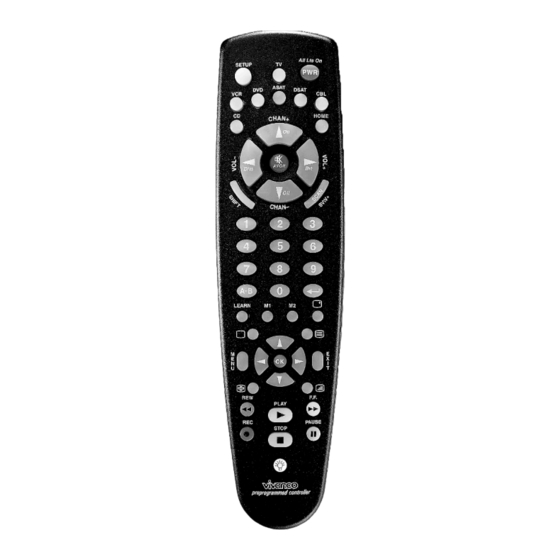
Vivanco VivControl 6 Bedienungsanleitung
Verfügbare Sprachen
Verfügbare Sprachen
Inhaltsverzeichnis
- 1 Code Search
- 2 LEARN, M1, M2, Display: in Area (F) You will Find
- 3 Die Direkte Steuerkodeeingabe Mithilfe der Beigefügten Liste
- 4 Die Kodesuche
- 5 Codeindentifikation Sie können die Eingestellten Codes Jederzeit Auslesen
- 6 Ricerca del Codice
- 7 Identificazione del Codice
- Diese Anleitung herunterladen
VivControl 6 + 8 remote control and VivControl 8 EcoSet for
almost all TV, audio, video and other infrared-controllable
1 Inserting the batteries
Open the battery flap on the back of the remote control, s. Fig.1.
– press the tongue lightly upwards, then insert 2 (VivControl 6)
or 4 alkaline AAA batteries. Check that the polarity markings on
the batteries and in the battery compartment are correctly lined
up (+=+), then close the flap carefully. – Always use undamaged
batteries.
2 Setting label
Downloaded from
www.Manualslib.com
Vivanco VivControl 6, 8 & 8 Eco Set
(GB) Instructions
equipment
Vivanco GmbH, Ewige Weide 15, D-22926 Ahrensburg, Tel:+49 (0)4102 231235,
Fax: +49(0)4102 231444, e-Mail: hotline@vivanco.de
manuals search engine
Universal Controller
1.
2.
3.
= SETUP (3 s) = Set
4.
= TV
5.
= 1
Set: XXX, e.g. 1 = 1XX
6.
= 5;
Set: XXX, e.g. 5 = 15X
7.
= 2
Set: XXX, e.g. 2= 152
Attach the enclosed label in your language to the back of the
VivControl so that you can still set the remote control should
these instructions not be available.
3 Adapting to appliances
In order to control your appliances you must adapt or set the
remote control to them. There are three ways of doing so: direct
control code entry, code search or learning the button functions
of original remote controls.
If your VivControl does not understand you it blinks rapidly
several times. Each understood entry is confirmed by an
appliance button blinking once briefly.
1
Inhaltsverzeichnis

Verwandte Anleitungen für Vivanco VivControl 6


Inhaltszusammenfassung für Vivanco VivControl 6
-
Seite 4: Learn, M1, M2, Display: In Area (F) You Will Find
3.1.4 Nach der Zifferneingabe erlischt die Tastenlampe and off, as well as the Learn buttons L1 and L2 (VivControl 6). und die Fernbedienung ist bereit zum Steuern Ihres Gerätes. 4.8 Videotext and Toptext: In the areas (G) and (I) you will find 3.1.5... -
Seite 5: Codeindentifikation Sie Können Die Eingestellten Codes Jederzeit Auslesen
Taste und die Macrotasten M1 und M2 sind zum Tastenlernen Beispiel: Sie wollen den Code unter Taste TV auslesen. Dazu nicht verfügbar. Die Tasten L1 und L2 der VivControl 6 sind drücken Sie SETUP, solange bis eine Gerätetaste dauernd zunächst unbelegt und sind speziell zum Lernen vorgesehen. - Seite 6 Geräte ausgeschaltet haben. finden Sie die Lerntaste, Funktion s.o., die Das Beispiel geht davon aus, dass Sie ein Vivanco VivControl 8 Tasten zum Aufrufen von Sequenzen (nur VivControl 8 + 8 EcoSet besitzen und die mitgelieferte Zwischensteckdose auf EcoSet) s.o. und die Displaytaste, mit der Sie i.d.R. die House A gestellt ist.