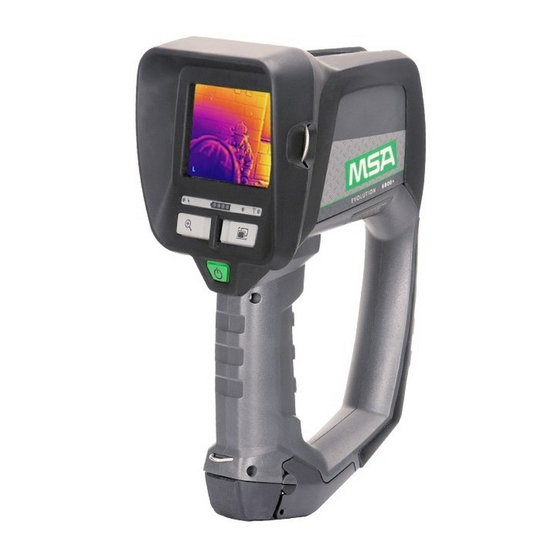
MSA EVOLUTION 6000 Kurzanleitung
Vorschau ausblenden
Andere Handbücher für EVOLUTION 6000:
- Gebrauchsanleitung (42 Seiten) ,
- Gebrauchsanleitung (48 Seiten) ,
- Gebrauchsanleitung (38 Seiten)
Verfügbare Sprachen
Verfügbare Sprachen
Quick Start Guide
®
EVOLUTION
6000 Thermal Imaging Camera
The quick start guide does not replace the operating manual. It is imperative that the full operating manual on CD be
read and observed when using the TIC. In particular, the safety instructions, as well as the information for the use and
operation of the TIC, must be carefully read and observed.
The operating manual can also be provided as a hard copy upon request.
Switching ON and OFF
On-Screen Indicators (All Models)
1
Low sensitivity indicator
2
Shutter indicator
3
Digital temperature target
4
Digital temp. indicator
US
5 Temperature indicator bar
6 Color reference bar
7 Internal over temp. indicator
8 Record Icon
Additional Buttons
Evolution 6000+ TIC and 6000 X TIC
ZOOM
Additional On-Screen Indicators
Evolution 6000+ TIC and Evolution 6000 X TIC
1 Plus Mode indicator
2 Zoom Level indicator (Plus)
3 Compass (Plus)
PALETTE
4
Color Palette indicator (Plus)
5
Range Finder
6
Record Icon
Order-No. 10127439/02
CR 800000029264
Inhaltsverzeichnis

Verwandte Anleitungen für MSA EVOLUTION 6000


Inhaltszusammenfassung für MSA EVOLUTION 6000
- Seite 4 Sicherheitshinweise sowie die Angaben zu Einsatz und Bedienung der Wärmebildkamera müssen aufmerksam gelesen und beachtet werden. Die Gebrauchsanleitung kann auf Wunsch auch in Papierform zur Verfügung gestellt werden. Zusätzliche Tasten der Wärmebildkameras EIN- und AUSschalten Evolution 6000+ und 6000X ZOOM (Vergrößern/ PALETTE Verkleinern) (Farbskalawahl) Zusätzliche Displayanzeigen der Wärmebildkameras...