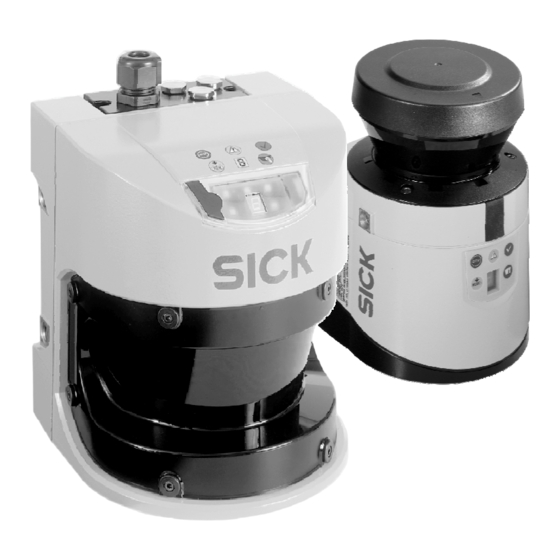
SICK S300 Professional CMS Betriebsanleitung
Safety laser scanner
Vorschau ausblenden
Andere Handbücher für S300 Professional CMS:
- Betriebsanleitung (160 Seiten) ,
- Montageanleitung (14 Seiten) ,
- Bedienungsanleitung (88 Seiten)

Verwandte Anleitungen für SICK S300 Professional CMS


Inhaltszusammenfassung für SICK S300 Professional CMS
- Seite 1 T E L E G R A M L I S T I N G C M S S3000 Professional CMS S300 Professional CMS Safety Laser Scanner...
- Seite 2 Telegrammlisting CMS S3000/ S300 Professional CMS Dieses Werk ist urheberrechtlich geschützt. Die dadurch begründeten Rechte bleiben bei der Firma SICK AG. Eine Vervielfältigung des Werkes oder von Teilen dieses Werkes ist nur in den Grenzen der gesetzlichen Bestimmungen des Urheberrechtsgesetzes zulässig. Eine Abänderung oder Kürzung des Werkes ist ohne ausdrückliche schrift- liche Zustimmung der Firma SICK AG untersagt.
-
Seite 3: Inhaltsverzeichnis
CDS-Bedienoberfläche .....................26 Konfiguration der Messdatenausgabe ..............26 Grundeinstellungen.....................26 Spezifische Messdatenausgabe ................27 5.2.3 Auswahl von I/O – Daten..............28 Auswahl des Telegrammaufbaus (nur S3000)..........28 Fehlerdiagnose........................29 Glossar............................ 30 Appendix..........................61 9090806/2007-03-23 © SICK AG • Industrial Safety Systems • Deutschland • Alle Rechte vorbehalten... -
Seite 4: Zu Diesem Dokument
Hinweise zum Einsatz Fehlerdiagnose Geltungsbereich Das vorliegende Telegrammlisting ist anwendbar für den Laserscanner S3000 Professional CMS sowie auch für den Laserscanner S300 Professional CMS mit folgendem Typenbezeichnungen: S3000: S30A-XXXX XB S300: S30B-XXXX XB © SICK AG • Industrial Safety Systems • Deutschland • Alle Rechte vorbehalten... -
Seite 5: Systembeschreibung
RS 232 PC mit CDS (Konfiguration, Diagnose) S3000/ S300 RS 422 Master permanent: Hostrechner des freifahrenden Transportfahrzeugs (FTF) Optionaler Remote-Betrieb S3000/ S300 RS 422 Slave 9090806/2007-03-23 © SICK AG • Industrial Safety Systems • Deutschland • Alle Rechte vorbehalten... -
Seite 6: Elektrische Schnittstelle
Im Telegrammkopf werden Werte, die 2 Byte umfassen mit dem High Byte (HB) zuerst übertragen. Bei den Datenbytes werden die 16-bit Words mit dem Low Byte (LB) zuerst übertragen. © SICK AG • Industrial Safety Systems • Deutschland • Alle Rechte vorbehalten 9090806/2007-03-23... -
Seite 7: Command-Telegramm
Reply – Telegram Type 0x00 (immer) Reply - Telegram Reply – Error Number 0x00 Kein Fehler 0x01 bis 0xFF Fehlernummer siehe Tabelle: Aufbau Reply- Fehlertabelle Telegramm 9090806/2007-03-23 © SICK AG • Industrial Safety Systems • Deutschland • Alle Rechte vorbehalten... -
Seite 8: Fehlercodes Des Reply-Telegramms
CRC über die Daten ist falsch bzw. die ersten sechs Datenbytes stimmen nicht mit den Bytes 5 bis 10 aus dem Telegrammkopf überein 0x36 Es wurde ein Befehlstelegramm empfangen, obwohl noch kein Reaktionstelegramm empfangen wurde © SICK AG • Industrial Safety Systems • Deutschland • Alle Rechte vorbehalten 9090806/2007-03-23... -
Seite 9: Standard-Kommunikation
FF 07 Device Code Coord. Flag Size: Block Größe + TGM Repeat + CRC Destination: Block Number 11 Data Type: Block Access Type: Request TGM ID 9090806/2007-03-23 © SICK AG • Industrial Safety Systems • Deutschland • Alle Rechte vorbehalten... -
Seite 10: Flexible Telegramme (Nur S3000)
00 00 00 00 00 00 00 00 00 00 00 00 00 00 00 00 00 00 00 00 00 00 00 00 00 00 00 00 00 00 00 00 00 00 00 00 00 00 00 00 00 00 00 00 00 00 © SICK AG • Industrial Safety Systems • Deutschland • Alle Rechte vorbehalten 9090806/2007-03-23... -
Seite 11: Kontinuierliche Ausgabe
RS 422 Schnittstelle senden zu können (z. B. Ändern der Trigger-Modi), muss zuvor die kontinuierliche Datenausgabe gestoppt werden (siehe Kap. 3.6: Anhalten der kontinuierlichen Datenausgabe). 9090806/2007-03-23 © SICK AG • Industrial Safety Systems • Deutschland • Alle Rechte vorbehalten... -
Seite 12: Datensicherung
Diese CCITT-CRC wird im gesamten Kommunikations stack angewandt, wo eine CRC zur Absicherung der übertragenen Daten benötigt wird. Nachfolgend eine einfache Routine zur CRC-Berechnung als Beispiel: © SICK AG • Industrial Safety Systems • Deutschland • Alle Rechte vorbehalten 9090806/2007-03-23... - Seite 13 WORD CRC_16 = 0xFFFF; WORD i; for (i = 0; i < length; i++) CRC_16 = (CRC_16 << 8) ^ (crc_table[(CRC_16 >> 8) ^ (Data[i])]); return CRC_16; 9090806/2007-03-23 © SICK AG • Industrial Safety Systems • Deutschland • Alle Rechte vorbehalten...
-
Seite 14: Kommunikationsarten
S3000 optinal auch Messdatenblöcke mit flexibler Länge (Block 112, Block 114) angefordert werden. Beispiel 1: Es existiert nur ein S3000 und es sollen Messdaten empfangen werden © SICK AG • Industrial Safety Systems • Deutschland • Alle Rechte vorbehalten 9090806/2007-03-23... - Seite 15 S3000 Reply: 00 00 00 00 70 00 03 02 FF 07 01 00 00 00 14 4B ..00 26 8B Read Extended Reflectordata (Block 114): 9090806/2007-03-23 © SICK AG • Industrial Safety Systems • Deutschland • Alle Rechte vorbehalten...
-
Seite 16: Kontinuierliche Datenausgabe
02 00 Telegramm-Nummer, hier 0x0002 Falls I/O-Datenausgabe und nicht alternierende Ausgabe konfiguriert wurde, oder alternierende Ausgabe konfiguriert wurde und die Scan-Nummer „ungerade“ ist, wird folgender Block ausgegeben: © SICK AG • Industrial Safety Systems • Deutschland • Alle Rechte vorbehalten 9090806/2007-03-23... - Seite 17 CC CC ID für Reflektordaten, falls Reflektordaten konfiguriert xx xx Anzahl detektierter Reflektoren xx xx Reflektoren (alle oder nur Zentren, je nach Konfiguration) Abschließend wird die CRC ausgegeben: xx xx 16 Bit CRC 9090806/2007-03-23 © SICK AG • Industrial Safety Systems • Deutschland • Alle Rechte vorbehalten...
- Seite 18 Winkel von 0-190 Grad Zentimetern Bit 15: Messwert innerhalb [Angabe in 1/100 Grad] simultanem Schutzfeld B erkannt Bit 14: Messwert innerhalb Schutzfeld A erkannt Bit 13: Reflektor erkannt © SICK AG • Industrial Safety Systems • Deutschland • Alle Rechte vorbehalten 9090806/2007-03-23...
- Seite 19 Die Protokoll-Versionsnummer sollte vom Hostrechner geprüft werden. Sie ist abhängig von der Firmwareversion im verwendeten Sensor. Bei einer anderen Versionsnummer kann der Aufbau der kontinuierlichen Datenausgabe vom Beispiel oben abweichen. 9090806/2007-03-23 © SICK AG • Industrial Safety Systems • Deutschland • Alle Rechte vorbehalten...
-
Seite 20: Beispiel Für Kontinuierliche Datenausgabe Mit S3000
23 19 00 E8 23 32 00 E8 23 7D 00 E8 23 96 00 E8 23 C8 00 E8 23 E1 00 E8 23 38 4A E8 23 1F 4F (In den Reflektordaten wird zuerst die Anzahl der erkannten Reflektoren ausgegeben, da diese nicht über die Konfiguration vorherbestimmt ist.) © SICK AG • Industrial Safety Systems • Deutschland • Alle Rechte vorbehalten 9090806/2007-03-23... -
Seite 21: Anhalten Der Kontinuierlichen Datenausgabe
Bereiche auf einmal neu gesetzt werden. (siehe Beispiel Block 103) Block 105: Hier können die Output-Trigger-Bedingungen neu festgelegt werden. (siehe Beispiel Block 103) 9090806/2007-03-23 © SICK AG • Industrial Safety Systems • Deutschland • Alle Rechte vorbehalten... -
Seite 22: Zusätzliche Zeitstempel Und Telegramm-Nummern
Block 114 Nein Reflektordaten Kontinuierliche I/O Daten Ausgabe Messwerte Reflektordaten Block 103 Online Umschaltung auf Messwerte oder Reflektordaten Block 104 online konfigurierbare Winkelbereiche Block 105 Output Trigger © SICK AG • Industrial Safety Systems • Deutschland • Alle Rechte vorbehalten 9090806/2007-03-23... -
Seite 23: Reflektormarkenerkennung
Die Reichweite des S3000 beträgt max. 49 Meter. Daraus ergibt sich die Mindestgröße der Reflektoren bei einer empfohlenen Messauflösung von 0.25 Grad: S3000 Reflektorgröße in Abhängigkeit von der Tastweite Tastweite [m] Reflektortafel bei 45° Zylindrischer Reflektor 9090806/2007-03-23 © SICK AG • Industrial Safety Systems • Deutschland • Alle Rechte vorbehalten... -
Seite 24: Einschränkungen
Falls die Positionsbestimmung des Hostrechners ausreichend tolerant ist und im Fahrbetrieb ein Reflektor nur bei einem Volltreffer erkannt werden muss, genügt auch eine erheblich geringere Reflektorbreite: © SICK AG • Industrial Safety Systems • Deutschland • Alle Rechte vorbehalten 9090806/2007-03-23... - Seite 25 S3000 Minimal notwendige Reflektorgröße für Volltreffer Reflektortafel bei 45° Tastweite [m] Zylindrischer Reflektor S300 Minimal notwendige Reflekorgröße für Volltreffer Tastweite [m] Reflektortafel bei 45° Zylindrischer Reflektor 9090806/2007-03-23 © SICK AG • Industrial Safety Systems • Deutschland • Alle Rechte vorbehalten...
-
Seite 26: Messdatenausgabe
Die Konfiguration der Messdatenausgabe erfolgt über das Gerätesymbol S3000 bzw. S300 im Kontextmenü Messdatenausgabe. Um auf die erweiterten Parameter des S3000/ S300 Professional CMS zugreifen zu können, muss die Sensor-Variante über Erkennen aktualisiert werden. Falls Sie ein neues Projekt erstellen, muss im Geräteauswahlassistenten für Softwarepaket des I/O-Moduls die Option CMS Modul ausgewählt sein. -
Seite 27: Spezifische Messdatenausgabe
Positionsdaten detektierter Reflektoren ausgegeben Reflektorzentrum: es werden nur Positionsdaten detektierter Reflektoren berücksichtigt, wobei benachbarte Positionsdaten von Reflektoren zusammengefasst und als gemittelter Wert ausgegeben werden 9090806/2007-03-23 © SICK AG • Industrial Safety Systems • Deutschland • Alle Rechte vorbehalten... -
Seite 28: Auswahl Von I/O - Daten
(I/O+ Messdaten): I/O-Daten und Messdaten werden in einem Telegramm ausgegeben alternierend (1. I/O; 2. Messdaten): I/O- Daten und Messwerte werden in getrennten Telegrammen abwechselnd ausgegeben © SICK AG • Industrial Safety Systems • Deutschland • Alle Rechte vorbehalten 9090806/2007-03-23... -
Seite 29: Fehlerdiagnose
Mit Hilfe der CDS stehen Ihnen folgende Diagnose-Möglichkeiten zur Verfügung: die im Gerät abgespeicherte Konfiguration anzeigen lassen im Betriebszustandsbericht die aktuelle Einstellung des Sensors darstellen lassen 9090806/2007-03-23 © SICK AG • Industrial Safety Systems • Deutschland • Alle Rechte vorbehalten... -
Seite 30: Glossar
Segment im Scanfeld Zeitstempel Zeitmarke, die bei der Datengenerierung ermittelt wird Diamond Grade Reflektorfolie mit entsprechenden optischen Eigenschaften Volltreffer komplette Fläche des Laserstrahls trifft auf ein Objekt © SICK AG • Industrial Safety Systems • Deutschland • Alle Rechte vorbehalten 9090806/2007-03-23... - Seite 31 Telegrammlisting CMS S3000/ S300 Professional CMS 9090806/2007-03-23 © SICK AG • Industrial Safety Systems • Deutschland • Alle Rechte vorbehalten...
- Seite 32 This document is protected by the law of copyright, whereby all rights established therein remain with the company SICK AG. Reproduction of this document or parts of this document is only permissible within the limits of the legal determination of Copyright Law. Alteration or abridgement of the document is not permitted without the explicit written approval of the company SICK AG.
- Seite 33 Basic settings ..................... 56 Specific measuring data output ................ 57 5.2.3 Selection of I/O data................ 58 Selection of telegram structure (S3000 only) ..........58 Error diagnosis............................59 Glossary..............................60 Appendix ...............................61 9090806/2007-03-23 © SICK AG • Industrial Safety Systems • Germany • All rights reserved...
-
Seite 34: About This Document
Error diagnosis Scope of validity This Telegram Listing CMS is applicable for the laser scanner type S3000 Professional CMS as well as for the S300 Professional CMS with the following entry on the type label: S3000: S30A-XXXX XB S300: S30B-XXXX XB ©... -
Seite 35: System Description
PC with CDS (configuration, diagnosis) S3000/ S300 RS 422 Master Permanent: Host computer of the free-moving transport vehicle Optional remote operation S3000/ S300 RS 422 Slave 9090806/2007-03-23 © SICK AG • Industrial Safety Systems • Germany • All rights reserved... -
Seite 36: Electrical Interface
In the telegram header, values that consist of 2 bytes are transmitted with the high byte (HB) first. In the case of data bytes, the 16-bit words with the low byte (LB) are transferred first. © SICK AG • Industrial Safety Systems • Germany • All rights reserved 9090806/2007-03-23... -
Seite 37: The Command Telegram
0x00 (always) 0x00 (always) Reply telegram type 0x00 (always) Reply telegram Reply error number 0x00 No error 0x01 to 0xFF See Error Table for error numbers 9090806/2007-03-23 © SICK AG • Industrial Safety Systems • Germany • All rights reserved... -
Seite 38: Reply Telegram Error Codes
5 to 10 from the telegram header 0x36 A command telegram has been received though no reply telegram has been received yet © SICK AG • Industrial Safety Systems • Germany • All rights reserved 9090806/2007-03-23... -
Seite 39: Standard Communication
00 00 45 44 0B 00 00 56 FF 07 Device code Co-ord. flag Size = block size + TGM repeat + CRC Destination: block number 11 Data type: block access Type: request TGM ID 9090806/2007-03-23 © SICK AG • Industrial Safety Systems • Germany • All rights reserved... -
Seite 40: Flexible Telegrams (S3000 Only)
00 00 00 00 00 00 00 00 00 00 00 00 00 00 00 00 00 00 00 00 00 00 00 00 00 00 00 00 00 00 00 00 00 00 00 00 00 00 00 00 00 00 00 00 00 00 © SICK AG • Industrial Safety Systems • Germany • All rights reserved 9090806/2007-03-23... -
Seite 41: Continuous Output
RS-422 interface during continuous data output (e.g. changing Trigger Modes). 9090806/2007-03-23 © SICK AG • Industrial Safety Systems • Germany • All rights reserved... -
Seite 42: Data Confidence
CCITT-CRC is applied in the entire communication stack where a CRC is required for safeguarding the data transmitted. A simple routine for CRC calculation follows as an example: © SICK AG • Industrial Safety Systems • Germany • All rights reserved 9090806/2007-03-23... - Seite 43 WORD CRC_16 = 0xFFFF; WORD i; for (i = 0; i < length; i++) CRC_16 = (CRC_16 << 8) ^ (crc_table[(CRC_16 >> 8) ^ (Data[i])]); return CRC_16; 9090806/2007-03-23 © SICK AG • Industrial Safety Systems • Germany • All rights reserved...
-
Seite 44: Types Of Communication
2. Get token (send telegram with device code 0x07) 3. Read scan data set 1 (fetch telegram with device code 0x07) 4. Read scan data set 2 (fetch telegram with device code 0x07) © SICK AG • Industrial Safety Systems • Germany • All rights reserved 9090806/2007-03-23... - Seite 45 Host computer, send:00 00 45 44 72 00 01 04 FF 07 S3000, reply: 00 00 00 00 72 00 00 18 FF 07 01 00 00 00 35 ..E8 23 F4 D1 9090806/2007-03-23 © SICK AG • Industrial Safety Systems • Germany • All rights reserved...
-
Seite 46: Continuous Data Output
(only if configured) xx xx speed data (only if configured) xx xx output parameter data (only if configured) xx xx raw speed data: data1 (only if configured) © SICK AG • Industrial Safety Systems • Germany • All rights reserved 9090806/2007-03-23... - Seite 47 (all or only centres, depending on configuration) The CRC is output in conclusion: xx xx 16 bit CRC 9090806/2007-03-23 © SICK AG • Industrial Safety Systems • Germany • All rights reserved...
- Seite 48 Angle from 0-270° centimetres Bit 15: measured value detected [reading in 0.01° within warning field increments] Bit 14: measured value detected within protective field Bit 13: reflector detected © SICK AG • Industrial Safety Systems • Germany • All rights reserved 9090806/2007-03-23...
- Seite 49 The protocol version number should be checked by host computer and is dependent on the used firmware version of the sensor. With a different version number, the structure of the continuous data output may differ from the example above. 9090806/2007-03-23 © SICK AG • Industrial Safety Systems • Germany • All rights reserved...
-
Seite 50: Example Of Continuous Data Output With S3000
E8 23 1F 4F (In the reflector data, the number of detected reflectors is output first as these are not defined in advance by the configuration.) © SICK AG • Industrial Safety Systems • Germany • All rights reserved 9090806/2007-03-23... -
Seite 51: Stopping Continuous Data Output
(See example, block 103) Block 105: Here it is possible to re-define the output trigger conditions. (See example, block 103) 9090806/2007-03-23 © SICK AG • Industrial Safety Systems • Germany • All rights reserved... -
Seite 52: Additional Time Stamps And Telegram Numbers
I/O data output Measured value Reflector data Block 103 Online switching to measured values or reflector data Block 104 Online configurable angular range Block 105 Output trigger © SICK AG • Industrial Safety Systems • Germany • All rights reserved 9090806/2007-03-23... -
Seite 53: Detection Of Reflector Marks
The range of the S3000 is max. 49 metres. Thus the minimum size of the reflectors at a recommended measurement resolution of 0.25° can be derived: S3000 Reflector size in relation to scanning distance Reflector board at 45° Range [m] Cylindrical reflectors 9090806/2007-03-23 © SICK AG • Industrial Safety Systems • Germany • All rights reserved... -
Seite 54: Limitations
A considerably lower reflector width can be used if the position determination of the host computer is sufficiently tolerant in Drive Mode and a reflector only needs to be detected by one “bull’s eye” (accurate hit): © SICK AG • Industrial Safety Systems • Germany • All rights reserved 9090806/2007-03-23... - Seite 55 Minimum reflector size necessary for "bull's eye" Range [m] Reflector board at 45° Cylindrical reflector S300 Minimum reflector size necessary for "bull's eye" Range [m] Reflector board at 45° Cylindrical reflector 9090806/2007-03-23 © SICK AG • Industrial Safety Systems • Germany • All rights reserved...
-
Seite 56: Measuring Data Output
Device Selection Assistant. Configuring measuring data output 5.2.1 Basic settings Baud rate The baud rate of the RS-422 interface can be set within the Baud rate box! © SICK AG • Industrial Safety Systems • Germany • All rights reserved 9090806/2007-03-23... -
Seite 57: Specific Measuring Data Output
Reflector centre: only position data for detected reflectors is considered, whereby neighbouring reflector position data is combined and provided as a mean value 9090806/2007-03-23 © SICK AG • Industrial Safety Systems • Germany • All rights reserved... -
Seite 58: Selection Of I/O Data
I/O data and measuring data are provided in a single telegram Alternating (I/O; measurement data): I/O data and measurement values are provided alternately in separate telegrams © SICK AG • Industrial Safety Systems • Germany • All rights reserved 9090806/2007-03-23... -
Seite 59: Error Diagnosis
The following diagnostic possibilities are available with the help of CDS: you can display the configuration saved in the device you can show the current setting of the sensor in the operating state report 9090806/2007-03-23 © SICK AG • Industrial Safety Systems • Germany • All rights reserved... -
Seite 60: Glossary
A time mark that is determined on generation of data Diamond Grade Reflector foil with appropriate optical properties Bull’s eye Complete area of the laser beam hits an object © SICK AG • Industrial Safety Systems • Germany • All rights reserved 9090806/2007-03-23... -
Seite 61: Appendix
0: Level 0 1: Level 1A 2: Level 1B 3: Level 2 4 :Level 3A 5: Level 3B 6: Level 4 7: n/u 9090806/2007-03-23 © SICK AG • Industrial Safety Systems • Germany • All rights reserved... - Seite 62 0: Segment LED off Character 1 1: Segment LED on 7-Segment Display: Segment f Displayed 0: Segment LED off Character 1 1: Segment LED on 7-Segment Display: Segment g © SICK AG • Industrial Safety Systems • Germany • All rights reserved 9090806/2007-03-23...
- Seite 63 State of OSSDs 1: Activated 0: Deactivated State of Warning 1: Activated Signal Output 0: Deactivated State RES_REQ 1: Toggling slowly (1 Hz) Output 2: n/u 3: Activated 9090806/2007-03-23 © SICK AG • Industrial Safety Systems • Germany • All rights reserved...
- Seite 64 Other: Number of Configurations stored in Connector Plug so far Device Time-on Time-on of the device since 0-31 Device Time-on power-up [s] Reserved for internal 10-81 © SICK AG • Industrial Safety Systems • Germany • All rights reserved 9090806/2007-03-23...
- Seite 65 Control Area B detected Bit 14: Pulse within Control Area A detected Bit 13: Reflector detected Scan Data Pulse 2-761 See Scan Data Pulse 1 2-761 9090806/2007-03-23 © SICK AG • Industrial Safety Systems • Germany • All rights reserved...
- Seite 66 This Block can be accessed without being assigned the Token using the Physical Device address (only read access). To Return the Token write 0x0000 to the Master ID Register. © SICK AG • Industrial Safety Systems • Germany • All rights reserved 9090806/2007-03-23...
- Seite 67 Pulses that detect a reflector after the 126 pulses already detected a reflector are ignored as well as those after 126 sections with consecutive pulses that detected a reflector were output with their central pulse. 9090806/2007-03-23 © SICK AG • Industrial Safety Systems • Germany • All rights reserved...
- Seite 68 Remark: This block is used to change the content of the bypass telegram online. Changes are volatile only and will be lost after a re-power up. © SICK AG • Industrial Safety Systems • Germany • All rights reserved 9090806/2007-03-23...
- Seite 69 Range of former Output Range. 8-15 End of Output Begin-190: Range Angle -5°-185° in steps of [1°] Other: prohibited. Shall not be smaller than Begin of Output Range. 9090806/2007-03-23 © SICK AG • Industrial Safety Systems • Germany • All rights reserved...
- Seite 70 Remark: This block is used to change the content of the bypass telegram online. Changes are volatile only and will be lost after a re-power up © SICK AG • Industrial Safety Systems • Germany • All rights reserved 9090806/2007-03-23...
- Seite 71 Remark: This block is used to change the content of the bypass telegram online. Changes are volatile only and will be lost after a re-power up. 9090806/2007-03-23 © SICK AG • Industrial Safety Systems • Germany • All rights reserved...
- Seite 72 Bit 13: Reflector detected Scan Data Pulse 2- 381 or 5-385 or See Scan Data Pulse 1 2-761 5-765 Remark: Telegram size depends on scan resolution. © SICK AG • Industrial Safety Systems • Germany • All rights reserved 9090806/2007-03-23...
- Seite 73 126 sections with consecutive pulses that detected a reflector were output with their central pulse. *Note: Telegram size depends on number of detected reflectors. 9090806/2007-03-23 © SICK AG • Industrial Safety Systems • Germany • All rights reserved...
- Seite 74 10-11 State of Reset 1: LED flashing slowly (1 Hz) 2: LED flashing fast (4 Hz) 3: LED on 12-13 State of Weak LED See State of Reset LED © SICK AG • Industrial Safety Systems • Germany • All rights reserved 9090806/2007-03-23...
- Seite 75 Other: Number of Configurations stored in Connector Plug so far Device Time-on Time-on of the device since 0-31 Device Time-on power-up [s] Reserved for internal 10-118 9090806/2007-03-23 © SICK AG • Industrial Safety Systems • Germany • All rights reserved...
- Seite 76 Bit 15: object within warn area detected Bit 14: object within control area detected Bit 13: Reflector detected Scan Data Pulse 2-541 2-541 See Scan Data Pulse 1 © SICK AG • Industrial Safety Systems • Germany • All rights reserved 9090806/2007-03-23...
- Seite 77 This Block can be accessed without being assigned the Token using the Physical Device address (only read access). To Return the Token write 0x0000 to the Master ID Register. 9090806/2007-03-23 © SICK AG • Industrial Safety Systems • Germany • All rights reserved...
- Seite 78 Online Output Range Config Block (Block No. 104) Block Description Data Block Name Block Block Access Non- Size volatile S300 Ext. Device Online Output Range Config 20 Byte R 0-4 Block W 0-4 © SICK AG • Industrial Safety Systems • Germany • All rights reserved 9090806/2007-03-23...
- Seite 79 Remark: This block is used to change the content of the bypass telegram online. Changes are volatile only and will be lost after a re-power up 9090806/2007-03-23 © SICK AG • Industrial Safety Systems • Germany • All rights reserved...
- Seite 80 Remark: This block is used to change the content of the bypass telegram online. Changes are volatile only and will be lost after a re-power up. © SICK AG • Industrial Safety Systems • Germany • All rights reserved 9090806/2007-03-23...
- Seite 81 Phone +81 (0)3 3358 1341 E-Mail support@sick.jp Nederlands Phone +31 (0)30 229 25 44 E-Mail info@sick.nl More representatives and agencies Norge in all major industrial nations at Phone +47 67 81 50 00 www.sick.com E-Mail austefjord@sick.no SICK AG | Waldkirch | Germany | www.sick.com...