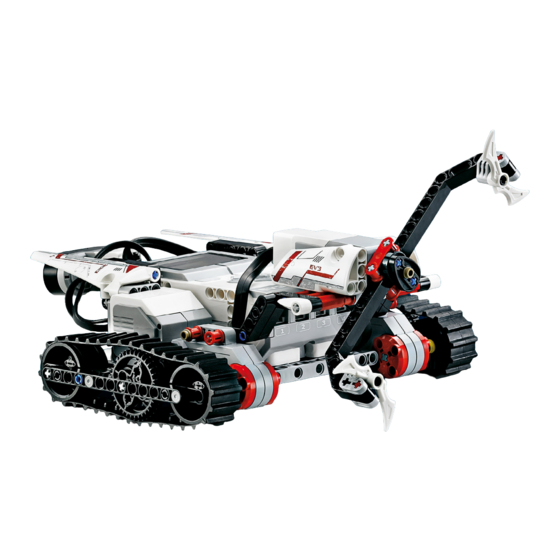
LEGO MINDSORMS EV3 Bedienungsanleitung
Inhaltsverzeichnis
Inhaltsverzeichnis

Verwandte Anleitungen für LEGO MINDSORMS EV3


Inhaltszusammenfassung für LEGO MINDSORMS EV3
- Seite 1 Bedienungs anleitung...
-
Seite 2: Inhaltsverzeichnis
...... Werkzeuge Liste der Elemente ....................................................LEGO.com/mindstorms s. 2 LEGO, the LEGO logo, MINDSTORMS and the MINDSTORMS logo are trademarks of the/ sont des marques de commerce du/son marcas registradas de LEGO Group. ©2013, 2015 The LEGO Group. 041329. -
Seite 3: Einführung
über eure Kreationen und Erfahrungen austauschst, werden wir alle davon profitieren. Bis bald! LEGO.com/mindstorms s. 3 LEGO, the LEGO logo, MINDSTORMS and the MINDSTORMS logo are trademarks of the/ sont des marques de commerce du/son marcas registradas de LEGO Group. ©2013, 2015 The LEGO Group. 041329. -
Seite 4: Hinweise Zum Gebrauch Dieser Anleitung
Danach zeigen wir dir die verschiedenen Merkmale und Funktionen der tabletbasierten EV3 Programmer App. LEGO.com/mindstorms s. 4 LEGO, the LEGO logo, MINDSTORMS and the MINDSTORMS logo are trademarks of the/ sont des marques de commerce du/son marcas registradas de LEGO Group. ©2013, 2015 The LEGO Group. 041329. -
Seite 5: Hilfe
EV3 Programmer App gibt. LEGO.com/mindstorms s. 5 LEGO, the LEGO logo, MINDSTORMS and the MINDSTORMS logo are trademarks of the/ sont des marques de commerce du/son marcas registradas de LEGO Group. ©2013, 2015 The LEGO Group. 041329. -
Seite 6: Übersicht
Erkennt Objekte und kann die IR-Fernsteuerung finden und verfolgen. LEGO.com/mindstorms s. 6 LEGO, the LEGO logo, MINDSTORMS and the MINDSTORMS logo are trademarks of the/ sont des marques de commerce du/son marcas registradas de LEGO Group. ©2013, 2015 The LEGO Group. 041329. -
Seite 7: Ev3-Stein
Navigation durch die Inhalte des EV3-Steins. LEGO.com/mindstorms s. 7 LEGO, the LEGO logo, MINDSTORMS and the MINDSTORMS logo are trademarks of the/ sont des marques de commerce du/son marcas registradas de LEGO Group. ©2013, 2015 The LEGO Group. 041329. -
Seite 8: Technische Daten Zum Ev3-Stein
Stein-Statusleuchte – Rot Stein-Statusleuchte – Orange Stein-Statusleuchte – Grün LEGO.com/mindstorms s. 8 LEGO, the LEGO logo, MINDSTORMS and the MINDSTORMS logo are trademarks of the/ sont des marques de commerce du/son marcas registradas de LEGO Group. ©2013, 2015 The LEGO Group. 041329. - Seite 9 Verwendung des Klang-Blocks findest du im Hilfe-Menü der EV3-Software). LEGO.com/mindstorms s. 9 LEGO, the LEGO logo, MINDSTORMS and the MINDSTORMS logo are trademarks of the/ sont des marques de commerce du/son marcas registradas de LEGO Group. ©2013, 2015 The LEGO Group. 041329.
-
Seite 10: Batterien In Den Ev3-Stein Einsetzen
Kommunikation, wenn diese nicht benutzt werden. Vermeide unnötigen Verschleiß der Motoren. LEGO.com/mindstorms s. 10 LEGO, the LEGO logo, MINDSTORMS and the MINDSTORMS logo are trademarks of the/ sont des marques de commerce du/son marcas registradas de LEGO Group. ©2013, 2015 The LEGO Group. 041329. -
Seite 11: Ev3-Stein Einschalten
„X“ ausgewählt ist, kehrst du zum Bildschirm „Zuletzt verwendetes Programm ausführen“ zurück. Ausschaltbildschirm LEGO.com/mindstorms s. 11 LEGO, the LEGO logo, MINDSTORMS and the MINDSTORMS logo are trademarks of the/ sont des marques de commerce du/son marcas registradas de LEGO Group. ©2013, 2015 The LEGO Group. 041329. -
Seite 12: Ev3-Motoren
Programm nutzen kannst, findest du unter Verwendung des Drehsensors im Hilfe-Menü der EV3-Software. LEGO.com/mindstorms s. 12 LEGO, the LEGO logo, MINDSTORMS and the MINDSTORMS logo are trademarks of the/ sont des marques de commerce du/son marcas registradas de LEGO Group. ©2013, 2015 The LEGO Group. 041329. -
Seite 13: Ev3-Sensoren
Hilfe-Menü der EV3-Software. Modus „Stärke des Umgebungslichts“ LEGO.com/mindstorms s. 13 LEGO, the LEGO logo, MINDSTORMS and the MINDSTORMS logo are trademarks of the/ sont des marques de commerce du/son marcas registradas de LEGO Group. ©2013, 2015 The LEGO Group. 041329. -
Seite 14: Berührungssensor
Hilfe-Menü der EV3-Software. Ausgelassen Angestoßen LEGO.com/mindstorms s. 14 LEGO, the LEGO logo, MINDSTORMS and the MINDSTORMS logo are trademarks of the/ sont des marques de commerce du/son marcas registradas de LEGO Group. ©2013, 2015 The LEGO Group. 041329. -
Seite 15: Infrarotsensor Und Infrarotfernsteuerung
Signalmodus findest du im Hilfe-Menü der EV3-Software. LEGO.com/mindstorms s. 15 LEGO, the LEGO logo, MINDSTORMS and the MINDSTORMS logo are trademarks of the/ sont des marques de commerce du/son marcas registradas de LEGO Group. ©2013, 2015 The LEGO Group. 041329. -
Seite 16: Fernsteuerungsmodus
Fernsteuerungsmodus findest du im Hilfe-Menü der EV3-Software. LEGO.com/mindstorms s. 16 LEGO, the LEGO logo, MINDSTORMS and the MINDSTORMS logo are trademarks of the/ sont des marques de commerce du/son marcas registradas de LEGO Group. ©2013, 2015 The LEGO Group. 041329. -
Seite 17: Sensoren Und Motoren Anschließen
Sensoren oder Motoren nicht unterscheiden. LEGO.com/mindstorms s. 17 LEGO, the LEGO logo, MINDSTORMS and the MINDSTORMS logo are trademarks of the/ sont des marques de commerce du/son marcas registradas de LEGO Group. ©2013, 2015 The LEGO Group. 041329. -
Seite 18: Den Ev3-Stein Mit Deinem Computer Verbinden
Schließe das USB-Ende an deinen Computer an. Verbindung per USB-Kabel LEGO.com/mindstorms s. 18 LEGO, the LEGO logo, MINDSTORMS and the MINDSTORMS logo are trademarks of the/ sont des marques de commerce du/son marcas registradas de LEGO Group. ©2013, 2015 The LEGO Group. 041329. -
Seite 19: Drahtlose Verbindung Per Bluetooth
Weitere Informationen über die Bluetooth-Einstellungen auf dem EV3-Stein findest du auf Seite 31. LEGO.com/mindstorms s. 19 LEGO, the LEGO logo, MINDSTORMS and the MINDSTORMS logo are trademarks of the/ sont des marques de commerce du/son marcas registradas de LEGO Group. ©2013, 2015 The LEGO Group. 041329. -
Seite 20: Drahtlose Verbindung Per Wifi
Netzwerk- verwendet werden. Verschlüsselungsmodi: Keine und WPA2. LEGO.com/mindstorms s. 20 LEGO, the LEGO logo, MINDSTORMS and the MINDSTORMS logo are trademarks of the/ sont des marques de commerce du/son marcas registradas de LEGO Group. ©2013, 2015 The LEGO Group. 041329. - Seite 21 Netzwerke sind in der Liste mit einem Sternsymbol „*“ gekennzeichnet. LEGO.com/mindstorms s. 21 LEGO, the LEGO logo, MINDSTORMS and the MINDSTORMS logo are trademarks of the/ sont des marques de commerce du/son marcas registradas de LEGO Group. ©2013, 2015 The LEGO Group. 041329.
- Seite 22 Nachdem die Verbindung hergestellt wurde, kannst du das USB- Kabel wieder trennen. LEGO.com/mindstorms s. 22 LEGO, the LEGO logo, MINDSTORMS and the MINDSTORMS logo are trademarks of the/ sont des marques de commerce du/son marcas registradas de LEGO Group. ©2013, 2015 The LEGO Group. 041329.
-
Seite 23: Den Ev3-Stein Mit Deinem Tablet Verbinden
Eine vollständige Liste der unterstützten Geräte findest du unter: www.LEGO.com/mindstormsapps LEGO.com/mindstorms s. 23 LEGO, the LEGO logo, MINDSTORMS and the MINDSTORMS logo are trademarks of the/ sont des marques de commerce du/son marcas registradas de LEGO Group. ©2013, 2015 The LEGO Group. 041329. -
Seite 24: Eine Bluetooth-Verbindung Zu Deinem Android Tablet Herstellen
Eine vollständige Liste der unterstützten Geräte findest du unter: www.LEGO.com/mindstormsapps LEGO.com/mindstorms s. 24 LEGO, the LEGO logo, MINDSTORMS and the MINDSTORMS logo are trademarks of the/ sont des marques de commerce du/son marcas registradas de LEGO Group. ©2013, 2015 The LEGO Group. 041329. -
Seite 25: Ev3-Stein-Schnittstelle
SAVE“ separat gespeichert. Ordner in der Datei-Navigation öffnen LEGO.com/mindstorms s. 25 LEGO, the LEGO logo, MINDSTORMS and the MINDSTORMS logo are trademarks of the/ sont des marques de commerce du/son marcas registradas de LEGO Group. ©2013, 2015 The LEGO Group. 041329. -
Seite 26: Stein-Anwendungen
Modi umzuschalten. Drücke die Zurück-Taste, um zum Hauptbildschirm „Stein-Anwendungen“ zurückzukehren. Anwendung „Motorsteuerung“ LEGO.com/mindstorms s. 26 LEGO, the LEGO logo, MINDSTORMS and the MINDSTORMS logo are trademarks of the/ sont des marques de commerce du/son marcas registradas de LEGO Group. ©2013, 2015 The LEGO Group. 041329. -
Seite 27: Infrarotfernsteuerung
Modi umzuschalten. Drücke die Zurück-Taste, um zum Hauptbildschirm „Stein-Anwendungen“ zurückzukehren. LEGO.com/mindstorms s. 27 LEGO, the LEGO logo, MINDSTORMS and the MINDSTORMS logo are trademarks of the/ sont des marques de commerce du/son marcas registradas de LEGO Group. ©2013, 2015 The LEGO Group. 041329. - Seite 28 Mittlere Taste. Vollständige Block-Palette LEGO.com/mindstorms s. 28 LEGO, the LEGO logo, MINDSTORMS and the MINDSTORMS logo are trademarks of the/ sont des marques de commerce du/son marcas registradas de LEGO Group. ©2013, 2015 The LEGO Group. 041329.
- Seite 29 Taste, um zwischen diesen beiden Symbolen zu wechseln. Programm ausführen Programm speichern LEGO.com/mindstorms s. 29 LEGO, the LEGO logo, MINDSTORMS and the MINDSTORMS logo are trademarks of the/ sont des marques de commerce du/son marcas registradas de LEGO Group. ©2013, 2015 The LEGO Group. 041329.
-
Seite 30: Einstellungen
(Einstellungen) zurück. Einstellung für den Energiesparmodus anpassen LEGO.com/mindstorms s. 30 LEGO, the LEGO logo, MINDSTORMS and the MINDSTORMS logo are trademarks of the/ sont des marques de commerce du/son marcas registradas de LEGO Group. ©2013, 2015 The LEGO Group. 041329. - Seite 31 Mittlere Taste, um auf „OK“ zu klicken. Oben links auf dem Display des EV3-Steins wird ein Bluetooth-Symbol angezeigt. LEGO.com/mindstorms s. 31 LEGO, the LEGO logo, MINDSTORMS and the MINDSTORMS logo are trademarks of the/ sont des marques de commerce du/son marcas registradas de LEGO Group. ©2013, 2015 The LEGO Group. 041329.
- Seite 32 EV3-Stein nicht auf die Suchbefehle anderer Bluetooth-Geräte reagieren. LEGO.com/mindstorms s. 32 LEGO, the LEGO logo, MINDSTORMS and the MINDSTORMS logo are trademarks of the/ sont des marques de commerce du/son marcas registradas de LEGO Group. ©2013, 2015 The LEGO Group. 041329.
- Seite 33 Speicherplatz noch verfügbar ist. LEGO.com/mindstorms s. 33 LEGO, the LEGO logo, MINDSTORMS and the MINDSTORMS logo are trademarks of the/ sont des marques de commerce du/son marcas registradas de LEGO Group. ©2013, 2015 The LEGO Group. 041329.
-
Seite 34: Ev3-Software
Installationsdatei im Anwendungsordner der EV3-Software. Jetzt beginnt die Installation. LEGO.com/mindstorms s. 34 LEGO, the LEGO logo, MINDSTORMS and the MINDSTORMS logo are trademarks of the/ sont des marques de commerce du/son marcas registradas de LEGO Group. ©2013, 2015 The LEGO Group. 041329. -
Seite 35: Lobby (Startseite)
Hauptmodelle baust und programmierst. Übersicht über die Lobby LEGO.com/mindstorms s. 35 LEGO, the LEGO logo, MINDSTORMS and the MINDSTORMS logo are trademarks of the/ sont des marques de commerce du/son marcas registradas de LEGO Group. ©2013, 2015 The LEGO Group. 041329. -
Seite 36: Projekteigenschaften Und Projektstruktur
Elementen bestimmst du, wie das Projekt in der Lobby dargestellt wird. LEGO.com/mindstorms s. 36 LEGO, the LEGO logo, MINDSTORMS and the MINDSTORMS logo are trademarks of the/ sont des marques de commerce du/son marcas registradas de LEGO Group. ©2013, 2015 The LEGO Group. 041329. - Seite 37 LEGO.com/mindstorms veröffentlichen (erfordert eine Internetverbindung). Seite „Projekteigenschaften“ LEGO.com/mindstorms s. 37 LEGO, the LEGO logo, MINDSTORMS and the MINDSTORMS logo are trademarks of the/ sont des marques de commerce du/son marcas registradas de LEGO Group. ©2013, 2015 The LEGO Group. 041329.
-
Seite 38: Roboter-Missionen
Hardware und dem Bausystem vertraut machen kannst. Konstruieren Steuerbefehle Los geht's! Roboter-Missionen LEGO.com/mindstorms s. 38 LEGO, the LEGO logo, MINDSTORMS and the MINDSTORMS logo are trademarks of the/ sont des marques de commerce du/son marcas registradas de LEGO Group. ©2013, 2015 The LEGO Group. 041329. -
Seite 39: Programmieren
Werkzeuge für die Arbeit an deinem Programm. Programmieroberfläche LEGO.com/mindstorms s. 39 LEGO, the LEGO logo, MINDSTORMS and the MINDSTORMS logo are trademarks of the/ sont des marques de commerce du/son marcas registradas de LEGO Group. ©2013, 2015 The LEGO Group. 041329. -
Seite 40: Programmierblöcke Und Programmierpaletten
(von links nach rechts) Stein-Tasten Farbsensor Infrarotsensor Motorumdrehung Zeitgeber Berührungssensor LEGO.com/mindstorms s. 40 LEGO, the LEGO logo, MINDSTORMS and the MINDSTORMS logo are trademarks of the/ sont des marques de commerce du/son marcas registradas de LEGO Group. ©2013, 2015 The LEGO Group. 041329. - Seite 41 Block ganz einfach in künftige Programme einfügen. LEGO.com/mindstorms s. 41 LEGO, the LEGO logo, MINDSTORMS and the MINDSTORMS logo are trademarks of the/ sont des marques de commerce du/son marcas registradas de LEGO Group. ©2013, 2015 The LEGO Group. 041329.
-
Seite 42: Hardware-Seite
EV3-Stein mit deinem Computer verbunden ist. LEGO.com/mindstorms s. 42 LEGO, the LEGO logo, MINDSTORMS and the MINDSTORMS logo are trademarks of the/ sont des marques de commerce du/son marcas registradas de LEGO Group. ©2013, 2015 The LEGO Group. 041329. - Seite 43 EV3-Software. Register „Verfügbare Steine“ LEGO.com/mindstorms s. 43 LEGO, the LEGO logo, MINDSTORMS and the MINDSTORMS logo are trademarks of the/ sont des marques de commerce du/son marcas registradas de LEGO Group. ©2013, 2015 The LEGO Group. 041329.
-
Seite 44: Inhalts-Editor
1. Inhalts-Editor öffnen/schließen – Hier kannst du den Inhalts- Editor öffnen und schließen. Inhalts-Editor LEGO.com/mindstorms s. 44 LEGO, the LEGO logo, MINDSTORMS and the MINDSTORMS logo are trademarks of the/ sont des marques de commerce du/son marcas registradas de LEGO Group. ©2013, 2015 The LEGO Group. 041329. -
Seite 45: Werkzeuge
Kommunikation (per WiFi-Funktion) auf dem EV3-Stein aktivieren. LEGO.com/mindstorms s. 45 LEGO, the LEGO logo, MINDSTORMS and the MINDSTORMS logo are trademarks of the/ sont des marques de commerce du/son marcas registradas de LEGO Group. ©2013, 2015 The LEGO Group. 041329. - Seite 46 Programm dann mithilfe des vollständigen Funktionsumfangs der EV3-Software noch weiter verfeinern. LEGO.com/mindstorms s. 46 LEGO, the LEGO logo, MINDSTORMS and the MINDSTORMS logo are trademarks of the/ sont des marques de commerce du/son marcas registradas de LEGO Group. ©2013, 2015 The LEGO Group. 041329.
-
Seite 47: Ev3 Programmer App
App – LEGO MINDSTORMS EV3 Programmer – und installiere die App. LEGO.com/mindstorms s. 47 LEGO, the LEGO logo, MINDSTORMS and the MINDSTORMS logo are trademarks of the/ sont des marques de commerce du/son marcas registradas de LEGO Group. ©2013, 2015 The LEGO Group. 041329. -
Seite 48: Lobby
App angezeigt werden soll. Programme angezeigt werden können. Lobby-Übersicht LEGO.com/mindstorms s. 48 LEGO, the LEGO logo, MINDSTORMS and the MINDSTORMS logo are trademarks of the/ sont des marques de commerce du/son marcas registradas de LEGO Group. ©2013, 2015 The LEGO Group. 041329. -
Seite 49: Roboter-Missionen
Fehler beheben kannst, die vielleicht während der Mission auftreten. Roboter-Missionen LEGO.com/mindstorms s. 49 LEGO, the LEGO logo, MINDSTORMS and the MINDSTORMS logo are trademarks of the/ sont des marques de commerce du/son marcas registradas de LEGO Group. ©2013, 2015 The LEGO Group. 041329. -
Seite 50: Programmieren
Programmierbereichs, um alle Objekte anzuzeigen, die sich darin befinden. Programmierumgebung LEGO.com/mindstorms s. 50 LEGO, the LEGO logo, MINDSTORMS and the MINDSTORMS logo are trademarks of the/ sont des marques de commerce du/son marcas registradas de LEGO Group. ©2013, 2015 The LEGO Group. 041329. -
Seite 51: Programmierblöcke Und Programmierpaletten
Beispiele ansehen kannst. LEGO.com/mindstorms s. 51 LEGO, the LEGO logo, MINDSTORMS and the MINDSTORMS logo are trademarks of the/ sont des marques de commerce du/son marcas registradas de LEGO Group. ©2013, 2015 The LEGO Group. 041329. -
Seite 52: Hardware-Seite
Motoren zurücksetzen. Hardware-Seite LEGO.com/mindstorms s. 52 LEGO, the LEGO logo, MINDSTORMS and the MINDSTORMS logo are trademarks of the/ sont des marques de commerce du/son marcas registradas de LEGO Group. ©2013, 2015 The LEGO Group. 041329. -
Seite 53: Aktualisieren Der Ev3-Software
Aktualisierungen suchen lassen, indem du ein Häkchen in das Feld „Automatisch nach Aktualisierungen suchen“ setzt. LEGO.com/mindstorms s. 53 LEGO, the LEGO logo, MINDSTORMS and the MINDSTORMS logo are trademarks of the/ sont des marques de commerce du/son marcas registradas de LEGO Group. ©2013, 2015 The LEGO Group. 041329. -
Seite 54: Firmware-Aktualisierung
Anhieb wieder), wiederholst du den Vorgang der manuellen Firmware-Aktualisierung. LEGO.com/mindstorms s. 54 LEGO, the LEGO logo, MINDSTORMS and the MINDSTORMS logo are trademarks of the/ sont des marques de commerce du/son marcas registradas de LEGO Group. ©2013, 2015 The LEGO Group. 041329. -
Seite 55: Ev3-Stein Zurücksetzen
Probleme einfach nur durch schwache Batterien verursacht! LEGO.com/mindstorms s. 55 LEGO, the LEGO logo, MINDSTORMS and the MINDSTORMS logo are trademarks of the/ sont des marques de commerce du/son marcas registradas de LEGO Group. ©2013, 2015 The LEGO Group. 041329. -
Seite 56: Nützliche Informationen
Insect buzz 2 Green Dog sniff Insect chirp LEGO.com/mindstorms s. 56 LEGO, the LEGO logo, MINDSTORMS and the MINDSTORMS logo are trademarks of the/ sont des marques de commerce du/son marcas registradas de LEGO Group. ©2013, 2015 The LEGO Group. 041329. - Seite 57 Ouch Good job Morning Fanfare Shouting Good LEGO.com/mindstorms s. 57 LEGO, the LEGO logo, MINDSTORMS and the MINDSTORMS logo are trademarks of the/ sont des marques de commerce du/son marcas registradas de LEGO Group. ©2013, 2015 The LEGO Group. 041329.
- Seite 58 Blip 3 Motor start Error alarm Searching LEGO.com/mindstorms s. 58 LEGO, the LEGO logo, MINDSTORMS and the MINDSTORMS logo are trademarks of the/ sont des marques de commerce du/son marcas registradas de LEGO Group. ©2013, 2015 The LEGO Group. 041329.
- Seite 59 Drop load Slide load Lift load Snap LEGO.com/mindstorms s. 59 LEGO, the LEGO logo, MINDSTORMS and the MINDSTORMS logo are trademarks of the/ sont des marques de commerce du/son marcas registradas de LEGO Group. ©2013, 2015 The LEGO Group. 041329.
- Seite 60 Connect Ready Download Start up General alert LEGO.com/mindstorms s. 60 LEGO, the LEGO logo, MINDSTORMS and the MINDSTORMS logo are trademarks of the/ sont des marques de commerce du/son marcas registradas de LEGO Group. ©2013, 2015 The LEGO Group. 041329.
-
Seite 61: Liste Der Bild-Dateien
Crazy 2 Middle left Tear Disappointed Middle right LEGO.com/mindstorms s. 61 LEGO, the LEGO logo, MINDSTORMS and the MINDSTORMS logo are trademarks of the/ sont des marques de commerce du/son marcas registradas de LEGO Group. ©2013, 2015 The LEGO Group. 041329. - Seite 62 US sensor Left Stop 2 IR beacon MINDSTORMS LEGO.com/mindstorms s. 62 LEGO, the LEGO logo, MINDSTORMS and the MINDSTORMS logo are trademarks of the/ sont des marques de commerce du/son marcas registradas de LEGO Group. ©2013, 2015 The LEGO Group. 041329.
- Seite 63 Light on Dial 1 Dots 3 Timer 3 LEGO.com/mindstorms s. 63 LEGO, the LEGO logo, MINDSTORMS and the MINDSTORMS logo are trademarks of the/ sont des marques de commerce du/son marcas registradas de LEGO Group. ©2013, 2015 The LEGO Group. 041329.
- Seite 64 Slider 4 Decline 2 Play Slider 5 LEGO.com/mindstorms s. 64 LEGO, the LEGO logo, MINDSTORMS and the MINDSTORMS logo are trademarks of the/ sont des marques de commerce du/son marcas registradas de LEGO Group. ©2013, 2015 The LEGO Group. 041329.
-
Seite 65: Anwendung „Stein-Programm" - Liste Der Inhalte
12. Laser 6. Decline 12. EV3 icon LEGO.com/mindstorms s. 65 LEGO, the LEGO logo, MINDSTORMS and the MINDSTORMS logo are trademarks of the/ sont des marques de commerce du/son marcas registradas de LEGO Group. ©2013, 2015 The LEGO Group. 041329. -
Seite 66: Liste Der Elemente
6031821 4656205 4227155 4189936 4173941 4189131 4188298 LEGO.com/mindstorms s. 66 LEGO, the LEGO logo, MINDSTORMS and the MINDSTORMS logo are trademarks of the/ sont des marques de commerce du/son marcas registradas de LEGO Group. ©2013, 2015 The LEGO Group. 041329. - Seite 67 370626 4140327 4255563 4629921 4111998 4143187 4141300 LEGO.com/mindstorms s. 67 LEGO, the LEGO logo, MINDSTORMS and the MINDSTORMS logo are trademarks of the/ sont des marques de commerce du/son marcas registradas de LEGO Group. ©2013, 2015 The LEGO Group. 041329.
- Seite 68 4526985 4535768 4211566 4539880 4630114 4540797 4494222 LEGO.com/mindstorms s. 68 LEGO, the LEGO logo, MINDSTORMS and the MINDSTORMS logo are trademarks of the/ sont des marques de commerce du/son marcas registradas de LEGO Group. ©2013, 2015 The LEGO Group. 041329.
- Seite 69 Apple Inc., registered in the U.S. and other countries. LEGO.com/mindstorms s. 69 LEGO, the LEGO logo, MINDSTORMS and the MINDSTORMS logo are trademarks of the/ sont des marques de commerce du/son marcas registradas de LEGO Group. ©2013, 2015 The LEGO Group. 041329.