Funkwerk FC4 Handbücher
Anleitungen und Benutzerhandbücher für Funkwerk FC4. Wir haben 3 Funkwerk FC4 Anleitungen zum kostenlosen PDF-Download zur Verfügung: Bedienungsanleitung

Funkwerk FC4 Bedienungsanleitung (264 Seiten)
Marke: Funkwerk
|
Kategorie: Telefonzubehör
| Dateigröße: 5 MB
Inhaltsverzeichnis
-
German
3-
Einleitung24
-
Menüauswahl32
-
Display35
-
Selector41
-
Telefonieren58
-
Messaging63
-
Anruflisten67
-
Pflege86
-
Wartung86
-
Anhang87
-
Menüstruktur87
-
English
95-
Impressum96
-
Safety Information97
-
General Safety Information for All Unit Versions97
-
Approval and EC Conformity97
-
Protection against Endangering of Your Hearing98
-
Protection against the Influence of Electronic Body Aids98
-
Protection of Business Handset against Intervention and Environmental Influences99
-
Protection of Other Units against Malfunctions Caused by the Business Handset99
-
Handling Batteries, Dispatch, Storage, Battery Replacement100
-
Care Information for Lithium Ion Batteries101
-
Handling of Chargers101
-
End User Information on the Environmentally Friendly Disposal of Old Units and Empty Batteries102
-
Introduction104
-
Front View of the Handsets FC4, FC4 L and Their Ex-Proof Variants104
-
Content of Present Operating Manual106
-
Shipping Package of One Set106
-
Where to Use Your Business Handset108
-
Advice on the Place of Installation108
-
Information for Operation108
-
Emission of Radio Signals108
-
Conventions and Information Used in this Manual109
-
Menu Names, Text Entries, Displays109
-
References to Sections and to Headings109
-
Hint for an Additional Information110
-
Hint for a Tip110
-
Putting into Operation111
-
If Your Business Handset Has Not yet Been Assembled111
-
If Your Business Handset Comes Completely Assembled111
-
Menu Selection112
-
Display and Softkeys112
-
Calling up the Main Menu112
-
Quick Menu Selection from the Main Menu112
-
Shortcuts for Menu Selection from the Main Menu113
-
Alternative Way for Menu Selection from the Main Menu113
-
Selection of Sub-Menus from Other Menu Levels114
-
Display115
-
Display Sections, Display Lines115
-
Basic Rules for Operation120
-
Switching on the Business Handset120
-
Switching off the Business Handset120
-
Left and Right Softkey120
-
Number Keys121
-
Coloured Number Keys121
-
Selector121
-
Double-Assignment Keys122
-
Changing to the Basic Condition122
-
Activating the Key Lock with a Key Sequence122
-
Deactivating the Key Lock122
-
Automatic Keyboard Lock123
-
Unlock a Locked up Handset123
-
Changing the Earpiece Volume Temporarily During a Conversation123
-
Several Display Windows124
-
The Telephone Features126
-
Making Phone Calls as Usual126
-
Calling (Block Dialling)126
-
Calling from the Phonebook127
-
Calling from the Phonebook, Quick Access127
-
Calling from the Redial, Missed or Answered Calls Lists128
-
Terminate the Conversation129
-
Answering a Call129
-
Disable Acoustic Call Signalling (Quick Access)130
-
Rejecting a Call130
-
Open Listening, Switching the Microphone off131
-
Activating / Deactivating the Handsfree Talking Function131
-
Switching the Microphone Off/On (Mute On/Off)131
-
Releasing an Emergency Call with the Emergency Call Button133
-
Releasing an Emergency Call133
-
Using the Position Alarm134
-
Pre-Alarm Signalling134
-
Avoiding the Position Alarm During Pre-Alarm Signalling134
-
Position Alarm Signalling135
-
Call Connection in Handsfree Talking Mode Due to a Position Alarm135
-
Cancelling a Position Alarm135
-
More Features136
-
Making a Phonebook Entry136
-
Making an Entry Manually136
-
Transferring an Entry from One of the Call Lists136
-
Editing an Existing Entry in the Phonebook136
-
Setting up Functions as a Phonebook Entry136
-
The Integral 5 Telephone Functions137
-
The GAP Telephone Functions138
-
Making Phone Calls to Another Internal Handset of Your Private GAP Base Station138
-
Configuring the Handset140
-
Survey at Settings and Extras140
-
Messaging143
-
Receiving a Message144
-
Switching off the Ring Tone144
-
Switching off the Ring Tone, Deleting the Message from the Display144
-
Manual Acknowledgement144
-
Message Lists145
-
Deleting the Message Definitively147
-
Call Lists147
-
More Messaging Features150
-
Transmitting a Message150
-
Transmitting a Fixed Text150
-
Transmitting a Fixed Text with Added Digits150
-
Transmitting a Direct Call150
-
Technical Data / Accessories151
-
Business Handsets FC4 / FC4 L151
-
Explosion-Proof Versions153
-
Overview of Changes and Supplements to the Explosion-Proof Unit Versions153
-
Ex - Safety Information155
-
EC Prototype Test Certificate for the Explosion-Proof Unit Versions155
-
Use of Units in Potentially Explosive Atmospheres156
-
Hazard Degree in Potentially Explosive Atmospheres157
-
Rechargeable Batteries for Explosion-Proof Units157
-
Replacing the Batteries157
-
Charging the Batteries157
-
Use of Bags for Explosion-Proof Units with and Without a Clip158
-
Working on the Explosion-Proof Unit159
-
Putting the Unit Back into Operation after Interventions159
-
Damaged Units159
-
Expiry of Explosion Protection Operating Permit (Ex Certificate)159
-
Use of Headset in Potentially Explosive Atmospheres160
-
Service Adapter Socket160
-
Working Instructions of the Company Operating the System160
-
Ex - Putting into Operation161
-
Ex - Technical Data / Accessories162
-
Handsets FC4 (L) Ex / FC4 (L) Ex HS (50Mw)162
-
Care, Maintenance, Ambient Conditions165
-
Care165
-
Maintenance165
-
Ambient Conditions165
-
Annex166
-
Menu Structure166
-
Warranty / Service174
-
Entretien, Maintenance, Conditions Ambiantes250
-
Entretien250
-
Maintenance250
-
Conditions Ambiantes250
-
French
175-
Imprint175
-
Conseils de Sécurité177
-
Conseils Généraux de Sécurité pour Tous les Modèles D'appareil177
-
Homologation et Conformité CE177
-
Protection de Votre Ouïe178
-
Protection Contre L'influence Sur des Prothèses Électroniques179
-
Protection du Combiné D'affaires des Interventions et des Conditions Ambiantes179
-
Protection D'autres Appareils des Perturbations de Fonctionnement Engendrées Par le Combiné D'affaires180
-
Comportement Avec les Accumulateurs , Expédition, Entreposage et Changement D'accu180
-
Conseils D'entretien des Accumulateurs Li Ion181
-
Utilisation des Chargeurs182
-
Information de la Clientèle Sur la Mise au Rebut D'appareils Anciens ou D'accus Usés183
-
Introduction184
-
Vue D'ensemble FC4, FC4 L et Leurs Variantes Antidéflagrantes184
-
Contenu de Ce Manuel187
-
Contenu du Kit Livré187
-
Où Pouvez-Vous Utiliser Votre Combiné D'affaires188
-
Conseils de Mise en Place189
-
Conseils Relatifs à L'exploitation189
-
Emission de Signaux Radio189
-
Façons D'écrire et Remarques de Cette Notice190
-
Noms des Menus, Encarts de Texte, Affichages190
-
Renvoi Vers Chapitres ou Vers Titres190
-
Indication D'une Information Complémentaire191
-
Indication D'un Conseil Pratique191
-
Mise en Service192
-
Si Votre Combiné D'affaires N'est Pas Encore Monté192
-
Si Votre Combiné et Déjà Complètement Monté et Équipé192
-
Choix des Menus193
-
Ecran et Touches Soft193
-
Appel du Menu Principal193
-
Sélection Rapide de Menus à Partir du Menu Principal193
-
Shortcuts pour Sélection de Menus à Partir du Menu Principal194
-
Alternative de Sélection de Menu à Partir du Menu Principal194
-
Choix de Sous-Menus à Partir D'autres Niveaux de Menu195
-
Ecran196
-
Constitution de L'écran196
-
Règles Fondamentales D'utilisation201
-
Brancher le Combiné D'affaires201
-
Couper le Combiné D'affaires201
-
Touches Soft de Droite et de Gauche201
-
Touches de Numérotation202
-
Touches de Numérotation Colorées202
-
Sélecteur202
-
Touche à Double Fonction203
-
Passer en Mode de Repos203
-
Activer le Blocage de Clavier Par une Combinaison de Touches203
-
Débloquer le Clavier203
-
Blocage Automatique du Clavier204
-
Déverrouiller un Combiné Bloqué204
-
Modifier Provisoirement le Volume Lors D'une Communication204
-
Plusieurs Fenêtres D'écran206
-
Les Caractéristiques Téléphoniques207
-
Téléphoner comme Vous en Avez L'habitude207
-
Appel Sortant, Sélection de Bloc207
-
Appeler à Partir de L'annuaire Téléphonique208
-
Appel de L'annuaire, Accès Rapide208
-
Appeler à Partir des Listes Répétition de Numérotation, Appels Manqués ou Pris209
-
Terminer la Conversation210
-
Prendre un Appel210
-
Empêcher la Sonnerie D'appel (Accès Rapide)211
-
Refuser un Appel211
-
Communications Sur Haut-Parleur, Coupure du Microphone212
-
Activer / Couper le Mode Mains-Libres212
-
Couper le Microphone (Passer en Muet) et Vice Versa212
-
Déclencher un Appel D'urgence Par la Touche D'appel D'urgence214
-
Déclencher un Appel D'urgence214
-
Déclencher un Appel D'urgence Par une Alarme de Position215
-
Signalisation D'une Pré-Alarme215
-
Suppression de L'alarme de Position pendant la Durée de la Signalisation de Pré-Alarme215
-
Signalisation de L'alarme de Position216
-
Communication Téléphonique pendant une Alarme de Position216
-
Terminer L'alarme de Position216
-
De Plus Amples Caractéristiques Téléphoniques218
-
Procéder à une Entrée Dans L'annuaire Téléphonique218
-
Procéder à une Saisie Manuelle218
-
Prendre un Encart D'une des Listes Téléphoniques218
-
Modifier un Encart de L'annuaire Téléphonique218
-
Paramétrer une Fonction en tant Qu'encart Dans L'annuaire Téléphonique218
-
Installation Téléphonique Integral 5219
-
Installation Téléphonique GAP220
-
Téléphoner à un Autre Combiné Dans une Installation Téléphonique GAP220
-
Paramétrer le Combiné222
-
Vue D'ensemble des Réglages et des Suppléments222
-
Messagerie225
-
Réception D'un Message227
-
Interrompre la Tonalité D'appel227
-
Interrompre la Tonalité D'appel, Effacer le Massage de L'écran227
-
Accusé de Réception Manuel227
-
Listes de Messages228
-
Effacer Définitivement le Message230
-
Listes D'appels231
-
De Plus Amples Caractéristiques de la Messagerie234
-
Emettre un Message234
-
Emettre un Texte Fixe234
-
Emettre un Texte Fixe Suivi de Chiffres234
-
Emettre un Appel Direct234
-
Caractéristiques Techniques / Accessoires235
-
Combiné D'affaires FC4 / FC4 L235
-
Modèles Antidéflagrants237
-
Vue D'ensemble des Modifications et Compléments aux Modèles Antidéflagrants237
-
Ex - Conseils de Sécurité239
-
Certificat de Test CE de Modèle de Type pour les Appareils Antidéflagrants239
-
Utilisation Dans des Zones Soumises à des Risques D'explosion240
-
Degré de Danger des Zones à Risques D'explosion241
-
Accumulateurs pour les Combinés Antidéflagrants241
-
Remplacer les Accumulateurs241
-
Recharger les Accumulateurs242
-
Utilisation D'un Étui de Transport des Postes Ex Avec et Sans Clip242
-
Travaux Sur le Combiné Antidéflagrant243
-
Remise en Service après une Intervention Dans le Combiné243
-
Combinés Endommagés243
-
Expiration de L'autorisation D'exploitation Ex244
-
Utilisation des Casques en Zones à Risques D'explosion244
-
Prise D'adaptateur de Service244
-
Règles D'exploitation de L'exploitant de L'installation Téléphonique245
-
Ex - Mise en Service246
-
Ex - Caractéristiques Techniques / Accessoires247
-
Combinés FC4 (L) Ex / FC4 (L) Ex HS (50Mw)247
-
Annexe251
-
Structure des Menus251
-
Garantie / Service-Après-Vente259
-
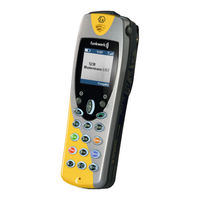
Funkwerk FC4 Bedienungsanleitung (242 Seiten)
Marke: Funkwerk
|
Kategorie: Handgeräte
| Dateigröße: 4 MB
Inhaltsverzeichnis
-
Deutsch
17-
Einleitung24
-
Menüauswahl32
-
Display35
-
Selector41
-
Telefonieren56
-
Messaging61
-
Pflege81
-
Wartung81
-
Anhang82
-
Menüstruktur82
-
Impressum90
-
English
91 -
Français
165

Funkwerk FC4 Bedienungsanleitung (172 Seiten)
Inhaltsverzeichnis
-
-
Einleitung
18 -
-
MEM-Card24
-
Menüauswahl
31-
Ruheanzeige34
-
Hauptmenü34
-
Display
35 -
-
Selector42
-
-
-
Anrufe50
-
-
-
-
Zweitanruf99
-
Follow Me102
-
Reset106
-
-
Anmelden107
-
Auswahlverfahren109
-
System Auswählen110
-
Telefon Ids112
-
Software Version112
-
-
Extras116
-
Wecker116
-
-
-
Messaging
119 -
-
Akkus Wechseln136
-
Akkus Aufladen137
-
-
Anhang
148


