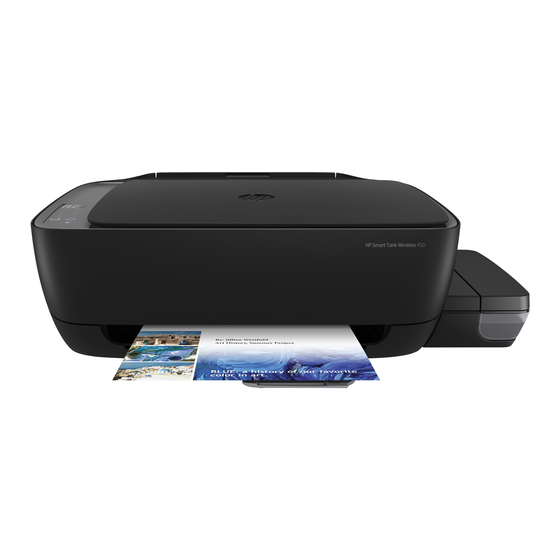
HP Smart Tank Wireless 450 Serie Handbuch
Inhaltsverzeichnis
Verfügbare Sprachen
Verfügbare Sprachen
Quicklinks
HP Smart Tank Wireless 450 series
Need help?
www.support.hp.com
Control panel
1
Control panel display: Indicates number of copies,
printhead priming state, media errors, wireless
status and signal strength, Wi-Fi Direct status, and
printhead problems. For more information about the
icons, see the user guide on www.support.hp.com
or the electronic Help installed with HP printer
software.
2
(Cancel button): Stops the current operation.
3
(Wireless button): Turns wireless capabilities
on or off.
Wireless light: Indicates whether the printer is
connected to a wireless network or not. A blinking
light indicates that wireless has not been setup or
that the printer is attempting to connect.
4
(Wi-Fi Direct button): Turns Wi-Fi Direct on or
off.
Wi-Fi Direct light: Indicates the on or off status
of Wi-Fi Direct. A blinking light indicates that the
printer is connecting to a mobile device in the Wi-Fi
Protected Setup (WPS) push mode or there is a
problem with the Wi-Fi Direct connection.
5
(Color Copy button): Starts a color copy job. To
increase the number of copies, press the button
multiple times. The number of copies appears
on the control panel display. Copying starts two
seconds after the last button press.
NOTE: You can generate a print quality diagnostics
report by pressing and holding the Color Copy
button for three seconds.
© Copyright 2018 HP Development Company, L.P.
*Z4B56-90024*
*Z4B56-90024*
6
Printhead Alert light: Indicates printhead
problems.
7
(Resume button): Resumes a job after a
disruption (for example, after loading paper or
clearing a paper jam).
Resume light: Indicates the printer is in a warning
or error state.
8
(Information button): Press this button to
print information about how to wirelessly connect
your printer to your network or directly to your
computer and mobile devices.
9
(HP ePrint button): Turns HP ePrint on or off.
HP ePrint light: Indicates the on or off status of
HP ePrint. A blinking light indicates a problem
with the connection to Web Services.
10
(Black Copy button): Starts a black-and-white
copy job. To increase the number of copies, press
the button multiple times. The number of copies
appears on the control panel display. Copying
starts two seconds after the last button press.
11
(Power button): Turns the printer on or off.
The information contained herein is subject to change
without notice.
EN
DE
IT
FR
NL
SV
FI
NO
DA
ET
Printed in [English]
Printed in [French]
Printed in [Spanish] Printed in [Portuguese]
Z4B56-90024
ES
PT
LT
LV
Inhaltsverzeichnis
Fehlerbehebung

Verwandte Anleitungen für HP Smart Tank Wireless 450 Serie


Inhaltszusammenfassung für HP Smart Tank Wireless 450 Serie
- Seite 6 Drucker versucht, eine Verbindung herzustellen. Ausschalten von HP ePrint. (Taste Wi-Fi Direct): Dient zum Ein- und HP ePrint (LED): Zeigt an, ob HP ePrint ein- oder Ausschalten von Wi-Fi Direct. ausgeschaltet ist. Blinkt die LED, besteht ein Problem mit der Verbindung zu den Webdiensten.
-
Seite 7: Bedienfeldanzeige - Fehler
Druckkopfproblem Wenn Druckqualitätsprobleme nach einer gewissen Verwendungsdauer des Druckers auftreten, muss der angezeigte Druckkopf ausgewechselt werden. Das Symbol Fehler ( ), ein Wenden Sie sich an den HP Support unter www.support.hp.com, um einen oder beide Druckkopf- Ersatzdruckkopf anzufordern. Symbole (... - Seite 8 Halten Sie beim Umstellen des Druckers innerhalb der Wohnung oder des Büros die Druckkopfverriegelung geschlossen und kippen Sie den Drucker nicht. Wenn Sie den Drucker über eine längere Distanz transportieren müssen, besuchen Sie www.support.hp.com oder wenden Sie sich an HP.
-
Seite 9: Wireless-Einrichtung - Hilfe
„Automatisch“ in „Manuell“ zu ändern und ein Administratorkennwort einzurichten. Allgemeine Fehlerbehebung • Vergewissern Sie sich, dass die neueste HP Smart App oder Druckersoftware von 123.hp.com auf jedem Gerät installiert wurde. • Bei Verwendung eines USB-Kabels muss dieses fest angeschlossen sein und der Drucker muss als Standarddrucker festgelegt sein. -
Seite 10: Erklärung Zur Beschränkten Gewährleistung Für Hp Drucker
3. Bei Softwareprodukten gilt die beschränkte Garantie von HP ausschließlich für die fehlerhafte Ausführung von Programmanweisungen. HP gewährleistet weder den unterbrechungs- noch den fehlerfreien Betrieb eines Produkts. 4. Die beschränkte Garantie von HP gilt nur für Mängel, die sich bei normaler Benutzung des Produkts ergeben, und deckt keine Fehler ab, die durch Folgendes verursacht wurden: a.