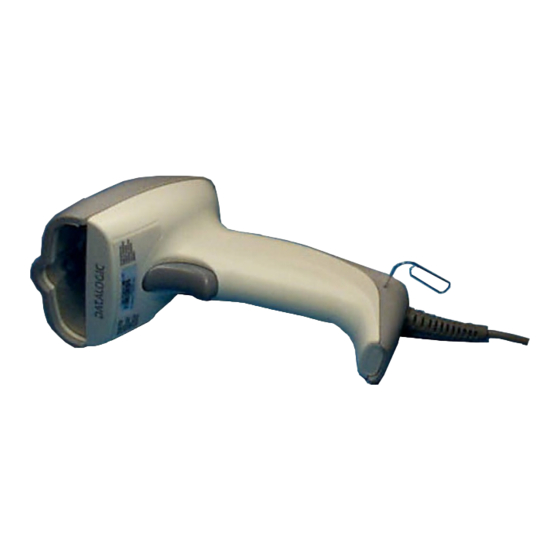
Datalogic GRYPHON USB D-Serie Kurzanleitung
Inhaltsverzeichnis
Verfügbare Sprachen
Verfügbare Sprachen
Quicklinks
Inhaltsverzeichnis

Verwandte Anleitungen für Datalogic GRYPHON USB D-Serie


Inhaltszusammenfassung für Datalogic GRYPHON USB D-Serie
- Seite 3 GRYPHON™ USB D SERIES READERS QUICK REFERENCE GUIDA RAPIDA GUIDE RAPIDE KURZANLEITUNG GUÍA RÁPIDA...
-
Seite 5: Inhaltsverzeichnis
CONTENTS USING GRYPHON™ USB SERIES READERS ..........1 TECHNICAL FEATURES ................. 2 CONNECTIONS ....................3 DISCONNECTING THE CABLE............... 4 USB READER CONFIGURATION..............4 CONFIGURAZIONE DEL LETTORE USB ............6 CONFIGURATION DU LECTEUR USB............8 KONFIGURATION DES LESEGERÄTES USB..........10 CONFIGURACIÓN DEL LECTOR USB ............12 USB INTERFACE SELECTION.............. -
Seite 7: Using Gryphon™ Usb Series Readers
GRYPHON™ USB USING GRYPHON™ USB SERIES READERS UK Gryphon guns automatically scan barcodes at a distance. Simply aim and pull the trigger. Code scanning is performed along the center of the light bar emitted from the reading window. This bar must cover the entire code. -
Seite 16: Konfiguration Des Lesegerätes Usb
Konfigurationscode der zu der Applikation passt gelesen, und falls nötig die USB Treiber geladen werden. Wenn die Einstellung „USB-COM“ gewählt wird, müssen relevanten Dateien Treiber USB-Device Installationssoftware installiert werden, diese kann von der WEB - Seite http://www.datalogic.com/services/support/ geladen werden. Der Gryphon™ USB ist nun Betriebsbereit. - Seite 17 GRYPHON™ USB Erstinbetriebnahme Anschluss des Grüne LED blinkt GRYPHON™ USB an den Host Treiber laden (wenn gefordert) NEIN USB-Stecker am Busversorgung Host abziehen ausreichend? Externes Netzteil Grüne LED aus - PIEPTON OK am USB-Kabel anstecken und versorgen Lesen des USB – Schnittstellen USB wieder an- Codes...
-
Seite 21: Usb Keyboard Nationality
GRYPHON™ USB USB KEYBOARD NATIONALITY USB-KBD users should select one of the following KEYBOARD NATIONALITY codes. Quando è selezionata l’interfaccia USB-KBD, leggere uno dei seguenti codici per impostare la nazionalità della tastiera. Pour utiliser l’interface USB-KBD, lire l'un des codes suivants pour sélectionner la nationalité... - Seite 22 DATALOGIC USB KEYBOARD NATIONALITY (continued) Italiano Svenskt Japanese...
-
Seite 23: Rs232 Reader Configuration
GRYPHON™ USB RS232 READER CONFIGURATION Read the RESTORE DEFAULT, then read the interface selection code for your application. Leggere il codice che ripristina i default. Leggere il codice per la selezione dell’interfaccia relativo modo comunicazione desiderato. Lire le code de configuration par défaut puis sélectionner le code correspondant au mode de communication désiré. - Seite 27 GRYPHON™ USB YOUR READER IS NOW READY TO READ BARCODES. To change the defaults see the Gryphon Software Configuration Manual, part number 90ACC1780. IL LETTORE È PRONTO A LEGGERE I CODICI. Per cambiare i parametri di default, fare riferimento al manuale "Gryphon...
-
Seite 28: Rss Codes
DATALOGIC RSS CODES To enable RSS code reading, select the desired codes from the following: L'abilitazione della decodifica di codici RSS avviene tramite la lettura dei seguenti codici: Pour pouvoir lire des codes RSS, sélectionner et lire le code désiré...