Depstech DS660 Bedienungsanleitung
Inhaltsverzeichnis
Verfügbare Sprachen
Verfügbare Sprachen
Quicklinks
Inhaltsverzeichnis

Verwandte Anleitungen für Depstech DS660


Inhaltszusammenfassung für Depstech DS660
- Seite 1 DS660 Multi-Language User Manual...
- Seite 3 Catalog 01 - 07 08 - 14 15 - 21 22 - 28 29 - 35 36 - 42...
-
Seite 5: Product Features
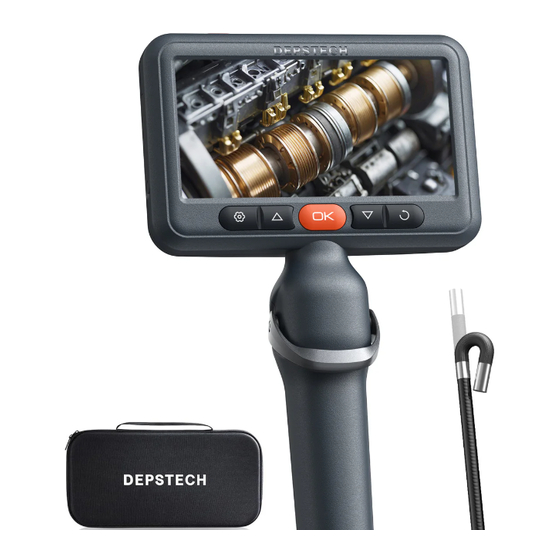
DS660 is a high-performance steerable industrial endoscope with a 5-inch IPS HD display, equipped with a camera to record video, a probe that can be turned 180°, and photos and videos that can be saved to a TF memory card. -
Seite 6: Product Introduction
Product Introduction • Press and hold for 2s to turn on/off the endoscope. • Click to enter the setting menu. • Click to increase the LED lights brightness of the camera. • Click in the menu interfaceto move the cursor up. •... - Seite 7 TF card slot • Supports up to 32G TF card. • Please format your TF card when using for the first time. Type-C charging port • For charging (Type-C cable connected to adapter). • For data transmission (Type-C cable connected to PC client). Charging Status LED Indicatore •...
-
Seite 8: Language Settings
Language Settings The default language of this device is English. To switch to another language, please follow these steps. 1. Click the ( ) button to enter the menu interface, select the language setting by the ) button, then press the ( button to select desired language. - Seite 9 Delete photos/videos 1. When viewing photos/videos, press ( button to access the photo/video details interface. 2. Click ( ) button to delete the current file or all files. 3. Click ( ) button to confirm delete. 4. Click ( ) button to return to the previous level or the preview interface.
- Seite 10 Copy photos and videos to your computer 1. Copy files directly using a TF card. Card Reader Card 2. Use Type-C data cable to connect a computer and transfer data. (1) Connect the product to your computer with a Type-C cable. (2) Select data transfer mode and press ( ) button to confirm, then you can copy photos and videos to your computer for saving.
-
Seite 11: Packing List
Specification Single Camera Model Dual Camera Camera Diameter 6.2 mm (0.24 in) 8.5 mm (0.33 in) 8.5mm (0.33 in) A: 3-10 cm (1.18-3.93 in) Best Focal Range 3-10 cm (1.18-3.93 in) B: 2-6 cm (0.79-2.36 in) Camera View 78° Screen Spec 5”... -
Seite 12: Produkteigenschaften
Sonde für 180°-Richtung. Fotos und Videos können auf einer TF-Speicherkarte gespeichert werden. Die Kamera ist mit einen hochwertigen CMOS-Chip eingebaut, der die Bluart 3.0-Technologie verwendet und hohe Bildrate und klare Bilder unterstützt. DS660 ist in der industriellen Wartung, Gerätewartung, mechanischen Wartung und Design und anderen Bereichen weit verbreitet. -
Seite 13: Einleitung
Einleitung • Halten Sie die Taste 2 Sekunden lang gedrickt, um das Endoskop ein/ausschalten. • Klicken Sie auf die Taste, um ins Menü zu gelangen. • Klichen Sie auf die Taste, um die LED-Lichter der Kamera aufzuhellen. • Bewegen Sie den Cursor nach oben (im Menü). •... -
Seite 14: Übersicht Über Die Benutzeroberfläche
TF-Karte Steckplatz • Unterstützt bis zu 32G TF-Karte. • Bei erstem Gebrauch formatieren bitte die Karte. Ladeanschluss Typ-C • Aufladen (Schließen Sie das Gerät mit dem Typ-C Kabel an das Netzteil an). • Datenübertragung (Schließen Sie das Gerät mit dem Typ-C Kabel an den PC an). -
Seite 15: Spracheinstellungen
Spracheinstellungen Die Standardsprache für dieses Gerät ist Englisch, um Sprache zu wechseln, folgen Sie bitte diesen Schritten: 1. Klicken Sie auf die Taste ( ), um das Menü aufzurufen, wählen Sie die Spracheinstellung über die Taste ( ) und drücken Sie die ) Taste, um Spracheinstellung aufzurufen. -
Seite 16: Fotos/Videos Löschen
Fotos/Videos löschen 1. Drücken Sie während der Anschau von Fotos/Videos die Taste ( ) , um Foto-/Videodetails aufzurufen. 2. Drücken Sie die Taste ( ), um Aktuellen Datei oder alle Datei löschen auszuwählen. 3. Drücken Sie die Taste ( ), um das Löschen zu bestätigen. -
Seite 17: Kopieren Von Foto-Und Videodateien Auf Ihren Computer
Kopieren von Foto-und Videodateien auf Ihren Computer 1. Kopieren Sie Dateien direkt mit einem TF-Kartenleser. Card Reader Card 2. Mit dem Typ-C Kabel an einen Computer anschließen. (1) Verwenden Sie das Typ-C-Kabel, um das Gerät an Ihren Computer anzuschließen. (2) Wählen Sie den Datenübertragungsmodus, drücken Sie zur Bestätigung die Taste ( ), und dann kopieren die Foto- und Videodateien auf den Computer. -
Seite 18: Spezifikation
Spezifikation Model Einzelne Kamera Dual-Kamera Kamera-Diameter 6.2 mm (0.24 in) 8.5 mm (0.33 in) 8.5 mm (0.33 in) Optimaler A: 3-10 cm (1.18-3.93 in) 3-10 cm (1.18-3.93 in) Brennweitenbereich B: 2-6 cm (0.79-2.36 in) Kamerawinkel 78° Display Spezifikation 5” IPS Screen Fotoauflösung 1920*1080 Video Spezifikation... -
Seite 19: Caractéristiques Du Produit
à améliorer votre efficacité professionnelle. DS660 est un endoscope industriel articulé de haute performance avec un écran IPS HD de 5 pouces, équipé d’une caméra pour enregistrer des vidéos, d’une sonde pour une direction à 180°, et les photos et vidéos peuvent être enregistrées sur une carte mémoire TF. -
Seite 20: Introduction Du Produit
Introduction du produit • Tenez le bouton en 2 secondes à allumer/éteindre l'endoscope. • Cliquez pour entrer au menu pour plus de réglages. • Cliquez pour éclairer les lumières de LED de la caméra. • Déplacez le curseur vers le haut. •... - Seite 21 Fente pour carte de TF • Prend en charge jusqu'à la carte de TF de 32G. • Veuillez la formater lorsque vous l'utilisez pour la première fois. Port de charge de Type-C • Charge (le câble de Type-C est connecté à l’alimentation). •...
-
Seite 22: Paramètres De Langue
Paramètres de langue La langue par défaut pour cet appareil est l’anglais, pour passer à une autre langue, veuillez suivre les étapes ci-dessous: 1. Cliquez sur le bouton ( ) pour accéder à l’interface du menu, sélectionnez le paramètre de langue via le bouton ( ) et appuyez sur le bouton ( ) pour... - Seite 23 Supprimez des photos/vidéos 1. Pendant que vous regardez des photos/vidéos, appuyez sur le bouton ( ) pour accéder à l’interface des détails de la photo/vidéo. 2. Appuyez sur le bouton ( ) pour sélectionner supprimer le fichier actuel ou tous les fichiers. 3.
- Seite 24 Transférez des fichiers photo et vidéo sur votre ordinateur 1. Transférez des fichiers directement à l’aide du lecteur de carte TF. Card Reader Card 2. Utilisez un câble Type-C pour se connecter à un ordinateur afin de transférer des données. (1) Utilisez un câble Type-C pour connecter le produit à...
-
Seite 25: Liste D'emballage
Spécification Double Caméras Modèle Simple Caméra Diamètre de Caméra 6.2 mm (0.24 in) 8.5 mm (0.33 in) 8.5 mm (0.33 in) A: 3-10 cm (1.18-3.93 in) Meilleur champ focal 3-10 cm (1.18-3.93 in) B: 2-6 cm (0.79-2.36 in) 78° Angle de vue de l’objectif Spécification de l'écran Schermo IPS da 5 Résolution des photos... -
Seite 26: Características Del Producto
DS660 es un endoscopio industrial articulado de alto rendimiento con una pantalla IPS HD de 5 pulgadas, equipado con una cámara para grabar vídeos, una sonda para la dirección de 180°, y las fotos y vídeos se pueden grabar en una tarjeta de memoria TF. -
Seite 27: Introducción Del Producto
Introducción del Producto • Mantenga presionado este botón durante 2 segundos para encender/ apagar el endoscopio. • Haga clic para ingresar al menú para más configuraciones. • Haga clic para iluminar las luces LED de la cámara. • Mover el cursor hacia arriba. •... - Seite 28 Ranura para tarjeta TF • Admite tarjetas TF de hasta 32G. • La tarjeta TF se ha insertado en la máquina, formatéela por primera vez. Puerto de carga Type-C • Carga (conecta el cable Type-C a la fuente de alimentación). •...
-
Seite 29: Configuración De Idioma
Configuración de idioma El idioma por defecto de este dispositivo es el inglés, para cambiar a otro idioma siga los pasos que se indican a continuación: 1. Pulse el botón ( ) para acceder a la interfaz de menú, seleccione la configuración de idioma mediante el botón ( ) y pulse el botón (... - Seite 30 Eliminar fotos/vídeos 1. Mientras visualizas fotos/vídeos, pulsa el botón ( ) para acceder a la interfaz de detalles de foto/vídeo. 2. Pulse el botón ( ) para seleccionar borrar el archivo actual o todos los archivos. 3. Pulse el botón ( ) para confirmar el borrado.
- Seite 31 Transfiere archivos de fotos y vídeos a tu ordenador 1. Transfiere archivos directamente con el lector de tarjetas TF. Card Reader Card 2. Utiliza un cable Tipo-C para conectarlo a un ordenador y transferir datos. (1) Utilice un cable Tipo-C para conectar el producto al ordenador. (2) Selecciona el modo de transferencia de datos, pulsa el botón ( ) para confirmar y, a continuación, podrás copiar los archivos de foto y vídeo en el...
-
Seite 32: Lista De Embalaje
Especificación Modelo Lente única Doble Lente Diámetro de la cámara 6.2 mm (0.24 in) 8.5 mm (0.33 in) 8.5 mm (0.33 in) A: 3-10 cm (1.18-3.93 in) Mejor rango focal 3-10 cm (1.18-3.93 in) B: 2-6 cm (0.79-2.36 in) Ángulo de visión de la lente 78°... -
Seite 33: Caratteristiche Del Prodotto
DS660 è un endoscopio industriale articolato ad alte prestazioni con display IPS HD da 5 pollici, dotato di una telecamera per la registrazione di video, una sonda per la direzione di 180° e la possibilità di registrare foto e video su una scheda di memoria TF. -
Seite 34: Introduzione Al Prodotto
Introduzione al prodotto • Si prega di tenere premuto questo pulsante per 2 secondi per accendere/spegnere l‘endoscopio. • Fai clic per accedere al menù per ulteriori impostazioni. • Fai clic per aumentare la luminosità delle luci LED della telecamera. • Spostare il cursore verso l‘alto. •... - Seite 35 Fessura per schede TF • Supporta fino a 32G TF card. • La scheda TF è stata inserita nella macchina, si prega di formattarla per il primo utilizzo. Porta di ricarica di Type-C • Per la ricarica (cavo Type-C collegato all'adattatore). •...
-
Seite 36: Impostazioni Della Lingua
Impostazioni della lingua La lingua predefinita del dispositivo è l'inglese; per passare a un'altra lingua, procedere come segue: 1. Premere il pulsante ( ) per accedere all'interfaccia del menu, selezionare l'impostazione della lingua con il pulsante ) e premere il pulsante ( per selezionare la lingua. - Seite 37 Eliminare foto/video 1. Durante la visualizzazione di foto/video, premere il pulsante ( ) per accedere all'interfaccia dei dettagli di foto/video. 2. Premere il pulsante ( ) per selezionare la cancellazione del file corrente o di tutti i file. 3. Premere il pulsante ( ) per confermare la cancellazione.
- Seite 38 Trasferimento di file foto e video sul computer 1. Trasferimento dei file direttamente con il lettore di schede TF. Card Reader Card 2. Utilizzare un cavo Type-C per collegarsi a un computer e trasferire i dati. (1) Utilizzare un cavo Type-C per collegare il prodotto al computer. (2) Selezionare la modalità...
- Seite 39 Specifiche Modello Singola Fotocamera Due Fotocamere Diametro della fotocamerar 6.2 mm (0.24 in) 8.5 mm (0.33 in) 8.5 mm (0.33 in) A: 3-10 cm (1.18-3.93 in) Migliore gamma focale 3-10 cm (1.18-3.93 in) B: 2-6 cm (0.79-2.36 in) Angolo della telecamera 78°...
- Seite 40 製品特徴 DEPSTECH は、さまざまなファイバースコープの製造に専念し、生々発展しているテクノロジー企業であ り、より安全安心な生活の実現をサポートすることに取り組んでいます。 DS660 は先端可動式、5 インチ IPS ディスプレイを備えた高性能ファイバースコープであります。ケーブ ル先端は 180° 湾曲可能で、撮影・録画可能なカメラを搭載し、写真・動画はTFメモリーカードに保存で きます。 カメラは高性能 CMOS チップと Bluart 3.0 テクノロジーを採用していることにより、クリアで 高フレームレートの映像が取得でき、機械・家電・エンジンなどのメンテナンス、設計で幅広く使用され ています。 特別警告 •本製品は工業用を想定し設計されたファイバースコープとなり、医療分野では使えないため、人体や生 物等への使用はしないでください。 •バッテリー寿命を延ばし、充電を長持ちさせるために、使用の有無にかかわらず 3 ヶ月に 1 度充電する ことをお勧めします。 •正しくない操作によりバッテリーが過熱して怪我をする恐れがあるため、内蔵バッテリーを自分で交換 しないでください。 セキュリティと保護 カメラのプローブは精密機器です。カメラのプローブを叩いたり、ケーブルを引っ張ったりしないでくだ さい。製品故障の原因になります! • プローブには、IP67 防水処理を施していますが、本体は防水ではありません。キズがつかないよう十分 注意してください。 • カメラのプローブは高温に弱いため、内燃機関や内部温度の高い機器を点検する時、直接使用する場合...
- Seite 41 製品紹介 • 2s 長押ししてオンにします。 • メニューオプションに入ります。 • クリックしてレンズの LED ライトを明るくします。 • クリックして上へ選択します(メニュー内)。 • 長押ししてアルバムに入る/終了します。 • 選択を確認します (メニュー内)。 • クリックしてレンズの LED ライトを暗くします。 • クリックして下へ選択します(メニュー内)。 • クリックして画像を 180 度回転させます。 • 2s 長押ししてレンズを切り替えます (注:デュアルレンズ製品のみ)。 • ダイヤルを上下にスライドさせると、それに応じて先端カメラアングルが変更。 • 短く押すと、写真が撮れます/動画撮影一時停止。 • 長押しで動画撮影開始。 - 37 -...
- Seite 42 TF メモリカードスロット • 32G までの TF カードに対応。 • 初回使用の場合に初期化(フォーマット)が必要。 Type-C 充電ポート • 充電用(Type-C ケーブルでアダプターに接続)。 • データ転送用(Type-C ケーブルで PC に接続)。 TF カードスロット • 最大 32G メモリTFカードに対応。 • 初めて使用前にTFカードをフォーマットしてください。 リセット穴 • リセットピンでリセット穴を押し込むとシャットダウンします。 UI アイコン紹介 プレビュー画面 撮影・録画 カメラ部の温度 バッテリー残量 TF カードのステータス 画像 180° 回転 メインレンズ...
- Seite 43 言語設定 デフォルト言語は英語ですが、別の言語に切り 替えるには、次の手順に従ってください: 1. ( )ボタンを押してメニュー画面に入り、 )ボタンで言語設定を選択し、 )ボタンを押します。 2. ( )ボタンを押して目的の言語を選 択し、( )ボタンを押して言語を切り替 えます。 3. ( )ボタンを押して、プレビュー画面に戻 ります。 撮影・録画 1. ( )ボタンを押すと写真を撮影します。 2. ( )ボタンを長押しすると録画開始、も う一度押すと録画終了します。 写真・動画確認 1. プレビュー画面で、( )ボタンを 2s 間 長押しするとアルバムに入ります。 2. ( )ボタン押すと写真・動画が表 示され、( )ボタンを押すと写真・動 画が再生します。 3. ( )ボタンを押すと、前の画面に戻って...
- Seite 44 写真・動画削除 1. 写真・動画を閲覧している時、( )ボタン を押すと写真・動画の詳細画面に入ります。 2. ( )ボタンを押して、現在のファイ ルまたはすべてのファイルを削除することを キャンセル 選択します。 3. ( )ボタンを押して、削除の確認を選択 します。 4. ( )ボタンを押して、前の画面またはプレ ビュー画面に戻ります。 レンズの切り替え (デュアルおよびトリプルレンズ製品のみに適用されます) ( )ボタンを 2s長押しすると、レンズが 切り替わります。 TF カードのフォーマット 1. プレビュー画面で、( )ボタンを押してメ ニューに入ります。 2. ( )ボタンを押して「フォーマット」 オプションを選択し、( )ボタンを押して オプション表示画面に入ります。 3. 「OK」オプションを選択し、( )ボタンを 押して確認します。...
- Seite 45 写真・動画をパソコンにコピー 1. TF カードリーダーでファイルを直接コピーします。 Card Reader Card 2. Type-C ケーブルでパソコンに接続し、データを転送します。 (1) Type-C ケーブルで本製品をパソコンに接続します。 (2) データ転送モードを選択し、( )ボタンを押して確認すると、写真と動画フ ァイルをパソコンにコピーして保存できます。 (3) Type-C ケーブルを抜くと、データ転送モードが自動的に終了し、映像プレビ ュー画面に戻ります。 充電 1. 製品を DC 5V アダプターに接続して充電してください。 2. 製品充電中、インジケーターが赤点滅します。フル充電になるとインジケーター が常時点灯します。 - 41 -...
- Seite 46 仕様 型番 シングルレンズ デュアルレンズ カメラ直径 6.2 mm (0.24 in) 8.5 mm (0.33 in) 8.5 mm (0.33 in) A: 3-10 cm (1.18-3.93 in) 焦点範囲 3-10 cm (1.18-3.93 in) B: 2-6 cm (0.79-2.36 in) 画角 78° モニター仕様 5 インチ IPS 液晶ディスプレイ 写真の解像度 1920*1080 ビデオの解像度...
- Seite 47 ※ FCC Requirement: Changes or modifications not expressly approved by the party responsible for compliance could void the user’s authority to operate the equipment. This device complies with Part 15 of the FCC Rules. Operation is subject to the following two conditions: (1) This device may not cause harmful interference, and (2) This device must accept any interference received, including interference that may cause undesired operation.
-
Seite 48: Customer Services
Please contact us if you have any questions, we love to hear from you www.depstech.com support@depstech.com Facebook Official Page: @DEPSTECH. FANS Shenzhen Potensic Intelligent Co., Ltd. 7/F, Building A5, Nanshan Intelligent Park, Nanshan District, Shenzhen, CN MADE IN CHINA V01.25.04... - Seite 49 1. Transférez des fichiers directement à l’aide du lecteur de carte TF. Modèle Simple Caméra Double Caméras DS660 est un endoscope industriel articulé de haute performance avec un écran IPS HD de 5 pouces, étapes ci-dessous: l’interface des détails de la photo/vidéo. Port de charge de Type-C 1.