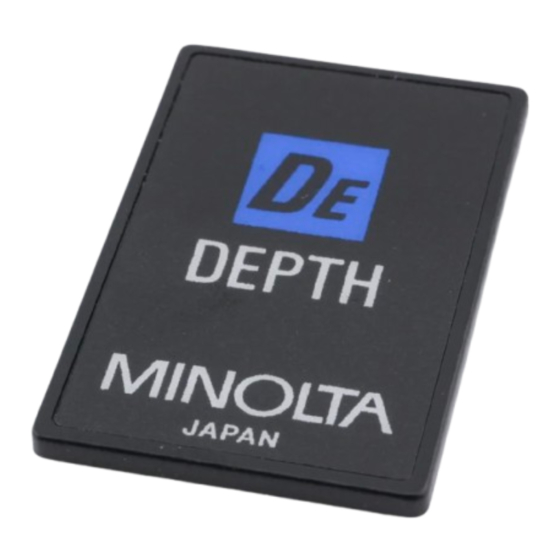
Minolta AUTOMATIC DEPTH CONTROL CARD Kurzanleitung
6927—200
AUTOMATIC DEPTH CONTROL CARD
43325
70587
8
AUTOMATIC
DEPTH
CONTROL
(For use with Dynax/Maxxum
5000i/7000i/8000i)
This Creative
Expansion
card causes the camera to
automatically
adjust the focus and aperture to control
the depth of field. Depth of field is the range behind and
in front of a subject that appears sharp when a lens is
focused
on the subject.
With this card, the focus and
aperture
are automatically
adjusted to provide the maxi-
mum
possible
depth
of field.
INSERTING
CARD
IN CAMERA
1. Set
the
main
switch
of
the
camera
to ON
or
2. Open the card door.
3. Insert
the
card
into
the
slot at the top of the card
door
with
the
card
contacts
facing you,
* Illustrations
in this manual
show
Dynax/Maxxum
CHIP-KARTE FÜR AUTOMATISCHE
SCHÄRFENTIEFESTEUERUNG
(Nur für Dynax 5000i/7000i/8000i)
Mit dieser Chip-Karte
steuert die Kamera automatisch
die Scharfeinstellung und Blende zur Bestimmung der
Schärfentiefe.
Unter
Schärfentiefe
versteht
Bereich vor und hinter einem Objekt,
innerhalb dem das
Bild
ausreichend
scharf
ist. Die Schärfe
werden
mit dieser Karte automatisch
so eingestellt,
maximale
Schärfentiefe
erzielt
wird.
EINSTECKEN
DER
KARTE
IN DIE KAMERA
l.
Kamera.Hauptschalter
auf ON Oder
stellen.
2. Kartenfachklappe
öff-
nen.
3.
Karte
von
oben
in
den
Schlitz
der
Kartenfach-
klappe
so einstecken,
daß
die
Kontakte
zu
Ihnen
zeigen.
*Die
Abbildungen
in dieser
Bedienungsanleitung
9222-6927-26
CARD
The display shown will
appear in the camera's data
panel for about five seconds,
and then be replaced by the
camera-operation
•
If
displays
shown
not appear, check that card
is inserted
correctly.
4.
Close
the card
•
To
cancel
the
inserted,
press card on/off
will disappear from the data panel.
To
remove
the
use, push the card-eject slide
up and pull the card up out
of the slot.
7,000i
1m
Datenmonitor
scheint die Anzeige wie ab-
gebildet. Nach 5 Sekunden
man
den
wechselt
die Anzeige
die
Kamerafunktionen
und
die Blende
scheinen.
daß
•
Sollte
die Anzeige
wie
abgebildet
muß geprüft
werden, 0b die
Karte
korrekt
wurde.
4. Kartenfachklappe
ließen.
Urn bei eingesteckter
zu löschen,
drückt
Datenmonitor
verschwindet
aktivierte
Chip-Karte.
Zum
Herausnehmen
Chip-Karte
drückt
Kartenentnahmehebel
oben
und
zieht
aus dem
Fach
heraus.
zeigen die Dynax
7000i.
MINOLTA CAMERA CO., LTD.
3-13, 2-Chome, Azuchi•Machi, Chuo-Ku, Osaka 541, Japan
Card
name
dPth
display.
CARD
does
se indication
Card
in
CARD
door.
function
of
this
card
while
card
is
key. Card in
use
indication
card
after
Kartenname
er-
dP
h
und
er-
CARD
nicht
Anzeige
für ak,tivierte
Chip Karte
erscheinen,
eingesteckt
CARD
sch-
Chip-Karte
die Kartenfunktion
man die Ein/Aus•Taste
CARD.
1m
dann
die Anzeige
für
der
man den
nach
die
Karte
TAKING
PICTURES
To take pictures,
aim the camera at the subject and
press the shutter-release button.
Focus and exposure will
headjusted a utomatically to provide t hemaximum pos.
iible depth of field. When the shutter-release button is
pressed halfway
down, the main subject will be focused
on; when the shutter-release button is pressed all the way
down to take a picture, the camera will automatically
the focus
(to
provide
the maximum
depth of field) just before the picture is taken.
•
Exposure mode will automatically be set to program
mode and cannot be changed. Program shift is not
possible.
•
Focus mode will be set to autofocus
will initially
be set to infinity.
Predictive
not function.
Manual
focus
is not recommended.
In low light or if you focus manually, the background
may be out of focus.
When taking flash pictures,
if the background
beyond the flash range for the aperture set by the card,
the background
may not be seen.
CARE
AND
STORAGE
o
Do not
touch
the
contacts
on the card.
tacts become dirty, clean thgm with a clean soft cloth.
o Do not wipe the card with benzene. paint thinner, or
other
chemicals.
Do not store the card in a humid place.
o
FOTOGRAFIEREN MIT DER CHIP-KARTE FÜR
AUTOMATISCHE SCHÄRFENTIEFESTEUERUNG
Zum
Fotografieren
nehmen
Sic
Ihr
Sucher
und
drücken
den
Auslöser.
Schärfe
tung werden automatisch so eingestellt, daß maximale
Schärfentiefe
erzielt
wird.
Wenn
man den Auslöser
eindrückt, stellt die Kamera auf das Hauptobjekt scharf.
Wird der Auslöser für die Aufnahme ganz durchgedrückt,
stellt die Kamera die Schärfe,
um größtmöqliche
eintiefe
zu gaielen
kurz
vor der Aufnahme
Die Belichtungsfunktion
ist auf Programmautomatik
festgelegt und läßt Sich nicht verändern. Programm•Shift
ist nicht möglich.
•
Die
Scharfeinstell-Funktion
ist
auf
elegt,
und die Schärfe
Wird
anfangs auf
ingestellt.
Der
voraussehende
Prädiktions-Autofokus
Voreinstellung
der Schärfe) funktioniert
charfeinstellung
Wird nicht empfohlen.
•
Bei
schwachem
Licht
Oder
bei
manueller
stellung kann der Hintergrund
unscharf werden.
• Wenn
der
Hintergrund
bei
der
gesteuerten
Blende außerhalb
der Blitzreichweite
können
die Motivbereiche
im Hintergrund
werden.
PFLEGE
UND
AUFBEWAHRUNG
0
Die
Kartenkontakte
nicht
berühren.
Verschmutzung
Sie mit einem sauberen, weichen
reinigen.
•
Die Chip-Karte
nicht mit Benzin, Lackverdünner
anderen Chernikalien
in Berührung bringen.
•
Die Chip-Karte
nicht an einem feuchten
wahren.
T002-B2
possible
mode and focus
autofocus does
is
If the con-
Motiv
in den
und
Belich-
halb
Schärf-
nach.
Autofokus
fest-
Unendlich
nicht. Manuelle
Scharfein•
von
der
Karte
liegt,
zu dunkel
Bei
eventueller
Tuch
Oder
Ort aufbe-
Printed
in Japan

Verwandte Anleitungen für Minolta AUTOMATIC DEPTH CONTROL CARD


Inhaltszusammenfassung für Minolta AUTOMATIC DEPTH CONTROL CARD
- Seite 1 6927—200 AUTOMATIC DEPTH CONTROL CARD 43325 70587 AUTOMATIC DEPTH CONTROL CARD Card name (For use with Dynax/Maxxum 5000i/7000i/8000i) The display shown will TAKING PICTURES This Creative Expansion card causes the camera to dPth appear in the camera's data To take pictures,...
- Seite 2 AUTOMATIC DEPTHCONTROLCARD MINOLTA PRISES DE VUE Pour effectuer des prises de vue, dirigez I'appareil sur CARTE CONTROLE PROFONDEUR CHAMP Ie sujet et appuyez sur Ie déclencheur. La mise au point de la carte (S'utilise avec le Dynax/Maxxum 5000i/7000i/8000i) et l'exposition seront ajustées automatiquement...