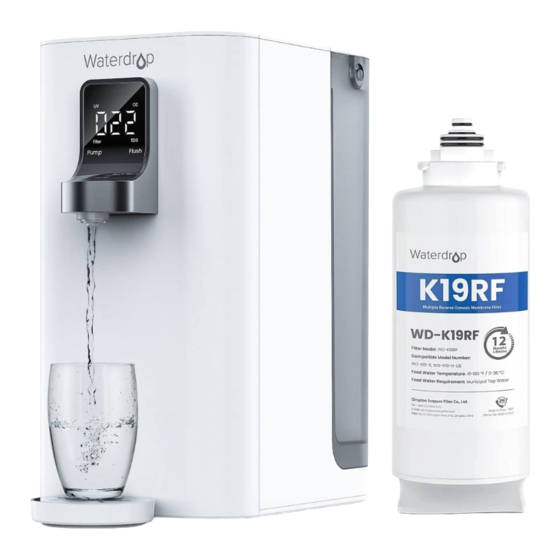
Waterdrop WD-K19RF Installationsanleitung
Verfügbare Sprachen
Verfügbare Sprachen
Quicklinks
Replacement Filter Installation Manual
Replacement for the following water filtration system:
Waterdrop Countertop Reverse Osmosis Water Dispenser:
WD-K19-S, WD-K19-H-US, WD-K19-H-DE, WD-K19-H-UK
Filter life: Up to 12 months.
Note:
Do not use it with water that is microbiologically unsafe or of unknown water quality
without adequate disinfection.
Filter Replacement Guide
Open
Close
①
Note:
1. After rst 12L/408 OZ of water is taken, you will get the best taste.
2. It is not recommended to drink water obtained when the "
3. Any time the screen displays " L1", pour out all remaining water and re ll it with water.
(which may vary according to local water quality)
Step 1:
Turn counterclockwise to
remove the old lter.
Step 3:
Hold the "
" key for 5
seconds for lter reset.
②
③
Step 5:
④
•① ②
Filtering water for 2-3 mins.
•② ③
Place a 1.5L/51 OZ container, and press the
"
•④ ①
Circular ushing for 3L/102OZ.
• If the screen displays " L1", change water in the
tank.
" light blinks.
Model: WD-K19RF
Step 2:
Install the new lter and rotate it
clockwise and downwards to the lock.
Step 4:
• Automatic ushing for 5 mins.
• If the screen displays " L1", change
water in the tank.
" key to dispense water.

Verwandte Anleitungen für Waterdrop WD-K19RF


Inhaltszusammenfassung für Waterdrop WD-K19RF
- Seite 3 Filteraustauschanleitung. Schritt 1: Schritt 2: Drehen Sie gegen den Installieren Sie den neuen Filter und Open Uhrzeigersinn, um den drehen Sie ihn im Uhrzeigersinn alten Filter zu entfernen. und nach unten zum Verriegeln. Close Schritt 3: Schritt 4: Halten Sie die Taste” “...