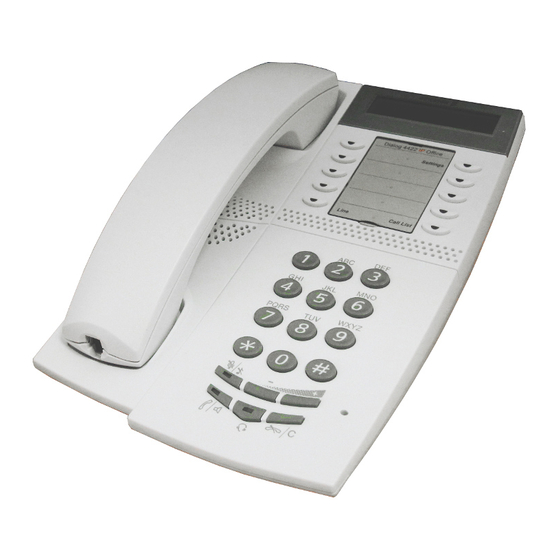
Ericsson Dialog 4422 IP Office Kurzanleitung
Businessphone communication platform
Vorschau ausblenden
Andere Handbücher für Dialog 4422 IP Office:
- Kurzanleitung (40 Seiten) ,
- Kurzreferenz (40 Seiten)
Inhaltsverzeichnis
Verfügbare Sprachen
Verfügbare Sprachen
Quicklinks
Dialog 4422 IP Office / Dialog 4425 IP Vision
?
BusinessPhone Communication Platform
Cover Page Graphic
Place the graphic directly on the page, do not care about
putting it in the text flow. Select Graphics > Properties
and make the following settings:
•
Width: 15,4 cm (Important!)
•
Height: 11,2 cm (May be smaller)
•
Top: 5,3 cm (Important!)
•
Left: -0,3 cm (Important!)
This text should then be hidden.
Quick Reference Guide
Inhaltsverzeichnis

Verwandte Anleitungen für Ericsson Dialog 4422 IP Office


Inhaltszusammenfassung für Ericsson Dialog 4422 IP Office
- Seite 2 LZTBS 180 344 R1A © Ericsson Enterprise AB 2005 BusinessPhone – Ericsson Dialog 4422 IP Office / Dialog 4425 IP Vision...
-
Seite 8: Anrufweiterschaltung
Interne Rufumleitung: Rufnummer der í Anklopfen: Hörer nicht auflegen Nebenstelle # 2 1 # (AT, BE, BR, DE, DK: 5) í Aufheben: Aufschalten: (AT, BE, BR, DE, DK: 4) BusinessPhone – Ericsson Dialog 4422 IP Office / 4425 IP Vision... - Seite 9 [Monat Tag] í Neues Passwort Warnung: Unter Umständen kann der Anrufliste Hörer kleine magnetische Metallobjekte anziehen, die sich in der Hörmuschel Dialog 4422 verfangen. Ô Anrufliste anzeigen: Anrufliste BusinessPhone – Ericsson Dialog 4422 IP Office / 4425 IP Vision...