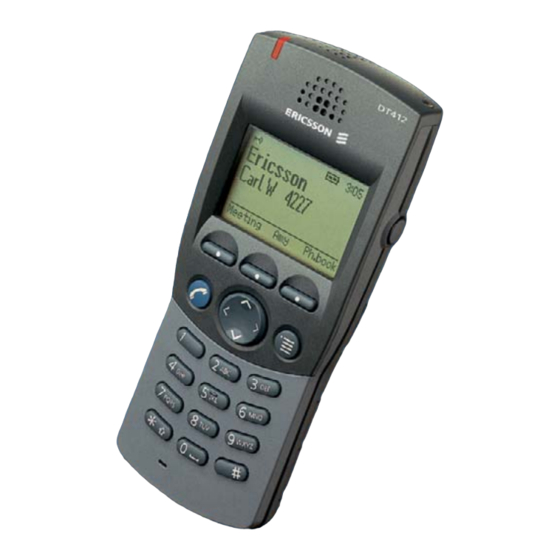
Ericsson DT412 Kurzreferenz
Cordless businessphone communication platform
Vorschau ausblenden
Andere Handbücher für DT412:
- Bedienungsanleitung (132 Seiten) ,
- Kurzanleitung (36 Seiten)
Verfügbare Sprachen
Verfügbare Sprachen
?
Downloaded from
www.Manualslib.com
Cover Page Graphic
Place the graphic directly on the page, do not care about
putting it in the text flow. Select Graphics > Properties
and make the following settings:
•
Width: 15,4 cm (Important!)
•
Height: 11,2 cm (May be smaller)
•
Top: 5,3 cm (Important!)
•
Left: -0,3 cm (Important!)
This text should then be hidden.
manuals search engine
Cordless DT412 / DT422
BusinessPhone Communication Platform
Quick Reference Guide
Inhaltsverzeichnis

Verwandte Anleitungen für Ericsson DT412


Inhaltszusammenfassung für Ericsson DT412
- Seite 2 LZTBS 160 355 R1B © Ericsson Enterprise AB 2003 BusinessPhone – Cordless DT412/DT422 Downloaded from www.Manualslib.com manuals search engine...
- Seite 8 Kurzanleitung Schnurlose Telefone DT412 / DT422 In dieser Kurzanleitung finden Sie kurze Beschreibungen zu den Die vollständige Bedienungsanleitung steht in elektronischem grundlegenden Funktionen. Eine ausführliche Beschreibung Format auf der mitgelieferten Toolbox-CD-ROM und online aller verfügbaren Funktionen finden Sie in der unter http://www.ericsson.com/enterprise...
- Seite 9 Kurzanleitung Schnurlose Telefone DT412 / DT422 Anrufweiterschaltung Diktiergerät * 2 1 # * 5 8 # æ æ Feste Rufumleitung: Nachricht aufnehmen: Sprechen # 2 1 # æ Aufheben: Abspielen: * 2 1 * Individuelle interne Neue Aufnahme: Sprechen æ...
- Seite 35 Downloaded from www.Manualslib.com manuals search engine...