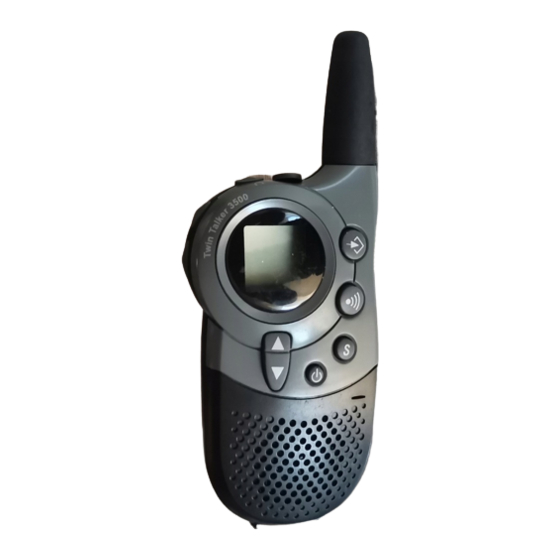
Topcom Twintalker 3500 Bedienungsanleitung
Inhaltsverzeichnis
Verfügbare Sprachen
Verfügbare Sprachen
Quicklinks
2
7
3
PTT
8
User Guide
3. LCD SCREEN
a. RX icon. Displayed when receiving a signal.
b. TX icon. Displayed when transmitting a signal.
c. Displays the current VOLUME LEVEL.
d. CTCSS code. Changes from 1 to 38 as selected
by user.
e. Displayed during the CHANNEL SCAN mode.
f.
Displays during the VOX mode.
g. Button lock symbol
h. The current battery level charge.
i.
Channel number. Changes from 1-8 as selected
by user.
4. GETTING STARTED
4.1. Turning the Unit ON/OFF
To activate; press and hold the POWER button ( ) . The unit will "beep" and
the LCD Screen will display the current channel.
To switch off; press and hold the POWER ( ) button again. The unit will "beep"
and the LCD Screen will turn blank.
4.2. Adjusting Speaker Volume.
The Speaker Volume can be adjusted using
is displayed on the LCD(see §3)
4.3. Receiving a Signal
The unit is continuously in the RECEIVE mode when the unit is ON and not
transmitting. When you receive a signal on the current channel, the RX icon is
displayed (see §3)
4.4. Transmitting a Signal
1. Press and hold the PTT button to TRANSMIT.
2. Hold the unit in a vertical position with the MICROPHONE 5 cm from the
mouth and speak into the microphone.
3. Release the PTT button when you have finished transmitting.
NOTE: To check the channel activity; press and hold the MONITOR
You'll hear static if the channel is unoccupied. Don't TRANSMIT if someone is
talking on the channel.
IMPORTANT: In order for other people to receive your transmission, they must
also be on the same channel and have set the CTCSS code you are currently
using. Refer to the 'Changing Channels'
6
5
P
HI
9
LO
VX SC
4
11
S
10
1
12
U8006062
/
. The Speaker Volume level
button.
1. DESCRIPTION
(see front cover)
1. Microphone
2. Monitor button
3. Talk button
4. Call button
5. Ear/mic/charger
6. Antenna
2. INSTALLATION
1
2
4
2.1. Removing/Installing the Belt Clip
1. To remove the clip from the unit, push up on the belt clip (2) while pulling
the clip tab (1).
2. When re-installing the belt clip, a click indicates the BeltClip is locked into
position.
2.2. Battery Installation
1. Remove the belt clip (2).
2. Pull the Battery Cover Tab (4) and remove the Battery Cover (3).
3. Install four 'AAA' alkaline or rechargeable batteries following the polarity as
shown.
4. Re-install the Battery Cover (3) and Belt Clip (2).
5. OPERATION
5.1. Changing Channels
The PMRS has 8 available channels.
To change channels:
1. Press the MENU button (
) once, the current channel number flashes on
the LCD Screen.
2. Press the UP ( ) or DOWN button ( ) to change the channel.
3. Press the MENU button (
) to confirm the channel selection and go to
CTCSS SUB-CHANNEL SELECTION mode, or press the TALK button to
select the desired channel and return to NORMAL mode.
5.2. CTCSS (Continuous Tone Coded Squelch System)
The 2 digit CTCSS code corresponds to a specific tone frequency the radio
emits. Two users, with the same channel and CTCSS set can hear one
another.They will not be able to hear anyone else on the channel unless the
other radios have the same exact CTCSS code enabled.
The Twintalker 3500 has 38 CTCSS codes available.
1. Press the MENU button (
) twice, the CTCSS code will flash
2. Press the UP ( ) or DOWN button ( ) to move to another code.
3. Press the TALK button to confirm your selection and return to the NORMAL
mode.
4. To confirm and shift to the next option, press the MENU button
Note: Any PMR set on the same channel can receive and listen to the
conversation, also when the other use a CTCSS code.
5.3. Monitor
You can use the MONITOR feature to check for weaker signals in the current
channel.
• Press the MONITOR button (
) for normal monitoring.
• Press and hold the MONITOR button (
monitoring.
7. LCD display
8. Up/Down button
9. Menu/Lock button
10.On/Off button
11.Scan button
12.Speaker
3
.
) until it "beeps" for continuous
Inhaltsverzeichnis

Verwandte Anleitungen für Topcom Twintalker 3500


Inhaltszusammenfassung für Topcom Twintalker 3500
-
Seite 7: Lcd-Display
Einheit ständig im EMPFANGS-Modus. Wenn Sie ein Signal in dem aktuellen genau denselben CTCSS-Code aktiviert haben. Kanal erhalten, wird das RX-Symbol angezeigt (siehe §3A) Der Twintalker 3500 hat 38 verfügbare CTCSS-Codes. 4.4. Ein Signal übertragen 1. Drücken Sie zweimal die MENÜ ( )-Taste und der CTCSS-Code leuchtet 1. -
Seite 8: Sicherheitsanweisungen
Betrieb und Schäden, die durch die Verwendung von Teilen, 7.5. Sprengzünder und -zonen die keine Originalteile sind, oder von nicht von Topcom empfohlenem Zubehör Um mögliche Störungen bei Sprengarbeiten zu vermeiden, sollten Sie Ihr entstanden sind, werden nicht von der Garantie gedeckt.