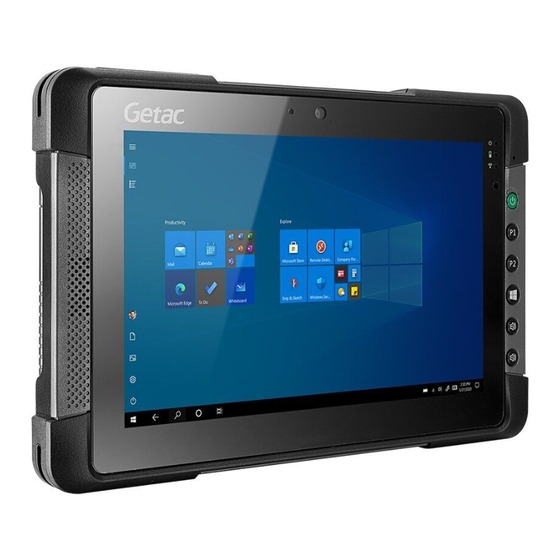
Getac T800 Serie Bedienungsanleitung
Vorschau ausblenden
Andere Handbücher für T800 Serie:
- Bedienungsanleitung (45 Seiten) ,
- Benutzerhandbuch (90 Seiten)

Verwandte Anleitungen für Getac T800 Serie


Inhaltszusammenfassung für Getac T800 Serie
- Seite 1 T800 Series Operation Guide Bedienungsanleitung Guía de funcionamiento Manuel de fonctionnement Guida d’Uso 操作指南 Инструкция по эксплуатации Rugged Mobile Computing Solutions...
- Seite 2 T800 G2 English ......... 1 Deutsch ........6 Español ........11 Français ........16 Italiano ........21 Pусский ........26 简体中文 ........31 繁體中文 ........35 NOTE: The information in this manual is subject to change without notice. HINWEIS: Änderungen der Informationen in diesem Handbuch sind vorbehalten. NOTA: La información de este manual está...
-
Seite 3: Getting Started
Connecting to AC Power and Getting Started Starting Up Unpacking The first time you use your Tablet PC, connect the AC adapter. T800 G2 Tablet PC 1. Plug the DC cord of the AC adapter to the AC adapter AC power cord ... - Seite 4 Taking a Look at the Tablet PC See footnote Tether holder x 4 Camera lens Touchscreen Indicators Microphone Light sensor Power button Camera / Trigger Speaker OSDC USB 3.0 port Start Volume up Combo audio connector Volume down Power connector Antenna pass-through Docking connector (GPS-WLAN-WWAN)
- Seite 5 • Taking Care of the Tablet PC LCD image sticking occurs when a fixed pattern is displayed on the screen for a prolonged period of time. You can avoid Location Guidelines the problem by limiting the amount of • static content on the display. It is recom- For optimal performance, use the Tablet mended that you use a screen saver or PC where the recommended temperature...
- Seite 6 • • It is recommended that you do not charge Use a soft cloth to remove dirt on the dis- the battery pack more than once a day. play. The touchscreen surface has a special protective coating that prevents dirt from •...
- Seite 7 In case you have to return your Tablet PC to You can download the latest manual and Getac for replacing the storage device and drivers by accessing the Getac web link at you want to completely erase the data http://www.getac.com Support.
-
Seite 8: Erste Schritte
Erste Schritte Netzkabel anschließen und Computer einschalten Auspacken des Lieferkartons Wir empfehlen, dass Sie den Computer beim erstmaligen Einschalten mit Netzstrom T800 G2-Tablet-PC versorgen. Netzteil Netzkabel 1. Verbinden die Gleichstromleitung des Netzteils mit dem Netzanschluss des Computers ( Stylus Befestigungsbandes 2. -
Seite 9: Der Computer Von Außen
Der Computer von außen Siehe Fußnote Halterung für Befestigungsband x 4 Kameraobjektiv Touchscreen Geräteanzeigen Mikrofon Lightsensor Netzschalter Kamera-/ Auslöser Lautsprecher OSDC USB-3.0- Anschluss Start Lauter Kombi- Audio- Leiser anschluss Netzanschluss Antennenanschluss Dockinganschluss (GPS-WLAN-WWAN) SIM-Karten Kameraobjektiv fachabdeckung Blitz Stylus Erweiterungs- anschluss Akku Bestimmte Modelle verfügen über eine Komponente an dieser Stelle. -
Seite 10: Umgang Mit Dem Computer
• Umgang mit dem Computer Stellen Sie keine schweren Gegenstände auf den geschlossenen Computer, da hierdurch der LCD-Bildschirm beschädigt Richtlinien zum Aufstellungsort werden könnte. • Arbeiten Sie mit dem Computer bei Tem- • Berühren Sie den Bildschirm nicht mit peraturen zwischen 0 °C (32 °F) und 50 °C einem scharfkantigen Gegenstand, um ihn (122 °F) –... - Seite 11 zu verlängern, halten Sie die Anzahl der Eigenschaften von Akkus verursacht. Die Aufladungen auf ein Minimum, damit sich geeignete Betriebstemperatur des Akkus beträgt -10 °C ~ 50 °C (14 °F ~ 122 °F). seine interne Temperatur nicht zu oft erhöht. •...
-
Seite 12: Wiederherstellung Oder Zurücksetzen
Fehlerbehebungswerkzeuge als „Advanced Startup Options (Erweiterte Start- Sie können das aktuelle Handbuch und optionen)“. Sie können auf diese Optionen Treiber durch Aufruf des Getac Weblinks Einstellungen unter http://www.getac.com Support. zugreifen, indem Sie Update und Sicherheit wählen. Es gibt mehrere Auswahlmöglichkeiten:... -
Seite 13: Cargar La Batería
Conectar a la alimentación de CA y Comenzar encender el equipo Desembalaje Sugerimos que use la corriente CA cuando inicie el equipo por primera vez. Tableta T800 G2 1. Enchufe el cable de alimentación CC del Adaptador CA Cable de alimentación adaptador de CA al conector de ... - Seite 14 Echando un vistazo al equipo Consulte la nota al pie Soporte de correa flexible x 4 Lentes de la cámara Pantalla táctil Indicadores Micrófono Sensor de luz Botón de encendido Cámara / Activador Altavoz OSDC Puerto USB 3.0 Inicio Subir volumen Conector de audio Bajar volumen...
- Seite 15 Cuidar el equipo Indicaciones generales • No exponga la piel al equipo cuando lo Directrices de ubicación maneje en un ambiente muy cálido o frío. • • Para un óptimo rendimiento, use el orde- No ponga objetos pesados sobre el equipo, nador en un lugar en el que la temperatura ya que esto podría dañar la pantalla.
- Seite 16 • • Para evitar acelerar el deterioro de la ba- No deje la batería almacenada durante tería, y así prolongar su vida útil, reduzca más de seis meses sin recargarla. el número de veces que la carga para no Directrices de la pantalla táctil aumentar frecuentemente su temperatura interna.
-
Seite 17: Más Información
“Advanced Startup Options Puede descargar el manual y los controla- (Opciones de inicio avanzadas)”. Puede dores más recientes accediendo al vínculo Web de Getac en http://www.getac.com acceder a estas opciones seleccionando Configuración Actualización y seguridad Support. Hay varias opciones: •... -
Seite 18: Mise En Route
Branchement de l’alimentation CA Mise en route et mise en marche de l’ordinateur Déballage Il est conseillé d’utiliser l’alimentation CA lorsque vous mettez en marche l’ordinateur Ordinateur tablette T800 G2 pour la toute première fois. Adaptateur CA Cordon d’alimentation 1. Branchez le cordon CC de l‘ad’aptateur CA sur le connecteur d’alimentation de ... - Seite 19 Coup d’oil sur l’ordinateur Voir la note Support pour attache x 4 Objectif de la caméra Écran tactile Indicateurs Mikro Capteur de lumière Bouton d’alimentation Caméra / Déclenchement Haut- OSDC parleur Port USB 3.0 Démarrer Volume plus Connecteur audio combo Volume moins Connecteur d’alimentation Antenne pass-through...
- Seite 20 Prendre soin de l’ordinateur Consignes générales • Ne pas exposer votre peau à l’ordinateur Consignes concernant l’emplacement quand il fonctionne dans un environne- ment très chaud ou très froid. • Pour des performances optimales, utilisez • l’ordinateur là où la température recom- Ne placez pas d’objets lourds sur l’ordi- mandée est entre 0 °C (32 °F) et 50 °C (122 nateur car ceci peut endommager...
- Seite 21 fois où vous le chargez pour ne pas aug- teries. La température de functionnement menter fréquemment sa température approprié pour la batterie est de -10 °C ~ interne. 50 ºC (14 ºF ~ 122 ºF). • • Chargez le bloc batterie dans une page de Ne jamais laissez le bloc batterie dans températures de 10 °C ~ 30 °C (50 °F ~ 86 °F).
-
Seite 22: Plus D'informations
Vous pouvez télécharger les dernières à ces options en sélectionnant éditions du manuel de l’utilisateur et des Paramètres Mise à jour et sécurité. pilotes à partir du site Web de Getac au lien Plusieurs choix sont possibles : suivant: http://www.getac.com Support. -
Seite 23: Per Iniziare
Collegamento dell’alimentazione Per iniziare CA e accensione del computer Disimballaggio Si consiglia di usare il cavo elettrico quando si avvia il computer per la prima volta. Tablet PC T800 G2 1. Collegare il cavo CC dell’adattatore CA al Adattatore CA Cavo di alimentazione ... - Seite 24 Un’occhiata al computer Fare riferimento alla nota a piè pagina Passante laccio x 4 Obiettivo fotocamera Indicatori Touchscreen Microfono Sensore della luminosità Pulsante di accensione Fotocamera / Trigger Altopar- OSDC lante Porta USB 3.0 Start Volume su Connettore audio combo Volume giù...
- Seite 25 Cura del computer viene chiuso in quanto il display potrebbe rovinarsi. • Linee guida sul collocamento Per evitare danni allo schermo, non toccarlo con oggetti appuntiti. • Per avere una prestazione ottimale, usare • Il fenomeno di “burn-in” o gohsting delle il computer dove la temperatura consi- gliata è...
- Seite 26 • Caricare la batteria in un intervallo di tem- Linee guida del touchscreen perature tra i 10 °C ~ 30 °C (50 °F ~ 86 °F). • Usare il ditto oppure lo stilo. L’utilizzo di Un ambiente con alte temperature farà un oggetto metallico diverso dal dito o riscaldare la batteria.
-
Seite 27: Altre Informazioni
PDF) sul desktop di Windows. avanzate).” È possibile accedere a queste È possibile scaricare il manuale e i driver più Impostazioni opzioni selezionando aggiornati accedendo al sito web Getac su Aggiornamento e sicurezza. Vi sono varie http://www.getac.com Support. opzioni: •... -
Seite 28: Перед Началом Работы
Подключение к сети переменного Перед началом работы тока Распаковка При самом первом включении компьютера рекомендуется использовать питание от Планшетный компьютер T800 G2 сети переменного тока. Адаптер переменного Шнур сетевого питания 1. Подсоедините кабель постоянного тока от тока адаптера сетевого питания к разъему ... - Seite 29 Обзор компьютера См. примечание Фиксатор фала крепления x 4 Объектив камеры Сенсорный Индикаторы Микрофон Датчик освещения Кнопка питания Камера / Trigger Динамик OSDC Пуск Порт USB 3.0 Увеличение Комбинирован- громкости ный разъем Уменьшение аудио громкости Разъем питания Проходная антенна Разъем док- (GPS-WLAN-WWAN) станции...
- Seite 30 Обслуживание компьютера Общие указания • Не допускайте соприкосновения кожи с Указания по размещению компьютером, если он работает в очень жарких или холодных условиях. • Для поддержания оптимальной произво- дительности используйте компьютер в • Не помещайте на сложенный компьютер помещениях с рекомендуемой темпера- тяжелые...
- Seite 31 • • Чтобы не допустить быстрого ухудшения При использовании аккумуляторного пи- характеристик аккумулятора и, таким тания при чрезмерно низкой окружающей образом, продлить срок его службы, температуре могут наблюдаться снижение постарайтесь минимизировать количе- времени работы, а также неверные пока- ство процедур перезарядки, и не допустить зания...
-
Seite 32: Дополнительная Информация
льные параметры загрузки)». Для доступа к рабочем столе Windows. этим параметрам выберите пункты Последние версии руководства и драйверов Параметры Обновление & безопасность. можно загрузить с вебсайта Getac: Предусмотрено несколько функций. http://www.getac.com Support. • Восстановление системы • Восстановление с диска... - Seite 33 连接电源和开机 准备开始 当您首次开机时,建议您使用外部电源。 装箱清单 1. 将交流适配器的 DC 电源线插入计算机的电源 T800 G2 平板计算机 插孔内 ( )。 电源适配器 电源线 2. 将 AC 电源线的母接头端插入交流适配器,公 接头端插入墙壁的电源插座 ( )。 触摸屏笔 笔绳 屏幕清洁布 操作指南等文件 驱动程序光盘(可选) 注:本装箱清单适用于标准型号;部分特定型号 可能拥有不同品项。 3. 按电源钮 ( ) 开机。 安装 SIM 卡(可选) 4.
- Seite 34 电脑外观介绍 参见脚注 绳索孔 x 4 摄像镜头 指示灯 触摸屏 麦克风 光传感器 电源钮 相机/触发 扬声器 OSDC USB 3.0 端口 开始 复合式音频 调高音量 端口 调低音量 天线直通接口 电源接口 基座接口 (GPS-WLAN-WWAN) SIM 卡插槽 盖 摄像镜头 闪光灯 触摸屏笔 扩充端口 电池 部份型号于此处有一组件。可能是序列端口、RJ45 端口、或条形码扫描镜头的其中之一。 仅限特定型号。 在某些情况下,您可能需要将 Docking USB Port Setting(底座 USB 端口设置)设为 USB 2.0。详情请查阅用户手册。...
- Seite 35 清理准则 平时维护 • 切勿在产品开机中清理产品。 地点准则 • 清洁机身外部时, 请以不掉绵屑的软质布料擦 • 为确保最佳的效能,请在建议的 0 °C (32 °F) 拭。 到 50 °C (122 °F)的温度范围内使用产品。 (实 • 际运行温度取决于产品规格。) 如果产品遭水或其他液体溅湿, 请在可以清理 的时候予以擦干。 不要让产品在可以擦干的情 • 使用产品时应避免潮湿、极端的温度、震动、 况下持续潮湿着。 阳光直射及落尘量多的场所。 长期在极端环境 • 产品在 0 °C (32 °F) 环境下遇湿可能会导致冻 下使用可能导致产品退化以及产品寿命缩短。 伤。请务必将打湿的产品抹干。...
- Seite 36 • Windows 的系统恢复一般要费时数小时才能 完成。 • 请勿存放电池超过六个月而不充电。 触摸屏准则 更多信息 • 使用手指或随附的触摸屏笔在触摸屏上操作。 要获得本产品的完整信息,请参阅放置于计算机 若使用尖利或金属物品 (而不使用手指或触摸 Windows 桌面的使用手册(PDF 格式)。 屏笔),可能导致显示屏刮伤和损坏,进而导 致错误。 您可以访问 Getac 网站 http://www.getac.com Support 下载最新手册和驱动程序。 • 使用软布擦去显示屏上的灰尘。 触摸屏表面有 特殊保护层,可防止灰尘吸附在上面。若不使 产品中有害物质的名称及含量 用软布, 可能导致触摸屏表面的特殊保护层损 坏。 有害物质 • 清洁屏幕时请务必关机。 开机时清洁屏幕可能 部件名称 铅 汞...
- Seite 37 T800 (本型式係使用 CPU PIN1380 之主機板) 平 板 電 腦 操作指南...
- Seite 38 開始使用 連接電源與開機 首次開機時,建議您連接 AC 交流電源。 裝箱清單 1. 電源整流器的 DC 端插入電腦的電源接頭 ( ) 。 T800 G2 平板電腦 2. 電源線的⺟接頭端插入電源整流器,公接頭端 電源整流器 電源線 插入牆壁的電源插座 ( )。 觸控筆 筆繩 拭鏡布 操作指南等文件 驅動程式光碟(選配) 註:本裝箱清單適用於標準型號;部分特定型號 可能擁有不同品項。 3. 按下電源鈕 ( ) 開機。 4. 開機後作業系統 Microsoft Windows 即啟 安裝...
- Seite 39 電腦外觀介紹 參見註記 繩索孔 x 4 相機鏡頭 觸控螢幕 指示燈 麥克風 光線感應器 電源鈕 相機/觸發 喇叭 OSDC USB 3.0 接頭 開始 提高音量 複合式音訊 接頭 降低音量 電源接頭 天線直通接頭 底座接頭 (GPS-WLAN-WWAN) 相機鏡頭 SIM 卡插槽 蓋 閃光燈 觸控筆 擴充接頭 電池 部份型號於此處有⼀元件。可能是序列埠、RJ45 接頭、或條碼掃描鏡頭的其中之⼀。 僅限特定型號。 在某些情況下,您可能需要將 Docking USB Port Setting(底座 USB 埠設定)設為 USB 2.0。詳情請查閱使用手冊。...
- Seite 40 平時維護 為了延⻑螢幕背光的壽命,請設定電源管理 • 自動關閉背光。 地點守則 清理守則 為確保最佳效能,請在建議的 0 °C (32 °F) 到 • 40 °C (104 °F) 環境溫度範圍內使用電腦。 (實 勿在電腦開機狀態下進行清潔。 • 際適合操作之溫度依產品規格而有所不同。) 清潔機身外部時,請以不掉綿絮的軟質布料擦 • 使用電腦時應避免潮濕、過熱或過冷、震動、 • 拭。 陽光直射及落塵過多的場所。⻑期在極端環境 如果電腦遭水或其他液體濺溼,請在可以清理 • 下使用電腦可能導致產品退化以及產品壽命 的時候予以擦乾。勿讓電腦在可以擦乾的情況 縮短。 下持續潮濕著。 禁止在含有金屬粉塵的環境下操作。 • 電腦在 0 °C (32 °F) 環境下遇濕可能會導致凍 •...
- Seite 41 • Windows 的系統復原⼀般要費時數小時才能 請勿貯放電池超過六個月而不充電。 • 完成。 觸控螢幕守則 更多訊息 請用手指或隨附的觸控筆操作螢幕。使用手指 • 或觸控筆以外的尖銳或金屬物品碰觸螢幕,可 要獲取本產品的完整資訊,請參閱放置於電腦 能會刮傷與損壞螢幕,因而造成故障。 Windows 桌面的使用手冊(PDF 格式)。 請使用軟布擦拭螢幕上的灰塵。觸控螢幕的表 • 您可以造訪 Getac 網站下載最新手冊和驅動程 面有⼀層保護塗層,可預防灰塵黏著。使用軟 式 。 網頁位於 。 http://www.getac.com Support 布之外的物品可能會傷害觸控螢幕表面上的 特殊保護塗層。 清潔螢幕時請務必關機。清潔時若未關閉電 • 源,可能會使螢幕故障。 請勿在螢幕上施力過重。避免將物品放置在螢 • 幕上,以免螢幕破裂而損壞。 在低溫和高溫(低於 5 •...
- Seite 43 Getac Contact Information Company name Getac Technology GmbH. Kanzlerstrasse 4 Address 40472 Dusseldorf, Germany Phone +49 (0) 211-984819-0 Company name Getac UK Ltd. Getac House, Stafford Park 12, Address Telford, Shropshire, TF3 3BJ, UK Phone +44 (0) 1952-207-222 Company name Getac Inc.
- Seite 44 5 6 1 5 1 2 2 8 0 0 0 1 R 0 4...