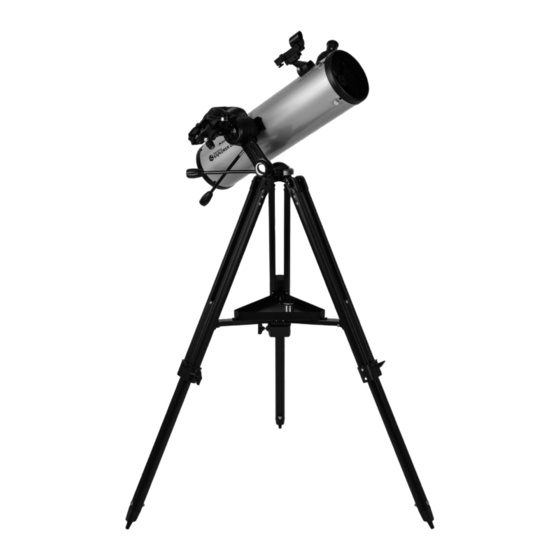
Celestron StarSense Explorer DX Kurzanleitung Zur Einrichtung
Verfügbare Sprachen
Verfügbare Sprachen
Inhaltsverzeichnis
Quick Setup Guide
ENGLISH
5
To attach the slow-motion knobs
first locate the supplied hex key hidden inside the
slot in the front of your mount.
8
Slide the dovetail bar into the clamp at the top of the
mount and tighten the hand knob on the bottom of
the clamp to secure the telescope in place.
1
130AZ
Unpack your telescope and verify that all parts are
ITEM #22461
present. Your StarSense Explorer DX includes:
a telescope tube, a tripod and mount head, an
accessory bag, slow motion controls, an accessory
tray, two eyepieces, a finderscope, a StarSense
phone dock, StarSense Explorer app code card,
and a hex key (hidden inside the slot in the front of
the mount head).
3
Extend the legs of the tripod by loosening the three
hand knobs on each leg. Pull each leg section all
the way out and tighten the hand knobs to secure
them in place.
6
Place the slow-motion control knob over the
to your mount,
D-shaped gear shaft and push inward to make sure
it is fully seated. Use the hex key to tighten the
setscrews onto the gear shaft. Return the hex key to
its storage position in the front of the mount.
9
Remove the cap from the focuser and insert the barrel
of the 25 mmeyepiece into the focuser. Tighten the
setscrew to secure the eyepiece in place.
2
To set up the tripod, spread the legs outward until
they are fully extended and push down the center leg
brace.
4
Place the accessory tray on top of the center brace
and line up the three holes. Insert the three thumb
screws through the bottom of the leg brace and
thread them into the tray.
7
Hold the telescope tube next to the mount with the
dovetail bar on the tube facing the clamp on the top
of the mount arm.
10
Slide the finderscope bracket into the dovetail slot
on the telescope tube near the focuser. The large
window on the finder should be facing the front of
the telescope. Secure the bracket by tightening the
setscrew on the dovetail slot.
ENGLISH | 1
Inhaltsverzeichnis

Verwandte Anleitungen für Celestron StarSense Explorer DX


Inhaltszusammenfassung für Celestron StarSense Explorer DX
- Seite 9 130AZ Kurzanleitung zur Einrichtung DEUTSCH Packen Sie Ihr Teleskop aus und überprüfen sie die Zum Aufbau des Stativs die Beine nach außen ziehen, ARTIKELNR. 22461 Vollständigkeit aller Teile. Ihr StarSense Explorer bis sie vollständig ausgezogen sind. Drücken Sie die DX enthält: einen Teleskoptubus, ein Stativ und mittlere Beinstrebe nach unten.
-
Seite 10: App Herunterladen
Ihrer draußen nehmen. Suchen Sie im Apple App Store Teleskopverpackung. Starten Sie die App. Wenn oder bei Google Play nach „Celestron StarSense Sie dazu aufgefordert werden, geben Sie den Explorer“. Die App ist groß. Daher empfehlen Aktivierungscode auf der Postkarte ein, um die App zu wir, sie über eine bestehende WLAN-Verbindung... - Seite 11 Bewegen des Teleskops StarSense Explorer DX-Montierung Drehen beide Feineinstellungsregler nach Rutschkupplungen an beiden Achsen. Um mit dem Bedarf, um Feineinstellungen vorzunehmen oder Teleskop große Bewegungen auszuführen, halten Sie Himmelsobjekte zu verfolgen. einfach ein Stativbein mit einer Hand und drücken Sie mit der anderen Hand auf den Teleskoptubus, um das Teleskop in die gewünschte Richtung zu bewegen.
- Seite 12 Für weitere Informationen zu diesem Produkt, besuchen Sie die entsprechende Produktseite auf celestron.com SONNENSTRAHLEN-WARNHINWEIS: Niemals ohne einen vorschriftsmäßigen Sonnenfilter durch ein Teleskop in die Sonne schauen. Brauchen Sie Unterstützung? Wenden Sie sich an die technische Unterstützung von Celestron unter celestron.com/pages/technical-support 12 | DEUTSCH 07-19...