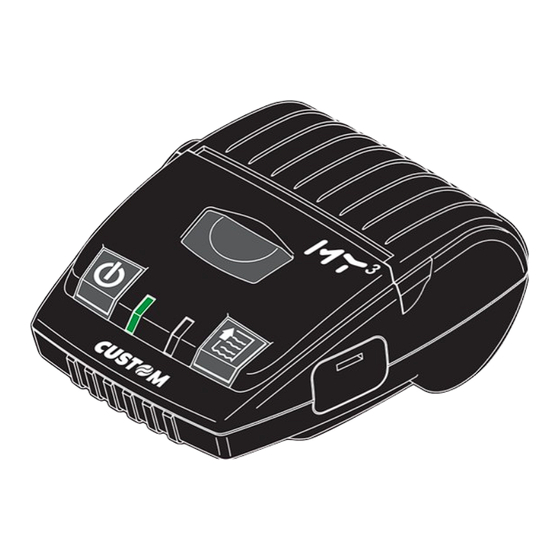
Custom my3 Bedienungsanleitung
Inhaltsverzeichnis

Verwandte Anleitungen für Custom my3


Inhaltszusammenfassung für Custom my3
- Seite 1 USER’S GUIDE GUIDA OPERATIVA GUIDE D’UTILISATION BEDIENUNGSANLEITUNG GUIA OPERATIVA...
- Seite 3 The CE mark affi xed to the product certify that the product satisfi es the basic safety requirements. Il marchio CE applicato al prodotto certifi ca che il prodotto stesso soddisfa i requisi- ti base di sicurezza. Le label CE appliqué sur le produit certifi e que le produit même satisfait les qualités requises de securité...
- Seite 5 Table of contents Indice Table des matières Inhaltsverzeichnics Indice PRINTER SETUP PRINTER TYPE ......KPM300 PRINTING HEAD TYPE ....KPA80 INTERFACE ........RS232 SETUP SETUP PROGRAM MEMORY TEST..OK DYNAMIC RAM TEST....OK EEPROM TEST......OK CUTTER TEST.......OK PRINTER HEAD Rav .....624 HEAD VOLTAGE [V] = 24,29 HEAD TEMPERATURE [°C] = 26 POWER ON COUNTER...
- Seite 6 BLANK PAGE <2>...
-
Seite 7: Unpacking The Printer
UNPACKING THE PRINTER User manual Guarantee sheet Packing shell Printer USB cable Power supply Paper roll Carton DISIMBALLO DELLA STAMPANTE Manuale utente Foglio garanzia Imballo sagomato di protezione Stampante Cavo USB Alimentatore Rotolo carta Scatola <3>... - Seite 8 BLANK PAGE <4>...
- Seite 9 DESCRIPTION DESCRIZIONE PRINTER OFF STAMPANTE SPENTA COMMUNICATION STATUS / STATI COMUNICAZIONE GREEN STAMPANTE ACCESA: STANBY VERDE PRINT HEAD OVER TEMPERATURE SOVRATEMPERATURA TESTINA N O T E: If serial and USB connectors are PAPER END FINE CARTA inserted,communication port is USB POWER SUPPLY VOLTAGE INCORRECT TENSIONE BATTERIA ERRATA N O T A:...
- Seite 10 BLANK PAGE <6>...
- Seite 11 ON/OFF FEED TURN ON ACCENSIONE TURN OFF SPEGNIMENTO LOGO TEST ENTER SETUP ENTRA NEL SETUP Modify parameter MODIFICA PARAMETRO Next parameter PARAMETRO SUCCESSIVO <7>...
- Seite 12 BLANK PAGE <8>...
- Seite 13 1.1 Compatible 2.0 Port USB STANDARD SIGNAL Vbus Data + Data- Shell Shield type A NOTE: See page 11 for RE-CHARGE STATUS LED. NOTA: Vedere pagina 11 per LED STATO RICARICA N O T E: When using USB com- munication port, set USB interface from SETUP mode.
- Seite 14 BLANK PAGE <10>...
- Seite 15 DESCRIPTION DESCRIZIONE PRINTER OFF STAMPANTE SPENTA RE-CHARGE IN RICARICA ROSSO GREEN RE-CHARGE COMPLETE RICARICA COMPLETATA VERDE <11>...
- Seite 16 BLANK PAGE <12>...
- Seite 17 Belt Clip Belt Clip Gancio Cintura Gancio Cintura (OPTIONAL) (OPTIONAL) <13>...
- Seite 18 BLANK PAGE <14>...
-
Seite 19: Battery Pack
• Only utilize batteries that conform to specifi cations and only recharge them using battery re-chargers approved by CUSTOM ENGINEERING SPA. • When the battery re-charger is not in use, unplug it from the electrical mains. If not used, even a completely-charged battery will auto- matically discharge over time. - Seite 20 BLANK PAGE <16>...
- Seite 21 Paper roll insertion Paper roll insertion Inserimento rotolo Inserimento rotolo Introduire le rouleau Introduire le rouleau Einsetzen der Papierrolle Einsetzen der Papierrolle Introducir el rollo Introducir el rollo N O T E: Inspect inside the printer every paper change, and verify that there aren’t paper off-cuts on the cutter compartment;...
- Seite 22 BLANK PAGE <18>...
- Seite 23 Paper Jam Paper Jam Inceppamento Inceppamento Bourrage de papier Bourrage de papier Papierstau Papierstau Atasco de papel Atasco de papel B E W A R E: In case of paper jam do not operate over the printer with any kind of in- struments, like scissors, screwdriver, cutter, etc.
- Seite 24 BLANK PAGE <20>...
- Seite 25 ROSSO Customer Service Department: Customer Service Department: Monday-Friday at 9-12 and 14-17 e-mail: support@custom.it Contact Customer Service if the LED with the printer on, still blinking on red light. Chiamate l’Assistenza tecnica se il led (a stampante accesa) lampeggia prolunga- tamente sul colore rosso.
- Seite 26 BLANK PAGE <22>...
-
Seite 27: Printer Setup
FEED prima dell’accensione della stampante e PRINTER SETUP mantenendo la pressione per qualche secondo dopo l’accensione stessa. PRINTER TYPE = MY3 2 La stampante stamperà la lista di tutti I parametri: HEAD VOLTAGE [V] = 07.64 HEAD TEMPERATURE [°C] = 36 Bluetooth or USB. - Seite 28 BLANK PAGE <24>...
- Seite 29 OK. • Follow the instructions that appear on the screen to install the driver. 1 Prelevare il SW dal sito Internet: www.custom.biz 2 Installare il software della stampante come indi- Installation for Installation for cato nella seguente procedura: •...
- Seite 30 BLANK PAGE <26>...
-
Seite 31: Technical Specifications
(1) It depends by the battery status, the priniting typology and the environmental temp. Dipendente dallo stato delle batterie, dalla tipologia della stampa e dalla temp. ambiente. (1) (2) Standard CUSTOM receipt (L=10cm, Densità = 12,5% dot accesi). Scontrino CUSTOM standard (L=10cm, Density = 12,5% dots on). (2) - Seite 32 BLANK PAGE <28>...
- Seite 33 Appendix Appendix ENVIRONMENTAL CONDITIONS Operating temperature 0-50°C Operating humidity 10-85% Rh w/o condensation Storage temperature/humidity -20 °C – 70 °C / 10% - 90% Rh (w/o paper) Length [mm] = 105 Width [mm] = 135 DIMENSIONS Height [mm] = 61 (cover closed) 233 (w/o battery) - 287 (with battery) WEIGHT [gr] (3) With out paper roll...
- Seite 34 BLANK PAGE <30>...
-
Seite 35: Accessories And Spare Parts
A.2.1 ACCESSORIES SCST065-P1200 Belt Clip Gancio per cintura VACUSTODIA-ST065 Shoulder bag Tracolla PCXSP-MY3-DS Docking station (4 stands) Stazione di ricarica 4 posizioni INPUT SPECIFICATION / SPECIFICHE DI INGRESSO Input voltage / Tensione di ingresso 90 ÷ 264 V Current / Corrente MAX 0.8 A (100V) - Seite 36 BLANK PAGE <32>...
- Seite 37 Appendix Appendix A.3 CLEANING A.3.1 OUTSIDE CLEANING To clean the machine, use a pneumatics air or soft cloth. First remove the mains plug from the wall socket. Do not use alcohol, solvents, or hard brushes. Do not let water or other liquids get inside the machine.
- Seite 38 BLANK PAGE <34>...
- Seite 39 Appendix Appendix A.3.2 CLEANING THE ROLLERS To clean the roller, use a a medium-stiff brush to avoid them being scratched. First remove the mains plug from the wall socket. Do not use alcohol or solvents. Do not let water or other liquids get inside the machine.
- Seite 40 BLANK PAGE <36>...
- Seite 41 Appendix Appendix A.3.3 CLEANING THE PRINTING HEAD Clean the printing head heating line using a non-abrasive cloth moistened with denatured alcohol. Pulire la linea di riscaldamento della testina di stampa con un panno anti-graffi o imbevuto di alcool denaturato. Néttoyer la ligne de chauffage de la tete ATTENTION! d’impression avec un chiffon anti-égratignure Do not touch the head heating line with bare hands...
- Seite 42 BLANK PAGE <38>...
- Seite 44 CUSTOM ENGINEERING SPA World Headquarters Via Berettine, 2 - 43100 Fontevivo Tel. +39 0521 680111 - Fax +39 0521 610701 info@custom.biz - www.custom.biz All rigths reserved www.custom.biz...