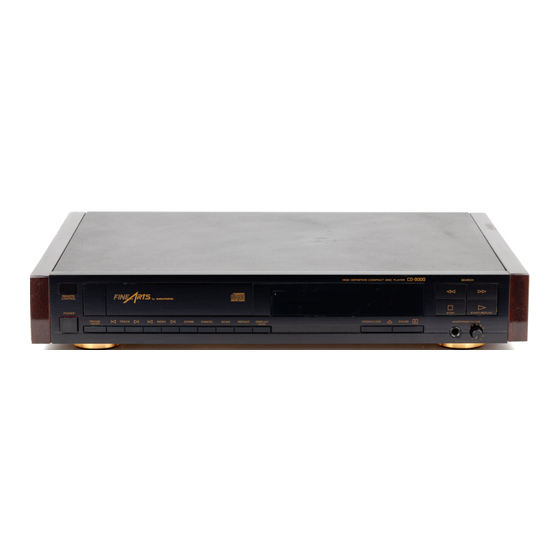
Grundig FINEARTS CD-9000 Bedienungsanleitung
Inhaltsverzeichnis
Verfügbare Sprachen
Verfügbare Sprachen
Quicklinks
Inhaltsverzeichnis

Verwandte Anleitungen für Grundig FINEARTS CD-9000


Inhaltszusammenfassung für Grundig FINEARTS CD-9000
- Seite 1 LOVdVNOO NOILINld3a HOIH 36-03...
- Seite 2 Deutsch Seite English page 10 Franeais page 17...
- Seite 3 SCAN Suchlauf-Tasten automatischen zum raschen Auffinden Anspielen eines einer Passage POWER-Taste jeden Tracks bzw. Ein- Ausschalten Index DISPLAY MODE Umschalten zwischen Anzeige der Spielzeiten Index-Anwahl START/REPLAY der Track-Nummer (innerhalb eines Titels) Starten Oder zum Programmieren Abspielens STOP zum Zurücksetzen (nur bei CDs mit Index- Codierung) I zum Abbrechen des Abspielens...
- Seite 4 Verstärker-AnschluB Verstärker-Anschluß (Ausgangspegel mit Pegel- mit festem Ausgangspegel, steller veränderbar) R = Rechter Kanal, L = Linker Kanal FINFIRTS . CLASS co-9000 LASER PAOC-CT scs€.s soarxN Pegelsteller zum Anpassen Digital-Ausgang Netzkabel-Buchse an andere Programmquellen Aufstellen DIGITAL OUTPUT Dieser Ausgang macht den CD-Spieler für künftige Compact- Zur Transportsicherung befinden sich im Boden des CD-Spie-...
- Seite 5 Sie können den Tracksprung anhand der Ziffem-Anzeige (links) Schließen der Schublade verfolgen, wenn Sie mit Taste DISPLAY MODE umschalten Dazu drücken Sie die Taste OPEN/CLOSE. Nach dem Einfahren (TRACK-Zeichen darüber leuchtet). der Schublade »liest« der Spieler das Inhaltsverzeichnis der CD- Beim Tracksprungk während des ersten Tracks oderTracksprung Platte und zeigt Gesamt-Spielzeit sowie Anzahl der Tracks (Titel,...
-
Seite 6: Zum Programmieren
Programm-Betrieb (Program Mode) Das Anwählen eines Tracks bzw. Index mit den Tasten TRACK bzw. können Sie anhand der Nummemanzeige verfolgen : Die Der Programm-Speicher des CD-Spielers hat 20 Plätze. Sie kön- entsprechende Nummer blinkt dann. Speichem Sie mit Taste nen maximal 20 Tracks speichem bzw. - Seite 7 Track/Index-Programmierung Bei bestimmten CD-Platten können Sie auch Teilabschnitte von Tracks speichern, falls diese durch verschiedene Indizes auf den CDs vorgegeben Sind (siehe Platen-Begleitheft). Wenn Sie die Indizes eines Tracks durcheinander eingeben, werden Sie beim Abspeichern automatisch in numerischer Reihenfolge geordnet. Wollen Sie alle Indizes eines Tracks in Ihr Programm aufnehmen, so genügt das Abspeichem des Tracks (er beinhaltet alle Indizes).
-
Seite 8: Programm Abspielen
AnspieI-Betrieb (SCAN Mode) Programm durchsehen Der Programmier-Mode mug abgeschaltet sein mit Taste PROGR. Um den Inhalt einer Platte kennenzulemen, können Sie jeden ON/OFF bzw. automatisch (Z.B.20 Sek. nach der letzten Aktivie- Track für 10 Sekunden anspielen lassen, ebenso jeden Index bei rung Oder wenn das Gerät ein Programm zu Ende gespielt hat, Platten mit Index-Codierung also wieder im Stand-by-Mode... -
Seite 9: Fernbedienung
Fernbedienung RC 9000 CD Mit dieser speziellen Fernbedienung steuern Sie den CD-Spieler über Infrarot-lmpulse, die Sie auf den eingebauten Sensor geben (in der Frontseite links). Die Fernbedienung ist mit 2 Mignon-Batterien zu bestücken. Fernsteuern können Sie neben den Grundfunktionen (Starten, Track- bzw. - Seite 10 Search buttons For rapidly locating a SCAN passage For automatically playing the beginning of each POWER button track or index switching on and off DISPLAY MODE For switching display between playing time display and Index selection START/REPLAY track number display (within a track) For starting play and for returning to...
-
Seite 11: Switching On And Off
Amplifier connection Amplifier connection (output level adjustable with fixed output level. with level control) R = right channel, L = left channel. CLASS CD-9000 LASER PRCOUCT RENNE G•LX CERATES pp:cn RETIREE SECtEL_n Digital output Mains lead socket Level control for adjusting to the levels of other programme sources DIGITAL... -
Seite 12: Replay Mode
and hotd button TRACK k or", respectively, until the number of the Closing the Disc Tray desired track begins to flash in the display, then release button . It To close the disc tray, press button OPEN/CLOSE. When the disc is possible to follow the track skip function on the digital track indi- tray is slid in, the CD player reads the directory of the CD disc and cation if you switch to track/index... -
Seite 13: Programming Mode
Selection of a track or index with the buttons TRACK or Programming Mode spectively, can be followed on the numerical display :The respec- The programme memory of the CD player has 20 memory toca- tive number will flash. If the found number is stored with button... - Seite 14 Track/lndex Programming On certain compact discs it is also possible, to store parts of tracks, provided these parts are assigned to indexes (see leaflet supplied with the compact disc). If you enter the indexes of a track in random sequence, they will automatically be sorted in numeric sequence when storing them into the memory.
- Seite 15 Scan Mode Examining the Programme The programming mode must be switched off either manuallywith Ifyou wish to familiarize yourself with the contents of the disc, you button PROGR. ON/OFF or automatically (eg. 20 seconds afterthe can play each track or index (with index-encoded discs) for about last activation or if the unit has played a programme up to its end 10 seconds.
-
Seite 16: Remote Control
Remote Control RC 9000 This special remote control permits to control the CD player via in- frared impulses being received by the sensor in the left side of the front panel. The remote control must be fitted with two HP 7 batteries. Remote control of the basic functions Start, Track/lndex... - Seite 17 SCAN Touches de recherche Lecture automatique rapide de passages du début de chaque Touche POWER morceau ou index pour la mise en et hors service DISPLAY MODE Commutation entre l'affichage des temps de lecture Sélection d'index START/REPLAY et des numéros de morceaux (å...
- Seite 18 Raccordement amplificateur Raccordement amplificateur avec niveau de sortie fixe (niveau de sortie réglable R = canal droit, L = canal gauche avec réglage de niveau) CLASS co-9000 L ASER asæoo Réglage de niveau pour Sortie numérique Prise pour cable secteur I'adaptation d'autres sources de programmes...
-
Seite 19: Lecture De Disques
Fermeture du tiroir Acces direct un morceau Vous pouvez, pendant la lecture, passer directement d'un mor- Pour cela, appuyez ä nouveau sur Ia touche OPEN/CLOSE. Une ceau ä un autre. Pour cela, appuyez sur la touche TRACK k ou>l et fois Ietiroirfermé, le lecteur determine Iecontenu du disque et affi- relachez-la aussitöt que le numéro correspondant au morceau dé-... - Seite 20 Pour la programmation Pause en lecture Pour interrompre un moment la lecture, appuyez sur la touche Introduisez un disque et refermez Ie tiroir. Le lecteur détermine le contenu du disque et affiche sa durée tota- PAUSE : I'indication PAUSE apparaTt dans I'afficheur. Pour repren- le (en minutes et secondes) ainsi qu'un certain nombre de numé- dre la lecture, appuyez nouveau sur la touche PAUSE ou sur la...
- Seite 21 Programmation d'index et de morceaux Dans le cas de disques comportant des numéros d'index, il est possible de programmer la lecture d'index précis I'tntérieur des mor- ceaux. Si vous programmez Ies index d'un morceau dans Ie désordre, ceux-ci seront automatiquement mémorisés dans l'ordre par rappareil. Si vous désirez programmer tous Ies index d'un morceau, il vous suffit de programmer Ie morceau lui-meme.
-
Seite 22: Entretien Des Disques
Lecture rapide d'un disque Lecture d'un programme Appuyez sur la touche START/REPLAY : la lecture du premier mor- Pour connaitre le contenu d'un disque, vous pouvez faire passer ceau ou index programme commence. En fonction de la sélection les dix premieres secondes de chaque morceau ou de chaque in- précédente, un temps de lecture ou Ie numéro du morceau ou in- dex. -
Seite 23: Caractéristiques Techniques
Télécommande RC 9000 CD Cette télécommande vous permet de commander Ie lecteur «Compact Disc» distance, p arI'intermédiaire d 'impulsions infra- rouges que vous transmettezau capteur incorporé l'appareil (å gauche sur l'avant du lecteur). La télécommande doit etre muniede 2 pilesde 1,5V(LR6). Vous pouvez commander distance les fonctions de base du lec- teur(démarrage d eIalecture, a ccesdirectäunmorceau ouindex,... - Seite 24 GRUNDIG AG • D-8510 FURTH 7/21...