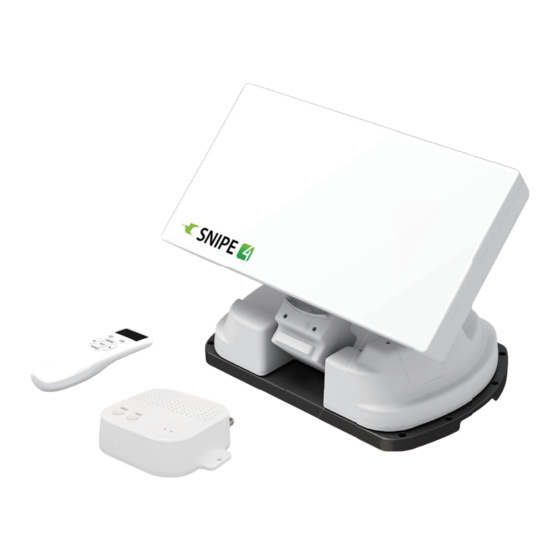
SELFSAT SNIPE 4 Bedienungsanleitung
Inhaltsverzeichnis
Verfügbare Sprachen
Verfügbare Sprachen
Quicklinks
Automatic Flat Satellite
Camping Antenna with BLUETOOTH
ENGLISH : User's manual
DEUTSCH : Bedienungsanleitung
FRANÇAIS : Manuel utilisateur
I DO IT Co., Ltd.
www.selfsat.com
#637, Smart-Hub Industry-University Convergence Center, 237 Sangidaehak-ro, Siheung-si, Gyeonggi-do, Korea
TEL : +82 31 8041 1500
FAX : +82 31 8041 1550
E-MAIL : sales@selfsat.com
Kapitel
Inhaltsverzeichnis
Fehlerbehebung

Verwandte Anleitungen für SELFSAT SNIPE 4


Inhaltszusammenfassung für SELFSAT SNIPE 4
- Seite 1 ENGLISH : User’s manual DEUTSCH : Bedienungsanleitung FRANÇAIS : Manuel utilisateur I DO IT Co., Ltd. www.selfsat.com #637, Smart-Hub Industry-University Convergence Center, 237 Sangidaehak-ro, Siheung-si, Gyeonggi-do, Korea TEL : +82 31 8041 1500 FAX : +82 31 8041 1550 E-MAIL : sales@selfsat.com...
-
Seite 2: Inhaltsverzeichnis
Contents 1. General Information 1-1. Introduction ................... . . 1-2. -
Seite 3: General Information
1. General Information 1-1. Introduction These instructions describe the functions and operation of SNIPE4, auto skew satellite system with Remote control function. Correct and safe operation of the system can only be ensured by following instruction, both for installation and operation. SNIPE4 is an intelligent satellite-TV reception system which can align itself towards a preset satellite automatically as long as the system is located within the footprint of the selected satellite. -
Seite 4: Proper Use And Operation
1-2. Proper use and operation This product has been designed for portable use and fixed installation on vehicles with maximum speeds of 130 km/h. The unit is programmed to automatically aims at geostation- ary television satellites. The power is supplied by a standard vehicle electrical system with a rated voltage of 12 or 24 Volts DC. -
Seite 5: Accessory Included
2. Contents 2-1. Accessory included Main unit Mounting plate PI box Cigarette lighter adaptor Signal cable -10m Remote control Remote control bracket (x2 for twin outputs) PI cable - 1.5m Base pads Cable holder Cable gland Allen wrench User manual Power adaptor M6 ×... -
Seite 6: Name Of Parts
2-2. Name of parts Main unit Latch Antenna Skew pivot Elevation Main body Base to Receiver (optional) Mounting plate to PI (ANT Port) PI box Remote control STB LED Display window POWER LED BT button Pairing antenna HOME button with remote control Mode button POWER button HOME button... -
Seite 7: Operating Instruction
3. Operating Instruction 3-1. Connection diagram Remote control Mobile App PI box Power input cable Cigar jack Ignition MAIN UNIT Turn on the PI power after all cables connections are complete. When not using the antenna, turn off the PI power. Portable use Attach four(4) base pads to the bottom of antenna base. -
Seite 8: Functional Description
3-2. Functional description 1. PI box A. Button and LEDs STB LED i. POWER Button Press the POWER button to turn on the PI POWER LED box, and power to the antenna unit. HOME button (Power LED ON) POWER button Press and hold for more than 3 seconds to turn off... - Seite 9 B. Basic Features The remote control automatically searches for nearby antenna unit. CONNECTING Remote control If there is an antenna that has been connected before, connect it immediately Version : 00 When use antenna and remote control for the first time or when you SELECT MAC delete the antenna list stored in the remote control, a list of products that can be connected will appear.
- Seite 10 i. DiSEqC setting Refer SNIPE’s pre-satellites for DiSEqC 1.1 when user setup at STB Satellite LNB 1 Turksat LNB 2 ASTRA2 LNB 3 ASTRA3 LNB 4 ASTRA1 LNB 5 Hot Bird LNB 6 Eutelsat 9 LNB 7 ASTRA 4 LNB 8 Thor LNB 9 Eutelsat 5W...
- Seite 11 C. Additional settings BT button Press BT button to change to BT setting screen. Press the arrow to move to the desired function and set with the SET button Delete the MAC Address of antenna stored in the remote control. BT SET Used to connect to other products REMOVE MAC...
-
Seite 12: Quick Reference
3-3. Quick reference Turn on the remote control and select the unit that matches the MAC Address of your antenna. Use the left and right arrow buttons to select the satellite and press the SET button. Wait for the message 'FOUND SAT' to appear on the remote control screen. When the satellite search is complete, watch the broadcast. -
Seite 13: Trouble Shooting
5. Trouble Shooting There are a number of common issues that can affect the signal reception quality or the operation of the unit. The following sections address these issues and potential solutions. A. No function when power on the antenna Check again all the cable connections have been made correctly. -
Seite 14: Specifications
6. Specifications 6-1. Dimension SNIPE4 515mm MAX 426mm MIN 192mm 192mm 126mm 454mm 316mm 355mm PI box 129 mm 34 mm 105 mm 28 mm 102 mm 35 mm 102 mm 85mm Remote control 50 mm 15 mm 155 mm 155 mm 69 mm 25 mm... -
Seite 15: Specifications
6-2. Specifications Model SNIPE4 Input Frequency 10.7 ~ 12.75 GHz Polarization Vertical & Horizontal Antenna Gain 33.7 dBi @ 12.7 GHz Size (W x D x H) (ANT) 515 X 355 X 201 mm Weight (ANT) 10.1 kg / (RCU) 23 g Min EIRP 50 dBW Angle Range (EL / AZ / SK) -
Seite 16: Caravan/Motorhome Installation
7. Caravan/Motorhome Installation 7-1 . Required space for SNIPE4 Please allow that there is enough space around SNIPE4 for flat antenna section to complete a full 360° scan of the sky and return to the HOME position. Vehicle rear 51.5cm Center of the rotation unit A : Radius 22.5cm... -
Seite 17: Equipment For Installation
7-2. Equipment for installation Silicone Allen wrench Cleaner Masking tape Power drill 2mm drill bit, over 20mm drill bit Mounting plate M6 × 15(8) , M4 ×20(14) PI box PI cable (1.5m) Signal cable (10m) Remote conteol, Remote conteol bracket Cigarette lighter adaptor (Power input cable) Cable holder &... - Seite 18 B. Assemble 7pcs of M4x20 bolt to fix the mounting plate Place the mounting plate on the silicone and Apply silicone on the holes make 7 holes (2mm) with a power drill Assemble seven(7) of M4x20 screw Re-apply silicone to cover bolts assembled C.
- Seite 19 D. Fix mounting plate with 8 pcs of M6x15 bolt using allen wrench Parts required, allen wrench and eight(8) of Place the antenna on mounting plate and M6×15 bolt tighten firmly each bolt by allen wrench E. Cable holder installation 1 approx.
- Seite 20 F. Cable holder installation 2 Signal cable, cable holder and gland are required Set up required parts as above picture Place the assembled cable holder inside the tape Fix cable holder on the vehicle roof with marking and drill three(3) of 2mm holes three(3) of M4 x 20 screws on drill holes made Apply silicone around cable holder and on the Connect cables to the ports of the antenna ,...
- Seite 21 G. PI box and Remote control installation Get Power input cable and plug into cigar To source power from car battery, cut off lighter socket (12V outlet) cigar-jack connector to take inner three cables out and peel off each to take copper cable out Ignition 12V DC approx.1.5m...
- Seite 22 Inhaltsverzeichnis 1. Allgemeine Informationen 1-1. Produktvorstellung ..................1-2.
-
Seite 23: Allgemeine Informationen
1. Allgemeine Informationen 1-1. Produktvorstellung Die Betriebsanleitung beschreibt die Funktion und Bedienung des automatischen, selbst- nachführenden Satelliten-Systems SNIPE4 mit Fernbedienung. Der korrekte und sichere Betrieb des Systems ist nur gewährleistet, wenn die folgenden Anweisungen für Installation und Betrieb befolgt werden. SNIPE4 ist ein intelligentes Satellitenempfangssystem, das sich automatisch auf die gespe- icherten Satelliten ausrichten kann, sofern es sich in der Ausleuchtzone befindet. -
Seite 24: Bestimmungsgemäße Verwendun
1-2. Bestimmungsgemäße Verwendung Das vorliegende Produkt wurde für einen mobilen Einsatz und für eine Festinstallation auf einem Fahrzeug mit einer Höchstgeschwindigkeit von weniger als 130 km/h konzipiert. Das Antenne ist so programmiert, dass automatisch bei geostationären Fernsehsatelliten zielen SNIPE4 kann mit einer Standard-Fahrzeugspannung von 12 oder 24V versorgt werden. Zur Montage auf dem Fahrzeug verwenden Sie das Stromversorgungskabel (Zigarette- nanzünder) zur Stromversorgung. -
Seite 25: Verpackungsinhalt
2. Verpackungsinhalt 2-1. Lieferumfang Haupteinheit Montageplatte PI-box Stromversorgungskabel Signalkabel - 10m Fernbedienung Fernbedienungshalterung (Zigarettenanzünder-Kabel) (x2 für optionale 2 Ausgänge) PI-Kabel - 1,5 m Basispolster Kabelhalter Kabelverschraubung Inbusschlüssel Bedienungsanleitung Netzteil M6 × 15(8), M4 ×20(14) (Optional) Die tatsächlichen Komponenten können sich von den obigen Bildern unter- ※... -
Seite 26: Teilebezeichnung
2-2. Teilebezeichnung Haupteinheit Verriegelung Antenne Neigunng/Drehung Erhebung Hauptkorper Sockel zu empfänger (optional) Montageplatte zu PI-box ("ANT" Port) PI-box Fernbedienung STB LED Flüssigkristallanzeige POWER LED BT-Taste Koppeln Antenne mit HOME-Taste Fernbedienung Mode-Taste POWER-Taste Home-Taste Set-Taste Befestigungsloch Pfeiltaste DiSEqC-Taste Halterung Power zu empfänger Zur Haupteinheit DEUTSCH - 5... -
Seite 27: Bedienungsanweisungen
3. Bedienungsanweisungen 3-1. Anschlussdiagramm Fernbedienung Mobile Applikation PI-box Stromeingangskabel Zigarrenheber Zündung STB (Empfänger) Fernseher Haupteinheit * Schalten Sie den PI-box, nachdem alle Kabel Verbindungen hergestellt sind. * Wenn die Antenne nicht verwendet wird, schalten die PI-box ausgeschaltet. Mobiler Einsatz Bringen 4 Basispolster an der Bodenplatte. DEUTSCH - 6... -
Seite 28: Funktionsbeschreibung
3-2. Funktionsbeschreibung 1. PI-box A. Taste und LEDs STB LED i. POWER-Taste Drücken Sie die POWER-Taste, um die PI-Box POWER LED einzuschalten und die Antenneneinheit mit HOME-Taste Strom zu versorgen. (Power LED EIN) POWER-Taste Halten Sie die Taste länger als 3 Sekunden gedrückt, um das Gerät auszuschalten. - Seite 29 B. Grundfunktionen Die Fernbedienung sucht automatisch nach einer Antenneneinheit in CONNECTING der Nähe. Remote control Wenn zuvor eine Antenne angeschlossen wurde, schließen Sie diese sofort an Version : 00 Wenn Sie Antenne und Fernbedienung zum ersten Mal verwenden oder SELECT MAC wenn Sie die in der Fernbedienung gespeicherte Antennenliste löschen, wird eine Liste der Produkte angezeigt, die angeschlossen werden P - 09 : 39 : E4...
- Seite 30 i. DiSEqC-Einstellung Siehe SNIPE-Vor-Satelliten für DiSEqC 1.1 bei der Benutzereinstellung von STB Satellit LNB 1 Turksat LNB 2 ASTRA2 LNB 3 ASTRA3 LNB 4 ASTRA1 LNB 5 Hot Bird LNB 6 Eutelsat 9 LNB 7 ASTRA 4 LNB 8 Thor LNB 9 Eutelsat 5W LNB 10...
- Seite 31 C. Zusätzliche Einstellungen BT-Taste Drücken Sie die BT-Taste, um zum BT-Einstellungsbildschirm zu wechseln. Drücken Sie den Pfeil, um zur gewünschten Funktion zu gelangen, und stellen Sie sie mit der SET-Taste ein Löschen Sie die MAC-Adresse der auf der Fernbedienung gespeicherten BT SET Antenne.
-
Seite 32: Kurzanleitung
3-3. Kurzanleitung Schalten Sie die Fernbedienung ein und wählen Sie das Gerät aus, das der MAC-Adresse Ihrer Antenne entspricht. Verwenden Sie die Pfeiltasten nach links und rechts, um den Satelliten auszuwählen, und drücken Sie die SET-Taste. Warten Sie, bis die Meldung 'FOUND SAT' auf dem Fernbedienung Flüssigkristallanzeige angezeigt wird. -
Seite 33: Störungsbehebung
5. Störungsbehebung Es gibt eine Reihe Ursachen, die die Signalempfangsqualität oder den Betrieb des Gerät beeinträchtigen können. Der folgende Abschnitt befasst sich mit den häufigsten Ursachen und deren eventuellen Lösungen. A. Keine Funktion beim Einschalten der Antenne Überprüfen Sie erneut, ob alle Kabelverbindungen korrekt hergestellt wurden. Überprüfen Sie die Verbindung zwischen Stromversorgung und PI-Box. -
Seite 34: Technische Daten
6. Technische Daten 6-1. Abmessungen SNIPE4 515mm MAX 426mm MIN 192mm 192mm 126mm 454mm 316mm 355mm PI-box 129 mm 34 mm 105 mm 28 mm 102 mm 35 mm 102 mm 85mm Fernbedienung 50 mm 15 mm 155 mm 155 mm 69 mm 25 mm DEUTSCH - 13... -
Seite 35: Technische Daten
6-2. Technische Daten Modell SNIPE4 Eingangsfrequenz 10.7 ~ 12.75 GHz Polarisation Horizontal / Vertikal Antennengewinn 33.7 dBi @ 12.7 GHz Abmessungen ( W x D x H ) (ANT) 515 X 355 X 201 mm Gewicht (ANT) 10.1 kg / (RCU) 23 g Min EIRP 50 dBW Winkelbereich (EL/AZ/SK) -
Seite 36: Wohnwagen / Wohnmobil Installations
7. Wohnwagen / Wohnmobil Installations 7-1 . Platzbedarf für die Installation Achten Sie darauf , dass genügend Platz für die fach SNIPE4, ebenso wie für den Betriebsbereich ( Aktionsradius ). Fahrzeugheck 51.5cm Drehachse des Gerats A : Radius 22.5cm Höhe: bis 12.9cm B : Radius 32cm Hohe: bis 20.1cm Fahrtrichtung... -
Seite 37: Ausrüstung Für Die Installation
7-2. Ausrüstung für die Installation Silikon Inbusschlüssel Reiniger Abdeckband Bohrmaschine 2mm Bohrer, über 20mm Bohrer Montageplatte M6 × 15(8), M4 × 20(14) PI-box PI-kabel (1,5m) Signalkabel (10m) Fernbedienung, Fernbedienunghalterung Stromversorgungskabel (Zigarettenanzunder-Kabel) Kabelverschraubung & Kabelhalter ※ Montageplatte Richtung Fahrtrichtung 7-3. Montage A. -
Seite 38: Montieren Sie 7Pcs Der M4X20 Schraube Der Montageplatte Zu Befestigen
B. Montieren Sie 7pcs der M4x20 Schraube der Montageplatte zu befestigen Platzieren Sie das Montageplatte auf der Silikon, und Silikon auftragen auf den Löchern machen 7 Bohrungen (2 mm) mit einer Bohrmaschine Montieren Sie 7pcs der M4x20 Silikon re-auftragen die Montagebolzen oben C. -
Seite 39: Befestigen Sie Die Montageplatte Mit 4 Stück Schrauben Mit Inbusschlüssel
D. Befestigen Sie die Montageplatte mit 4 Stück Schrauben mit Inbusschlüssel Teile erforderlich, Inbusschlüssel und acht (8) Legen Sie das Antenne auf der Montageplatte der M6 × 15 Bolzen und fest anziehen jeder der Bolzen mit Inbusschlüssel E. Kabelhalter Installation 1 ca. - Seite 40 F. Kabelhalter Installation 2 Signalkabel, Kabelhalter und Kabelverschraubung sind erforderlich Das Kabel an den Kabelhalter aufstellen, wie oben abgebildet Den Kabelhalter in die Klebebandmarkierungen Den Kabelhalter am Fahrzeugdach mit drei(3) einsetzen. Drei (3) 2 mm Löcher bohren M4x20 Schrauben an den Bohrlöchern befestigen Das Silikon um Kabelhalter herum und auf die Die Kabel anschließen und das abdeckband Oberseite der Schrauben für Wasserdichtigkeit...
-
Seite 41: Pi-Box, Fernbedienung Und Fernbedienunghalterung Installation
G. PI-box, Fernbedienung und Fernbedienunghalterung Installation Nehmen Sie ein Stromversorgungskabel und Für die Stromversorgung von der Autobatterie stecken Sie es in Zigarettenanzünder (12V machen Sie den Zigarrenstecker stromlos, um Steckdose) ein innere drei Kabel herauszunehmen und loskoppeln, um Kupferkabel herauszunehmen Zündung (Empfänger) 12V DC... - Seite 42 Table des matières 1. Informations générales 1-1. Introduction ................... . . 1-2.
-
Seite 43: Informations Générales
1. Informations générales 1-1. Introduction Ces instructions décrivent les fonctions et le fonctionnement du système satellite d'inclinai- son automatique avec fonction de télécommande. Le fonctionnement correct et sûr du système ne peut être assuré que par l'instruction suivante, pour l'installation et le fonctionnement à... -
Seite 44: Utilisation Et Fonctionnement
1-2. Utilisation et fonctionnement Ce produit a été conçu pour être utilisé en usage portable et/ou une installation fixe sur les véhicules dont la vitesse maximale est de 130 kilomètres par heure. Il permet de pointer automatiquement l'antenne vers des satellites géostationnaires de transmission directe recevables (la réception ne peut se faire quelorsque le véhicule est arrêté. -
Seite 45: Accessoires Inclus
2. Contenu 2-1. Accessoires Inclus Unité principale Plaque de montage Boîtier PI Câble d'entrée d'alimentation Câble de signal - 10m Télécommande Support de télécommande (Adaptateur allume-cigare) (x2 pour les sorties jumelles optionnelles) Câble PI - 1,5m Coussin de la Base Support de câble Presse-étoupe Clé... -
Seite 46: Nom Des Pièces
2-2. Nom des pièces Unité principale Loquet Antenne Pivot d'inclinaison Élévation Maintenir le corps Base au récepteur (optionnel) Plaque de montage au Boitier PI (port "ANT") Boîtier PI Télécommande Voyant LED de récepteur Écran à distance Voyant LED d'alimentation Touche BT Couplage d'antenne Touche HOME avec télécommande... -
Seite 47: Instructions De Fonctionnement
3. Instructions de fonctionnement 3-1. Diagramme de Connection Télécommande Application mobile Boîtier PI Câble d'entrée d'alimentation Adaptateur allume-cigare Allumage Récepteur satellite Télé Unité principale Allumez la puissance Boitier PI après toutes les connexions des câbles sont complets. Lorsque vous n'utilisez pas l'antenne, coupez l'alimentation Boitier PI. Utilisation pour la portabilité... -
Seite 48: Description Fonctionnelle
3-2. Description fonctionnelle 1. Boîtier PI A. Touche et LED Voyant LED de récepteur i. Touche d'alimentation Appuyez sur le Touche POWER pour Voyant LED d'alimentation allumer le boîtier PI et alimenter l'antenne. Touche HOME (LED d'alimentation allumée) Touche POWER Maintenez la touche enfoncée pendant plus de 3 secondes pour éteindre l'appareil. - Seite 49 B. Fonctions de base La télécommande recherche automatiquement l'unité d'antenne à CONNECTING proximité. Remote control S'il y a une antenne qui a été connecté avant, connectez-vous Version : 00 immédiatement Lorsque vous utilisez l'antenne et la télécommande pour la première fois SELECT MAC ou lorsque vous supprimez la liste d'antennes stockée dans la télécom- mande, une liste de produits pouvant être connectés apparaît.
- Seite 50 i. Reglage de DiSEqC Consultez les pré-satellites SNIPE3 pour DiSEqC 1.1 lors de la configuration de l'utilisateur à STB n ° Satellite LNB 1 Turksat LNB 2 ASTRA2 LNB 3 ASTRA3 LNB 4 ASTRA1 LNB 5 Hot Bird LNB 6 Eutelsat 9 LNB 7 ASTRA 4...
- Seite 51 C. Fonction supplémentaire Touche BT Appuyez sur le touche BT pour passer à l'écran de réglage BT. Appuyez sur la flèche pour accéder à la fonction souhaitée et réglez avec la touche SET Supprimez le code produit de l'antenne stockée dans la télécommande. BT SET Utilisé...
-
Seite 52: Référence Rapide
3-3. Référence rapide Allumez la télécommande et sélectionnez l'unité qui correspond à l'adresse MAC de votre antenne. Utilisez les touches de fléchés gauche et droit pour sélectionner le satellite et appuyez sur le touche SET. Attendez que le message 'FOUND SAT' apparaisse sur l'écran de la télécommande. Une fois la recherche par satellite terminée, regardez l'émission. -
Seite 53: Solutions Aux Problèmes
5. Solutions aux problèmes Il y a un certain nombre de problèmes communs qui peuvent affecter la qualité de réception du signal ou le fonctionnement de la SNIPE4. Les sections suivantes traitent ces questions et les solutions possibles. A. Aucune fonction lors de la mise sous tension de l'antenne Vérifiez à... -
Seite 54: Spécifications
6. Spécifications 6-1. Dimension SNIPE4 515mm MAX 426mm MIN 192mm 192mm 126mm 454mm 316mm 355mm Boîtier PI 129 mm 34 mm 105 mm 28 mm 102 mm 35 mm 102 mm 85mm Télécommande 50 mm 15 mm 155 mm 155 mm 69 mm 25 mm FRANÇAIS - 13... -
Seite 55: Spécifications
6-2. Spécifications modèle SNIPE4 Fréquence d'entrée 10.7 ~ 12.75 GHz Polarisation Horizontale/ Vericale Gain de l'antenne 33.7 dBi @ 12.7 GHz Dimensions ( W x D x H ) (ANT) 515 X 355 X 201 mm Poids (ANT) 10.1 kg / (RCU) 23 g Min EIRP 50 dBW Rayon d'angle (élévation / azimut / inclinaison) -
Seite 56: Caravane / Camping Installation
7. Caravane / Camping Installation 7-1. Espace necessaire pour SNIPE4 Prenez garde, qu'il y a suffisamment d' espace pour le SNIPE4 pour une rotation de 360°. l'arrière du véhicule 51.5cm Centre de l'unité de rotation A: Rayon 22,5 cm jusqu'à une hauteur de 12,9 cm B: rayon 32cm jusqu'à... -
Seite 57: L'équipement Pour L'installation
7-2. L'équipement pour l'installation Silicone Clé de montage Nettoyant Ruban de masquage Perceuse électrique Trépan de 2 mm, trépan de 20 mm Plaque de montage M6 × 15(8), M4 × 20(14) Boîtier PI Câble PI (1.5m) Câble de signal (10m) Télécommande, Support de télécommande Adaptateur allume-cigarettes (Cable d'alimentation) Presse-étoupe &... - Seite 58 B. 7pcs à vis de boulon M4x20 pour fixer la Plaque de fixation Placer la plaque de montage sur la silicone et Appliquer de la silicone sur les trous faire 6 trous (2 mm) avec une perceuse électrique Visser les sept (7) vis M4x20 Réappliquer de la silicone pour couvrir les boulons vissés C.
- Seite 59 D. Fixer la plaque de montage avec les huit piéces de boulons en utilisant le clé de montage Clé de montage et huit piéces (M6x15) de Placez l'antenne sur la plaque de montage et boulons serrez fermement chacun des boulons avec une clé...
- Seite 60 F. Câble installation du support 2 Câble de signal, support de câble et presse-étoupe sont nécessaires Mettre en place les parties nécessaires en photo ci-dessus Placez et maintenez le support de câble assemblé Fix support de câble sur le toit du véhicule avec à...
- Seite 61 G. L'installation du Boîtier PI et de télécommand Obtenez le câble d'alimentation et branchez-le Pour alimenter la batterie de la voiture, couper dans une prise allume cigare (prise 12V) le connecteur du cigare pour retirer les trois câbles intérieurs et retirer chacun pour retirer le câble en cuivre Récepteur Allumage...