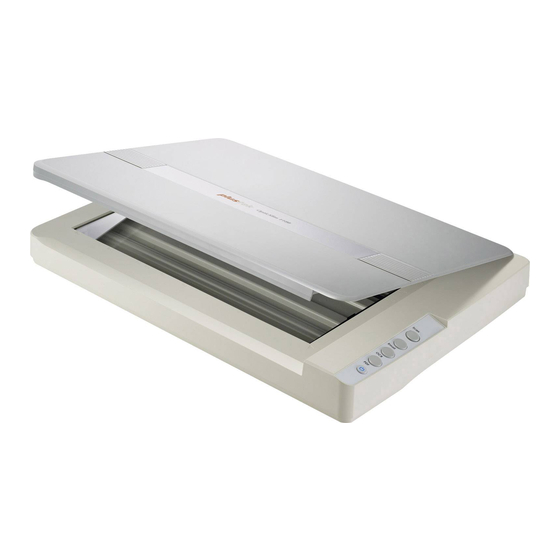
Plustek OpticSlim 1680 Schnellstartanleitung
Image express
Quicklinks
Image Express
Quick Start Guide ● Guía de inicio rápido
● Schnellstartanleitung
● Guide de Démarrage Rapide
OpticSlim 1680 / 1180
OpticSlim 2700
Software Download Link:
●
Software-Downloadlink:
●
Lien de téléchargement du logiciel :
Connect the scanner
●
Conecte el escáner
●
Connectez le scanner
Be sure connecting the scanner to your computer before powering on
the scanner.
* Please use the USB Cable and AC Adapter provided with the scanner.
Asegúrese de conectar el escáner a su computadora antes de
encenderlo.
* Utilice el cable USB y el adaptador de CA suministrados con el escáner.
Install software and start
●
Instale el software y comience
●
Software installieren und starten
plustek.com/a/imageexpress
Download and install the software.
Descargue e instale el software.
Laden Sie die Software herunter und installieren Sie sie.
Téléchargez et installez le logiciel.
Scan me
OpticSlim 1680 / 1180
Enlace de descarga de software:
plustek.com/a/imageexpress
●
Den Scanner anschließen
Stellen Sie sicher, dass der Scanner an Ihren Computer angeschlossen
ist, bevor Sie den Scanner einschalten.
* Bitte verwenden Sie das mit dem Scanner gelieferte USB-Kabel und Netzteil.
Assurez-vous de connecter le scanner à votre ordinateur avant d'allumer
le scanner.
* Veuillez utiliser le câble USB et l'adaptateur secteur fournis avec le scanner.
●
Installer le logiciel et démarrer
Double-click
on the desktop to launch Image Express.
Haga doble clic en
en el escritorio para iniciar Image Express.
Doppelklicken Sie auf
auf dem Desktop, um Image Express zu starten.
Double-cliquez sur
sur le bureau pour lancer Image Express.
Place photo or document
●
Foto oder Dokument platzieren
Place on the glass.
Scan me
Colocar sobre el vaso.
OpticSlim 2700
Auf das Glas legen.
Placez sur la vitre.
Scanning
●
Exploración
Click Scan on the screen.
Haga clic en Escanear en la pantalla.
Klicken Sie auf Scannen auf dem Bildschirm.
Cliquez sur Analyse à l'écran.
●
Colocar foto o documento
●
Placez une photo ou un document
Close the cover.
Cierra la tapa.
Deckel schließen.
Fermez le couvercle.
●
Scannen
●
Numérisation
AAAA

Verwandte Anleitungen für Plustek OpticSlim 1680


Inhaltszusammenfassung für Plustek OpticSlim 1680
- Seite 1 Close the cover. Scan me Scan me Colocar sobre el vaso. Cierra la tapa. OpticSlim 1680 / 1180 OpticSlim 2700 Auf das Glas legen. Deckel schließen. Placez sur la vitre. Fermez le couvercle.
- Seite 2 Vous pouvez cliquer sur le bouton de numérisation à touche unique sur l'écran de Numérisation pour numériser une image avec les paramètres de numérisation prédéfinis. 9AM to 5:30PM Pacific Time 9AM to 4PM Tel.: 714-670-7713 Tel.: 0125-674-1513 Web: https://plustek.com/usa/support/ Web: https://plustek.com/uk/support/ Right-click on the one touch scan button, you may adjust the button order and configure the button settings. Germany France Haga clic derecho en el botón de escaneo de un toque, puede ajustar el orden de los...