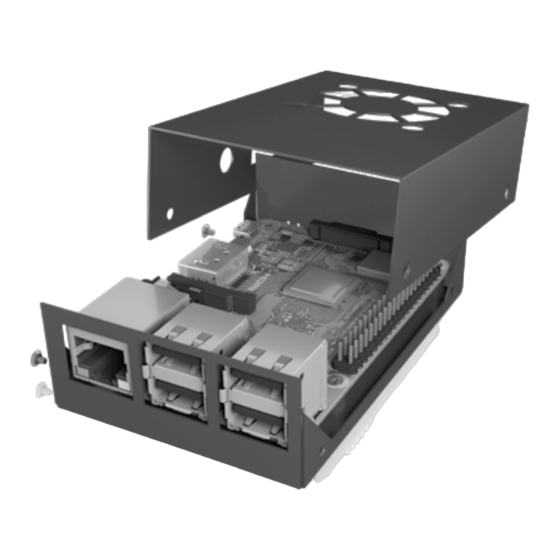
Icy Box IB-RP105 Schnellinstallationsanleitung
Schutzgehäuse für raspberry pi 2 und 3

Verwandte Anleitungen für Icy Box IB-RP105


Inhaltszusammenfassung für Icy Box IB-RP105
- Seite 1 Quick installation guide IB-RP105 Protective case for Raspberry Pi 2 and 3 ® Schnellinstallationsanleitung IB-RP105 Schutzgehäuse für Raspberry Pi 2 und 3 ®...
-
Seite 3: Safety Information
Safety information Please read carefully the following information to prevent injuries, damage to material and device as well as data loss: Warning levels Signal words and safety codes indicate the warning level and provide immediate information in terms of the probability of occurrence as well as the type and severity of the consequences if the measures to prevent hazards are not complied with. - Seite 4 Safety information 4. Hazards caused by very small parts and packaging Risk of suffocation WARNING Risk of death by suffocation or swallowing • Keep small parts and accessories away from children • Store/dispose of plastic bags and packaging in an area that is inaccessible to children •...
-
Seite 5: Sicherheitshinweise
Sicherheitshinweise Zur Vermeidung körperlicher Schäden, sowie von Sach-, Geräteschäden und Datenverlust beachten Sie bitte folgende Hinweise: Warnstufen Signalwort und Sicherheitszeichen kennzeichnen die Warnstufe und geben einen sofortigen Hinweis auf aWahrscheinlichkeit, Art und Schwere der Folgen, wenn die Maßnahmen zur Vermeidung der Gefahr nicht befolgt werden. warnt vor einer unmittelbar gefährlichen Situation, die zum GEFAHR Tod oder zu schweren Verletzungen führen wird. - Seite 6 Sicherheitshinweise • keine Gegenstände auf dem Gerät/Netzteil abstellen 4. Gefahren durch Kleinstteile und Verpackung Erstickungsgefahr WARNUNG Lebensgefahr durch Ersticken oder Verschlucken • Kleinteile, Zubehör für Kinder unzugänglich verwahren • Plastiktüten und Verpackung für Kinder unzugänglich verwahren/entsorgen • Kleinteile und Verpackungen nicht in Kinderhände geben 5.
- Seite 7 Raspberry Pi board not included ® Packing content 1x IB-RP105, 1x 40 mm cooling fan, 1x set of heat sinks, 1x set of screws, 4x foot- pad stickers, 1x screw driver, 1x quick installation guide (Raspberry Pi not included) ®...
-
Seite 8: Wichtige Produktinformationen
® • Raspberry Pi Board nicht im Lieferumfang enthalten ® Verpackungsinhalt 1x IB-RP105, 1x 40 mm Lüfter, 1x Satz Kühlkörper, 1x Satz Schrauben, 4x Gummifußaufkleber, 1x Schraubendreher, 1x Schnellinstallationsanleitung (Raspberry Pi nicht im Lieferumfang enthalten) ® Schutzgehäuse für Raspberry Pi 2 und 3 ®... - Seite 9 Quick installation guide IB-RP105 Screw A Screw B Nut C Screw D Schraube A Schraube B Mutter C Schraube D 1. Place Raspberry Pi on bottom of case with wall mount holes. ® Setzen Sie das Raspberry Pi Board wie gezeigt in das Unterteil ein.
- Seite 10 Quick installation guide IB-RP105 3. Place heatsinks on CPU and IC of Raspberry Pi. Platzieren Sie die Kühlkörper auf der CPU und dem IC Chip wie abgebildet 4. Fasten the fan to the top case with screws-B and nuts-C and the label side should be attached to the top case.
- Seite 11 Quick installation guide IB-RP105 lllustrated fan installation direction is recommended. Die dargestellte Lüfterinstallation und -position wird empfohlen.
- Seite 12 Quick installation guide IB-RP105 lnstall the red pin of fan on GPI0-4 (5 V) and black pin on GPI0-6 (GND). Montieren Sie das rote Kabel des Lüfters auf Position GPIO-4 (5 V) und das schwarze Kabel auf Position GPIO-6 (GND).
- Seite 13 Quick installation guide IB-RP105 Fasten top aluminum case with 4 screws-D Schließen Sie den Zusammenbau durch einsetzen von 4x Schrauben -D ab.
- Seite 16 Copyright 2019 by RaidSonic Technology GmbH. All Rights Reserved © The information contained in this manual is believed to be accurate and reliable. RaidSonic Tech- nology GmbH assumes no responsibility for any errors contained in this manual. RaidSonic Tech- nology GmbH reserves the right to make changes in the specifications and/or design of the abo- ve mentioned product without prior notice.