Anmelden
Hochladen
Anleitungen
Marken
SICK Anleitungen
Sicherheitstechnik
S3000 Expert
SICK S3000 Expert Handbücher
Anleitungen und Benutzerhandbücher für SICK S3000 Expert. Wir haben
1
SICK S3000 Expert Anleitung zum kostenlosen PDF-Download zur Verfügung: Bedienungsanleitung
SICK S3000 Expert Bedienungsanleitung (132 Seiten)
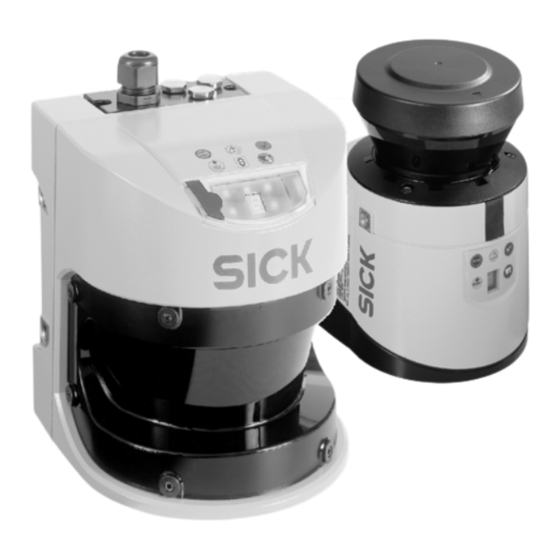
Sicherheits-Laserscanner
Marke:
SICK
| Kategorie:
Sicherheitstechnik
| Dateigröße: 4 MB
Inhaltsverzeichnis
Deutsch
3
Inhaltsverzeichnis
3
1 Zu diesem Dokument
5
Funktion dieses Dokuments
5
Zielgruppe
5
Informationstiefe
5
Geltungsbereich
5
2 Systembeschreibung
6
Datenausgabe
6
Kompatibilitätsmodus
6
Systemaufbau
7
Elektrische Schnittstelle
8
Übertragungs- und Datenformat
8
3 Konfiguration der Messdatenausgabe
9
CDS-Bedienoberfläche
9
Grundeinstellungen
10
Baudrate
10
Silentzeit Individuell
10
Sendemodus
10
Trigger-Ereignis (nur IM Sendemodus Internes Ereignis)
10
Auswahl von I/O-Daten
11
Ausgabe I/O-Daten
11
Spezifische Messdatenausgabe
11
Messdatenausgabe
12
Messbereiche
12
Auswahl des Telegrammaufbaus
12
Telegrammaufbau
12
4 Kommunikationsarten
13
Geräte-Adressen
13
System-Token
13
Telegrammstruktur
14
Datenintegrität
14
5 Sendemodus Datenausgabe nur auf Anfrage
16
Command-Telegramm
16
Reply-Telegramm
16
Fehlercodes des Reply-Telegramms
17
Standard-Kommunikation
18
Beispiel für ein Send-Telegramm „Schreiben des Token in Block 25
18
Beispiel für ein Fetch-Telegramm „Lesen des Operating Data Block 11
19
Anforderung von Daten IM Sendemodus Datenausgabe nur auf Anfrage
19
Beispiel für Kommunikation IM Sendemodus Datenausgabe nur auf Anfrage
20
Flexible Telegramme (nur S3000)
21
Beispiel: Ausgabe Reflektor Block 52/Block 114
21
6 Sendemodus Kontinuierliche Datenausgabe
23
Aufbau der Kontinuierlichen Datenausgabe
24
Telegrammkopf, Verwaltungsdaten, Allgemeine Daten
24
I/O-Daten
24
Messdaten (Distanz)
24
Reflektordaten
25
Crc
25
Protokoll-Versionsnummer
26
Format der I/O-Daten
26
Überwachungsfalldaten
26
Statische Eingangsdaten
27
Geschwindigkeitsdaten
27
Ausgangsparameterdaten
27
Roh-Geschwindigkeitsdaten 1/2
27
Mess- und Reflektordatenformate
28
Datenformat der Messdaten für S3000 (2 Byte)
28
Datenformat der Messdaten für S300 (2 Byte)
28
Datenformat der Messdaten bei Konfiguration „Minimale Entfernung Je Messbereich" für S3000 (4 Byte)
29
Datenformat der Messdaten bei Konfiguration „Minimale Entfernung Je Messbereich" für S300 (4 Byte)
29
Datenformat der Reflektordaten für S3000 (4 Byte)
30
Datenformat der Reflektordaten für S300 (4 Byte)
30
Beispiel für Kontinuierliche Datenausgabe mit S3000
31
Konfiguration 1: Messdaten
31
Konfiguration 2: Reflektordaten
34
Anhalten der Datenausgabe
36
Fest Konfigurierte Modi der Kontinuierlichen Datenausgabe
36
Online Umkonfigurierbare Modi der Kontinuierlichen Datenausgabe
36
Block 103
36
Block 104
37
Block 105
37
7 Sendemodus Internes Ereignis
38
Anhalten der Datenausgabe
38
8 Weitere Informationen zu den Messdaten
39
Zusätzliche Zeitstempel und Telegrammnummern
39
Funktionale Abhängigkeit vom Verwendeten Gerätetyp
39
Benennung der Schutz- und Warnfelder
40
9 Reflektormarkenerkennung
41
Reflektormarken
41
Einschränkungen
42
10 Fehlerdiagnose
44
11 Glossar
45
English
47
1 About this Document
49
Purpose of this Document
49
Target Group
49
Information Depth
49
Scope
49
2 System Description
50
Data Output
50
Compatibility Mode
50
System Construction
51
Electrical Interface
52
Transfer and Data Formats
52
3 Configuration for Measured Data Output
53
CDS User Interface
53
Basic Settings
54
Baud Rate
54
Individual Silent Time
54
Send Mode
54
Trigger Event (Only in Send Mode Internal Event)
54
Selection of I/O Data
55
I/O Data Output
55
Specific Measured Data Output
55
Measured Data Output
56
Measuring Ranges
56
Selection of Telegram Structure
56
Telegram Structure
56
4 Communication Types
57
Device Addresses
57
System Token
57
"Config Master Block (Block No. 25)" on Page 97 for the S3000 and in Section
57
Telegram Structure
58
Data Integrity
58
5 Send Mode Data Output on Request
60
Command Telegram
60
Reply Telegram
60
Reply Telegram Error Codes
61
Standard Communication
62
Example for a Send Telegram "Write Token in Block 25
62
Example for a Fetch Telegram "Read Operating Data Block 11
62
Requesting Data in Send Mode Data Output on Request
63
Example for Communication in Send Mode Data Output on Request
64
Flexible Telegram (S3000 Only)
65
Example: Output Reflector Block 52 / Block 114
65
6 Send Mode Continuous Data Output
67
Structure of Continuous Data Output
68
Telegram Header, Administration Data, General Data
68
I/O Data
68
Measured Data (Distance)
68
Reflector Data
69
Crc
69
Protocol Version Number
70
I/O Data Format
70
Monitoring Case Data
70
Static Input Data
71
Speed Data
71
Output Parameter Data
71
Raw Speeds 1/2
71
Measured and Reflector Data Formats
72
Data Format of Measured Data for S3000 (2 Byte)
72
Data Format of Measured Data for S300 (2 Byte)
72
Data Format of Measured Data for Configuration "Minimum Distance Per Measuring Range" for S3000 (4 Byte)
73
Data Format of Measured Data for Configuration "Minimum Distance Per Measuring Range" for S300 (4 Byte)
73
Reflector Data Format for S3000 (4 Byte)
74
Reflector Data Format for S300 (4 Byte)
74
Example for Continuous Data Output with S3000
75
Configuration 1: Measured Data
75
Configuration 2: Reflector Data
78
Stopping Data Output
80
Fixed Configured Modes for Continuous Data Output
80
Online Reconfigurable Modes for Continuous Data Output
80
Block 103
80
Block 104
81
Block 105
81
7 Send Mode Internal Event
82
Stopping Data Output
82
8 Further Information about Measured Data
83
Additional Time Stamps and Telegram Numbers
83
Functional Dependence on Device Type Used
83
Designation of Protective and Warning Fields
84
9 Reflector Mark Detection
85
Reflector Marks
85
Restrictions
86
10 Fault Diagnosis
88
11 Glossary
89
12 Appendix
90
Description of the Data Blocks Used in the S3000
90
Description of the Data Blocks Used in the S300
117
Verwandte Produkte
SICK S3000 Standard
SICK S3000 Advanced
SICK S300 Standard
SICK S300 Advanced
SICK S300 Expert
SICK Safe AGV Easy
SICK STS
SICK safeRS3
SICK Safe Entry Exit Flexi Soft
SICK STL70
SICK Kategorien
Sensoren
Messgeräte
Lichtschranken
Sicherheitstechnik
Module
Weitere SICK Anleitungen
Anmelden
Anmelden
ODER
Mit Facebook anmelden
Mit Google anmelden
Anleitung hochladen
Von PC hochladen
Von URL hochladen