Crosscall CORE-X5 Handbücher
Anleitungen und Benutzerhandbücher für Crosscall CORE-X5. Wir haben 3 Crosscall CORE-X5 Anleitungen zum kostenlosen PDF-Download zur Verfügung: Bedienungsanleitung, Schnellstartanleitung
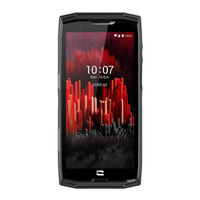
Crosscall CORE-X5 Bedienungsanleitung (241 Seiten)
Inhaltsverzeichnis
-
Inhaltsverzeichnis2
-
Présentation Générale du Téléphone4
-
Présentation de L'appareil4
-
X-Link Tm4
-
X-Blocker4
-
Mise en Service de Votre Core-X55
-
Installation de la Carte Nano Sim/Micro SD5
-
Mise en Marche et Arrêt du Téléphone5
-
Conseils et Précautions à Prendre pour Charger Votre Batterie5
-
Ecran Tactile, Navigation Système et Boutons du Core-X56
-
Utilisation de L'écran Tactile6
-
Navigation Système7
-
Boutons du Téléphone8
-
Boutons Programmables8
-
Utilisation de Votre Téléphone9
-
Appels Téléphoniques9
-
Contacts10
-
Messages10
-
Appareil Photo10
-
Galerie11
-
Transfert de Données entre Votre Ancien et Nouveau Téléphone CROSSCALL11
-
Transfert de Données entre Votre Téléphone CROSSCALL et Votre PC12
-
Gestion des Cartes SIM13
-
Données Mobiles13
-
Navigateur14
-
E-Mail14
-
Economiseur de Batterie14
-
Réinitialiser le Téléphone14
-
Mises à Jour Système14
-
Personnalisation du Téléphone15
-
Écran D'accueil15
-
Son15
-
Notifications15
-
Date et Heure15
-
Langues15
-
Astuces et Raccourcis16
-
Mode Écran Partagé16
-
Capture D'écran16
-
Rotation Automatique de L'écran16
-
Réveil de L'écran16
-
Projection Sur un Écran Secondaire16
-
Mode Gants16
-
Nfc16
-
Partage de Batterie16
-
Animation de Chargement17
-
Installation du Cordon de Sécurité (Leash)17
-
Calculatrice17
-
Les Applications Crosscall17
-
X-Sensors17
-
X-Safe18
-
Avertissements19
-
X-Talk19
-
X-Story20
-
X-CAMP : L'application de la Communauté CROSSCALL20
-
Dépannage21
-
Appareil21
-
Appels21
-
Batterie21
-
Multimédia22
-
Stockage22
-
Divers22
-
Mesures de Sécurité23
-
Informations Relatives à la Sécurité Générale23
-
Informations Relatives à L'étanchéité24
-
Dispositifs Médicaux24
-
Sécurité Routière24
-
Alimentation et Charge25
-
Protection Auditive25
-
Protection de L'environnement25
-
Nettoyage et Entretien25
-
Appels D'urgence26
-
Recommandations pour Réduire L' E Xposition de L'utilisateur aux Rayonnements26
-
Informations Complémentaires26
-
Conformité26
-
Bandes de Fréquences et Puissance27
-
Informations Relatives aux Accessoires et Logiciels27
-
Débit D'absorption Spécifique (DAS)27
-
Données Techniques27
-
Droits D'auteur28
-
Annexe28
-
Informations Importantes28
-
Conditions de Garantie28
-
About Your Phone30
-
Device Overview30
-
X-Link Tm31
-
X-Blocker31
-
Setting up Your Core-X531
-
Installing the Nano Sim/Micro SD Card31
-
Switching the Phone on and off32
-
Tips and Precautions for Charging Your Battery32
-
The Core-X5'S Touch Screen, Navigation System and Buttons33
-
Using the Touch Screen33
-
System Navigation34
-
Phone Buttons35
-
Programmable Buttons35
-
Using Your Phone36
-
Calls36
-
Phone Calls36
-
Transferring Data between Your Old and New CROSSCALL Phone38
-
Transferring Data between Your CROSSCALL Phone and Your PC39
-
SIM Card Management40
-
Mobile Data40
-
Browser40
-
Email40
-
Battery Saver40
-
Resetting Your Phone41
-
System Updates41
-
Customising Your Phone41
-
Home Screen41
-
Sound41
-
Notifications42
-
Date and Time42
-
Languages42
-
Tips and Shortcuts42
-
Split Screen Mode42
-
Screenshot42
-
Automatic Screen Rotation42
-
Screen Wake-Up42
-
Limitation of Liability45
-
Multimedia48
-
Battery Status48
-
Safety Measures49
-
General Safety Information49
-
Information on Water Resistance50
-
Medical Devices50
-
Road Safety51
-
Protecting Your Hearing51
-
Power and Charging51
-
Environmental Protection52
-
Cleaning and Maintenance52
-
Additional Information52
-
Technical Data53
-
Warranty Conditions54
-
Presentación General del Teléfono56
-
Presentación del Dispositivo56
-
X-Link Tm57
-
X-Blocker57
-
Puesta en Servicio del Core-X557
-
Instalación de la Tarjeta Nano Sim/Micro SD57
-
Encender y Apagar el Teléfono58
-
Consejos y Precauciones para Cargar la Batería58
-
Pantalla Táctil, Navegación del Sistema y Botones del Core-X559
-
Uso de la Pantalla Táctil59
-
Navegación del Sistema60
-
Botones del Teléfono61
-
Botones Programables61
-
Uso del Teléfono62
-
Llamadas62
-
Llamadas Telefónicas62
-
Transferencia de Datos entre Su Antiguo y Su Nuevo Móvil CROSSCALL64
-
Transferencia de Datos entre Su Teléfono CROSSCALL y Su Ordenador65
-
Gestión de Tarjetas SIM66
-
Datos Móviles66
-
Navegador66
-
Correo Electrónico66
-
Ahorro de Batería66
-
Restablecer el Teléfono67
-
Actualizaciones del Sistema67
-
Personalización del Teléfono67
-
Pantalla de Inicio67
-
Sonido68
-
Notificaciones68
-
Fecha y Hora68
-
Idiomas68
-
Consejos y Atajos68
-
Modo de Pantalla Dividida68
-
Captura de Pantalla68
-
Rotación Automática de la Pantalla68
-
Límites de Responsabilidad71
-
Multimedia74
-
Medidas de Seguridad75
-
Información Relativa a la Seguridad General75
-
Información Relativa a la Estanqueidad76
-
Alimentación y Carga77
-
Seguridad Vial77
-
Protección Auditiva78
-
Protección del Medio Ambiente78
-
Llamadas de Emergencia78
-
Recomendaciones para Disminuir la Exposición del Usuario a las Radiaciones78
-
Limpieza y Mantenimiento78
-
Información Adicional79
-
Información Técnica80
-
Propiedad Intelectual80
-
Información Importante80
-
X-Link Tm83
-
X-Blocker83
-
Kontakte89
-
Nachrichten89
-
Kamera89
-
Galerie90
-
Mobile Daten92
-
Navigator93
-
E-Mail93
-
Ton94
-
Sprachen94
-
Screenshot95
-
Nfc95
-
X-Sensors96
-
X-Safe97
-
Warnhinweise98
-
X-Talk98
-
X-Story99
-
Fehlerbehebung100
-
Gerät100
-
Anrufe100
-
Akku101
-
Multimedia101
-
Speichern101
-
Sonstiges101
-
Gehörschutz104
-
Umweltschutz104
-
Konformität105
-
Technische Daten106
-
Urheberrechte107
-
Anhang107
-
Presentazione Generale del Telefono109
-
Presentazione del Dispositivo109
-
X-Link Tm110
-
X-Blocker110
-
Attivazione del Core-X5110
-
Installazione Della Scheda Nano Sim/Micro SD110
-
Accensione E Spegnimento del Telefono111
-
Consigli E Precauzioni da Adottare Per Ricaricare la Batteria111
-
Touch Screen, Navigazione DI Sistema E Pulsanti del Core-X5112
-
Pulsanti del Telefono114
-
Pulsanti Programmabili114
-
Utilizzo del Telefono115
-
Chiamate Telefoniche Comporre un Numero115
-
Trasferimento Dati Dal Vecchio al Nuovo Telefono CROSSCALL117
-
Trasferimento Dati Tra Il Telefono CROSSCALL E Il PC118
-
Gestione Delle Schede SIM119
-
Dati Mobili119
-
Browser119
-
E-Mail119
-
Risparmio Batteria119
-
Ripristinare Il Telefono120
-
Aggiornamento del Sistema120
-
Personalizzazione del Telefono120
-
Schermata Home120
-
Suono121
-
Notifiche121
-
Data E Ora121
-
Lingue121
-
Suggerimenti E Collegamenti121
-
Modalità Schermo Condiviso121
-
Acquisizione Della Schermata121
-
Rotazione Automatica Dello Schermo121
-
Riattivazione Dello Schermo121
-
Risoluzione Dei Problemi126
-
Multimedia127
-
Misure DI Sicurezza128
-
Informazioni Sull'impermeabilità129
-
Dispositivi Medici130
-
Alimentazione E Ricarica130
-
Sicurezza Stradale130
-
Protezione Dell'udito131
-
Protezione Dell'ambiente131
-
Pulizia E Manutenzione131
-
Informazioni Complementari132
-
Dati Tecnici133
-
Tasso Specifico DI Assorbimento (Sar)133
-
Diritti D'autore133
-
Condizioni DI Garanzia133
-
Apresentação Do Aparelho136
-
Botões Programáveis140
-
Ecrã Principal147
-
Projeção Num Ecrã Secundário148
-
Modo Luvas148
-
Nfc148
-
Partilha de Bateria148
-
Informações de Carregamento149
-
Instalação Do Cabo de Segurança (Leash)149
-
Calculadora149
-
Aplicações Crosscall149
-
X-Sensors149
-
X-Safe150
-
Limitação de Responsabilidade151
-
X-Talk151
-
X-Story152
-
X-CAMP: a Aplicação da Comunidade CROSSCALL152
-
Resolução de Avarias153
-
Aparelho153
-
Chamadas153
-
Bateria153
-
Multimédia154
-
Armazenamento154
-
Diversos154
-
Medidas de Segurança155
-
Informações Relativas à Segurança Geral155
-
Informações Relativas à Estanquidade156
-
Dispositivos Médicos156
-
Segurança Rodoviária156
-
Alimentação E Carregamento157
-
Proteção Auditiva157
-
Proteção Do Ambiente157
-
Limpeza E Manutenção157
-
Chamadas de Emergência158
-
Recomendações para a Redução da Exposição Do Utilizador Às Radiações158
-
Informações Adicionais158
-
Conformidade158
-
Faixas de Frequências E Potência158
-
Informações Relativas Aos Acessórios E Softwares159
-
Taxa de Absorção Específica (DAS)159
-
Direitos de Autor159
-
Informações Importantes159
-
Condições de Garantia159
-
Algemene Presentatie Van de Telefoon162
-
Presentatie Van Het Apparaat162
-
X-Link Tm163
-
X-Blocker163
-
Ingebruikname Van Uw Core-X5163
-
Installatie Van de Nano-Sim/Micro-SD Kaart163
-
In- en Uitschakelen Van de Telefoon164
-
Adviezen en Voorzorgsmaatregelen Voor Het Opladen Van Uw Batterij164
-
Aanraakscherm, Navigatiesysteem en Knoppen Van de Core-X5165
-
Het Aanraakscherm Gebruiken165
-
Systeemnavigatie166
-
Knoppen Van de Telefoon167
-
Programmeerbare Knoppen167
-
Gebruik Van Uw Telefoon168
-
Gegevensoverdracht Tussen Uw Oude en Nieuwe CROSSCALL-Telefoon170
-
Overdracht Van Gegevens Tussen CROSSCALL-Telefoon en Uw PC171
-
Beheer Van Simkaarten172
-
Mobiele Gegevens172
-
Browser172
-
E-Mail172
-
Batterijbesparing172
-
Telefoon Resetten173
-
Startscherm173
-
Geluid174
-
Meldingen174
-
Datum en Tijd174
-
Modus Gesplitst Scherm174
-
Screenshot174
-
Automatische Schermrotatie174
-
Waarschuwingen177
-
Beperking Van Aansprakelijkheid177
-
Storingen Oplossen179
-
Medische Apparatuur182
-
Voeding en Opladen183
-
Milieubescherming184
-
Noodoproep184
-
Schoonmaak en Onderhoud184
-
Aanvullende Informatie185
-
Frequentiebanden en Vermogen185
-
Belangrijke Informatie186
-
Garantievoorwaarden186
-
Splošna Predstavitev Telefona189
-
Predstavitev Naprave189
-
X-Link Tm189
-
X-Blocker189
-
Zagon Vaše Naprave Core-X5190
-
Namestitev Kartice Nano Sim/Mikro SD190
-
Vklop/Izklop Telefona190
-
Nasveti in Previdnostni Ukrepi Za Polnjenje Baterije190
-
Zaslon Na Dotik, Sistemska Navigacija in Gumbi Modela Core-X5191
-
Uporaba Zaslona Na Dotik191
-
Sistemska Navigacija192
-
Gumbi Telefona193
-
Uporaba Telefona194
-
Telefonski Klici194
-
Sprejemanje Klicev194
-
Stiki195
-
Sporočila195
-
Kamera195
-
Prenos Podatkov Med VašIM Starim in Novim Telefonom CROSSCALL196
-
Prenos Podatkov Med VašIM Telefonom CROSSCALL in Računalnikom197
-
Upravljanje Kartic SIM198
-
Brskalnik199
-
E-Pošta199
-
Varčevanje Z Baterijo199
-
Ponastavitev Telefona199
-
Posodobitve Sistema199
-
Nastavljanje Telefona Po Meri200
-
Začetni Zaslon200
-
Zvok200
-
Obvestila200
-
Datum in Čas200
-
Jeziki200
-
Namigi in Bližnjice201
-
Posnetek Zaslona201
-
Samodejno Vrtenje Zaslona201
-
Prebujanje Zaslona201
-
Projekcija Na Sekundarni Zaslon201
-
Način Rokavic201
-
Nfc201
-
Deljenje Baterije201
-
Animacija Polnjenja202
-
Namestitev Varnostne Vrvice (Povodec)202
-
Računalo202
-
Aplikacije Crosscall202
-
X-Sensors202
-
X-Safe203
-
X-Talk204
-
X-Story205
-
X-CAMP: Aplikacija Skupnosti CROSSCALL205
-
Odpravljanje Napak206
-
Naprava206
-
Klici206
-
Baterija206
-
Shranjevanje207
-
Razno207
-
Varnostni Ukrepi208
-
Splošne Varnostne Informacije208
-
Informacije V Zvezi Z Vodotesnostjo209
-
Medicinski Pripomočki209
-
Varnost V Cestnem Prometu209
-
Napajanje in Polnjenje209
-
Zaščita Sluha210
-
Varstvo Okolja210
-
ČIščenje in Vzdrževanje210
-
Klici V Sili210
-
Priporočila Za Zmanjšanje Izpostavljenosti Uporabnika Sevanjem211
-
Dodatne Informacije211
-
Skladnost211
-
Frekvenčni in Močnostni Pasovi211
-
Informacije O Dodatni in Programski Opremi212
-
Stopnja Specifične Absorpcije (SAR)212
-
Tehnični Podatki212
-
Avtorske Pravice212
-
Pomembne Informacije212
-
Garancijski Pogoji212
-
Opis Uređaja215
-
Uključivanje I Isključivanje Telefona216
-
Savjeti I Mjere Opreza Pri Punjenju Baterije216
-
Početni Zaslon226
-
Datum I Vrijeme226
-
Projekcija Na Sekundarnom Zaslonu227
-
Način Rada S Rukavicama227
-
Nfc227
-
Dijeljenje Baterije227
-
Animacija Učitavanja228
-
Postavljanje Sigurnosne Uzice (Leash)228
-
Kalkulator228
-
Crosscall Aplikacije228
-
X-Sensors228
-
X-Safe229
-
X-Talk230
-
X-Story231
-
X-CAMP: Aplikacija Zajednice CROSSCALL231
-
Uređajl232
-
Pozivi232
-
Baterija232
-
Multimedija233
-
Skladištenje233
-
Razno233
-
Mjere Sigurnosti234
-
Informacije O Općoj Sigurnosti234
-
Informacije O Nepropusnosti235
-
Medicinski Uređaji235
-
Sigurnost U Prometu235
-
Napajanje I Punjenje235
-
Zaštita Sluha236
-
Zaštita Okoliša236
-
ČIšćenje I Održavanje236
-
Hitni Pozivi237
-
Preporuke Za Smanjenje Izlaganja Korisnika Zračenju237
-
Dodatne Informacije237
-
Sukladnost237
-
Frekvencijski Pojas I Napajanje237
-
Informacije O Priboru I Softverima238
-
Specifični Stupanj Apsorpcije (SAR)238
-
Autorska Prava238
-
Važne Informacije238
-
Jamstveni Uvjeti238
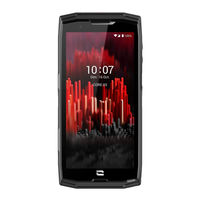
Crosscall CORE-X5 Schnellstartanleitung (91 Seiten)
Inhaltsverzeichnis
-
English
11 -
Français
18 -
Español
24 -
Deutsch
30-
Gehörschutz33
-
Umweltschutz34
-
Konformität34
-
Italiano
36 -
Português
42 -
Dutch
48 -
Hrvatski
54 -
Polski
62 -
Slovenščina
68 -
Srpski
82

Crosscall CORE-X5 Bedienungsanleitung (53 Seiten)
Inhaltsverzeichnis
-
Kontakte16
-
Nachrichten16
-
Kamera17
-
Galerie18
-
Mobile Daten23
-
Navigator24
-
E-Mail24
-
Ton27
-
Sprachen27
-
Screenshot28
-
Multimedia40
-
Gehörschutz47
-
Umweltschutz47
-
Konformität49
-
Anhang52

