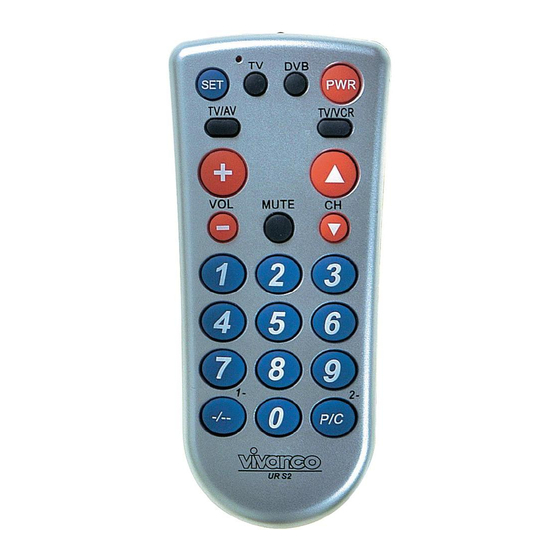
Vivanco UR S2 Handbuch
Vorschau ausblenden
Andere Handbücher für UR S2:
- Bedienungsanleitung (30 Seiten) ,
- Bedienungsanleitung (30 Seiten) ,
- Bedienungsanleitung (34 Seiten)
Inhaltsverzeichnis
Verfügbare Sprachen
Verfügbare Sprachen
(GB) Instructions
VIVANCO UR S2 Remote Control
Inserting the batteries
Open the battery flap on the back of
the remote control, press the tongue
lightly downwards, then insert 2
Vivanco GmbH, D-22926 Ahrensburg, E-Mail
All manuals and user guides at all-guides.com
UR S2 UNIVERSAL TV- DVB CONTROLLER
1
3
5
7
9
11
13
alkaline AA batteries. Check that the
polarity markings on the batteries and
in
the
battery
compartment
correctly lined up (+=+), then close the
flap
carefully.
-
undamaged batteries.
Adapting to appliances
In order to control e.g. your TV or DVB
you must adapt or set the remote
control to it. There are two ways of
doing so: direct control code entry or
code search.
Direct control code entry using the
enclosed list
Example: setting to control a
Panasonic television set:
1.
The attached list gives, for
example, the Panasonic Code 176.
Please make sure you have selected
the correct list for television sets (TV).
2.
To prepare code entry,
press the SET button, keep it pressed
and then press the required appliance
button, e.g. TV, additionally until the
lamp (LED) lights constantly.
3.
Then press the number
buttons (e.g. 1 7 6) in sequence.
4.
Once the numbers have
been entered the lamp goes out and
the remote control is ready to control
your appliance.
5.
Finally, test the control
code setting by trying to control (in this
example) your television set. If it does
not work at all or not correctly try a
different code from the list or the code
search (see below).
You can terminate the mode by
pressing any device button.
Code search
If the brand of your appliance is not in
the list or none of the codes given fits,
we recommend a code search.
:
hotline@vivanco.de
15
17
19
21
23
25
27
are
Always
use
1
,
Inhaltsverzeichnis

Verwandte Anleitungen für Vivanco UR S2


Inhaltszusammenfassung für Vivanco UR S2
-
Seite 3: (D) Bedienungsanleitung
All manuals and user guides at all-guides.com UR S2 UNIVERSAL TV- DVB CONTROLLER symbols on the UR S2 could differ direkte Steuerkodeeingabe from those on the original remote mithilfe der beigefügten Liste controls you may have to try out all the... - Seite 4 Suche. Das SET (Einstellen) drücken Lämpchen (LED) geht aus. und dazu 1,2,3 drücken, je nachdem - Die UR S2 setzt die Suche dort fort, welche Stelle des Kodes Sie auslesen wo Sie die Suche abgebrochen möchten. Z.B. wenn Sie nach TV hatten.