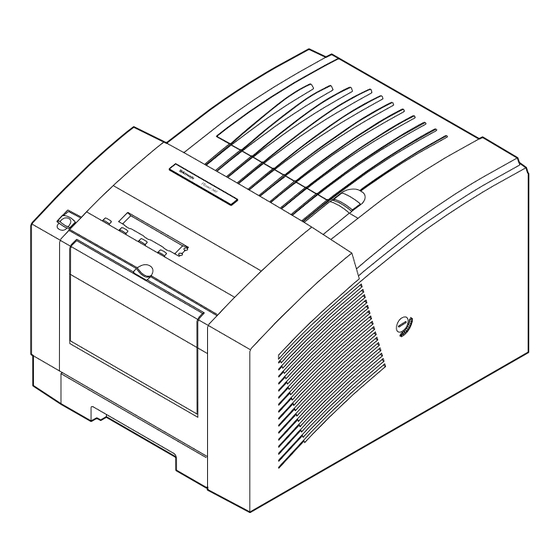
Xerox Phaser 360 Schnellinstallation
Quicklinks
For detailed installation
instructions, refer to
Chapter 2 of the user
manual.
Pour les instructions
d'installation détaillées,
consultez le chapitre 2
du manuel d'utilisation.
Per informazioni
dettagliate sulle
procedure di
installazione,
consultare il capitolo 2
del manuale utente.
Detailierte
Installationsanweisung
en finden Sie in Kapitel
2 des
Benutzerhandbuchs.
Consulte las
instrucciones
detalladas de
instalación en el
capítulo 2 del manual
del usuario.
Quick-Start Installation
Installation rapide
Istruzioni coincise per l'installazione
Schnell-Installation
Instalción Abreviada

Verwandte Anleitungen für Xerox Phaser 360


Inhaltszusammenfassung für Xerox Phaser 360
- Seite 1 Quick-Start Installation Installation rapide Istruzioni coincise per l’installazione Schnell-Installation Instalción Abreviada For detailed installation instructions, refer to Chapter 2 of the user manual. Pour les instructions d’installation détaillées, consultez le chapitre 2 du manuel d’utilisation. Per informazioni dettagliate sulle procedure di installazione, consultare il capitolo 2 del manuale utente.
- Seite 2 Unpack the printer and load ink sticks. Optional: Install Lower Paper Tray Assembly. Retirez l’imprimante de son emballage et chargez l’encre. Facultatif: Installez le bac inférieur. Rimuovere l’imballaggio e caricare Facoltativo: Installare il cassetto le barrette di inchiostro. inferiore. Nehmen Sie den Drucker aus der Optional: Installieren Sie die untere Verpackung, und legen Sie die Papierablage.
- Seite 3 Unlock the transit restraint. Install the maintenance tray. Sortez les matériaux d’emballage. Installez le bac de maintenance. Rimuovere il materiale di imballaggio. Installare il cassetto di manutenzione. Entriegeln Sie die Transportsicherung. Installieren Sie die Wartungskassette. Extraiga el material de embalaje. Instale la bandeja de mantenimiento.
- Seite 4 Connect the cables. Power up the printer. Connectez les câbles. Mettez l’imprimante sous tension. Collegare i cavi. Accendere la stampante. Schließen Sie die Kabel an. Schalten Sie den Drucker ein. Conecte los cables. Encienda la impresora. PHASER 340 Ethernet® Service Reset Second PHASER 350...
- Seite 5 Load media. Install the driver software. Chargez le support. Installez le logiciel du gestionnaire. Caricare i supporti di stampa. Installare il software del driver. Legen Sie das Druckmedium ein. Installieren Sie die Treiber-Software. Cargue los fungibles. Instale el software del driver.
- Seite 6 Select a front panel language. Make a sample print. Sélectionnez une langue pour le Effectuez une impression échantillon. panneau avant. Eseguire una prova di stampa. Selezionare una lingua per il pannello Führen Sie einen Testausdruck durch. frontale. Realice una impresión de prueba. Wählen Sie eine Sprache für das vordere Bedienfeld aus.