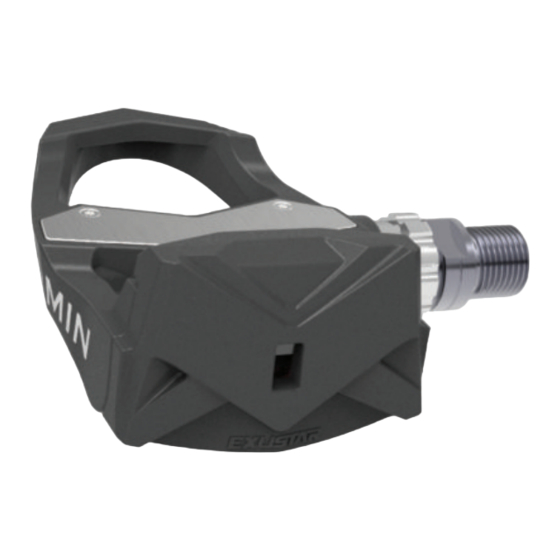
Garmin Vector Schnellstartanleitung
Vorschau ausblenden
Andere Handbücher für Vector:
- Schnellstartanleitung (26 Seiten) ,
- Benutzerhandbuch (14 Seiten) ,
- Schnellstartanleitung (2 Seiten)
Inhaltsverzeichnis
Verfügbare Sprachen
Verfügbare Sprachen
Quick Start Manual ...................................................................
Manuel de démarrage rapide ...................................................
Manuale di avvio rapido ...........................................................
Schnellstartanleitung ...............................................................
Guía de inicio rápido ................................................................
Manual de início rápido
.........................................................11
Snelstartgids ...........................................................................
Lynstartvejledning ..................................................................
aloitusopas .............................................................................
Hurtigstartveiledning .............................................................
Snabbstartshandbok ..............................................................
Skrócony podręcznik użytkownika .......................................
Getting Started
Read all instructions carefully before installing and using the Vector
Improper use could result in serious injury.
See the Important Safety and Product Information guide in the product box for
product warnings and other important information.
Go to
www.garmin.com/vectorowner
compatibility, software updates, and video tutorials.
Tools needed
• 15 mm pedal wrench
• Bike grease
• 3 mm and 4 mm hex keys
installing Vector Components
Preparing the Crank arms
1
Remove the existing pedals.
2
Clean the threads and remove old grease.
WarninG
notice
for the latest information including bike
Determining Pedal Pod Clearance
The pedal pod should contact the crank arm only at its mounting face, because
this is the load-bearing connection. If the pedal pod contacts the crank arm
anywhere else, the pedal pod may fracture when the pedal is tightened.
• If the mounting face
recessed, use one or more washers
• Make sure the pedal pod mounting face
mounting face (or the washer used to fill the recess).
If the pedal pod touches the crank arm anywhere else, use another washer
1
to provide the necessary clearance.
3
• If the mounting face of the crank arm is protruding, do not use washers.
5
Determining the Bicycle Chain Clearance
7
Before you can install the right pedal, you must confirm bicycle chain clearance.
Move your bike chain to the largest crank gear and the smallest cassette
9
gear.
The bike chain should be in the outermost position to determine proper
13
clearance between the pedal pod cable and the chain.
15
nOTE: There should be at least 5 mm clearance
the crank arm.
17
19
21
23
installing the Pedal Pod and Pedal
nOTE: The left and right pedal pods are the same.
1
Install the left pedal first.
system.
™
2
Apply a thin layer of grease on the pedal spindle
where it contacts the pedal spindle.
3
On the pedal spindle, stack the pedal pod and any required washers
nOTE: You must carefully bend the cable
4
Insert the spindle into the crank arm
5
Hand tighten the spindle.
nOTE: The left pedal tightens counter clockwise. The right pedal tightens
clockwise.
TiP: Power and cadence calculations are not impacted by the orientation
of the pedal pod. Garmin recommends placement of the pedal pod on the
leading edge of the crank. When the crank is in the forward position, the
pedal pod should be pointing downward.
notice
surrounding the threaded hole in the crank arm is
➊
to fill the recess.
➋
contacts the crank arm only at its
➌
between the chain and
➍
➍
and the pedal pod
➎
➐
➎
➒
➏
➑
out of the way.
➑
.
➒
➏
.
➐
1
Inhaltsverzeichnis
Fehlerbehebung

Verwandte Anleitungen für Garmin Vector


Inhaltszusammenfassung für Garmin Vector
-
Seite 7: Erste Schritte
Reinigen Sie die Gewinde, und entfernen Sie altes Schmiermittel. Ziehen Sie die Achse mit dem Pedalschlüssel an. Ermitteln des Freiraums der Pedalsender HinWEiS: Ziehen Sie sie nicht zu fest an. Garmin empfiehlt ein Drehmoment von 34 bis 40 Nm (25 bis 30 lbf-ft). Hinweis Der Pedalsender darf die Tretkurbel nur an der Kontaktfläche berühren, da es sich um die... -
Seite 8: Fehlerbehebung
Verbunden. Sie können ein Datenfeld anpassen, um Vector-Daten anzuzeigen. Beginnen der ersten Tour Bevor Sie die erste Tour mit dem Vector beginnen, müssen Sie die Kurbellänge angeben, den Montagewinkel der Sensoren in den Pedalen einrichten und die statische Nullreferenz kalibrieren.