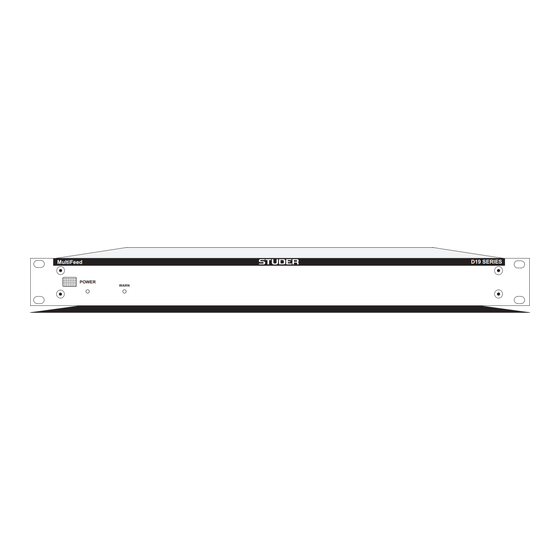
Studer D19 MultiFeed Bedienungsanleitung
Sync/aes3 signal distributor

Verwandte Anleitungen für Studer D19 MultiFeed


Inhaltszusammenfassung für Studer D19 MultiFeed
- Seite 1 Studer D19 MultiFeed Sync/AES3 Signal Distributor D19 SERIES MultiFeed POWER WARN Operating Instructions...
- Seite 2 Copyright by STUDER Professional Audio AG STUDER Professional Audio AG Printed in Switzerland Order no. 10.27.4491 (Ed. 0900) Technical Documentation Althardstrasse 30 Subject to change CH-8105 Regensdorf - Switzerland STUDER is a registered trade mark of STUDER Professional Audio AG, Regensdorf...
- Seite 3 SAFETY / SECURITE / SICHERHEIT To reduce the risk of electric shock, do not remove covers (or back). No user-serviceable parts inside. Refer servicing to qualified service personnel. Afin de prévenir un choc électrique, ne pas enlever les couvercles (où l’arrière) de l’appareil. Il ne se trouve à l’intérieur aucune pièce pouvant être réparée par l’usager.
- Seite 4 SAFETY / SECURITE / SICHERHEIT FIRST AID PREMIERS SECOURS ERSTE HILFE (in case of electric shock) (en cas d'électrocution) (bei Stromunfällen) 1. Separate the person as quickly as 1. Si la personne est dans l'impos- 1. Bei einem Stromunfall die be- possible from the electric power sibilité...
- Seite 5 SICHERHEIT / SAFETY Installation Installation Vor der Installation des Gerätes müssen die hier aufge- Before you install the equipment, please read and adhere führten und auch die weiter in dieser Anleitung mit to the following recommendations and all sections of bezeichneten Hinweise gelesen und während der these instructions marked with Installation und des Betriebes beachtet werden.
- Seite 6 SICHERHEIT / SAFETY Zugentlastung für den Netzanschluss Mains connector strain relief Zum Verankern von Steckverbindungen ohne mechani- For anchoring connectors without a mechanical lock (e.g. sche Verriegelung (z.B. IEC-Kaltgerätedosen) empfehlen IEC mains connectors), we recommend the following wir die folgende Anordnung: arrangement: Vorgehen: Der mitgelieferte Kabelhalter ist selbstkle- Procedure: The cable clamp shipped with your unit is...
- Seite 7 Abschnitten beschrieben. Umgebungstemperatur Ambient temperature Geräte und Systeme von Studer sind allgemein für einen Um- Units and systems by Studer are generally designed for an gebungstemperaturbereich (d.h. Temperatur der eintretenden ambient temperature range (i.e. temperature of the incoming Kühlluft) von +5...+40 °C ausgelegt.
- Seite 8 UMGEBUNGSBEDINGUNGEN / AMBIENT CONDITIONS Vor der Inbetriebnahme muss das System auf allfällige interne Before putting into operation, the system must be checked for Betauung oder Eisbildung überprüft werden. Nur bei sehr internal formation of condensation or ice. Only with a minute leichter Eisbildung kann mit direkter Verdunstung (Sublimati- formation of ice, direct evaporation (sublimation) may be ex- on) gerechnet werden;...
-
Seite 9: Wartung Und Reparatur
WARTUNG / MAINTENANCE Wartung und Reparatur Maintenance and Repair Durch Entfernen von Gehäuseteilen, Abschirmungen etc. The removal of housing parts, shields, etc. exposes ener- werden stromführende Teile freigelegt. Deshalb müssen gized parts. For this reason the following precautions u.a. die folgenden Grundsätze beachtet werden: should be observed: Eingriffe in das Gerät dürfen nur von Fachpersonal unter Maintenance should only be performed by trained per-... -
Seite 10: Elektrostatische Entladung (Esd) Bei Wartung Und Reparatur
WARTUNG / MAINTENANCE Elektrostatische Entladung (ESD) Electrostatic Discharge (ESD) bei Wartung und Reparatur during Maintenance and Repair Observe precautions for handling devices sensitive to ATTENTION: electrostatic discharge! ATTENTION: Respecter les précautions d’usage concernant la mani- pulation de composants sensibles à l’électricité statique! ACHTUNG: Vorsichtsmassnahmen bei Handhabung elektrostatisch entladungsgefährdeter Bauelemente beachten! - Seite 11 Lötverbindungen in der Abbildung weiter unten. Bei Studer werden keine handelsüblichen SMD-Teile Studer does not keep any commercially available SMDs bewirtschaftet. Für Reparaturen sind die notwendigen in stock. For repair the corresponding devices should be Bauteile lokal zu beschaffen. Die Spezifikationen von purchased locally.
-
Seite 12: Störstrahlung Und Störfestigkeit
EMV / EMC Störstrahlung und Störfestigkeit Electromagnetic Compatibility Das Gerät entspricht den Schutzanforderungen auf dem The equipment conforms to the protection requirements relevant to electromagnetic phenomena that are listed in Gebiet elektromagnetischer Phänomene, wie u.a. in den Richtlinien 89/336/EWG und FCC, Part 15, aufgeführt: the guidelines 89/336/EC and FCC, part 15. -
Seite 13: Konformitätserklärungen (Declarations Of Conformity)
CH-8105 Regensdorf, CH-8105 Regensdorf, erklärt in eigener Verantwortung, dass das Produkt declares under his sole responsibility that the product Studer D19 MultiFeed, Sync/AES3 Signal Distributor, Studer D19 MultiFeed, Sync/AES3 Signal Distributor, (ab Serie-Nr. 1001), (on from serial No. 1001), auf das sich diese Erklärung bezieht, entsprechend den Be- to which this declaration relates, according to following stimmungen der EU-Richtlinien und Ergänzungen... -
Seite 15: Inhaltsverzeichnis
D19 MultiFeed CONTENTS Come In! .............E 1/1 Basic Information ............E 1/1 General ..............E 1/1 1.2.1 Scope of Delivery ............. E 1/1 1.2.2 Option ................E 1/2 1.2.3 Block Diagrams ..............E 1/2 Safety and Connections ..........E 1/3 1.3.1... - Seite 16 D19 MultiFeed E 0/2 Contents Date printed: 13.09.00...
-
Seite 17: Come In
D19 MultiFeed COME IN! We are happy to welcome you in the circle of the Studer D19 Multi- Feed's users, and we felicitate you on your selection. Thanks to Studer's experience collected during more than 40 years of business in the pro- fessional audio products field, you may expect that the performance of your new unit will fulfill your highest demands. -
Seite 18: Block Diagrams
D19 MultiFeed 1.2.2 Option Redundancy Input Option: For watching the AES/EBU inputs 1...4 1.680.041.00 If one of these signals fails, switchover to a redundant input (with SFC) can be done automatically or controlled by an external signal. The out- put is synchronized to the generator's output signal. -
Seite 19: Safety And Connections
ERROR Safety and Connections 1.3.1 Utilization for the Purpose Intended The Studer D19 MultiFeed is designed for professional use. It is pre- sumed that the unit is operated only by trained personnel; servicing must be performed by qualified experts. The electrical connections may be connected only to the appropriate voltages and signals specified in this manual. -
Seite 20: Connector Field
D19 MultiFeed 1.3.3 Connector Field [11] [10] Mains~ 100 – 240 V AES OUT 1-4 AES OUT 5-8 AES IN 1-4 ALARM REDUNDANCY LINK AES IN AUX 1-4 AES OUT 9-12 AES OUT 13-16 DISTR MODE WCLK OUT WCLK IN... -
Seite 21: Technical Specifications
D19 MultiFeed Technical Specifications (preliminary, subject to change without notice) 1.4.1 General Inputs: AES/EBU: Impedance 110 typ. Sensitivity min. 0.2 V Sampling rate 28...55 kHz according to AES3 1992 Word clock: Impedance: hi-Z or 75 , selectable with internal jumper; TTL level... -
Seite 22: Mechanical Data
D19 MultiFeed 1.4.6 Mechanical Data Weight: approx. 5 kg Dimensions [mm]: 44.2 approx. 8 (Rubber feet) 482.4 E 1/6 Come in! Date printed: 13.09.00... -
Seite 23: Operation
D19 MultiFeed OPERATION Operating Elements [1] POWER Recessed pushbutton for switching the unit on or off; the associated LED is illuminated when the unit is switched on. [2] WARN This LED is illuminated if an internal supply has a malfunction, pro- vided two units are linked or a second power supply unit is installed. -
Seite 24: Aes/Ebu Out
D19 MultiFeed 2.2.3 4 AES/EBU IN (15-pin D-type, f) Pin Signal AES 1a AES 1b Screen Screen AES 2a AES 2b AES 3a AES 3b Screen Screen AES 4a AES 4b n.c. n.c. n.c. 2.2.4 4 × 4 AES/EBU OUT (4 × 15-pin D-type, m) -
Seite 25: Alarm
D19 MultiFeed 2.2.5 ALARM (9-pin D-type, f) Signal 24 V WARN relay contact output. Active if an internal supply has a malfunction, provided that two units are linked together or a second power supply unit is installed. Depending on the jumper configuration, the relay connects (P25-P26) this pin with pin 6 or interrupts (P26-P27) this connection. -
Seite 26: Redundancy Link
D19 MultiFeed 2.2.7 REDUNDANCY LINK (15-pin D-type, f) to pin Signal (on 2nd unit) VCC re n.c. n.c. ISYNEX WCLRE MAST VCCre n.c. n.c. 24 V re n.c. AESRE IFAILEX IMAST Matching Cable: Order no. 1.680.025.00, suited for two units placed on top of each other. -
Seite 27: Dip Switch And Jumpers
D19 MultiFeed DIP SWITCH AND JUMPERS DIP Switch Settings The DIP switch is located at the rear of the unit and is accessed through a hole in the rear panel. The switches are numbered 1...8 from the left to the right. -
Seite 28: Internal Jumpers
D19 MultiFeed Internal Jumpers Caution: All internal adjustments as well as repair work on this product must be performed by a trained technician – no user-serviceable parts inside! Factory Setting: In all drawings below, the default jumper settings are marked in black. - Seite 29 D19 MultiFeed This pin array is used for installing the Redundancy option. If no Redundancy option is installed, the following pins must be con- nected with jumpers: P43-P47, P42-P45, P48-P50, and P49-P51 (de- fault setting). This jumper remains in the INT position (P55-P56; default setting).
- Seite 30 D19 MultiFeed E 3/4 DIP switch and jumpers Date printed: 13.09.00...
-
Seite 31: Applications
Out 2 Out 3 As the 16 outputs of a D19 MultiFeed can be configured in such a way that they distribute different signals, it is possible to use eight outputs for the distribution of the main output, and four of them each for two other signals, such as AUX outputs or a second master output. -
Seite 32: Emergency Feeds
Feed via studio/router D19 MultiFeed In the given example, the D19 MultiFeed will switch over to the emer- gency feeds in the same moment when the program feed via console and router is interrupted. This ensures that the important system output will never be without a signal.