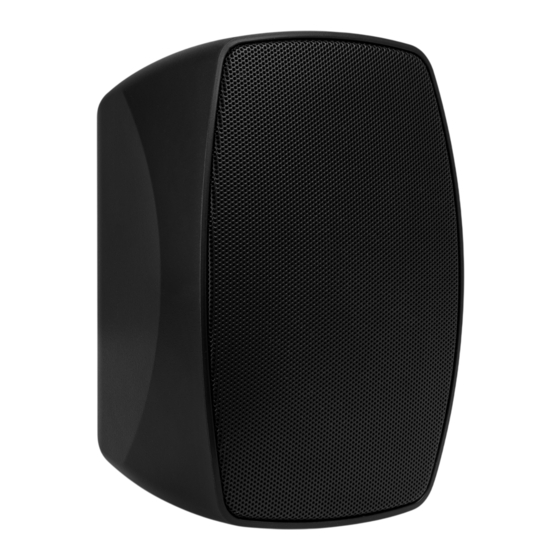
Power Dynamics BHW-Serie Bedienungsanleitung
Inhaltsverzeichnis
Verfügbare Sprachen
Verfügbare Sprachen
Quicklinks
Inhaltsverzeichnis

Verwandte Anleitungen für Power Dynamics BHW-Serie


Inhaltszusammenfassung für Power Dynamics BHW-Serie
- Seite 3 BHW Series Speaker Ref. nr.: 952.180; 952.182; 952.184; 952.186; 952.188; 952.190; 952.192; 952.194 INSTRUCTION MANUAL GEBRUIKSAANWIJZING BEDIENUNGSANLEITUNG MANUAL DE INSTRUCCIONES MANUEL D'INSTRUCTIONS INSTRUKCJA OBSŁUGI NÁVOD K POUŽITÍ V1.0...
- Seite 4 ENGLISH Congratulations to the purchase of this Power Dynamics product. Please read this manual thoroughly prior to using the unit in order to benefit fully from all features. Read the manual prior to using the unit. Follow the instructions in order not to invalidate the warranty. Take all precautions to avoid fire and/or electrical shock.
-
Seite 5: Unpacking Instruction
UNPACKING INSTRUCTION CAUTION! Carefully unpack the box upon receipt. Check the contents to ensure that all parts are present and have been received in good condition. Notify the shipper immediately and retain packaging material if any parts appear damaged from shipping or the package itself shows signs of mishandling. - Seite 6 NEDERLANDS Hartelijk dank voor de aanschaf van dit Power Dynamics product. Neemt u a.u.b. een paar momenten de tijd om deze handleiding zorgvuldig te lezen, aangezien wij graag willen dat u onze producten snel en volledig gebruikt. Lees deze handleiding eerst door alvorens het product te gebruiken. Volg de instructies op anders zou de garantie wel eens kunnen vervallen.
- Seite 7 UITPAKKEN LET OP! Pak na ontvangst de doos zorgvuldig uit. Controleer of alle onderdelen aanwezig- en in goede staat ontvangen zijn. Bij transportschade of bij het ontbreken van onderdelen onmiddellijk de verkopende partij inlichten. Bewaar de verpakking en het verpakkingsmateriaal. Indien het product moet worden teruggestuurd, is het belangrijk dat het product in originele verpakking wordt geretourneerd.
- Seite 8 DEUTSCH Vielen Dank für den Kauf dieses Power Dynamics gerat. Nehmen Sie sich einen Augenblick Zeit, um diese Anleitung sorgfältig durchzulesen, damit sie die Möglichkeiten, die unser Produkt bietet, sofort voll ausnutzen können. Lesen Sie erst die Anleitung vollständig vor der ersten Inbetriebnahme durch. Befolgen Sie die Anweisung, da sonst jeglicher Garantieanspruch verfällt.
-
Seite 9: Auspacken
"-", da dies zu irreparablen Schäden führen kann. NIEDRIGE IMPEDANZ Der niederohmige Lautsprecher der BHW-Serie hat eine Nennimpedanz von 8Ω. Wenn es notwendig ist, mehrere Lautsprecher parallel zu schalten, sollten Sie die Spezifikationen des Verstärkers bezüglich der minimal zulässigen Impedanz beachten. Die meisten Verstärker erlauben eine Mindestimpedanz von 4Ω, was zwei parallel geschalteten BHW Serienlautsprechern... - Seite 10 Esta garantía no es aplicable en caso de accidente o daños ocasionados por uso indebido del aparato o mal uso del mismo. Power Dynamics no se hace responsable de daños personales causados por el no seguimiento de las normas e...
-
Seite 11: Instrucciones De Desembalaje
INSTRUCCIONES DE DESEMBALAJE ATENCIÓN! Inmediatamente después de recibir un dispositivo, desempaque cuidadosamente la caja de cartón, compruebe el contenido para asegurarse de que todas las partes están presentes, y se han recibido en buenas condiciones. Notifique inmediatamente al transportista y conserve el material de embalaje para la inspección por si aparecen daños causados por el transporte o el propio envase muestra signos de mal manejo. - Seite 12 à la garantie La garantie deviendrait également caduque en cas d’accidents ou dommages causes par une utilisation inappropriée de l’appareil ou un non respect des consignes présentes dans cette notice. Power Dynamics ne pourrait être tenu responsable en cas de dommages matériels ou corporels causés par un non respect des consignes de sécurité et avertissements. Cela est...
- Seite 13 DÉBALLAGE ATTENTION ! Immédiatement après réception, vérifiez le contenu du carton et assurez-vous que tous les éléments sont bien présents et en bon état. Si besoin, faites les réserves nécessaires si le matériel ou les cartons sont endommagés. SI l’appareil doit être retourné, faites-le dans l’emballage d’origine.
- Seite 14 POLSKI Gratulujemy zakupu urządzenia marki Power Dynamics. Proszę o przeczytanie instrukcji przed użyciem urządzenia, aby jak najlepiej móc wykorzystać jego możliwości. Przeczytaj tę instrukcję przed pierwszym użyciem urządzenia. Postępuj zgodnie z instrukcją, aby nie utracić gwarancji. Zwróć uwagę na wszystkie ostrzeżenia, aby uniknąć pożaru lub/oraz porażenia prądem. Naprawy mogą być przeprowadzane jedynie przez autoryzowany serwis.
- Seite 15 INSTRUKCJA ROZPAKOWYWANIA OSTRZEŻ ENIE! Natychmiast po odbiorze urządzenia, ostrożnie otwórz karton ochronny, oraz sprawdź zawartość i stan techniczny przedmiotu. Niezwłocznie powiadom kuriera oraz zachowaj opakowanie zewnętrzne do kontroli, jeśli jakikolwiek element zawartości wygląda na zniszczony w transporcie lub nosi objawy złego traktowania paczki. W takim wypadku należy niezwłocznie odesłać...
- Seite 16 ČESKY Gratulujeme ke koupi tohoto produktu Power Dynamics. Před použitím výrobku si pečlivě přečtěte tento návod, abyste mohli plně využívat všechny jeho funkce. Před použitím přístroje si přečtěte tuto příručku. Postupujte podle pokynů, aby nedošlo ke zneplatnění záruky. Přijměte veškerá...
- Seite 17 POKYNY PO VYBALENÍ POZOR! Ihned po obdržení produktu pečlivě vybalte krabici, zkontrolujte obsah, zda jsou všechny součásti přítomny a zda jsou v bezvadném stavu. Okamžitě informujte přepravce i prodejce a uschovejte obal ke kontrole, pokud se objeví nějaké známky poškození, nebo pokud obal samotný vykazuje známky nesprávné manipulace. Ponechte si veškerý původní balicí materiál. V případě, že produkt bude muset být vrácen do továrny, je důležité, aby byl vrácen a zabalen v původní...
- Seite 18 TECHNICAL SPECIFICATION / TECHNISCHE SPECIFICATIE / TECHNISCHE DATEN / ESPECIFICACIONES TÉCNICAS / SPÉCIFICATIONS TECHNIQUES / SPECYFIKACJA TECHNICZNA / TECHNICKÁ SPECIFIKACE BHW30 BHW40 BHW50 BHW60 Ref. nr. 952.180 952.182 952.184 952.186 952.188 952.190 952.192 952.194 Output power: Max 120W Output power: RMS Tweeter type Dome Diameter tweeter...
- Seite 19 WT460A Amplifier Ref. nr.: 952.490 INSTRUCTION MANUAL GEBRUIKSAANWIJZING BEDIENUNGSANLEITUNG MANUAL DE INSTRUCCIONES MANUEL D'INSTRUCTIONS INSTRUKCJA OBSŁUGI NÁVOD K POUŽITÍ V1.0...
- Seite 21 ENGLISH Congratulations to the purchase of this Power Dynamics product. Please read this manual thoroughly prior to using the unit in order to benefit fully from all features. Read the manual prior to using the unit. Follow the instructions in order not to invalidate the warranty. Take all precautions to avoid fire and/or electrical shock.
-
Seite 22: Power Supply
UNPACKING INSTRUCTION CAUTION! Carefully unpack the box upon receipt. Check the contents to ensure that all parts are present and have been received in good condition. Notify the shipper immediately and retain packaging material if any parts appear damaged from shipping or the package itself shows signs of mishandling. -
Seite 23: Remote Control
SETUP Position the WT460A in such a way that the best possible reception is available to the device. While still having the WT460A switched off, connect the device to the mains supply via the supplied power lead. To achieve the best reception for both BT streaming - and WiFi signals, make sure to install the antennas. When using an external playback device, connect this to the AUX input RCA sockets on the rear panel of the WT460A. - Seite 24 WIIM LEGACY PLAYER APP SETUP Open the WiiM Legacy Player app. After the welcome screen of the app, a searching screen will be shown. In case the WT460A has been connected to the local internet, the searching will result in finding one or more devices. The app will proceed to the list with found devices automatically.
- Seite 25 A notification will confirm the connection has been successfully made and signal strength will be shown. Click next, the Name Device screen will be displayed. This screen enables the user to give the WiFi connection a description label (for example “Dining Room” or “Garden”). After this step, select the arrow at the top right of the screen to proceed.
- Seite 26 NEDERLANDS Hartelijk dank voor de aanschaf van dit Power Dynamics product. Neemt u a.u.b. een paar momenten de tijd om deze handleiding zorgvuldig te lezen, aangezien wij graag willen dat u onze producten snel en volledig gebruikt. Lees deze handleiding eerst door alvorens het product te gebruiken. Volg de instructies op anders zou de garantie wel eens kunnen vervallen.
-
Seite 27: Overzicht
UITPAKKEN LET OP! Pak na ontvangst de doos zorgvuldig uit. Controleer of alle onderdelen aanwezig- en in goede staat ontvangen zijn. Bij transportschade of bij het ontbreken van onderdelen onmiddellijk de verkopende partij inlichten. Bewaar de verpakking en het verpakkingsmateriaal. Indien het product moet worden teruggestuurd, is het belangrijk dat het product in originele verpakking wordt geretourneerd. - Seite 28 3. Houd AFSPELEN/PAUZEREN gedrukt om bestaande verbindingen te verwijderen en koppeling mogelijk te maken. 4. Zoek naar "WT460A" in het BT-menu van de smartphone of tablet. 5. Maak verbinding met "WT460A". Als het koppelen is gelukt, stopt de BT-LED met knipperen. INSTELLEN Plaats de WT460A zodanig dat het apparaat de best mogelijke ontvangst heeft.
- Seite 29 WIIM LEGACY PLAYER APP INSTELLEN Open de WiiM Legacy Player app. Na het welkomstscherm van de app wordt een zoekscherm getoond. Als de WT460A verbonden is met het lokale internet, zal het zoeken resulteren in het vinden van een of meer apparaten. De app zal automatisch doorgaan naar de lijst met gevonden apparaten.
- Seite 30 Een melding bevestigt dat de verbinding met succes tot stand is gebracht en de signaalsterkte wordt weergegeven. Klik op Volgende, het scherm Name Device wordt weergegeven. In dit scherm kan de gebruiker de WiFi-verbinding een beschrijvend label geven (bijvoorbeeld "Eetkamer" of "Tuin"). Selecteer na deze stap de pijl rechtsboven in het scherm om verder te gaan.
- Seite 31 DEUTSCH Vielen Dank für den Kauf dieses Power Dynamics gerat. Nehmen Sie sich einen Augenblick Zeit, um diese Anleitung sorgfältig durchzulesen, damit sie die Möglichkeiten, die unser Produkt bietet, sofort voll ausnutzen können. Lesen Sie erst die Anleitung vollständig vor der ersten Inbetriebnahme durch. Befolgen Sie die Anweisung, da sonst jeglicher Garantieanspruch verfällt.
-
Seite 32: Netzanschluss
AUSPACKEN Packen Sie das Gerät sofort nach Empfang aus und prüfen Sie den Inhalt. Wenn Teile fehlen oder beschädigt sind, benachrichtigen Sie sofort den Spediteur und bewahren Sie die Verpackung auf. Falls ein Gerät ins Werk zurückgeschickt werden muss, ist es wichtig, dass es in der Originalverpackung versandt wird. Das Gerät darf nicht in Betrieb genommen werden, nachdem es von einem kalten in einen warmen Raum gebracht wurde. -
Seite 33: Einstellen
3. Halten Sie ABSPIELEN/PAUSIEREN gedrückt, um bestehende Verbindungen zu entfernen und die Kopplung zu aktivieren. 4. Suchen Sie im BT-Menü des Smartphones oder Tablets nach "WT460A". 5. Verbinden Sie mit "WT460A". Wenn das Pairing erfolgreich ist, hört die BT-LED auf zu blinken. EINSTELLEN Stellen Sie den WT460A so auf, dass das Gerät den bestmöglichen Empfang hat. -
Seite 34: Wiim Legacy Player App Einstellen
WIIM LEGACY PLAYER APP EINSTELLEN Öffnen Sie die WiiM Legacy Player-App. Nach dem Willkommensbildschirm der App wird ein Suchbildschirm angezeigt. Wenn der WT460A mit dem lokalen Internet verbunden ist, führt die Suche zu einem oder mehreren gefundenen Geräten. Die App fährt automatisch mit der Liste der gefundenen Geräte fort. - Seite 35 Eine Meldung bestätigt, dass die Verbindung erfolgreich hergestellt wurde, und die Signalstärke wird angezeigt. Klicken Sie auf Weiter, der Bildschirm Gerät benennen wird angezeigt. Auf diesem Bildschirm kann der Benutzer der WiFi- Verbindung einen beschreibenden Namen geben (z. B. "Esszimmer" oder "Garten"). Wählen Sie nach diesem Schritt den Pfeil oben rechts auf dem Bildschirm, um fortzufahren.
- Seite 36 Esta garantía no es aplicable en caso de accidente o daños ocasionados por uso indebido del aparato o mal uso del mismo. Power Dynamics no se hace responsable de daños personales causados por el no seguimiento de las normas e...
-
Seite 37: Fuente De Alimentación
INSTRUCCIONES DE DESEMBALAJE ATENCIÓN! Inmediatamente después de recibir un dispositivo, desempaque cuidadosamente la caja de cartón, compruebe el contenido para asegurarse de que todas las partes están presentes, y se han recibido en buenas condiciones. Notifique inmediatamente al transportista y conserve el material de embalaje para la inspección por si aparecen daños causados por el transporte o el propio envase muestra signos de mal manejo. -
Seite 38: Configuración
2. Pulse el botón ENTRADA hasta que se ilumine el LED BT. 3. Mantenga pulsado el botón REPRODUCIR/PAUSAR / PAIRING para descartar cualquier conexión BT existente y habilitar el emparejamiento. 4. Buscar "WT460A" en el menú BT del smartphone o tableta. 5. - Seite 39 CONFIGURACIÓN DE LA APLICACIÓN WIIM LEGACY PLAYER Abre la aplicación WiiM Legacy Player. Después de la pantalla de bienvenida de la aplicación, aparecerá una pantalla de búsqueda. En caso de que el WT460A esté conectado a Internet, la búsqueda dará como resultado uno o más dispositivos. La aplicación pasará...
- Seite 40 Una notificación confirmará que la conexión se ha realizado correctamente y se mostrará la intensidad de la señal. Haga clic en Siguiente y aparecerá la pantalla Nombre del dispositivo. Esta pantalla permite al usuario dar a la conexión WiFi una etiqueta descriptiva (por ejemplo "Comedor" o "Jardín"). Después de este paso, seleccione la flecha situada en la parte superior derecha de la pantalla para continuar.
- Seite 41 à la garantie La garantie deviendrait également caduque en cas d’accidents ou dommages causes par une utilisation inappropriée de l’appareil ou un non respect des consignes présentes dans cette notice. Power Dynamics ne pourrait être tenu responsable en cas de dommages matériels ou corporels causés par un non respect des consignes de sécurité et avertissements. Cela est...
-
Seite 42: Vue D'ensemble
DEBALLAGE ATTENTION ! Immédiatement après réception, vérifiez le contenu du carton et assurez-vous que tous les éléments sont bien présents et en bon état. Si besoin, faites les réserves nécessaires si le matériel ou les cartons sont endommagés. SI l’appareil doit être retourné, faites-le dans l’emballage d’origine. -
Seite 43: Configuration
4. Recherchez "WT460A" dans le menu BT du smartphone ou de la tablette. 5. Connectez-vous avec le "WT460A". Lorsque l'appairage est réussi, la LED BT cesse de clignoter. CONFIGURATION Placez le WT460A de manière à ce que l'appareil reçoive la meilleure réception possible. Tout en gardant le WT460A éteint, connectez l'appareil au réseau électrique via le câble d'alimentation fourni. - Seite 44 CONFIGURATION DE L'APPLICATION WIIM LEGACY PLAYER Ouvrez l'application WiiM Legacy Player. Après l'écran d'accueil de l'application, un écran de recherche s'affiche. Si le WT460A a été connecté à l'internet local, la recherche aboutira à la découverte d'un ou plusieurs appareils. L'application passera automatiquement à...
- Seite 45 Une notification confirme que la connexion a été établie avec succès et l'intensité du signal s'affiche. Cliquez sur suivant, l'écran Nom de l'appareil s'affiche. Cet écran permet à l'utilisateur de donner une description à la connexion WiFi (par exemple "Salle à manger" ou "Jardin"). Après cette étape, sélectionnez la flèche en haut à...
- Seite 46 POLSKI Gratulujemy zakupu urządzenia marki Power Dynamics. Proszę o przeczytanie instrukcji przed użyciem urządzenia, aby jak najlepiej móc wykorzystać jego możliwości. Przeczytaj tę instrukcję przed pierwszym użyciem urządzenia. Postępuj zgodnie z instrukcją, aby nie utracić gwarancji. Zwróć uwagę na wszystkie ostrzeżenia, aby uniknąć pożaru lub/oraz porażenia prądem. Naprawy mogą być przeprowadzane jedynie przez autoryzowany serwis.
-
Seite 47: Wymiana Bezpiecznika
INSTRUKCJA ROZPAKOWYWANIA OSTRZEŻENIE! Natychmiast po odbiorze urządzenia, ostrożnie otwórz karton ochronny, oraz sprawdź zawartość i stan techniczny przedmiotu. Niezwłocznie powiadom kuriera oraz zachowaj opakowanie zewnętrzne do kontroli, jeśli jakikolwiek element zawartości wygląda na zniszczony w transporcie lub nosi objawy złego traktowania paczki. W takim wypadku należy niezwłocznie odesłać... - Seite 48 4. Wyszukaj "WT460A" w menu BT smartfona lub tabletu. 5. Połącz z "WT460A". Po pomyślnym sparowaniu dioda LED BT przestanie migać. KONFIGURACJA Ustaw urządzenie WT460A w taki sposób, aby zapewnić najlepszy możliwy odbiór sygnału. Po wyłączeniu urządzenia WT460A podłącz je do zasilania za pomocą dostarczonego przewodu zasilającego. Aby uzyskać...
- Seite 49 KONFIGURACJA APLIKACJI WIIM LEGACY PLAYER Otwórz aplikację WiiM Legacy Player. Po wyświetleniu ekranu powitalnego aplikacji pojawi się ekran wyszukiwania. Jeśli WT460A jest podłączony do lokalnego Internetu, wyszukiwanie spowoduje znalezienie jednego lub więcej urządzeń. Aplikacja automatycznie przejdzie do listy znalezionych urządzeń. Jeśli urządzenie WT460A nie jest podłączone, wybierz opcję...
- Seite 50 Zostanie wyświetlone powiadomienie potwierdzające pomyślne nawiązanie połączenia i siłę sygnału. Po kliknięciu przycisku Dalej wyświetlony zostanie ekran Nazwa urządzenia. Ekran ten umożliwia użytkownikowi nadanie połączeniu WiFi etykiety z opisem (na przykład "Jadalnia" lub "Ogród"). Po tym kroku wybierz strzałkę w prawym górnym rogu ekranu, aby kontynuować.
- Seite 51 ČESKY Gratulujeme ke koupi tohoto produktu Power Dynamics. Před použitím výrobku si pečlivě přečtěte tento návod, abyste mohli plně využívat všechny jeho funkce. Před použitím přístroje si přečtěte tuto příručku. Postupujte podle pokynů, aby nedošlo ke zneplatnění záruky. Přijměte veškerá...
-
Seite 52: Výměna Pojistky
POKYNY PO VYBALENÍ POZOR! Ihned po obdržení produktu pečlivě vybalte krabici, zkontrolujte obsah, zda jsou všechny součásti přítomny a zda jsou v bezvadném stavu. Okamžitě informujte přepravce i prodejce a uschovejte obal ke kontrole, pokud se objeví nějaké známky poškození, nebo pokud obal samotný vykazuje známky nesprávné manipulace. Ponechte si veškerý původní balicí materiál. V případě, že produkt bude muset být vrácen do továrny, je důležité, aby byl vrácen a zabalen v původní... -
Seite 53: Nastavení
3. Stisknutím a podržením tlačítka PŘEHRÁVÁNÍ/PAUZA / PÁROVÁNÍ zrušíte všechna stávající BT připojení a zpřístupníte párování. 4. V nabídce BT smartphonu nebo tabletu vyhledejte "WT460A". 5. Připojte "WT460A". Po úspěšném spárování přestane kontrolka BT blikat. NASTAVENÍ Umístěte zařízení WT460A tak, aby byl zajištěn co nejlepší příjem. Když je zařízení WT460A stále vypnuté, připojte jej k elektrické... - Seite 54 NASTAVENÍ APLIKACE WIIM LEGACY PLAYER Otevřete aplikaci WiiM Legacy Player. Po uvítací obrazovce aplikace se zobrazí obrazovka s vyhledáváním. V případě, že je zařízení WT460A připojeno k místnímu internetu, bude výsledkem vyhledávání nalezení jednoho nebo více zařízení. Aplikace automaticky přejde na seznam s nalezenými zařízeními. Pokud není...
- Seite 55 Oznámení potvrdí úspěšné navázání spojení a zobrazí se síla signálu. Po kliknutí na tlačítko Další se zobrazí obrazovka Název zařízení. Tato obrazovka umožňuje uživateli přidělit připojení WiFi popisné označení (například "Jídelna" nebo "Zahrada"). Po tomto kroku pokračujte výběrem šipky v pravém horním rohu obrazovky.
- Seite 56 TECHNICAL SPECIFICATION / TECHNISCHE SPECIFICATIE / TECHNISCHE DATEN / ESPECIFICACIONES TÉCNICAS / SPÉCIFICATIONS TECHNIQUES / SPECYFIKACJA TECHNICZNA / TECHNICKÁ SPECIFIKACE Playback options : BT 5.0 streaming, Internet radio, RJ45 ethernet play, USB Output power: RMS : 240W Impedance : 4 Ohm, 8 Ohm Frequency response : 20Hz - 20.000Hz Signal-to-noise ratio...
- Seite 58 Specifications and design are subject to change without prior notice. www.tronios.com Copyright © 2023 by TRONIOS the Netherlands...
- Seite 59 801.816 RX10 Speaker cable Round 2 x 1.5mm² black 50M Heavy duty 2 core speaker cable suitable for 100V line PA speaker installations. Stranded copper conductors with red and blue inner insulation . Product colour : Black CSA : 1.5mm² Conductor : 31x0.25mm Sheath : Black Outer diameter : 6.6mm...