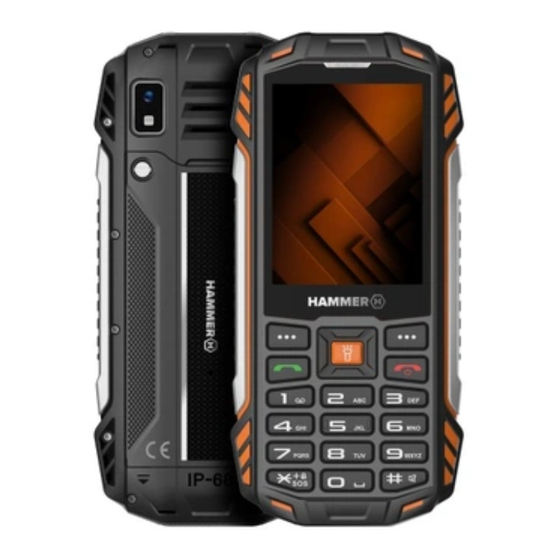
mPTech HAMMER HF2511 Kurzversion Der Bedienungsanleitung
Inhaltsverzeichnis
Verfügbare Sprachen
Verfügbare Sprachen
Quicklinks
Kapitel
Inhaltsverzeichnis

Verwandte Anleitungen für mPTech HAMMER HF2511


Inhaltszusammenfassung für mPTech HAMMER HF2511
- Seite 1 Polski English Deutsch Italiano Español Français...
-
Seite 2: Bezpieczeństwo
PL © mPTech. Wszystkie prawa zastrzeżone. HF2511_HF2511e Instrukcja użytkowania telefonu HAMMER HF2511_HF2511e Instrukcja obejmuje różne wersje kolorystyczne urządzenia. KORZYSTANIE Z INSTRUKCJI OBSŁUGI Bez uprzedniej pisemnej zgody producenta żadna część niniejszej instrukcji obsługi nie może być powielana, rozpowszechniana, tłumaczona przekazywana jakiejkolwiek formie czy przy użyciu jakichkolwiek środków elektronicznych bądź... - Seite 3 PL © mPTech. Wszystkie prawa zastrzeżone. HF2511_HF2511e z opisów zamieszczonych w tej instrukcji mogą nie odpowiadać funkcjom telefonu, a telefon i akcesoria mogą wyglądać inaczej niż na ilustracjach zamieszczonych w niniejszej instrukcji. —NIE RYZYKUJ— Wszystkie urządzenia bezprzewodowe mogą być podatne na zakłócenia, które z kolei mogą...
- Seite 4 PL © mPTech. Wszystkie prawa zastrzeżone. HF2511_HF2511e niskich lub bardzo wysokich temperatur (poniżej 0°C / 32°F lub powyżej 40°C / 104°F). Ekstremalne temperatury mogą mieć wpływ na pojemność i żywotność akumulatora. Unikać też należy kontaktu akumulatora z płynami i metalowymi przedmiotami.
-
Seite 5: Połączenia Alarmowe
Aby uniknąć uszkodzenia wzroku, nie patrz z bliska w kierunku diody podczas jej pracy. Mocny strumień światła może doprowadzić do trwałego uszkodzenia wzroku! Producent: Punkt przyjmowania sprzętu: mPTech Sp. z o.o. mPTech Sp. z o.o. ul. Nowogrodzka 31 ul. Krakowska 119 00-511 Warszawa 50-428 Wrocław... -
Seite 6: Inhaltsverzeichnis
PL © mPTech. Wszystkie prawa zastrzeżone. HF2511_HF2511e Spis treści Spis treści ................5 Zawartość zestawu ..............6 Specyfikacja techniczna............6 Dodatkowe informacje techniczne ......... 7 Telefon, jego przyciski i funkcje ..........7 Włączanie i wyłączanie telefonu ..........9 Wkładanie kart(y) SIM, karty pamięci i baterii ...... 10 Ładowanie akumulatora telefonu ......... -
Seite 7: Zawartość Zestawu
PL © mPTech. Wszystkie prawa zastrzeżone. HF2511_HF2511e Prawidłowa utylizacja zużytego akumulatora ......18 Warunki gwarancji ............... 18 Zawartość zestawu Radzimy zachować opakowanie na wypadek ewentualnej reklamacji. Przechowuj opakowanie z dala od zasięgu dzieci. Przez wzgląd na ochronę środowiska to opakowanie nie zawiera ładowarki. -
Seite 8: Dodatkowe Informacje Techniczne
PL © mPTech. Wszystkie prawa zastrzeżone. HF2511_HF2511e Dodatkowe informacje techniczne Do korzystania z aparatu i wprowadzania własnych dzwonków zaleca się zamontować w telefonie kartę pamięci SD. Telefon, jego przyciski i funkcje Głośnik Głośnik do prowadzenia rozmów słuchawki telefonicznych. Dioda LED Dioda służy jako latarka. - Seite 9 PL © mPTech. Wszystkie prawa zastrzeżone. HF2511_HF2511e na włączenie lub wyłączenie diody latarki. Na ekranie głównym pozwala wejść do Menu, a w nim potwierdza wybór. Przycisk Menu Pozwala zablokować i odblokować klawiaturę telefonu. ekranie głównym uruchamia Przycisk książkę telefoniczną. W menu pozwala Kontakty wyjść...
-
Seite 10: Włączanie I Wyłączanie Telefonu
PL © mPTech. Wszystkie prawa zastrzeżone. HF2511_HF2511e minijack 3,5 słuchać radia (poprawiają jakość mm (pod odbioru – działają jak dodatkowa gumową antena), muzyki, a także prowadzić klapką) rozmowy (gdy słuchawki wyposażone są w mikrofon). Po podłączeniu ładowarki pozwala Gniazdo Typ C naładować... -
Seite 11: Wkładanie Kart(Y) Sim, Karty Pamięci I Baterii
PL © mPTech. Wszystkie prawa zastrzeżone. HF2511_HF2511e wprowadź kod (zobaczysz go w postaci gwiazdek: ****) i naciśnij przycisk Menu. Wkładanie kart(y) SIM, karty pamięci i baterii Jeśli telefon jest włączony wyłącz go. Odkręć śrubki zabezpieczające klapkę komory baterii i zdejmij ją. Włóż kart(ę/y) SIM - kartę... -
Seite 12: Dźwięki I Profile Użytkownika
PL © mPTech. Wszystkie prawa zastrzeżone. HF2511_HF2511e Dźwięki i profile użytkownika Aby zmienić profil dźwiękowy wybierz [Menu] > [Ustawienia] > [Profile]. Wybierz odpowiedni profil i wciśnij [OK], aby aktywować wybrany profil, lub przycisk [Opcje] > [Ustawienia], aby edytować profil zgodnie z własnymi preferencjami. Aby zachować... -
Seite 13: Wyświetlanie Wiadomości
PL © mPTech. Wszystkie prawa zastrzeżone. HF2511_HF2511e klawiatury numerycznej. Znaki wprowadza się litera po literze. Telefon nie jest wyposażony w słownik. Przycisk # służy do zmieniania trybu pisania. Do wyboru są m.in. tryby Pl – pierwsza litera duża, a reszta małe z polskimi znakami, pl – tylko małe litery z polskimi znakami, PL –... -
Seite 14: Usuwanie Kontaktów
PL © mPTech. Wszystkie prawa zastrzeżone. HF2511_HF2511e Usuwanie kontaktów Aby usunąć pojedynczy kontakt, otwórz książkę telefoniczną, wyszukaj pożądany kontakt i wybierz [Opcje] > [Usuń]. Potwierdź lub anuluj wybraną operację. Awaryjna zmiana języka Aby ustawić język użytkownika, gdy ktoś przypadkiem wybrał... -
Seite 15: Zarządzanie Stanem Baterii
PL © mPTech. Wszystkie prawa zastrzeżone. HF2511_HF2511e „0K” (środkowy przycisk menu). Zarządzanie stanem baterii Funkcja dostępna podczas pierwszego uruchomienia telefonu albo później pod ścieżką [Menu]>[Ustawienia]>[Bateria]. Tryby zarządzania baterią pozwalają wydłużyć żywotność baterii poprzez zmianę ustawień jej ładowania. Opis trybów kondycji baterii: 1. -
Seite 16: Poprawne Używanie Baterii
PL © mPTech. Wszystkie prawa zastrzeżone. HF2511_HF2511e Sprawdź, czy wpisany z klawiatury numer telefonu jest poprawny. Nie można Sprawdź, czy numer telefonu wpisany do nawiązać [Kontakty] jest poprawny. połączenia Jeśli to konieczne, wpisz poprawnie numer telefonu. Mikrofon powinien znajdować się blisko ust. -
Seite 17: Utrzymanie Telefonu
PL © mPTech. Wszystkie prawa zastrzeżone. HF2511_HF2511e być on ładowany! Jeśli akumulator ulegnie przegrzaniu urządzenie wyświetli stosowny komunikat. Żywotność akumulatora może być skrócona, jeśli jest on wystawiony na działanie bardzo niskiej lub bardzo wysokiej temperatury, gdyż powoduje zakłócenia w działaniu telefonu, nawet jeśli akumulator został naładowany poprawnie. -
Seite 18: Prawidłowa Utylizacja Zużytego Sprzętu
PL © mPTech. Wszystkie prawa zastrzeżone. HF2511_HF2511e Uwaga Oświadczenie Producent nie jest Wersja oprogramowania odpowiedzialny za może być ulepszona bez konsekwencje sytuacji wcześniejszego spowodowanych powiadomienia. Reprezentant nieprawidłowym zachowuje sobie prawo do użytkowaniem telefonu lub decydowania o właściwej niezastosowaniem się do interpretacji powyższej... - Seite 19 PL © mPTech. Wszystkie prawa zastrzeżone. HF2511_HF2511e W celu uzyskania informacji na temat miejsca i sposobu bezpiecznego dla środowiska pozbycia się zużytego sprzętu elektronicznego użytkownik powinien skontaktować się z odpowiednim organem władz lokalnych, z punktem zbiórki odpadów lub z punktem sprzedaży, w którym kupił sprzęt.
- Seite 20 Punktu Serwisowego mPTech (wraz z dokumentem zakupu z czytelną datą). 2. mPTech Sp. z o.o. zastrzega sobie prawo do wydłużenia czasu naprawy, jeżeli wymagane naprawy nie mogą być wykonane ze względu na: 2.1. Brak części zamiennych na terytorium Rzeczpospolitej Polskiej;...
- Seite 21 4.3. Istnieją zastrzeżenia co do jakości odbioru sygnału radiowego i / lub telewizyjnego spowodowane czynnikami niezależnymi od mPTech Sp. z o.o. (jak np. siła sygnału). 4.4. Wystąpią problemy związane ze współdziałaniem nabytego sprzętu z urządzeniami i oprogramowaniem innych producentów i dostawców lub związane z konfiguracją...
-
Seite 22: Okres Gwarancji
3. Okres gwarancji może być dłuższy, niż zapisano w niniejszej gwarancji, jeśli wynika to z odrębnych umów zawartych z gwarantem. 4. W przypadku napraw produktów, dla których minął okres gwarancji, dokonywanych za zgodą i na koszt Klienta, mPTech Sp. z o.o. udziela 30-dniowej (trzydziestodniowej) gwarancji na naprawioną część. -
Seite 23: Karta Gwarancyjna
PL © mPTech. Wszystkie prawa zastrzeżone. HF2511_HF2511e KARTA GWARANCYJNA Firma mPTech Sp. z o.o. zastrzega sobie prawo do wprowadzania zmian w Regulaminie Rozpatrywania Reklamacji oraz w Karcie Gwarancyjnej. Szczegółowy Regulamin Rozpatrywania Reklamacji, Procedura Reklamacji, Protokół Reklamacyjny oraz Lista Punktów nadawczych dostępne są na stronie internetowej:... - Seite 24 PL © mPTech. Wszystkie prawa zastrzeżone. HF2511_HF2511e...
- Seite 25 © mPTech. All rights reserved. HF2511_HF2511e Quick Start Guide HAMMER HF2511_HF2511E This manual includes the different colour versions of the device. THE USE OF THE MANUAL Without prior written consent of the manufacturer, no part of this manual may be photocopied, reproduced, translated or...
- Seite 26 © mPTech. All rights reserved. HF2511_HF2511e —DO NOT RISK— All wireless devices may cause interferences, which could affect the quality of other connections. Do not switch the device on in places which are prohibited from using cell phones, or when it may cause interferences or other dangers.
-
Seite 27: Water Resistance
© mPTech. All rights reserved. HF2511_HF2511e Excessive charging the battery can cause damage and fire. Therefore a single battery charge should not last longer than 12 hours. Disconnect an unused charger from power grid. In case of the charger wire damage, it should not be repaired but replaced with a new one. - Seite 28 © mPTech. All rights reserved. HF2511_HF2511e —SOUNDS— To avoid hearing damage, do not use the device at high volume levels for a long period of time, do not put operating device directly to the ear. —EYESIGHT— To avoid eyesight damage do not look closely onto the diode during its work.
-
Seite 29: Inhaltsverzeichnis
© mPTech. All rights reserved. HF2511_HF2511e Table of Contents Table of Contents Package content ..............29 Technical Specification ............29 Additional technical information .......... 30 The phone, its functions and buttons ........30 Turning the phone on/off ............. 33 Inserting a SIM card, memory card, and the battery ....33 Charging the phone ............. -
Seite 30: Package Content
© mPTech. All rights reserved. HF2511_HF2511e Correct disposal of used batteries ........40 Package content We advise to keep the container in case of any complaints. Keep the container out of reach of children. For environmental reasons, this package does not include a charger. -
Seite 31: Additional Technical Information
© mPTech. All rights reserved. HF2511_HF2511e Additional technical information To use the camera and enter your own ringtones, it is recommended to mount the SD memory card in your phone. The phone, its functions and buttons Headphone Loudspeaker for making phone calls. - Seite 32 © mPTech. All rights reserved. HF2511_HF2511e or off. On the main screen, it allows you to enter the Menu and confirms your Menu button selection. Allows you to lock and unlock your phone's keypad. On the main screen, launches the Contacts phone book.
- Seite 33 © mPTech. All rights reserved. HF2511_HF2511e headphone can listen to the radio (they improve jack (under the the quality of reception - they act as an rubber flap) additional antenna), music, and also make calls (when the headphones are equipped with a microphone).
-
Seite 34: Turning The Phone On/Off
© mPTech. All rights reserved. HF2511_HF2511e Don't cover it with your hand while Microphone talking. Turning the phone on/off To turn the phone on/off press and hold the Red handset button. If directly after turning the phone on you will see the code request, (in form of “****”) type the code and press Menu... -
Seite 35: Sounds And User Profiles
© mPTech. All rights reserved. HF2511_HF2511e from the power outlet. Unplug the cable from the socket on the phone. Sounds and user profiles To change sound profile select: [Menu] > [Settings] > [Profiles]. Select the desired profile and press [OK] to activate the selected profile, or press the [Options] >... -
Seite 36: Messages Display
© mPTech. All rights reserved. HF2511_HF2511e typed in letter by letter. The phone is not equipped with a dictionary. <#> button is used to change the writing mode. You can choose from, among others Abc - the first letter will be capital, the rest lower case, abc - only lowercase, ABC - only uppercase, 123 - digits only. -
Seite 37: Accidental Change Of Language
© mPTech. All rights reserved. HF2511_HF2511e action. Accidental change of language To set the language of the user, if someone accidentally chooses an unknown language, press the [Menu] > <Up> <OK> > <Down> > <OK> > <Down> > <OK> > <OK> and then select the desired menu language. -
Seite 38: Troubleshooting
© mPTech. All rights reserved. HF2511_HF2511e 1. Normal mode - charges the battery normally to 100%. 2. Economy mode - charges the battery to 80%. Troubleshooting Message Possible solution Make sure SIM card has been correctly Insert SIM card installed. -
Seite 39: Proper Use Of The Battery
© mPTech. All rights reserved. HF2511_HF2511e Proper use of the battery Battery in this device can be charged with a charger. If the level of energy in the battery is low, recharge it. To prolong battery life, let it discharge beneath 20% of the battery capacity before connecting the phone charger and charge it up to 100%. -
Seite 40: Correct Disposal Of Used Equipment
© mPTech. All rights reserved. HF2511_HF2511e only a dry cloth. Never use any agent with a high concentration of acids or alkalis. Use only original accessories because violation of this rule may result in invalidation of the warranty. Exposing the phone to extreme temperatures can reduce the level of protection. - Seite 41 © mPTech. All rights reserved. HF2511_HF2511e how to dispose of used electrical and electronic equipment in an environmentally friendly manner user should contact their local government office, the waste collection point, or point of sale, where the equipment was purchased.
- Seite 42 DE © mPTech. Alle Rechte vorbehalten. HF2511_HF2511e KURZVERSION DER BEDIENUNGSANLEITUNG HF2511_HF2511E HAMMER Dieses Handbuch behandelt die verschiedenen Farbvarianten des Gerätes. BENUTZUNG DER BEDIENUNGSANLEITUNGEN Kein Teil dieser Bedienungsanleitung darf ohne vorherige schriftliche Zustimmung des Herstellers in irgendeiner Form oder elektronischem oder...
-
Seite 43: Bereiche Mit Eingeschränktem Zugriff
DE © mPTech. Alle Rechte vorbehalten. HF2511_HF2511e SICHERHEIT Machen Sie sich bitte mit den hier angegebenen Hinweisen vertraut. Die Nichtbeachtung dieser Hinweise kann zu Gefahren führen oder rechtswidrig sein. Abhängig von der installierten Softwareversion, Ihrem Dienstanbieter, Ihrer SIM-Karte oder Ihrem Land stimmen einige der Beschreibungen in diesem Handbuch möglicherweise nicht mit den Funktionen Ihres... -
Seite 44: Führen Von Fahrzeugen
DE © mPTech. Alle Rechte vorbehalten. HF2511_HF2511e Bereichen und unter allen Umständen Notrufe tätigen. Es wird empfohlen, einen anderen finden, Rettungsdienste im Falle einer Abreise in diesen Gebieten zu benachrichtigen. PROFESSIONELLER SERVICE— — Die Software darf nur von qualifiziertem Servicepersonal des Herstellers oder seines Bevollmächtigten installiert und repariert... -
Seite 45: Wasser Und Sonstige Flüssigkeiten
DE © mPTech. Alle Rechte vorbehalten. HF2511_HF2511e Akku falschen Typs einbaut, kann dies zur Explosion führen. Das Öffnen des Akkus ist verboten. Der Akku soll laut Anleitung entsorgt werden. Wenn das Ladegerät nicht benutzt wird, muss es von der Netzspannung getrennt werden. Bei Beschädigung des Ladekabels bitte dieses nicht reparieren, sondern das Ladegerät... -
Seite 46: Inhaltsverzeichnis
Um Augenschäden zu vermeiden, schauen Sie während des Betriebs der Diode nicht genau auf sie. starker Lichtstrahl kann dauerhaften Augenschäden führen! Herstellerangaben: mPTech Sp. z o. o. Ul. Nowogrodzka 31 00-511 Warschau Polen www.mptech.eu Hergestellt in China Inhaltsverzeichnis Inhaltsverzeichnis ..............45 Set-Inhalt ................ -
Seite 47: Set-Inhalt
DE © mPTech. Alle Rechte vorbehalten. HF2511_HF2511e Kontakte (Telefonbuch) ............54 Hinzufügen von neuen Kontakten ........54 Suchen nach Kontakten ............54 Löschen von Kontakten ............54 Einstellen der Menüsprache im Notfall ......... 55 SOS ..................55 Werkseinstellungen ............. 55 Taschenlampe ..............55 Batterieverwaltung .............. -
Seite 48: Zusätzliche Technische Informationen
DE © mPTech. Alle Rechte vorbehalten. HF2511_HF2511e Freisprechmodus, Taschenlampe, Kamera, UKW-Radio, SOS- Funktion, Bluetooth 5.1, Direktwahl Speicherkarten-Bedienung: max. 32 GB Anschlüsse: Klinke 3,5 mm, USB-C Akkukapazität: 4000 mAh Abmessungen: 144 x 64 x 19,8 mm Gewicht: 182,1 g Technische Daten des Netzteils: Die Leistung des Ladegeräts muss von einer von der Funkanlage... -
Seite 49: Telefon, Seine Tasten Und Funktionen
DE © mPTech. Alle Rechte vorbehalten. HF2511_HF2511e Telefon, seine Tasten und Funktionen Kopfhörerlauts Lautsprecher zum Telefonieren. precher Die Diode dient als Taschenlampe. Die Kamera Kameraobjektiv. Externer Lautsprecher zum Abspielen von Lautsprecher Systemtönen, Klingeltönen, Musik. Anzeige LCD Bildschirm. Auf dem Hauptbildschirm können Sie das Menü... - Seite 50 DE © mPTech. Alle Rechte vorbehalten. HF2511_HF2511e das Menü aufrufen und Ihre Auswahl bestätigen. Ermöglicht das Sperren und Entsperren der Tastatur Ihres Telefons. Öffnet auf dem Hauptbildschirm das Schaltfläche Telefonbuch. Im Menü können Sie „Kontakte“. damit eine Option verlassen oder eine Auswahl abbrechen.
- Seite 51 DE © mPTech. Alle Rechte vorbehalten. HF2511_HF2511e Miniklinken- Telefon anschließen und so Radio Kopfhöreransc hören (sie verbessern hluss (unter Empfangsqualität – sie fungieren als zusätzliche Antenne), Musik hören und Gummiklappe) auch Anrufe tätigen (wenn Kopfhörer einem Mikrofon ausgestattet sind). Nach dem Anschließen des Ladegeräts Typ-C-Buchse können Sie den Akku aufladen.
-
Seite 52: Ein- Und Ausschalten Des Telefons
DE © mPTech. Alle Rechte vorbehalten. HF2511_HF2511e Herausfallen und Eindringen von Batteriefach Wasser. Bedecken Sie es beim Sprechen nicht Mikrofon mit der Hand. Ein- und Ausschalten des Telefons Um das Telefon ein- oder auszuschalten, muss man die Taste Roter Hörer gedrückt halten bis das Telefon eingeschaltet wird. -
Seite 53: Aufladen Des Telefons
DE © mPTech. Alle Rechte vorbehalten. HF2511_HF2511e Aufladen des Telefons Den Type C -Stecker des Ladegeräts an den Kabelanschluss des Telefons anschließen und den Stecker des Ladegeräts in die Steckdose stecken. *Achtung: Wenn das Ladegerät falsch angeschlossen wird, kann das zu gravierenden Telefonschäden führen. Die Garantie umfasst keine Schäden, die sich aus der falschen Handhabung des Telefons... -
Seite 54: Annehmen Von Sprachanrufen
DE © mPTech. Alle Rechte vorbehalten. HF2511_HF2511e ist, heben Sie bitte die Tastensperre auf, und wählen Sie einen Kontakt aus dem Telefonbuch – [Kontakte]. Drücken Sie die Taste <Grüner Hörer>, um den Anruf zu tätigen. Drücken Sie die Taste <Roter Hörer>, um den Anruf zu beenden. -
Seite 55: Anzeigen Von Nachrichten
DE © mPTech. Alle Rechte vorbehalten. HF2511_HF2511e [Hinzufügen]. Die Nachricht wird automatisch in eine MMS umgewandelt, sobald Sie ein Foto, eine Audiodatei, ein Video oder eine Diashow auswählen. Anzeigen von Nachrichten [Menü] > [Nachricht] wählen, dann Nachricht aus der Liste auswählen, danach [OK] drücken, um die Nachricht zu lesen. - Seite 56 DE © mPTech. Alle Rechte vorbehalten. HF2511_HF2511e Einstellen der Menüsprache im Notfall Um die Menüsprache einzustellen, nachdem zufällig eine fremde Sprache aktiviert worden ist, sollte man im eingeschalteten Startbildschirm die folgende Tastenreihe aktivieren: [Menü] > Nach oben > OK > Nach unten > OK > Nach unten > OK > OK und anschließend die gewünschte Sprache wählen.
- Seite 57 DE © mPTech. Alle Rechte vorbehalten. HF2511_HF2511e Batterieverwaltung Diese Funktion ist beim ersten Start des Telefons oder später unter [Menü]>[Einstellungen]>[Batterieverwaltung] verfügbar. Die Batterieverwaltung kann die Lebensdauer der Batterie durch Änderung der Ladeeinstellungen verlängern. Batterieverwaltungsmodi: 1. Normalmodus - Batterie normal auf 100 % aufladen.
- Seite 58 DE © mPTech. Alle Rechte vorbehalten. HF2511_HF2511e Das Mikrofon muss sich nah am Mund Ich höre meinen befinden. Kontrollieren Sie, Gesprächspartner eingebaute Mikrofon nicht verdeckt ist. nicht / der Wenn Kopfhörer verwendet werden, muss Gesprächspartner kontrolieren, diese richtig hört mich nicht angeschlossen sind.
- Seite 59 DE © mPTech. Alle Rechte vorbehalten. HF2511_HF2511e Temperaturen ausgesetzt wird - dies führt zu Störungen der Telefonfunktion, auch wenn der Akku korrekt aufgeladen wurde. Der Akku darf nur bestimmungsgemäß verwendet werden. Vermeiden Sie es, den Akku im Magnetfeld zu belassen, da dies seine Lebensdauer verkürzt.
- Seite 60 DE © mPTech. Alle Rechte vorbehalten. HF2511_HF2511e Der Hersteller haftet nicht für Die Softwareversion kann Folgen, die sich aus ohne vorherige unsachgemäßer Nutzung des Benachrichtigung aktualisiert Telefons oder der werden. Der Vertreter behält Nichtbeachtung der obigen sich das Recht vor, über die...
- Seite 61 DE © mPTech. Alle Rechte vorbehalten. HF2511_HF2511e Ordnungsgemäße Entsorgung von Alt-Batterien Gem. EU-Richtlinie 2006/66/EU mit in der Richtlinie 2013/56/EU angeführten Änderungen über Altbatterien und Altakkumulatoren ist dieses Produkt mit dem Symbol einer durchgestrichenen Abfalltonne gekennzeichnet. Dieses Symbol bedeutet, dass die in diesem Produkt eingesetzten Batterien oder Akkumulatoren nicht zusammen mit dem Hausmüll entsorgt werden dürfen,...
- Seite 62 © mPTech. Tutti i dritti riservati. HF2511_HF2511e Manuale utente del telefono HAMMER HF2511_HF2511E Questo manuale utente descrive diverse versioni colore del dispositivo. L’USO DEL MANUALE Nessuna parte del presente manuale può essere riprodotta, distribuita, tradotta o trasmessa in qualsiasi forma o con...
- Seite 63 © mPTech. Tutti i dritti riservati. HF2511_HF2511e seconda della versione del software installata, fornitori di servizi, schede SIM o il paese, alcune delle descrizioni contenute nel presente manuale possono non essere compatibili funzioni del telefono, e il telefono e gli accessori potrebbero avere un aspetto diverso da quello illustrato nel presente manuale.
- Seite 64 © mPTech. Tutti i dritti riservati. HF2511_HF2511e alte (meno di 0°C o oltre i 40°C). Le temperature estreme possono influire sulla capacità e sulla durata della batteria. Evitare il contatto della batteria con liquidi o oggetti metallici. Tale contatto può causare danni totali o parziali alla batteria. Utilizzare la batteria solo per lo scopo previsto.
- Seite 65 Per evitare danni agli occhi, non guardare da vicino verso il diodo mentre è in funzione. Un forte flusso luminoso può causare danni permanenti agli occhi! Produttore: mPTech Sp. z o.o. ul. Nowogrodzka 31 00-511 Warszawa Polonia Sito web: www.mptech.eu...
- Seite 66 © mPTech. Tutti i dritti riservati. HF2511_HF2511e Accensione e spegnimento del telefono Inserimento della scheda SIM, scheda di memoria e batteria 70 Caricamento del telefono Suoni e profili utente Blocco del telefono Effettuare chiamate Rispondere a una telefonata Messaggi di testo...
- Seite 67 © mPTech. Tutti i dritti riservati. HF2511_HF2511e un caricabatterie. Questo dispositivo può essere alimentato dalla maggior parte degli alimentatori USB e da un cavo con connettore USB di tipo C. Caratteristica tecnica GSM: 900/1800MHz UMTS: 900/2100 MHz LTE: 800/900/1800/2100/2600 MHz Processore: T127 Schermo: 2.8”...
- Seite 68 © mPTech. Tutti i dritti riservati. HF2511_HF2511e Telefono, tasti e funzioni Altoparlante per le conversazioni Altoparlante telefoniche. Diodo LED Il LED funge da torcia. Fotocamera Obiettivo fotocamera. Altoparlante Altoparlante per suoni di sistema, esterno suonerie, musica. Schermo LCD. Nella schermata iniziale, consente di accedere al menù, e nel menù...
- Seite 69 © mPTech. Tutti i dritti riservati. HF2511_HF2511e pulsante conferma la selezione. Blocca e sblocca la tastiera del telefono. Nella schermata iniziale, avvia i Pulsante contatti. Nel menù, il pulsante Contatti permette di uscire dall’opzione o di uscire dalla selezione. Consente di rispondere a una Pulsante chiamata in arrivo, e in modalità...
- Seite 70 © mPTech. Tutti i dritti riservati. HF2511_HF2511e 3,5 mm (sotto telefono, grazie alle quali è possibile uno sportello di ascoltare la radio (migliorano la gomma) qualità della ricezione - agiscono come un’antenna aggiuntiva), musica, anche effettuare chiamate (quando le cuffie sono dotate di un microfono).
-
Seite 71: Accensione E Spegnimento Del Telefono
© mPTech. Tutti i dritti riservati. HF2511_HF2511e Accensione e spegnimento del telefono Per accendere o spegnere il telefono, tenere premuto il tasto Cornetta rossa fino a quando il telefono non si accende. Se, non appena si accende il telefono, vi verrà richiesto di inserire un codice PIN, immetterlo (verrà... -
Seite 72: Suoni E Profili Utente
© mPTech. Tutti i dritti riservati. HF2511_HF2511e Un'icona apparirà durante la carica e dopo che la batteria è stata ricaricata: (o simile). Dopo la ricarica, scollegare il caricabatterie dalla presa di corrente. Scollegare il cavo dalla presa sul telefono. Suoni e profili utente Per cambiare un profilo audio, selezionare [Menù] >... -
Seite 73: Messaggi Di Testo
© mPTech. Tutti i dritti riservati. HF2511_HF2511e Messaggi di testo Creazione e invio di messaggi Scegliere [Menù] > [Messaggi] >[Opzioni] > [Nuovo messaggio]. Inserisci il numero utilizzando la tastiera numerica o aggiungilo dalla rubrica, disponibile premendo il tasto [OK]. Utilizza le frecce per passare al campo sottostante. -
Seite 74: Elenco Contatti (Rubrica Contatti)
© mPTech. Tutti i dritti riservati. HF2511_HF2511e Elenco contatti (rubrica contatti) Aggiungere un nuovo contatto Scegliere [Menù] > [Contatti] >[Opzioni] > [Nuovo contatto]. Selezionare la posizione di memorizzazione del contatto: sulla scheda SIM o sul telefono. Inserire i dettagli del contatto: nome, numero di telefono. -
Seite 75: Impostazioni Di Fabbrica
© mPTech. Tutti i dritti riservati. HF2511_HF2511e SOS]. Successivamente, in [Tipo di chiamata SOS], è necessario impostare se, dopo aver attivato il numero SOS, il telefono deve effettuare una chiamata, inviare un messaggio o eseguire entrambe le operazioni. Impostazioni di fabbrica Per ripristinare le impostazioni di fabbrica, selezionare in modalità... - Seite 76 © mPTech. Tutti i dritti riservati. HF2511_HF2511e Se la carta SIM è protetta da un codice PIN, Inserire il PIN immettere il codice PIN all’accensione del telefono e premere il tasto <OK>. È possibile che effettuare una chiamata, in aree in cui il segnale è debole, non sia Guasto rete possibile.
-
Seite 77: Uso Corretto Della Batteria
© mPTech. Tutti i dritti riservati. HF2511_HF2511e Uso corretto della batteria La batteria di questo telefono può essere alimentata dal caricabatterie. Se il livello di carica della batteria è basso, caricarla. Per prolungare la durata della batteria, lasciarla scaricare al di sotto del 20% del livello di potenza massima, prima di collegarla al caricabatterie, e poi caricarla al 100%. -
Seite 78: Corretto Smaltimento Delle Attrezzature Usate
© mPTech. Tutti i dritti riservati. HF2511_HF2511e Un’eventuale ingerenza nella struttura del telefono in modo non professionale può causare gravi danni al telefono o distruggerlo completamente. Per la pulizia del telefono utilizzare solo un panno asciutto. Non utilizzare mai alcun agente ad alta concentrazione di acidi o alcali. -
Seite 79: Corretto Smaltimento Della Batteria Esausta
© mPTech. Tutti i dritti riservati. HF2511_HF2511e L’utente è tenuto a smaltire le apparecchiature elettriche ed elettroniche usate, consegnandole in un punto designato dove tali rifiuti pericolosi sono sottoposti a un processo di riciclaggio. La raccolta di questo tipo di rifiuti in luoghi separati e il corretto processo di recupero contribuiscono alla protezione delle risorse naturali. -
Seite 80: Seguridad
ES © mPTech. Todos los derechos reservados. HF2511_HF2511e MANUAL DE USUARIO HAMMER HF2511_HF2511E El manual está dedicado a varias versiones de color de este modelo de teléfono. USO DEL MANUAL DE INSTRUCCIONES Sin la autorización previa y por escrito del fabricante no está... - Seite 81 —SERVICIO PROFESIONAL— Este producto puede ser reparado y actualizado solamente por un servicio cualificado de mPtech o su contraparte autorizada. Reparar en servicios no autorizados pueda causar daños al teléfono y la invalidación de la garantía.
-
Seite 82: Seguridad Vial
Por lo tanto, una carga de la batería no debería durar más de 12 horas (1 día es un máximo absoluto). Utilice solo los accesorios de mPTech originales incluidos. Este dispositivo no es resistente al agua. Protégelocontra la humedad y los líquidos. -
Seite 83: Llamadas De Emergencia
Para evitar daños a su vista, no mire de cerca el diodo mientras esté en funcionamiento. Un rayo de luz fuerte puede causar daño permanente a la vista! Fabricante: mPTech Sp. z o.o. C\ Nowogrodzka 31 00-511 Varsovia Polonia Página web: www.mptech.eu... -
Seite 84: Índice Índice
ES © mPTech. Todos los derechos reservados. HF2511_HF2511e Índice Índice .................. 83 Contenido de la caja ............84 Especificación técnica ............84 Información técnica adicional ..........85 El teléfono, sus funciones y botones ........85 Encender y apagar el teléfono ..........87 Insertar tarjetas SIM, de memoria y la batería ...... -
Seite 85: Contenido De La Caja
ES © mPTech. Todos los derechos reservados. HF2511_HF2511e Eliminación adecuada de las baterías usadas ......95 Contenido de la caja Se recomienda mantener el embalaje en caso de cualquier queja. Mantenga el contenedor fuera del alcance de los niños. Por motivos medioambientales, este embalaje no incluye cargador. -
Seite 86: Información Técnica Adicional
ES © mPTech. Todos los derechos reservados. HF2511_HF2511e Información técnica adicional Para utilizar la cámara y ajustar tus propios tonos de llamadand, es recomendable aumentar la meoria usando la tarjeta microSD. El teléfono, sus funciones y botones Altavoz Altavoz utilizado interno conversaciones. - Seite 87 ES © mPTech. Todos los derechos reservados. HF2511_HF2511e segundo permite encender o apagar el díodo de linterna. En la pantalla principal permite entrar en el Menú y allí sirve para confirmar Botón Menú selección. Permite bloquear y desbloquear el teclado.
-
Seite 88: Encender Y Apagar El Teléfono
ES © mPTech. Todos los derechos reservados. HF2511_HF2511e mm (bajo de (para mejorar la calidad del sonido – tapa de funcionan como una antena), música goma) o durante las conversaciones (si auriculares tienen micrófono). Puerto Type Para conectar el cargador y cargar la C (debajo batería. -
Seite 89: Insertar Tarjetas Sim, De Memoria Y La Batería
ES © mPTech. Todos los derechos reservados. HF2511_HF2511e Insertar tarjetas SIM, de memoria y la batería Si el teléfono está encendido, apáguelo. Quita los tornillos y saca la tapa de la batería. Inserta una tarjeta SIM – hay que ubicar sus placas de oro hacia abajo, como está... -
Seite 90: Bloquear El Teléfono
ES © mPTech. Todos los derechos reservados. HF2511_HF2511e [Configuración] para editar un perfil según tus preferencias personales. Para guardar los cambios presiona [Acabado] Bloquear el teléfono Para bloquear el teléfono presiona [Menú] > <*>. Para desbloquear el teclado presiona [Desbloquear] > <*>. -
Seite 91: Pantalla De Mensajes
ES © mPTech. Todos los derechos reservados. HF2511_HF2511e carácter especial, por ejemplo una coma, raya, guíon, presiona * y eligeun carácter de una lista, o presiona el número 1 varias veces. Para insertar un espacio entre dos palabras presiona botón 0. -
Seite 92: El Cambio No Deseado De Idioma
ES © mPTech. Todos los derechos reservados. HF2511_HF2511e El cambio no deseado de idioma Para cambiar idioma en el teléfono, en caso de que alguien elija accidentalmente un idioma desconocido, presiona [Menú] > <arriba> > <Aceptar> > <abajo> > <Aceptar> > <abajo> > <... -
Seite 93: Solución De Problemas
ES © mPTech. Todos los derechos reservados. HF2511_HF2511e Los modos de gestión de la batería permiten aumentar la vida útil de la batería cambiando su configuración de carga. Descripción de los modos de salud de la batería: 1. Modo normal - carga la batería normalmente al 100%. -
Seite 94: Uso Adecuado De La Batería
ES © mPTech. Todos los derechos reservados. HF2511_HF2511e No se puede Compruebe si el número introducido es establecer la correcto e introduzca el número adecuado si conexión es necesario. Uso adecuado de la batería La batería en este teléfono se puede cargar con un cargador. Si el nivel de la batería es muy bajo, recárguelo. -
Seite 95: Eliminación Adecuada De Equipos Electrónicos
ES © mPTech. Todos los derechos reservados. HF2511_HF2511e solo un paño seco. Nunca utilice ningún detergente con una alta concentración de ácidos o álcalis. No cumplir con estas reglas puede causar la invalidación de la garantía. Atención Declaración fabricante La versión del software puede responsable de ningún tipo... - Seite 96 ES © mPTech. Todos los derechos reservados. HF2511_HF2511e recolección o el punto de venta donde compró el dispositivo. Eliminación adecuada de las baterías usadas De acuerdo con la directiva de la Unión Europea 2006/66/EC sobre la eliminación de baterías, este producto está...
- Seite 97 FR © mPTech. Tous droits réservés. HF2511_HF2511e Mode d’emploi du téléphone HAMMER HF2511_HF2511E Ce manuel couvre les différentes versions de couleurs de l'appareil. UTILISATION DU MODE D’EMPLOI Aucune partie de ce mode d’emploi ne peut être reproduite, distribuée, traduite ou transmise sous quelque forme ou par quelque moyen que ce soit, électronique ou mécanique y...
-
Seite 98: Appels D'urgence
FR © mPTech. Tous droits réservés. HF2511_HF2511e ces instructions peut être dangereux ou illégal. En fonction de la version du logiciel installé, du fournisseur de services, de la carte SIM ou du pays, certains descriptions de ce manuel peuvent ne pas correspondre aux fonctions de votre téléphone, et votre... - Seite 99 FR © mPTech. Tous droits réservés. HF2511_HF2511e Il se peut que vous ne soyez pas en mesure de faire des appels d'urgence à partir de votre téléphone dans toutes les régions ou dans toutes les circonstances. Il est recommandé de trouver un autre moyen d'avertir les services d'urgence en cas de départ...
- Seite 100 Pour éviter des dommages oculaires, ne regardez pas de près la diode du flash pendant son travail. Un puissant grain de lumière peut causer des dommages permanents aux yeux! Fabricant: mPTech Sp. z o.o. rue Nowogrodzka 31 00-511 Varsovie Pologne...
-
Seite 101: Table Des Matières
FR © mPTech. Tous droits réservés. HF2511_HF2511e Site internet: www.mptech.eu Fabriqué en Chine Table des matières Table des matières ............. 100 Contenu du set ..............101 Caractéristiques techniques ..........101 Informations techniques supplémentaires ......102 Téléphone, ses boutons et ses fonctions ......102 Allumer et éteindre votre téléphone ........ -
Seite 102: Contenu Du Set
FR © mPTech. Tous droits réservés. HF2511_HF2511e Utilisation correcte de la batterie ........111 Entretien de l’appareil ............112 Élimination appropriée de l'équipement de gestion des déchets ..................113 Élimination appropriée de la batterie usagée ...... 114 Contenu du set Nous vous conseillons de conserver l'emballage en cas de réclamation. -
Seite 103: Informations Techniques Supplémentaires
FR © mPTech. Tous droits réservés. HF2511_HF2511e La puissance fournie par le chargeur doit être entre, au minimum, 1,5 Watts requis par l’équipement radioélectrique et, au maximum, 5 Watts pour atteindre la vitesse de chargement maximale. Informations techniques supplémentaires Pour utiliser l'appareil photo et entrer vos propres sonneries, nous vous recommandons d'installer une carte mémoire SD sur... - Seite 104 FR © mPTech. Tous droits réservés. HF2511_HF2511e Écran Écran LCD. Sur l'écran d'accueil, il vous permet d'entrer dans le menu et d’y confirmer Bouton OK votre sélection. En le maintenant (Lampe de enfoncé pendant une seconde, il poche) permet d’allumer et éteindre la LED de la lampe de poche.
- Seite 105 FR © mPTech. Tous droits réservés. HF2511_HF2511e <Gauche> calendrier. Touches qui permettent d’entrer le Clavier du numéro de téléphone sur l’écran téléphone d’accueil et d’entrer les lettres et chiffres dans le contenu de SMS. Il vous permet de connecter un casque d'écoute à...
-
Seite 106: Allumer Et Éteindre Votre Téléphone
FR © mPTech. Tous droits réservés. HF2511_HF2511e d’accumulateur contre tomber et compartime contre l’entrée de l’eau. nt des piles Ne le couvrez pas avec votre main Microphone pendant la conversation. Allumer et éteindre votre téléphone Pour allumer ou éteindre le téléphone, appuyez sur Combiné... -
Seite 107: Sons Et Profils De L'utilisateur
FR © mPTech. Tous droits réservés. HF2511_HF2511e de votre téléphone, puis branchez la fiche USB dans le chargeur et la fiche USB dans la prise murale. *Attention: Une connexion incorrecte des câbles et des chargeurs peut endommager sérieusement votre téléphone. Les dommages causés par une mauvaise utilisation du téléphone ne sont pas... -
Seite 108: Répondre À Un Appel
FR © mPTech. Tous droits réservés. HF2511_HF2511e appel. Appuyez sur [Combiné rouge] de la télécommande pour mettre fin à l'appel. Répondre à un appel Lorsque le téléphone sonne, appuyez sur [Combiné vert] pour répondre à un appel entrant. Appuyez sur [Combiné rouge] pour rejeter / mettre fin à... -
Seite 109: Affichage Des Messages
FR © mPTech. Tous droits réservés. HF2511_HF2511e automatiquement converti en MMS après avoir sélectionné une photo, un fichier audio, une vidéo ou un diaporama. Affichage des messages Choisissez [Menu] > [Messages] >, choisissez le message de la liste, puis appuyez sur [OK], pour lire le message. -
Seite 110: Sos
FR © mPTech. Tous droits réservés. HF2511_HF2511e Haut > OK > Bas> > OK > Bas > OK > OK, lorsque l'écran d'accueil est actif, puis sélectionnez la langue du menu désirée. Sélectionnez [Menu] > [Application] > [Paramètre d'appel SOS]. -
Seite 111: Resolution Des Problèmes
FR © mPTech. Tous droits réservés. HF2511_HF2511e Les modes de gestion de la batterie permettent d'augmenter la durée de vie de la batterie en modifiant ses paramètres de recharge. Description des modes d'état de la batterie : 1. Mode normal : recharge la batterie normalement à 100 %. - Seite 112 FR © mPTech. Tous droits réservés. HF2511_HF2511e Le microphone doit être près de votre On n’entend pas bouche. Vérifiez que le microphone intégré l’interlocuteur/ n'est pas couvert. Si vous utilisez un casque l’interlocuteur ne d'écoute, assurez-vous qu'il peut pas correctement connecté. Assurez-vous que le m’entendre...
- Seite 113 FR © mPTech. Tous droits réservés. HF2511_HF2511e causer des interférences. Lorsque votre téléphone fonctionne, même si la batterie a été correctement chargée. N'utilisez la batterie que pour l'usage auquel elle est destinée. Évitez de laisser la batterie dans le champ magnétique car cela réduira sa durée de vie.
- Seite 114 FR © mPTech. Tous droits réservés. HF2511_HF2511e Attention Déclaration Le fabricant n'est pas La version du logiciel peut responsable des conséquences être mise à jour sans des situations causées par une préavis. Le représentant se mauvaise utilisation du réserve le droit de décider téléphone ou le non-respect...
- Seite 115 FR © mPTech. Tous droits réservés. HF2511_HF2511e locales, le point de collecte des déchets ou le point de vente où vous avez acheté votre équipement. Élimination appropriée de la batterie usagée Conformément à la directive 2006/66/CE de l'UE, telle que modifiée par la directive 2013/56/UE sur l'élimination des piles, ce produit est marqué...