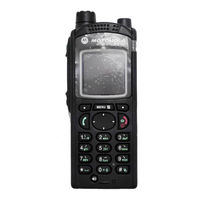
Motorola MTP850 S Handbücher

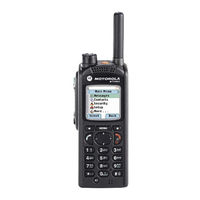
Anleitungen und Benutzerhandbücher für Motorola MTP850 S. Wir haben 6 Motorola MTP850 S Anleitungen zum kostenlosen PDF-Download zur Verfügung: Bedienungsanleitung, Ausführliche Bedienungsanleitung, Benutzerhandbuch, Kurzbedienungsanleitung, Kurzanleitung

Motorola MTP850 S Ausführliche Bedienungsanleitung (263 Seiten)

Marke: Motorola | Kategorie: Funkgeräte | Dateigröße: 9 MB
Inhaltsverzeichnis
  • Trademarks
    3
  • Inhaltsverzeichnis
    5
  • List of Figures
    13
  • List of Tables
    15
  • General Information
    17
  • Icon Conventions
    17
  • Safety Information
    17
  • Using this Guide
    17
  • Feature and Service Availability
    18
  • Attaching the Antenna
    19
  • Before Power on
    19
  • Getting Started
    19
  • Product Technical Information
    19
  • Installing the Battery
    20
  • Removing the Battery
    20
  • Charging Indicators
    21
  • Charging the Battery
    21
  • Battery Capacity
    22
  • Low Battery Indication
    22
  • Controls and Indicators
    23
  • Configurable Idle Screen
    26
  • Display
    26
  • Status Icons
    27
  • Locking/Unlocking the Keys/Buttons
    31
  • Powering on the Radio
    31
  • Unblocking Your Radio
    31
  • Unlocking Your Radio
    31
  • Entering TMO / DMO Mode
    32
  • Holding Your Radio
    32
  • Selecting Talkgroups
    33
  • Transmit Inhibit Mode
    33
  • Activating Talkgroup Scanning
    34
  • Talkgroup Icon Selection
    34
  • Using Timed Talkgroup Change
    34
  • Ambience Listening (AL) Call
    35
  • Broadcast Call
    35
  • One-Touch Button Feature
    35
  • High/Low Audio Toggle
    37
  • Terminal Permanent Disable
    37
  • Terminal Temporary Disable/Enable
    37
  • Using High Audio
    37
  • Using Low Audio
    37
  • Audio Setting
    38
  • During the Call
    38
  • Selecting Text Entry Methods and Languages
    38
  • Selecting Text Entry Modes
    38
  • Writing Text
    38
  • Keys Usage
    39
  • Text Entry Icons
    39
  • Symbol Mode
    40
  • Writing in Itap Alphanumeric
    41
  • Writing in TAP Alphanumeric
    41
  • Adding Words to the Dictionary
    42
  • Home Display Text Message
    42
  • Word Locking
    42
  • Trunked Mode Operation
    43
  • Using Networks
    43
  • Entering TMO Mode
    44
  • Making Group Calls in TMO
    44
  • Receiving Group Calls During Ongoing Group Calls
    44
  • Receiving Group Calls in Idle
    44
  • Selecting Talkgroups
    44
  • Broadcast Calls Initiated by Users
    45
  • DGNA Auto Reselect Group
    45
  • DGNA Auto Select Group
    45
  • DGNA Reception
    45
  • Dynamic Group Number Assignment (DGNA)
    45
  • Viewing DGNA Talkgroups
    45
  • Assistance Call
    46
  • Initializing Broadcast Calls
    46
  • Making Private Calls
    46
  • Phone and PABX Calls
    46
  • Private Call
    46
  • Call Modification
    47
  • Entering Local Site Trunking
    47
  • Local Site Trunking
    47
  • Direct Mode Operation
    48
  • Entering DMO Mode
    48
  • Exiting Local Site Trunking
    48
  • Selecting Talkgroups
    48
  • Making Group Calls in DMO
    49
  • Making Private Calls
    49
  • Private Call
    49
  • Private Call with Presence Check
    49
  • Receiving Group Calls in Idle
    49
  • Communication through Gateways
    50
  • Communication through Repeaters
    50
  • DMO Private Priority Call
    50
  • Talkgroup for Individual Calls
    50
  • Selecting DMO Group Call Options
    51
  • Emergency Operations
    52
  • Transmit Inhibit Mode
    52
  • Emergency Group Call
    53
  • Making Emergency Group Calls
    53
  • Emergency Alarm
    54
  • Emergency Hot Microphone
    54
  • Emergency Individual Calls (Private or MS-ISDN)
    54
  • Emergency SDS Status
    54
  • Non-Tactical Emergency
    54
  • Receiving Emergency Group Calls
    54
  • Alternating Hot Microphone
    55
  • Silent Emergency Mode
    55
  • Disaster Alert
    56
  • Emergency Mode by Dialing
    56
  • Exiting Emergency Operations
    56
  • Initializing Disaster Alert Calls
    56
  • Invisible Emergency
    56
  • Entering the Repeater Mode
    57
  • Repeater Mode
    57
  • Setting Monitor Option
    57
  • Encryption in the Repeater Mode
    58
  • GPS Location Service
    59
  • Enabling GPS
    60
  • Enhancing GPS Performance
    60
  • GPS Different Location Displays
    60
  • GPS Icon
    60
  • Changing GPS Accuracy
    61
  • GPS - Things to Keep in Mind
    61
  • Viewing Your Position
    61
  • Menu Icons
    63
  • Scrolling through the Menu
    63
  • Messages
    65
  • New Message
    65
  • Sending Messages to Groups
    65
  • Sending Messages to Private/Phone
    65
  • Sending Store and Forward Messages
    65
  • Configuring Delivery Reports
    66
  • Delivery Report
    66
  • Viewing Delivery Reports
    66
  • Entering the Inbox
    67
  • Inbox
    67
  • Receiving New Messages
    67
  • Using Submenus in the Inbox and the Outbox
    67
  • Calling Numbers in Messages
    68
  • Embedded Number
    68
  • Storing Numbers from Messages
    68
  • CO Box
    69
  • Immediate Message
    69
  • Making Group Calls on Thetalkgroup of the Message Sender
    69
  • Outbox
    69
  • RMS Box
    69
  • Predefined Templates
    70
  • Sending Predefined Templates
    70
  • Sending User-Defined Templates
    70
  • Setting User-Defined Templates
    70
  • Templates
    70
  • Viewing Predefined Templates
    70
  • WAP Box
    70
  • Sending Status Messages
    71
  • Sending Targeted Status Messages
    71
  • Status Messages
    71
  • Targeted Status Messages
    71
  • Viewing a Status Message Number
    71
  • Contacts
    72
  • Creating Contacts
    72
  • Deleting Contacts
    73
  • Deleting Numbers
    73
  • Editing Contacts
    73
  • Browser
    74
  • Checking Capacity
    74
  • Dialing through the Contact List
    74
  • PIN Protect
    74
  • Protecting the Radio with a PIN Code
    74
  • Security
    74
  • Changing PIN Codes
    75
  • Keylock Setup
    75
  • Keypad Lock Notification
    75
  • Setting Automatic Keylock Delay
    75
  • Unblocking Your Radio
    75
  • Air Encryption
    76
  • Air Encryption Key Deletion
    76
  • K Validity
    76
  • Setting Keylock on Startup
    76
  • Viewing the Air Encryption State
    76
  • Changing DMO SCK
    77
  • Dmo Sck
    77
  • SCK (Air Interface Encryption Class 2)
    77
  • Tmo Sck
    77
  • Verifying K Validity
    77
  • Verifying TMSCK Validity
    77
  • Activating the Covert Mode
    78
  • Covert Mode
    78
  • Setting to Vibrate in the Covert Mode
    78
  • Verifying DMSCK Validity
    78
  • Man down
    79
  • SDS Remote Control
    79
  • Setting man down
    79
  • Setting SDS Remote Control
    79
  • Ring Style
    80
  • Setting Default Vibrate
    80
  • Setting Detail Vibrate
    80
  • Setting Ring Style
    80
  • Setup
    80
  • Vibrate
    80
  • Data Setup
    81
  • Language
    81
  • Set Volume
    81
  • Setting Language
    81
  • Setting Volume
    81
  • Audio
    82
  • Audio Profiles
    82
  • Howling Suppression
    82
  • Setting Audio Profiles
    82
  • Setting Data Function
    82
  • Setting Howling Suppression
    82
  • Audio Toggle
    83
  • Keypad Tone
    83
  • Setting Audio Toggle
    83
  • Setting Keypad Tone
    83
  • Setting Volume Adjustment Mode
    83
  • Tones
    83
  • Volume Adjustment Mode
    83
  • Setting All Tones
    84
  • Setting Periodic Alert
    84
  • Setting Talk Permit
    84
  • Setting D-PTT Tones
    85
  • Setting Flip Display
    85
  • Setting Font Level
    85
  • Setting Extended Status Icons
    86
  • Setting Large Idle Font
    86
  • Setting Screen Saver
    86
  • Setting Backlight
    87
  • Setting Wallpaper
    87
  • Time and Date
    87
  • Setting Time and Date on the Display
    88
  • Enabling Energy Economy
    89
  • Energy Economy
    89
  • Setting Automatic Updates for the Time and Date
    89
  • Setting Time Offset
    89
  • Viewing the Energy Economy Status
    89
  • Accry (Accessory) Setup
    90
  • Selecting Core/Other/Secondary Accessories
    90
  • Selecting RF Power
    90
  • Transmission Power Class
    90
  • Book on
    91
  • Editing Book on Settings
    91
  • Rotary Knob
    91
  • Setting Rotary Knob Mode
    91
  • Setting Rotary Lock
    91
  • Setting in Keypad Lock
    92
  • Setting Rotary Knob Scroll Range
    92
  • Setting Rotary Knob Talkgroup Selection
    92
  • Setting Rotary Knob Wrap Around
    92
  • Group Setup
    93
  • Operations Parameters
    93
  • Setting Rotary Knob Function Keys
    93
  • Standard Home Group
    93
  • Activating Talkgroup Scanning
    94
  • Scan
    94
  • Setting Scan Lists
    94
  • Setting Talkgroups in the Active Scan List
    94
  • Adding Folders to Favorites
    95
  • Deleting Talkgroups from Scan Lists
    95
  • Favorites
    95
  • Making Private Calls to Favorite Contact Numbers
    95
  • My Groups
    95
  • Adding Contact Numbers to Favorites
    96
  • Adding Talkgroups to Favorites
    96
  • Deleting Items from Favorites Folder
    96
  • Managing Folders in Favorites
    96
  • Deleting All Items from Favorite Folders
    97
  • My Info
    97
  • Recent Calls
    97
  • Viewing and Modifying Personal Information
    97
  • Viewing Recent Calls
    97
  • Calling from Recent Calls
    98
  • Deleting Recent Calls
    98
  • Storing Recent Calls to Contacts
    98
  • Creating Menu Shortcuts
    99
  • Editing Menu Shortcut Lists
    99
  • Rui
    99
  • Shortcuts
    99
  • Logging off
    100
  • Logging on
    100
  • Networks
    100
  • Selecting Network Operation Mode
    100
  • Selecting Your Network
    100
  • Location
    101
  • Using any Network
    101
  • Using the Foreign Network Registration
    101
  • Using the Migrate to Registration
    101
  • Using the Select Net Registration
    101
  • Viewing Your Position
    101
  • Changing GPS Accuracy
    102
  • Packet Data
    102
  • Viewing Data Statistics
    102
  • Viewing Encryption Status
    103
  • Making Private Calls
    105
  • Private Call
    105
  • Radio Messaging System (RMS)
    105
  • One-Touch Dial
    106
  • RMS Icons
    106
  • Sending an RMS Status
    106
  • Talkgroup Dialing by Index
    106
  • Making Phone or PABX Calls
    107
  • Phone and PABX Calls
    107
  • Phone/Pabx Speed Dial
    107
  • Selecting Talkgroups by Index
    107
  • Using the Phone/Pabx Speed Dial
    107
  • Viewing the Talkgroup Speed Number
    107
  • DTMF Overdial
    108
  • Ms-Isdn
    108
  • Rua/Rui
    108
  • Short Number Dial
    108
  • Entering Browser Menu Panes
    109
  • Entering the Browser
    109
  • Tips for Browsing
    109
  • Wap
    109
  • WAP Browser
    109
  • Creating Bookmarks through the Bookmarks Pane
    110
  • Creating Bookmarks through the Navigate Pane
    110
  • Creating Hotkeys
    110
  • Using Bookmarks
    110
  • Using Hotkeys
    110
  • Disabled Browser Entry
    111
  • Disabled Packet Data Service
    111
  • Browser Menu Panes Overview
    112
  • Navigate Pane
    113
  • Bookmarks Pane
    114
  • Working with the Options Pane for Selected Bookmarks
    114
  • Working with the Saved Pages Folder
    114
  • History Pane
    115
  • Image Pane
    115
  • Navigating to Recently Visited Urls
    115
  • Options Pane
    115
  • Text Input Pane
    115
  • Tools Pane
    115
  • New WAP Messages
    116
  • Viewing WAP Messages
    116
  • WAP Push
    116
  • Call-Out
    117
  • Call-Out Modes Interaction
    117
  • Types of Call-Out Alerts
    117
  • Call-Out Service Phases
    118
  • Shadow Groups (Address Bundle)
    118
  • LED Indications
    121
  • Battery Charging Rules
    127
  • Battery Charging Temperature
    127
  • Extending Battery Life
    127
  • Storage
    127
  • Additional Battery Warnings/Cautions
    128
  • Looking after Your Radio
    128

Motorola MTP850 S Bedienungsanleitung (306 Seiten)

TETRA Portable Terminal
Marke: Motorola | Kategorie: Terminals | Dateigröße: 12 MB
Inhaltsverzeichnis

Motorola MTP850 S Benutzerhandbuch (244 Seiten)

TETRA Handportable Terminal
Marke: Motorola | Kategorie: Tragbares Radio | Dateigröße: 10 MB
Inhaltsverzeichnis
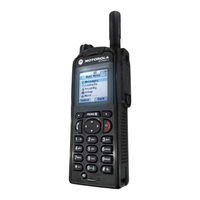
Motorola MTP850 S Bedienungsanleitung (66 Seiten)

TETRA- Tragbares Fungerät
Marke: Motorola | Kategorie: Funkgeräte | Dateigröße: 3 MB
Inhaltsverzeichnis