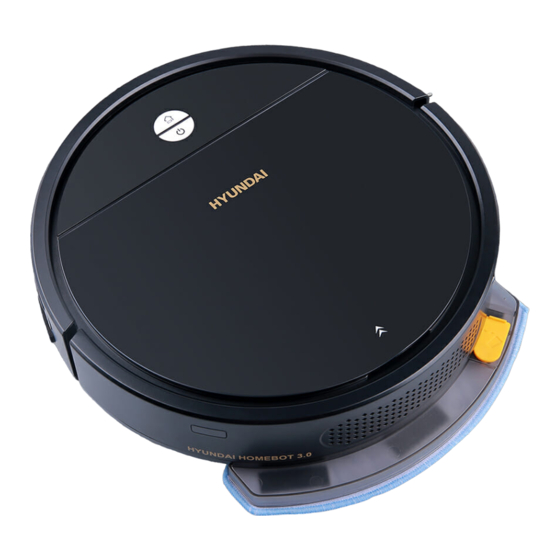
Hyundai Homebot 3.0 Benutzerhandbuch
Inhaltsverzeichnis
Verfügbare Sprachen
Verfügbare Sprachen
Quicklinks
BL-06W APP Operation Instruction
First step: Download and install "Smart Life" APP.
1. Install or search "Smart Life" APP in Google Play or Apple App Store.
2. Scan below QR code to download and install the APP.
Second step: Register and Login to start the connection
1. Turn on the Bluetooth function.
2. Open the Location Services.
3. Enter to the registration, input mobile no. or email address (Fig. 1).
4. After Login, click " aDD Device" to start the connection (follow Fig. 1-10).
Note:
Turn on the robot and press " Charging" button , hold on 3 seconds, heared "ding"
sound then confirm go to next step to select the wifi setting (follow Fig. 4-5 ).
Can through the "Third-party" to control the robot, please following Alexa & Google
assistant guide on Apps to setting and control (follow Fig. 10 ).
Register & Login in
Add Device
(Fig. 1)
Connection succeeded
Choose Wi-Fi and enter password
(Fig. 6)
Add Manually in Small Home Appliances
find
"Robot
Vacuum(BLE+Wi-Fi)"
(Fig. 2)
(Fig. 3)
Operation & setting
(Fig. 7)
(Fig. 8)
5
Mopping
1.Open water filling nozzle and pour water into water tank.
2. Find the mopping mode in Apps.
Filling Nozzle
DO NOT to use water tank on carpet, please remove the water
tank during charging & cleaning.
Reset the devices
Found device
(Fig. 4)
(Fig. 5)
Function Setting
Alexa&Google Assistant
(Fig. 9)
(Fig. 10)
BL-06W
Inhaltsverzeichnis

Verwandte Anleitungen für Hyundai Homebot 3.0


Inhaltszusammenfassung für Hyundai Homebot 3.0
-
Seite 10: Einführung
Benutzerhandbuch Hyundai Homebot 3.0 Quality home appliances HHA422101 EINFÜHRUNG 1. Infrarotempfänger 4. Infrarotsensoren Vielen Dank für den Kauf dieses Produkts. Bitte lesen Sie alle 2. Frontstoßstange 5. EIN / AUS & Auto - Reinigungstaste Anweisungen sorgfältig durch, bevor Sie versuchen, dieses Produkt in 3. -
Seite 11: Ausschalten
Funktionstaste blinkt. 2. Zwei Lademethoden 2. Fehler: 2 Tasten bule Licht blinken und mit Benachrichtigungston. Verbinden Sie den AC-DC-Adapter mit der Ladeöffnung am Gerät. 3. Aufladen: 2 Tasten blaues Licht blinkt. Steuern Sie die Rückkehr des Geräts zur Ladestation im Standby- oder 4. -
Seite 12: Reinigung Der Seitenbürsten
Beachtung: Der Roboter plant den Pfad automatisch beim Arbeiten, wenn er verschoben wird, wird er den Planpfad neu aufbauen und erneut säubern. Bitte bewegen Sie den Roboter NICHT willkürlich, um eine hocheffiziente Reinigung zu gewährleisten. Nachdem die Reinigungsaufgabe gestartet wurde, stoppt der Roboter eine Weile, um an Ort und Stelle zu suchen und einen sauberen Weg zu bauen, ‘... -
Seite 13: Austausch Der Batterie
Ort und beginnen Sie dann erneut. 4. Seitenbürste steckt fest: Bitte helfen Sie mit, die Seitenbürste zu überprüfen und zu reinigen © 2021 The Investment Company Europe B.V. HYUNDAI ist eine Marke der HYUNDAI Corporation Holdings, Korea. Lizenziert an The 5. Abnormale Geschwindigkeit: Investment Company Europe B.V.