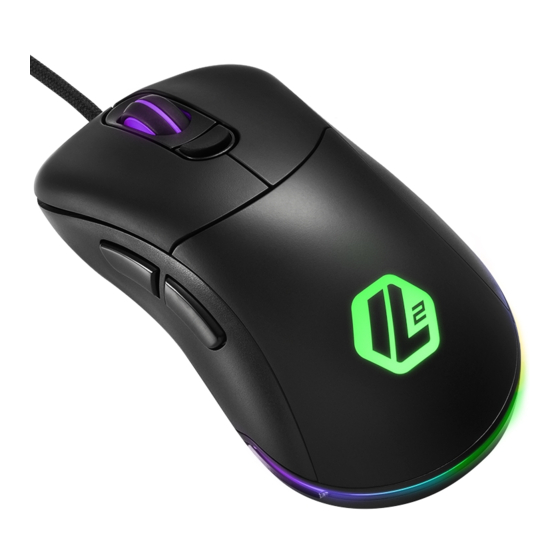
Sharkoon LIGHT2 100 Anleitung

Verwandte Anleitungen für Sharkoon LIGHT2 100


Inhaltszusammenfassung für Sharkoon LIGHT2 100
- Seite 5 Thumb button 1 + Right mouse button (hold for 3 seconds): Lighting Effects Thumb button 2 + Left mouse button + Right mouse button (hold for 3 seconds): Switch Profile (Profile 1 Red, Profile 2 Green, Profile 3 Blue, Profile 4 Yellow, Profile 5 Purple) Thumb button 1 + Thumb button 2 + Scroll wheel (hold for 3 seconds): Reset to Factory Default Daumentaste 1 + Rechte Maustaste (3 Sekunden halten):...
- Seite 8 • DPI kijelző DPI Indicator • DPI-Anzeige • Ukazatel DPI • Indicateur DPI • Индикатор DPI • Indicatore DPI • DPI Göstergesi • Indicador DPI • Indicador de DPI • DPI 顯示 • DPI 表示 • DPI-indicator • Wskaźnik DPI The seven DPI steps, which can be cycled through with the DPI switch, can be customized via the gaming software.
- Seite 10 • A mintavételezési gyakoriság Selecting the • Polling-Rate umschalten kiválasztása • Sélectionner le taux Polling Rate • Výběr polling rate d‘interrogation • Выбор скорости опроса • Selezione del polling rate • Yanıt Süresi Seçimi • Selección de la tasa qde sondeo •...
-
Seite 14: Spezifikationen
Spezifikationen Allgemein: Max. DPI/CPI 5.000 Min. DPI/CPI Sensor Optisch Chip PixArt 3325 Beleuchtung Max. Polling-Rate 1.000 Hz Frames pro Sekunde 4.000 Inch pro Sekunde Max. Beschleunigung 20 g Mausfüße 3, PTFE Gewicht ohne Kabel 78 g Abmessungen (L x B x H) 120 x 66 x 42 mm Unterstützte Betriebssysteme Windows... - Seite 15 Light² 100, zusätzliches Set mit Mausfüßen, Anleitung Rechtliche Hinweise Für evtl. auftretenden Datenverlust, insbesondere durch unsachgemäße Handhabung, übernimmt Sharkoon keine Haftung. Alle genannten Produkte und Bezeichnungen sind Warenzeichen und/oder eingetragene Waren- zeichen der jeweiligen Hersteller und werden als geschützt anerkannt. Als ein Teil von Sharkoons Politik der fortwährenden Produktverbesserung...
- Seite 40 DETAILED DOWNLOADABLE SOFTWARE MANUAL Sharkoon Technologies GmbH Grüninger Weg 48 35415 Pohlheim Germany © Sharkoon Technologies 2020...