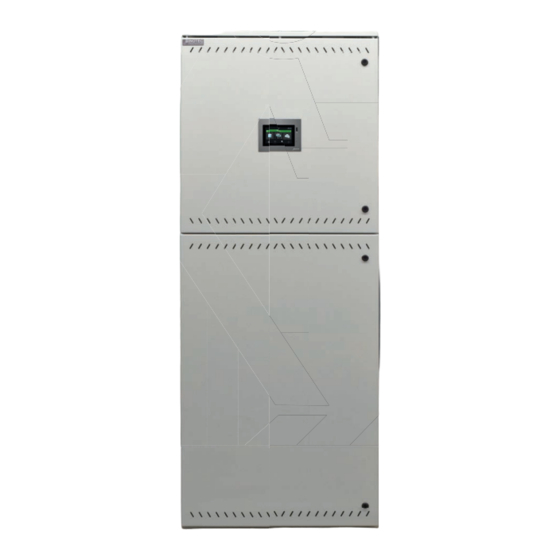
InoTec CPS 220 Serie Montage- Und Betriebsanleitung

Verwandte Anleitungen für InoTec CPS 220 Serie


Inhaltszusammenfassung für InoTec CPS 220 Serie
- Seite 1 Mounting- and Operating Instructions Montage- und Betriebsanleitung Central Battery System Zentralbatteriesystem CPS 220/20 / J-SV / J-SKÜ CPS 220/20 / J-SV / J-SKÜ CPS 220/64 / J-SV / J-SKÜ CPS 220/64 / J-SV / J-SKÜ TFT Touch controller TFT Touch Steuerteil Sicherheitstechnik GmbH...
-
Seite 3: Inhaltsverzeichnis
CPS 220/64/SV Mounting and Operating Instructions CPS 220/64/SV Montage- und Betriebsanleitung Inhalt Contents 1. General information 1. Allgemeine Hinweise 1.1. Explanation of symbols 1.1. Symbolerklärung 1.2. Liability and warranty 1.2. Haftung und Gewährleistung 1.3. Ersatzteile 1.3. Spare parts 1.4. Disposal 1.4. - Seite 4 CPS 220/64/SV Mounting and Operating Instructions CPS 220/64/SV Montage- und Betriebsanleitung 6.3.2.2. Gerätebus IB2 - X2 6.3.2.2. Device bus IB2 - X2 6.3.2.3. Gerätebus IB3 – X2 (optional) 6.3.2.3. Device bus IB3 – X2 (optional) 6.3.2.4. Externer Datenbus RTG - X2 6.3.2.4.
- Seite 5 CPS 220/64/SV Mounting and Operating Instructions CPS 220/64/SV Montage- und Betriebsanleitung 8.2.2. Symbole Steuerteil 8.2.2. Controller icons 8.2.3. Symbolbeschreibung Komponenten 8.2.3. Explanation of components icons 8.2.4. Symbolbeschreibung untere Menü leiste 8.2.4. Explanation menu bar icons 8.3. Bedienung 8.3. Operation 8.4. Hauptmenü...
- Seite 6 Service - Learn Mode 8.6.5.8. Service - Learn Mode 8.7. Programmierung 8.7. Programming 8.7.1. INOTEC Anlagen Kon gurator 8.7.1. INOTEC Kon gurator 8.7.2. Direktverbindung PC mit dem TFT Touch Steuer- 8.7.2. Direct connection PC with TFT touch controller 100 teil 8.7.2.1.
-
Seite 7: Allgemeine Hinweise
Defective components must only be replaced with origi- Ersatzteile ausgetauscht werden. Nur bei diesen Teilen nal INOTEC spare parts. We cannot guarantee that safety gewährleisten wir, dass Sie die Sicherheitsanforderun- requirements are fully met if parts other than these are gen im vollen Umfang erfüllen. -
Seite 8: Sicherheitshinweise
INOTEC autorisierte Personen involve opening the device must ONLY be carried out by vorgenommen werden. Eingri e durch andere Personen personnel authorised to do so by INOTEC. The guarantee führen zum Verlust der Gewährleistung. becomes invalid if unauthorised personnel work on the system. -
Seite 9: Product Description
The controller unit can be programmed with Gerätesteuerteils erfolgt über die komfortable INOTEC the comfortable “INOTEC Kon gurator” software. To trans- Kon gurator Software mittels USB Speichermedium oder fer the con guration a USB pen drive or LAN interface can direkter Verbindung über eine LAN-Schnittstelle. - Seite 10 CPS 220/64/SV Mounting and Operating Instructions CPS 220/64/SV Montage- und Betriebsanleitung sorgung erhalten. Manual tests for can be started at any time. Automatic tests can also be run at freely programmable times. The Jederzeit können manuelle Tests zur Überprüfung ausge- test results and status changes are logged detailed in löst werden.
-
Seite 11: Aufbau Der Cps 220/20 Und Cps 220
= DL / M = DL / M = DL / M = DL / M Ladeteil Charger 216V/7A Charger INOTEC DC-- AC 16AT DC 10AT Batteriesicherungen Battery fuses Das Steuerteil ist in der Tür eingebaut. Controller unit is installed in the door. - Seite 12 = DL / M = DL / M = DL / M 850 008 850 008 Batteriesicherungen Battery fuses Charger 216V/7A Charger 216V/7A Ladeteil INOTEC INOTEC DC-- AC 16AT DC 10AT DC-- AC 16AT DC 10AT Charger Charger 216V/7A INOTEC...
-
Seite 13: Klemmen Anschlußraum Terminals
= DL / M = DL / M = DL / M = DL / M = DL / M = DL / M = DL / M Charger 216V/7A INOTEC DC-- AC 16AT DC 10AT Charger 216V/7A INOTEC DC-- AC 16AT... -
Seite 14: Cpusb
CPS 220/64/SV Mounting and Operating Instructions CPS 220/64/SV Montage- und Betriebsanleitung Netzanschluß CPUS 220/64 / 11kW Mains Klemmen Anschlußraum Terminals 850 009 BUS-Unterstationen BUS Substation output CP 4x2A CP 4x2A CP 4x2A CP 4x2A CP 4x2A CP 4x2A CP 4x2A CP 4x2A CP 4x2A CP 4x2A... -
Seite 15: Aufbau Der Cpusb - Systeme
= DL / M = DL / M = DL / M = DL / M = DL / M = DL / M CPUSB 220/64/1–2A CPUSB 220/64/1–4A Klemmen Anschlußraum Terminals SK2 SK3 SK4 pot.frei Kontakte SL-SL+ Adresse INOTEC CPUSB 4x2A... -
Seite 16: Cpusb 220/64/1 - 2X2,5A/24V
4.3. CPUSB 220/64/1 – 2x2,5A/24V 4.3. CPUSB 220/64/1 – 2x2.5A/24V Rettungs- und Sicherheitsleuchten mit INOTEC 24V- Emergency exit and safety luminaires with INOTEC 24V Technik und INOTEC 24V-D.E.R.-Leuchten für dynamische technology and INOTEC 24V-D.E.R. luminaires for dynamic Fluchtwegkennzeichnung können an die externe BUS- escape route signage can be connected to the external Unterstation CPUSB 220/64/1 –... -
Seite 17: Batteries
CPS 220/64/SV Mounting and Operating Instructions CPS 220/64/SV Montage- und Betriebsanleitung 4.4. Batterien 4.4. Batteries Zum Anschluss an die Zentralbatteriesysteme sind nur For connection to the central battery systems only stati- Ortsfeste Bleibatterien zulässig. Andere Batteriearten onary lead-acid batteries are permitted. Other types of können nicht verwendet werden. -
Seite 18: Technische Daten
CPS 220/64/SV Mounting and Operating Instructions CPS 220/64/SV Montage- und Betriebsanleitung 5. Technische Daten 5. Technical data 5.1. CPS 220/64, CPS 220/20, CPUS 220/64 5.1. CPS 220/64, CPS 220/20, CPUS 220/64 Schutzklasse: Protection class: Schutzart: IP 20 Protection category: IP 20 Zulässige Umgebungstemperatur: Permissible ambient temperature: -5°C bis +35°C, max. - Seite 19 CPS 220/64/SV Mounting and Operating Instructions CPS 220/64/SV Montage- und Betriebsanleitung CPS 220/20/1,2A CPS 220/64/11kW CPS 220/64/22kW 3-ph 3-ph Tiefe Depth 330 mm Tiefe Tiefe Tiefe Depth Depth Depth 330 mm 400 mm 400 mm 800 mm 600 mm 800 mm Anschlussspannung 3~N/PE, 400V AC ±10% 3~N/PE, 400V AC ±10%...
- Seite 20 CPS 220/64/SV Mounting and Operating Instructions CPS 220/64/SV Montage- und Betriebsanleitung CPS 220/20/3A CPS 220/20/5,5kW/3A CPS 220/20/5,5kW-1 1-ph Tiefe Tiefe Depth Depth 330 mm 330 mm Tiefe Tiefe Tiefe Depth Depth Depth 400 mm 330 mm 330 mm 600 mm 600 mm 800 mm Anschlussspannung...
- Seite 21 CPS 220/64/SV Mounting and Operating Instructions CPS 220/64/SV Montage- und Betriebsanleitung CPUS 220/64/11kW 1-ph Tiefe Depth 400 mm 800 mm Anschlussspannung 1~N/PE, 230V AC ±10% Rated voltage 50Hz / 60Hz ±2% Batteriespannung 216V DC Battery voltage Systemstrom: Intern System current: Internal Gesamt Total max.
-
Seite 22: Cpusb
CPS 220/64/SV Mounting and Operating Instructions CPS 220/64/SV Montage- und Betriebsanleitung 5.2. CPUSB 220/64/16, 5.2. CPUSB 220/64/16, CPUSB 220/64/8 – 1, CPUSB 220/64/8 – 1, CPUSB 220/64/8 – 9, CPUSB 220/64/8 – 9 CPUSB 220/64/1 - 2A, CPUSB 220/64/1 – 2A, CPUSB 220/64/1 –... -
Seite 23: Aufstellung, Anschluss
CPS 220/64/SV Mounting and Operating Instructions CPS 220/64/SV Montage- und Betriebsanleitung 6. Aufstellung, Anschluss 6. Assembly, connection 6.1. Montage 6.1. Assembly Beachten Sie für die Lagerung der Komponenten For storage of the components until assembly, bis zur Montage die Hinweise in observe the information in ... -
Seite 24: Batterie
CPS 220/64/SV Mounting and Operating Instructions CPS 220/64/SV Montage- und Betriebsanleitung 6.1.2. CPUSB 220/64/1 … 6.1.2. CPUSB 220/64/1 … Lösen Sie im liegenden Zustand die vier seitlichen Ver- In the horizontal position, loosen the four side screw con- schraubungen am oberen und unteren Gehäuserand. nections at the top and bottom edge of the housing. -
Seite 25: Batterieschrank Mit 1 Strang Á 18 Blöcke
Polung zu achten! connecting the battery! 6.2.1. 1 battery cabinet with 1 battery set, 6.2.1. 1 Batterieschrank mit 1 Strang 18 blocks each á 18 Blöcke Montage 12Ah Batterien F1 F2 INOTEC Sicherheitstechnik GmbH, 59 469 Ense 708 146 2010... -
Seite 26: Batterieschränke Mit 1 Strang
CPS 220/64/SV Mounting and Operating Instructions CPS 220/64/SV Montage- und Betriebsanleitung 6.2.2. 2 Batterieschränke mit 1 Strang 6.2.2. 2 battery cabinets with 1 battery set, á 18 Blöcke 18 blocks each F1 F2 6.2.3. 2 battery cabinets with 2 battery sets, 6.2.3. -
Seite 27: Batteriemontage Auf Batteriegestell
(CPUSB 220/64 …). tert werden. Versorgungsleitung (L+ / N- / PE) Supply lead DPÜ gem. 0108 INOTEC Batterieleitung (B+ / B-) Battery cable Gerätebus (BUS+/ / +24V) Device bus Netzleitung (L/N/PE) CPUSB 220 / 64 / 8-1 Mains cable... -
Seite 28: Cps 220/20
CPS 220/64/SV Mounting and Operating Instructions CPS 220/64/SV Montage- und Betriebsanleitung Für den Betrieb der Unterstation CPUS 220/64 / … wird Operation of the sub station CPUS 220/64 /… requires eine Netzzuleitung und eine Batterieleitung vom Haupt- a mains and a battery cable from the main device. Since gerät benötigt. -
Seite 29: Externer Datenbus Rtg - X2
= DL / M 6.3.2.7. Final circuits CP24V 2x2,5A - X5 6.3.2.7. Endstromkreise CP 24V 2x2,5A - X5 Connect INOTEC 24V-LEDs to the terminals on INOTEC 24V-LED-Leuchten werden an die terminal rail X5 of the respective nal circuit. CP 24V 2x2,5A Klemmen der Klemmleiste X5 des jeweiligen Endstromkreises angeschlossen. -
Seite 30: Endstromkreise Cp D.e.r. - X4
6.3.2.8. Endstromkreise CP D.E.R. - X4 6.3.2.8. Final circuits CP D.E.R. - X4 INOTEC 230V D.E.R. Leuchten werden an die Klemmen INOTEC 230V D.E.R. luminaires are connected to the termi- CP D.E.R. 2x2,5A L+, N-, B+, B- der Klemmleiste X4 angeschlossen. -
Seite 31: Stromkreisumschaltungen Cp 2X2,5A / 24V
This type of change-over device can be used in systems Dieser Typ Stromkreisumschaltung kann in den Anlagen CPS 220/20 and CPS 220/64 for INOTEC-emergency lights CPS 220/20 und CPS 220/64 für INOTEC-Notleuchten mit in the 24V or 24V D.E.R. versions. The circuit rackmount 24V-Technik bzw. -
Seite 32: Stromkreisumschaltung Cp D.e.r. 2X2,5A
Zustand gewechselt werden! The change-over device CP D.E.R. 2x2,5A can be used Die Stromkreisumschaltung CP D.E.R. 2x2,5A kann in den in systems CPS 220/20 and CPS220/64 for INOTEC 220V Anlagen CPS 220/20 und CPS220/64 für INOTEC 220V D.E.R. luminaries. -
Seite 33: Cpusb 220/64/ 1
No output voltage spannung im in joker operation Jokerbetrieb Red (4 LEDs ashing Bus fault rot (blinken 4 LEDs Busstörung quickly) INOTEC CPUSB 4x2A schnell) Red (4 LEDs ashing Current loop open INOTEC CPUSB 4x2A rot (blinken 4 LEDs Stromschleife... -
Seite 34: Cpusb 220/64/ 1
CPS 220/64/SV Mounting and Operating Instructions CPS 220/64/SV Montage- und Betriebsanleitung Der maximale Einschaltstrom pro Stromkreis darf The maximum inrush current per circuit must not nicht mehr als 250A für 500µs betragen! exceed 250A for 500 µs! Für die Stromkreisumschaltungen nur Orginalsi- Use only original fuses with extinguishing agents cherungen mit Löschmitteln verwenden. -
Seite 35: Stromkreisweiche (Skw)
• Bei DC-Betrieb über die Versorgungsleitung der CPS: • With DC operation via the CPS supply lead: Grundsätzliche Versorgung der Notleuchten aus der CPS. Basic supply to emergency luminaires via the CPS. INOTEC CPUSB 4x2A 6.3.3.6. Adressierung 6.3.3.6. Addressing Den BUS-Unterstationen CPUSB 220/64/ 1 - … muss... -
Seite 36: Zusätzliche Komponenten
For temperature controlled charging, a sensor (type KTY Für eine temperaturgeführte Ladung ist ein Tempera- or INOTEC sensor) must be connected inside the battery turfühler (Typ KTY oder INOTEC Sensor) innerhalb des compartment to terminals T+/T- of the RIF 5 module. This... -
Seite 37: Betrieb
CPS 220/64/SV Mounting and Operating Instructions CPS 220/64/SV Montage- und Betriebsanleitung potentialfreie Kontakte Fernschalter 24V/1A (DC) Remote switch Volt free contacts 24V Stromschleife 24V DC Monitoring loop max. 100mA Hinweis: Werkseitig ist das RIF 5-Modul auf Adresse 7 eingestellt! Bei nachträglichem Einbau Adresse 7 ggf. - Seite 38 General lighting General lighting DPÜ DPÜ DPÜ gem. gem. gem. 0108 0108 0108 INOTEC INOTEC INOTEC UVA 1 UVA 2 UVA 3 Anschlüsse bei Überwachung ein- und dreiphasiger Netze Supply monitoring in single- and three-phase installation. SL- SL+ 850 009 RIF5...
- Seite 39 CPS 220/64/SV Mounting and Operating Instructions CPS 220/64/SV Montage- und Betriebsanleitung folgenden Gerätes zu verdrahten. In der Programmierung ned for this contact during programming. ist für diesen Kontakt die Meldung Netzausfall UV zu see 8.7. Programmierung on page 100 belegen.
-
Seite 40: Batteriemanagementsystem Bcs
CPS 220/64/SV Mounting and Operating Instructions CPS 220/64/SV Montage- und Betriebsanleitung 6.3.4.2. Batteriemanagementsystem BCS 6.3.4.2. Battery management system BCS Das Batteriemanagementsystem BCS ist nur mit The battery management system BCS can only be TFT-Steuerteil nutzbar. used with a TFT controller. Das Batteriemanagementsystem BCS besteht aus einer The battery management system consists of one control Kontrolleinheit und max. -
Seite 41: Bcs Sensor
CPS 220/64/SV Mounting and Operating Instructions CPS 220/64/SV Montage- und Betriebsanleitung Zustand Not- Zustand BCS- Reaktion Emerg. light device BCS sensor Reaction lichtgerät Sensor state state AC-Betrieb und Unterspannung Ladung wird aus- AC operation and Undervoltage Charging is swit- Ladung einge- geschaltet charging switched on ched o... - Seite 42 CPS 220/64/SV Mounting and Operating Instructions CPS 220/64/SV Montage- und Betriebsanleitung das Menü des BCS-Moduls. Mittels der Pfeiltasten kann Pressing the lower button (Enter button) calls up the durch das Menü geblättert werden. Der Befehl „Zurück“ menu of the BCS module. The arrow buttons can be used wechselt wieder in die übergeordnete Ebene.
- Seite 43 CPS 220/64/SV Mounting and Operating Instructions CPS 220/64/SV Montage- und Betriebsanleitung...
-
Seite 44: Lsa 3.1 / Lsa
CPS 220/64/SV Mounting and Operating Instructions CPS 220/64/SV Montage- und Betriebsanleitung 6.3.4.3. LSA 3.1 / LSA 8.1 6.3.4.3. LSA 3.1 / LSA 8.1 Mit den LSA 3.1- und LSA 8.1-Modulen ist ein gemein- With the LSA 3.1 and LSA 8.1 modules, the main and safe- sames Ein- und Ausschalten von Netz- und Sicherheits- ty luminaires can be switched on and o together. -
Seite 45: Lsa 8
CPS 220/64/SV Mounting and Operating Instructions CPS 220/64/SV Montage- und Betriebsanleitung +24V + 24V (1) (1- 3) + 24V (2) + 24V (3) INOTEC 850 017 LSA3.1/ EMC: acc. to EN 55015 Ta: -15 bis 40°C +24V Interne Verdrahtung Internal wiring LSA 3.1 230V... - Seite 46 CPS 220/64/SV Mounting and Operating Instructions CPS 220/64/SV Montage- und Betriebsanleitung Allgemeinbeleuchtung Allgemeinbeleuchtung Allgemeinbeleuchtung Allgemeinbeleuchtung General lighting General lighting General lighting General lighting 850 008 Interne Verdrahtung LSA 8.1 230V Internal wiring +24V +24V +24V +24V 24V– 24V– 24V– 24V– 24V–...
- Seite 47 CPS 220/64/SV Mounting and Operating Instructions CPS 220/64/SV Montage- und Betriebsanleitung 8.1 / 24V) bzw. die Phase (LSA 8.1 / 230V) mit einem the phase (LSA 8.1/230V) are connected to an input Schalteingang der LSA 8.1 verbunden. In der Program- switch on the LSA 8.1 for this purpose.
- Seite 48 CPS 220/64/SV Mounting and Operating Instructions CPS 220/64/SV Montage- und Betriebsanleitung UV 1 UV 2 DPÜ DPÜ gem. gem. 0108 0108 INOTEC INOTEC 24V– 24V– 24V– 24V– 24V– 24V– 24V– 24V– 850 007 LSA 8.1 230 V LSA 8.1 230V...
-
Seite 49: Lsa 8.1/D.e.r./24V
At the address switch, a bar. Am Adressschalter ist für jedes unique address has to be assigned Modul eine eindeutige Adresse zu INOTEC LSA8.1/D.E.R./24V 850 018 to each module. The module then vergeben, die dann in der Einstellung Adr. -
Seite 50: Dreiphasenüberwachungen
CPS 220/64/SV Mounting and Operating Instructions CPS 220/64/SV Montage- und Betriebsanleitung LSA 8.1/D.E.R./24V LSA 8.1/D.E.R./24V Technische Daten: Technical data: Nennspannung Rated voltage of 71,5 Abfrageeingänge: 24V DC the polling inputs: 24V DC Temp.-Bereich: -15°C ... +40°C Amb. temp. range: -15°C ... +40°C Schutzart: IP 20 Protection... -
Seite 51: Dpü/B
CPS 220/64/SV Mounting and Operating Instructions CPS 220/64/SV Montage- und Betriebsanleitung 6.3.4.4.2. DPÜ/B.2 6.3.4.4.2. DPÜ/B.2 Zur Überwachung der Netzspannung an den Untervertei- To monitor the mains voltage at the general lighting sub- lern der Allgemeinbeleuchtung werden die DPÜ/B.2- Mo- distribution boards, the DPÜ/B.2 modules are integrated dule direkt in den Unterverteiler eingebaut. - Seite 52 F1 F2 FI 0,03A Schalter Schalter Schalter Schütz Allgemein- beleuchtung DPÜ / B.2 Allgemein- 890 417 beleuchtung INOTEC 0 Min 5 Min Allgemein- Made in x10 (T) Germany beleuchtung 15 Min 10 Min U =3~ 400/230V AC U =U x 0,85 acc.
-
Seite 53: Funkentstörung
Response value: 0,85 U 0.85 U Busanschluss: INOTEC interner Gerätebus Bus connection: INOTEC internal device bus Versorgungsspannung: 24V DC (über INOTEC internen Supply Voltage: 24V DC (powered via INOTEC in- Gerätebus) ternal bus) Adressbereich: 1 . . . 31 Address range: 1–31... -
Seite 54: Fernmeldetableau - Mtb
CPS 220/64/SV Mounting and Operating Instructions CPS 220/64/SV Montage- und Betriebsanleitung Das Loop-Monitoring-Modul muss in das Sicher- The loop monitoring module must be integrated heitslichtgerät eingebaut werden! into the safety lighting device! Bei Meldung eines Netzausfalls in der Untervertei- If a power failure in the sub-distribution board lung mittels LOMO-Modul wird am Steuerteil die is reported via the LOMO module, the controller Meldung „Stromschleife hat Kurzschluss“... -
Seite 55: Cps-Mtb
CPS 220/64/SV Mounting and Operating Instructions CPS 220/64/SV Montage- und Betriebsanleitung Technische Daten: Mounting: Wall/recessed mounting Protection category: IP 30 Montage: Auf- / Unterputz Housing: Stainless steel/aluminium, velour Schutzart: IP 30 Gehäuse: Edelstahl/Aluminium velour lackiert coated Unterputz / Built-in Aufputz / Wall-mounted 50 mm 43 mm 6,5 mm... -
Seite 56: Technische Daten: Anschlussspannung
CPS 220/64/SV Mounting and Operating Instructions CPS 220/64/SV Montage- und Betriebsanleitung Technische Daten: Technical data: Anschlussspannung: Supply voltage: 230V AC +/- 10% 230V AC +/- 10% 176V DC - 260V DC 176V DC - 260V DC Klemmenzuleitung: Terminal feeder 2,5mm² 2.5mm²... - Seite 57 BUS-Leitungslänge möglich! expand the BUS cable length! Fernschalter Remote switch 24V Stromschleife Circuit monitoring loop 24V DC IB IN IB IN Programmiertaster INOTEC Programming button IB-Repeater 850 019 Loop monitoring PROG FAILURE IB IN IB OUT IB OUT IB OUT...
- Seite 58 Leuchten auf Dauerlicht. Im the controller. Steuerteil erscheint die Meldung Netzausfall UV – Über- tragungsstörung DPÜ. IB (max. 500m) DPÜ / B.2 890 417 IB IN INOTEC 0 Min 5 Min Made in x10 (T) Germany 15 Min 10 Min...
-
Seite 59: Programmierung Schleifenüberwachung (Slü)
CPS 220/64/SV Mounting and Operating Instructions CPS 220/64/SV Montage- und Betriebsanleitung IB (max. 500m) DPÜ IB IN INOTEC DPÜ DPÜ IB-Repeater 850 019 gem. gem. Loop monitoring PROG 0108 0108 FAILURE IB IN INOTEC INOTEC IB OUT IB OUT CPUSB 220/64... -
Seite 60: Inbetriebnahme
Die Isolationsmessung nicht an Stromkreisen mit Do not perform the insulation measurement on INOTEC 24V-Leuchten durchführen. Die Leuchten the circuits with INOTEC 24V luminaires. This would werden zerstört. destroy the luminaires. Die Isolationsmessung ist mit einer max. Messspannung The insulation must be measured with a max. -
Seite 61: Einschalten Des Zentralbatteriesystems
CPS 220/64/SV Mounting and Operating Instructions CPS 220/64/SV Montage- und Betriebsanleitung To protect active components from being Um aktive Bauteile destroyed during the vor eventueller Endstromkreis 1.2 measurement, L and N must Zerstörung durch final circuit 1.2 be connected! die Messung zu schützen, sind L und N miteinander The battery circuit is Endstromkreis 1.1... -
Seite 62: Tft Steuerteil Touchdisplay
CPS 220/64/SV Mounting and Operating Instructions CPS 220/64/SV Montage- und Betriebsanleitung 8. TFT Steuerteil Touchdisplay 8. TFT Steuerteil Touchdisplay 8.1. Allgemeines 8.1. General Information 8.1.1. Geräteschutz 8.1.1. Device Protection Zum Schutz vor unbefugtem Zugri ist das Steuerteil mit To protect against unauthorized access, the controller is einem Passwortschutz / Geräteschutz ausgestattet. -
Seite 63: Funktionen
The software didn’t include all described functions when Ein Reset-Taster für einen möglichen Neustart des Steu- this manual was printed. As a result, some applications erteils be ndet sich zwischen dem INOTEC Logo und der are not yet available. USB Schnittstelle. -
Seite 64: Begri Ichkeiten
CPS 220/64/SV Mounting and Operating Instructions CPS 220/64/SV Montage- und Betriebsanleitung 8.2. Begri ichkeiten 8.2. System symbols 8.2.1. Symbole Gerätestatus 8.2.1. System status icons Der Status des Gerätes wird durch entsprechende Sym- The system’s status is indicated by symbols and colours bole und Farben in der Menüführung dargestellt. -
Seite 65: Symbole Steuerteil
CPS 220/64/SV Mounting and Operating Instructions CPS 220/64/SV Montage- und Betriebsanleitung 8.2.2. Symbole Steuerteil 8.2.2. Controller icons Handrückschaltung quittieren Funktionstest Con rm manual reset Function test Batteriedauertest Funktionen Battery duration test Functions Batteriedauertest abbrechen Cancel battery duration test Batteriedauertest starten Ladung einschalten Start battery duration test Start charging... -
Seite 66: Symbolbeschreibung Komponenten
CPS 220/64/SV Montage- und Betriebsanleitung 8.2.3. Symbolbeschreibung Komponenten 8.2.3. Explanation of components icons Bus: BUS: Interner Gerätebus zum Anschluss von Internal device BUS for connecting INOTEC INOTEC Modulen (Stromkreise, LSA, DPÜ/B, modules (change-over devices, LSA, DPÜ/B, etc.) etc.) Stromkreiseinschub: Change-over device:... -
Seite 67: Symbolbeschreibung Untere Menü Leiste
CPS 220/64/SV Mounting and Operating Instructions CPS 220/64/SV Montage- und Betriebsanleitung 8.2.4. Symbolbeschreibung untere Menü leiste 8.2.4. Explanation menu bar icons Menü Menu Über diese Schalt äche gelangen Sie in This button enables access to the main eine Menüauswahl, in dem übergeord- menu. -
Seite 68: Bedienung
8.3. Bedienung 8.3. Operation Die Navigation der Software des INOTEC TFT Touch- You can navigate through the software of the INOTEC TFT displays führt Sie durch Menüs, die Sie per Fingerdruck touch controller by touching on the given icons. einzelner Symbole aufrufen können. -
Seite 69: Navigationsleiste (Breadcrumb)
In der Mitte be ndet sich das Tagesda- shown here. Current date and time are displayed in the tum mit aktueller Uhrzeit. Rechts ist das Firmenlogo von middle. The INOTEC company logo is illustrated on the INOTEC abgebildet. right. -
Seite 70: Leuchten
CPS 220/64/SV Mounting and Operating Instructions CPS 220/64/SV Montage- und Betriebsanleitung 8.4.4.1. Leuchten 8.4.4.1. Luminaires Durch Auswahl der Leuchtenschalt äche gelangen Sie Selecting the luminaire button guides you to the BUS le- in die BUS-Ebene. Hier lassen sich Informationen der vel. -
Seite 71: Menü Stromkreiseinschübe
CPS 220/64/SV Mounting and Operating Instructions CPS 220/64/SV Montage- und Betriebsanleitung schub ist komplett rot umrandet dargestellt. Sofern keine icon would be displayed in green, in case of no failures. Störung vorliegt ist das BUS-Symbol in grün dargestellt. The BUS icons are no active buttons. Die BUS-Symbole sind keine aktiven Schalt ächen, sie dienen lediglich zur Menüorientierung. -
Seite 72: Menü Endstromkreise
CPS 220/64/SV Mounting and Operating Instructions CPS 220/64/SV Montage- und Betriebsanleitung 8.4.4.1.3. Final circuit menu 8.4.4.1.3. Menü Endstromkreise Operation mode Schaltungsart Amount of activated Anzahl angemeldeter luminaires Leuchten Circuit number Stromkreisnummer The nal circuits are divided into separate buttons. The Die einzelnen Endstromkreise sind in separate Schalt ä- amount of activated luminaires, the circuit number and chen unterteilt. -
Seite 73: Final Circuit Detailed View
CPS 220/64/SV Mounting and Operating Instructions CPS 220/64/SV Montage- und Betriebsanleitung 8.4.4.1.4. Detailansicht Endstromkreis 8.4.4.1.4. Final circuit detailed view Durch Anwählen des Endstromkreissymbols gelangen Sie You can reach the sub-menu of the nal circuit by acti- in das Untermenü des Stromkreises. vating the nal circuit icon. -
Seite 74: Menü Leuchten
CPS 220/64/SV Mounting and Operating Instructions CPS 220/64/SV Montage- und Betriebsanleitung 8.4.4.1.5. Menü Leuchten 8.4.4.1.5. Luminaire menu Sofern ein Zielort vergeben wurde, ist dieser in der jewei- ligen Leuchtenschalt äche zu erkennen. Sofern mehrere A destination text is shown on the respective luminaire Leuchten in einem Endstromkreis angemeldet sind, wer- button, if entered. -
Seite 75: Detailansicht Leuchten (24V)
CPS 220/64/SV Mounting and Operating Instructions CPS 220/64/SV Montage- und Betriebsanleitung 8.4.4.1.7. Detailansicht Leuchten (24V) 8.4.4.1.7. Detailed view of luminaires (24V) Bei 24V Leuchten ist die individuelle sowie die frei pro- In case of 24V luminaires, the individual address and the grammierbare Adresse der Leuchte den beiden oberen freely programmable address can be found in the two Sichtfenstern zu entnehmen. -
Seite 76: Batterie
8.4.4.2.2. BCS: Sofern die Batterieblöcke des Notlichtgerätes mit dem This menu is only available if the battery blocks are moni- INOTEC BCS-System überwacht werden, steht dieser tored by the INOTEC BCS system. Menüpunkt in der Batterieebene aktiv zur Verfügung. All data from the “sensors 1–18” and/or “sensors 19–36”... -
Seite 77: Shunt
CPS 220/64/SV Mounting and Operating Instructions CPS 220/64/SV Montage- und Betriebsanleitung Sofern sich die überwachten Werte außerhalb The icon of a sensor will change from green to eines festgelegten Toleranzbereiches be nden, red, if the monitored values are outside of a wechselt das Symbol des „au älligen Sensors“... -
Seite 78: Menü Slü
CPS 220/64/SV Mounting and Operating Instructions CPS 220/64/SV Montage- und Betriebsanleitung 8.4.4.3. Komponenten 8.4.4.3. Components Durch Auswahl dieser Schalt äche werden menügeführt More detailed information about activated components detaillierte Informationen im Bereich angemeldeter (SLÜ, RIF, LSA8, LSA 3.1 or DPÜ/B) are shown after selec- Komponenten (SLÜ, RIF, LSA 8, LSA 3.1 oder DPÜ/B) dar- ting this button. -
Seite 79: Current Loop
CPS 220/64/SV Mounting and Operating Instructions CPS 220/64/SV Montage- und Betriebsanleitung Stromschleife: Current loop: Dieses Menü dient zur Anzeige der in der Programmie- This menu indicates the setting, which was done in the rung erfolgten Einstellungen. programming. Stromschleife aktiviert Current loop activated Stromschleife deaktiviert Current loop deactivated 8.4.4.3.2. -
Seite 80: Menü Lsa8 / Lsa 3
CPS 220/64/SV Mounting and Operating Instructions CPS 220/64/SV Montage- und Betriebsanleitung Durch Aktivieren der Schalt ächen Kontakt 4 oder 5 When the contact 4 or 5 button is activated, the following erscheint folgendes Kon gurationsmenü: con guration menu appears: In diesem Dialog kann die Schaltungsart (Schließer oder You can assign the switching mode (normally closed or Ö... -
Seite 81: Menü Dpü/B
CPS 220/64/SV Mounting and Operating Instructions CPS 220/64/SV Montage- und Betriebsanleitung che ö net sich ein Untermenü, in dem der Zielort sowie The channel allocation has to be done in the der angebundene Bus IB2 zu erkennen ist. circuit programming. Die Zuordnung der Kanäle wird in der Stromkreis- programmierung vorgenommen. -
Seite 82: Menüleiste
CPS 220/64/SV Mounting and Operating Instructions CPS 220/64/SV Montage- und Betriebsanleitung Bei Ausfall einer oder mehrerer Phasen If one or more phases fail, the correspon- ändert sich die jeweilige LED in den roten ding LED changes to red. The component Farbmodus. -
Seite 83: Test
CPS 220/64/SV Mounting and Operating Instructions CPS 220/64/SV Montage- und Betriebsanleitung Hier stehen verschiedene Anwendungen für die systema- It contains various applications for systematically query- tische Abfrage des Gerätezustandes, Testmöglichkeiten ing of the device status, testing possibilities and device oder Einstellungen des Gerätes zur Verfügung. Kon gura- settings. -
Seite 84: Isolationstesteinrichtung Prüfen (Iso Test)
CPS 220/64/SV Mounting and Operating Instructions CPS 220/64/SV Montage- und Betriebsanleitung 8.6.1.2. Isolationstesteinrichtung prüfen (ISO Test) 8.6.1.2. Testing the isolation test equipment (ISO test) Durch Betätigen der Schalt äche startet ein Activating the button starts a function to check the Menüpunkt, der die Mess einrichtung zur Isolationsüber- measuring equipment for monitoring the isolation, in wachung, welche nach VDE 0108 gefordert ist, überprüft. -
Seite 85: Tiefentladeschutz Testen
Handrückschal- scharge protection. If the device includes an INOTEC BCS tung oder den erfolgten Tiefentladeschutz zu quittieren. system and the charging has been switched o , you can Sofern dem Gerät ein INOTEC BCS System angebunden... -
Seite 86: Freigeben
CPS 220/64/SV Mounting and Operating Instructions CPS 220/64/SV Montage- und Betriebsanleitung Bei Aktivierung der Option „Dauerlicht- und If the option “maintained- and emergency Notlichtbetrieb blockiert“ bleibt im blockierten lighting blocked” is activated, the emergency Gerätezustand das Notlicht während eines lighting remains blocked during a mains failure. Netzausfalls aus! 8.6.2.2. -
Seite 87: Störungsinfo
CPS 220/64/SV Mounting and Operating Instructions CPS 220/64/SV Montage- und Betriebsanleitung 8.6.3.1. Failure info 8.6.3.1. Störungsinfo This menu shows all currently existing failures. Device In diesem Menü werden die aktuell vorliegenden Störun- failures are displayed at rst, circuit/luminaire failures gen angezeigt. Zuerst werden vorhandene Gerätestö- afterwards. -
Seite 88: Bcs Prüfbuch Ansehen
CPS 220/64/SV Mounting and Operating Instructions CPS 220/64/SV Montage- und Betriebsanleitung 8.6.3.4. BCS Prüfbuch ansehen 8.6.3.4. Show BCS logbook Im Prüfbuch zum BCS -System werden Zustandänderun- The logbook of the BCS logs status changes of the battery gen des Battriemanagementsystems und einmal täglich management system, as well as the battery block values die Batterieblockwerte protokolliert. -
Seite 89: Usb
8.6.4.1. Verzeichnisstruktur USB Stick 8.6.4.1. Directory structure USB-pen drive Um die verschiedenen Dateiformate jeweiliger Anwen- In order to guarantee a secure data transfer of an INOTEC dungen übersichtlich und einheitlich zu gestalten, wurde controller unit and the respective con gurator software eine Verzeichnisstruktur für den USB-Stick von INOTEC... - Seite 90 CPS 220/64/SV Mounting and Operating Instructions CPS 220/64/SV Montage- und Betriebsanleitung CONF_RD CONF_RD Zum Lesen der Kon gurationsdateien vom Speichermedi- Read con g les (INO- / USB- Pen drive to controller unit) um in das Steuerteil. CONF_WR CONF_WR Write / save con guration les Zum Schreiben/Sichern von Kon gurationsdateien.
-
Seite 91: Load Con Guration
8.6.4.2. Load con guration Eine Kon guration, welche mit der optionalen INOTEC A con guration, which was created by the INOTEC Kon - Kon gurator Software erstellt wurde, kann über die gurator software, can be loaded into the central battery Schalt äche „Kon guration laden“... - Seite 92 Die Kon guration wird im Verzeichnis „CONF_WR“ auf INOTEC Kon gurator software. dem USB-Speichermedium gespeichert und kann mit der optionalen INOTEC Kon gurationssoftware bearbeitet You can now remove the USB ash memory. und ausgedruckt werden. Jetzt kann das USB-Speichermedium entfernt werden.
-
Seite 93: Prüfbuch / Bcs Prüfbuch Speichern
CPS 220/64/SV Mounting and Operating Instructions CPS 220/64/SV Montage- und Betriebsanleitung 8.6.4.4. Prüfbuch / BCS Prüfbuch speichern 8.6.4.4. Save Logbook / BCS Logbook Um Einträge aus dem Prüfbuch auf dem USB Speicherme- Activate the respective button to save the logbook on a dium zu sichern, ist die jeweilige Schalt äche zu aktivie- USB ash drive. -
Seite 94: Einstellungen
CPS 220/64/SV Mounting and Operating Instructions CPS 220/64/SV Montage- und Betriebsanleitung 8.6.5. Einstellungen 8.6.5. Settings Im Bereich „Einstellungen“ können Programmierun- The “Settings” menu gives you the possibility to change gen der Gerätekon gurationen durchgeführt werden. the programming of the device. It’s possible to change Einstellungen der Netzwerkanbindung, automatische the network settings, automatic test settings, fan-control Testeinstellungen, Einstellungen der Lüftersteuerung... - Seite 95 CPS 220/64/SV Mounting and Operating Instructions CPS 220/64/SV Montage- und Betriebsanleitung In den Bereichen IP, Subnetzmask, Gateway, MAC , RTG The communication parameters can be seen and/or chan- Adresse sowie HTML-Verbindung können entsprechende ged in the corresponding areas IP, Subnet mask, Gateway, Kommunikationsparameter eingesehen beziehungswei- MAC, RTG address and HTML connection.
- Seite 96 CPS 220/64/SV Mounting and Operating Instructions CPS 220/64/SV Montage- und Betriebsanleitung Datum Date Über die Schalt äche wird ein Jahreskalender aufgeru- The button opens a calendar where you can select the fen, mit dem das aktuelle Tagesdatum einzustellen ist. correct date. The upper line of the dialogue window displays the cho- In der oberen Zeile des Dialoges ist das gewählte Tages- datum sichtbar.
-
Seite 97: Automatische Testeinstellungen
CPS 220/64/SV Mounting and Operating Instructions CPS 220/64/SV Montage- und Betriebsanleitung Sofern die Stundeneinstellung mit der aktuellen über- If the hour setting is correct, you can con rm the entry by einstimmt, kann diese mit dem Button bestätigt und button. übernommen werden. -
Seite 98: Lüftersteuerung
CPS 220/64/SV Mounting and Operating Instructions CPS 220/64/SV Montage- und Betriebsanleitung 8.6.5.6. Lüftersteuerung 8.6.5.6. Fan control Über die Lüftersteuerung besteht die Möglichkeit, einen The fan control can be used to connect an external fan to externen Lüfter zur Belüftung des Batterieschranks oder ventilate the battery cabinet or -room. - Seite 99 CPS 220/64/SV Mounting and Operating Instructions CPS 220/64/SV Montage- und Betriebsanleitung Nach erfolgter Änderung des Passwortes wird dieses im After the password has been changed, ist is con rmed in Steuerteil bestätigt. the controller. 8.6.5.8. Service - Learn Mode 8.6.5.8. Service - Learn Mode Der Learn-Mode ist ein manuell zu startender Modus, um The Learn mode is a manually started mode that detects die Stromreferenzwerte für Endstromkeise mit Strom-...
-
Seite 100: Programmierung
It’s possible to do the programming des TFT Steuerteils in das jeweilige Netzwerk, können of the TFT controller directly by the INOTEC Kon gurator Programmierungen direkt aus dem INOTEC Anlagenkon - software and FTP (File Transfer Protocol) network connec- gurator per FTP (File Transfer Protocol) erfolgen. -
Seite 101: Kon Guration Des Tft Touch Display Steuerteils
CPS 220/64/SV Mounting and Operating Instructions CPS 220/64/SV Montage- und Betriebsanleitung 8.7.2.1. Kon guration des TFT Touch Display 8.7.2.1. Con guration of TFT touch controller Steuerteils Um die Kommunikation zwischen PC und Steuerteil The con guration of the TFT touch controller has to be sicherzustellen, ist die Kon guration des Steuerteil wie done as follows to guarantee a well working communica- nachfolgend beschrieben durchzuführen:... -
Seite 102: Kon Guration Des Pc Für Windows
CPS 220/64/SV Mounting and Operating Instructions CPS 220/64/SV Montage- und Betriebsanleitung Nach manueller Eingabe der IP Adresse ist dieses Menü You can leave the menu by the button after setting durch Betätigen des Button zu verlassen. up the correct IP address. Sofern Sie das Menü... -
Seite 103: Programmierung Am Tft Touch Steuerteil
CPS 220/64/SV Mounting and Operating Instructions CPS 220/64/SV Montage- und Betriebsanleitung Die Schalt äche „Eigenschaften“ ist dadurch aktiv und führt durch betätigen in das Untermenü des Elementes This will make the button “Properties” available. Clicking „Internetprotokoll Version 4 (TCP/IPv4)“, indem die IP on this button will open a window where it’s possible to Adresse und Subnetzmaske kon guriert werden können. - Seite 104 CPS 220/64/SV Mounting and Operating Instructions CPS 220/64/SV Montage- und Betriebsanleitung Klicken Sie anschließend auf „Programmierung aktivieren“ Afterwards click on “Activate programming” to reach the um zur Passwortabfrage zu gelangen. password prompt. Um Kon gurationsänderungen durch unberechtigte Personen zu verhindern ist die Programmierung Passwort To prevent con guration modi cations by unauthorised geschützt.
- Seite 105 CPS 220/64/SV Mounting and Operating Instructions CPS 220/64/SV Montage- und Betriebsanleitung Um eine Leuchte zu programmieren, begeben Sie sich in To program a luminaire select the related circuit and go to den entsprechenden Stromkreis bis auf die Leuchtenebe- the luminaire level. Luminaires can be selected / unse- ne.
-
Seite 106: Return Button
CPS 220/64/SV Mounting and Operating Instructions CPS 220/64/SV Montage- und Betriebsanleitung Nachdem Sie alle gewünschten Veränderungen an der After completing the programming, you have to exit the Anlage vorgenommen haben, müssen Sie den Program- programming mode by clicking the menu button miermodus beenden. - Seite 107 CPS 220/64/SV Mounting and Operating Instructions CPS 220/64/SV Montage- und Betriebsanleitung 9. INOWeb 9. INOWeb Über die INOWeb-Schnittstelle können die Statusinforma- The status information of the luminaires can be displayed tionen zur Leuchte mittels eines Webbrowser dargestellt via the INOWeb interface using a web browser. To that werden.
-
Seite 108: Störungsausdruck
CPS 220/64/SV Mounting and Operating Instructions CPS 220/64/SV Montage- und Betriebsanleitung The destinations are shown in the current display, which Die Zielorte werden in der Stromkreisdarstellung ange- can be shown by clicking the luminaires. zeigt, die mit einem Mausklick auf die Leuchten aufgeru- fen wird. -
Seite 109: Einrichtung Externer Verknüpfungen
Für die Stromkreise am IB 2 ist folgende Adresse http://<IP adress_TFT-controller>/cgi-bin/cgi_ einzugeben: inoweb?text=X_2 http://<IP-Adresse_TFT-Steuerteil>/cgi-bin/cgi_ inoweb?text=X_2 Externer Link des Gerätes http://www.inotec-licht.de Externer Link des Gerätes http://www.inotec-licht.de Ext. Link Platz 01: circuit 01 http://www.inotec-licht.de/erdgeschoss.pdf Ext. Link Platz 01: Stromkreis 01 http://www.inotec-licht.de/erdgeschoss.pdf Ext. Link Platz 01: circuit 02 Ext. - Seite 110 CPS 220/64/SV Mounting and Operating Instructions CPS 220/64/SV Montage- und Betriebsanleitung A green check mark next to the Apache indicates that the Ein grüner Haken neben dem Feld Apache deutet an, dass server was started. der Webserver gestartet wurde. Starting behaviour and the TCP-port can be con gured Unter „Settings“...
- Seite 111 CPS 220/64/SV Mounting and Operating Instructions CPS 220/64/SV Montage- und Betriebsanleitung 9.3.2. INOWeb E-Mail Setup 9.3.2. INOWeb E-Mail Setup Mittels INOWeb E-Mail Client hat der Anwender die Mög- The INOWeb E-Mail Client enables the possibility to lichkeit über geschehene Ereignisse der Anlage per E-Mail inform the user about all events, which happened to the informiert zu werden.
- Seite 112 CPS 220/64/SV Mounting and Operating Instructions CPS 220/64/SV Montage- und Betriebsanleitung Zielort Gerät Benennung des Zielortes. Die Namens- Device Desti- It’s possible to enter the location of the nation Text vergabe darf 32 Zeichen nicht über- device here (max. 32 signs). schreiten.
- Seite 113 CPS 220/64/SV Mounting and Operating Instructions CPS 220/64/SV Montage- und Betriebsanleitung Aktueller POP3 Hier ist die IP Adresse des Servers bevor- POP3 Server: We recommend to enter the IP address Server: zugt anzugeben. of the server here. Sofern diese nicht zur Verfügung steht You can also enter the server name ist der Servername (zum Beispiel smtp.
-
Seite 114: Wiederkehrende Prüfungen Der Elektrischen Anlagen Für Sicherheitszwecke
CPS 220/64/SV Mounting and Operating Instructions CPS 220/64/SV Montage- und Betriebsanleitung 10. Prüfungen 10. Tests Das Notlichtgerät ist nach den national gültigen Richtli- The emergency light system must be tested in ac- nien und Vorschriften zu prüfen. Die folgenden Angaben cordance with the applicable national guidelines and erheben keinen Wert auf Vollständigkeit. -
Seite 115: Batterieinspektion Und -Überwachung
CPS 220/64/SV Mounting and Operating Instructions CPS 220/64/SV Montage- und Betriebsanleitung 10.2.3. Monatliche Prüfungen 10.2.3. Monthly tests In einer Funktionsprüfung muss der Ausfall der Versor- A function check must simulate the failure of the general lighting supply. During the function check, it must be gung der allgemeinen Beleuchtung simuliert werden. -
Seite 116: Anhang
Anhang Appendix A. Dokumentation A. Documentation Weitere Informationen zu den Standard CPS 220/64-Ge- Further information on the standard CPS 220/64 devices räten nden Sie unter www.inotec-licht.de/produkte/ can be found at www.inotec-licht.de/en/products/sys- geraete-und-module/cps-22064: tems-and-modules/cps-22064: • Gehäuseansichten • Housing views • Stromlaufpläne •... - Seite 117 CPS 220/64/SV Mounting and Operating Instructions CPS 220/64/SV Montage- und Betriebsanleitung Max. Spannungsfall von 10% Max. voltage drop of 10% Anzahl an No. of DPÜ/B.2 on Width Length DPÜ/B.2 an IB2 Querschnitt Länge IB2 or IB3 oder IB3 0.5mm² 1.5mm² 500m* 500m* 0,5mm²...
-
Seite 118: Kundendienst
CPS 220/64/SV Mounting and Operating Instructions CPS 220/64/SV Montage- und Betriebsanleitung C. Kundendienst C. Customer Service Bevor Sie den Kundendienst aufgrund einer vorliegenden Before contacting the customer service due to a failure, Störung kontaktieren, überprüfen Sie bitte Folgendes: please check the following: Prüfung auf Leuchtenfehler Check for luminaire failures Betätigen Sie in der Navigationsleiste den Menübutton, es... - Seite 119 • Project name tung nden Sie unter dem Menüpunkt „Kontakt“ auf • Device type and device number (KA…) on the type plate www.inotec-licht.de). • A brief description of the failure Bitte geben die folgenden Informationen an: • Plain text information in the controller •...
- Seite 120 CPS 220/64/SV Mounting and Operating Instructions CPS 220/64/SV Montage- und Betriebsanleitung Index Index Anschluss Assembly Anschlussklemmen 31,33 Battery 26,122 Batterie 67,70,76,77,80,86,88 Battery cabinets 26,28 Batterieinspektion Battery duration test 45,46,65,66,86,100,107,120,121 Batterieschränke 26,28 Battery inspection Batterietemperatur Battery monitoring Batterieüberwachung Battery temperature 27,66,67,76,77,78,80,87,88,90,91 27,66,67,76,77,78,80,87,88,90,91 BCS Prüfbuch 66,77,90...
- Seite 121 CPS 220/64/SV Mounting and Operating Instructions CPS 220/64/SV Montage- und Betriebsanleitung Handrückschaltung 65,66,87,88,97,107 Final circuit 67,73,74 Hilfetexte Function buttons 69,70 Function test 8,107,121,124 71,82 71,82,83 Inbetriebnahme 9,62 Help texts Info 68,84,88 Geräte 71,82 Leuchten 71,82,83 Störung Individual luminaire monitoring 10,33,100 Informationsbereich 69,70 Info...
- Seite 122 CPS 220/64/SV Mounting and Operating Instructions CPS 220/64/SV Montage- und Betriebsanleitung RIF 5 41,45,46,59 Repairs 30,60,123 67,79,80,102 RIF 5 41,45,46,59 30,60,123 Scrollen 68,84,89,106 Shunt 76,78 Sicherheitshinweise Safety instructions SKÜ 100,101 Scroll 68,106 SL+/SL- 36,40,43 Shunt 76,78 SLÜ 42,67,79,115,116,119 SKÜ 100,101 Softwarestand 64,70,106 SL+/SL-...
- Seite 123 CPS 220/64/SV Mounting and Operating Instructions CPS 220/64/SV Montage- und Betriebsanleitung Glossar Battery control system Monitoring and logging of battery block voltage(s) and -temptature(s) measured by Batteriemanagmentsystem BCS-sensor(s) Erfassung und Protokollierung der Batterie blockspannung und -temperatur Battery control system mittels BCS-Sensor. BCS-Sensor Voltage- / temperature- measurement Batteriemanagmentsystem...
- Seite 124 CPS 220/64/SV Mounting and Operating Instructions CPS 220/64/SV Montage- und Betriebsanleitung CPUSB BUS-Unterstation ohne eigenes Steuerteil Circuit separating module (SKW) zum Betrieb am Steuerteil einer CPS Power supply for the circuit comes from oder CPUS. the local sub-distribution board during Dauerlicht Eine Notleuchte/Stromkreis im Zustand standard operation.
- Seite 125 TEC controllers, used for printing out data genrelevanter Daten sowie Einspielen von relevant to systems. Softwareupdates. INOSTICK Adapter for PS/2 interfaces on INOTEC con- INOWEB Ethernetmodul mit integriertem Webser- trollers for importing and exporting system ver. Ermöglicht den Zugri auf den Anla- con gurations, printing out data relevant genstatus per Webbrowser.
- Seite 126 CPS 220/64/SV Mounting and Operating Instructions CPS 220/64/SV Montage- und Betriebsanleitung Nennbetriebsdauer Loop monitoring Die laut den gültigen Vorschriften notwen- System for monitoring an SL+/SL- or dige Betriebsdauer des Notlichtgerätes im FS+/FS- for open circuits or short circuits Notbetrieb.
- Seite 127 CPS 220/64/SV Mounting and Operating Instructions CPS 220/64/SV Montage- und Betriebsanleitung RTG-BUS BUS-System von INOTEC zur Überwa- RTG-BUS BUS system from INOTEC for monitoring the chung der Notlichtgeräte mittels weiterer emergency lighting device using other INO- INOTEC-Systeme oder Software. TEC systems or software.
- Seite 128 INOTEC Sicherheitstechnik GmbH Am Buschgarten 17 59469 Ense Germany Tel +49 29 38/97 30-0 Fax +49 29 38/97 30-29 info@inotec-licht.de www.inotec-licht.de 708 199 000 01/2021 Sicherheitstechnik GmbH...