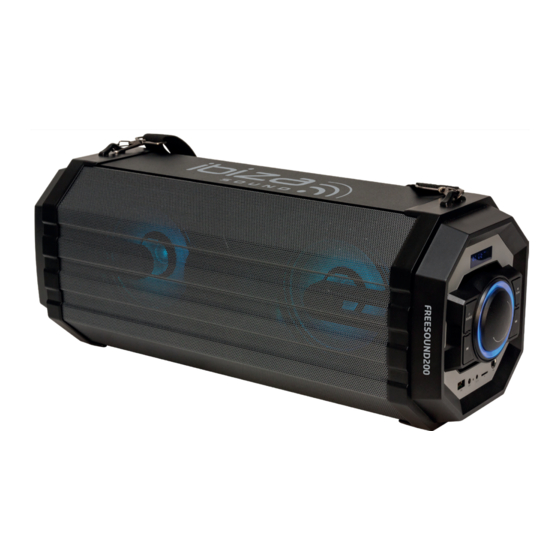
Ibiza sound FREESOUND200 Bedienungsanleitung
Bluetooth soundbox with usb, tf & fm tuner
Inhaltsverzeichnis
Verfügbare Sprachen
Verfügbare Sprachen
Quicklinks
BLUETOOTH SOUNDBOX
WITH USB, TF & FM TUNER
ENCEINTE NOMADE BLUETOOTH A LED
AVEC USB, TF & TUNER FM
BLUETOOTH SOUNDBOX
MIT USB, TF & UKW RADIO
BLUETOOTH SOUNDBOX
MET USB, TF & FM-TUNER
BOXĂ PORTABILĂ
CU BLUETOOTH,USB, TF & TUNER FM
BLUETOOTH SOUNDBOX
Z USB, TF IN FM SPREJEMNIKOM
ALTAVOZ PORTATIL BLUETOOTH DE LED
CON USB, TF & TUNER FM
Ref.
FREESOUND200
MANUAL
FR - Manuel d'Utilisation - p. 4
DE - Bedienungsanleitung - S. 6
NL - Handleiding - p. 8
RO - Manual de instructiuni - p. 10
SI - Navodila za uporabo - p. 12
ES - Manual de Uso - p. 14
Inhaltsverzeichnis

Verwandte Anleitungen für Ibiza sound FREESOUND200


Inhaltszusammenfassung für Ibiza sound FREESOUND200
- Seite 1 BLUETOOTH SOUNDBOX Z USB, TF IN FM SPREJEMNIKOM ALTAVOZ PORTATIL BLUETOOTH DE LED CON USB, TF & TUNER FM Ref. FREESOUND200 MANUAL FR - Manuel d'Utilisation - p. 4 DE - Bedienungsanleitung - S. 6 NL - Handleiding - p. 8 RO - Manual de instructiuni - p.
-
Seite 6: Verpackungsinhalt
MANUAL - FREESOUND200 BLUETOOTH SOUNDBOX MIT USB, TF & UKW RADIO BEDIENUNGSANLEITUNG ZEICHENERKLÄRUNG Der Blitz im Dreieck weist auf Gesundheitsrisiken hin (z.B. Stromschlag) Das Ausrufezeichen im Dreieck weist auf besondere Gefahren im Umgang oder Betrieb des Geräts hin. VORSICHT NICHT DAS GEHÄUSE ÖFFNEN STROMSCHLAGGEFAHR VOR DER ERSTEN INBETRIEBNAHME DES GERÄTS SORGFÄLTIG DIE ANLEITUNG DURCHLESEN. -
Seite 7: Bluetooth Verbindung
Gerät sucht nach Bluetooth-fähigen Geräten in der Nähe. Bluetooth Funktion auf Ihrem Gerät aktivieren und in der Liste der gefundenen Geräte “FREESOUND200” wählen. Wenn die Verbindung erfolgreich erstellt ist, blinkt das Symbol in der unteren rechten Ecke langsam. Wenn Sie Musik über Ihr Bluetooth-fähiges Gerät abspielen, blinkt das Symbol jede Sekunde einmal.