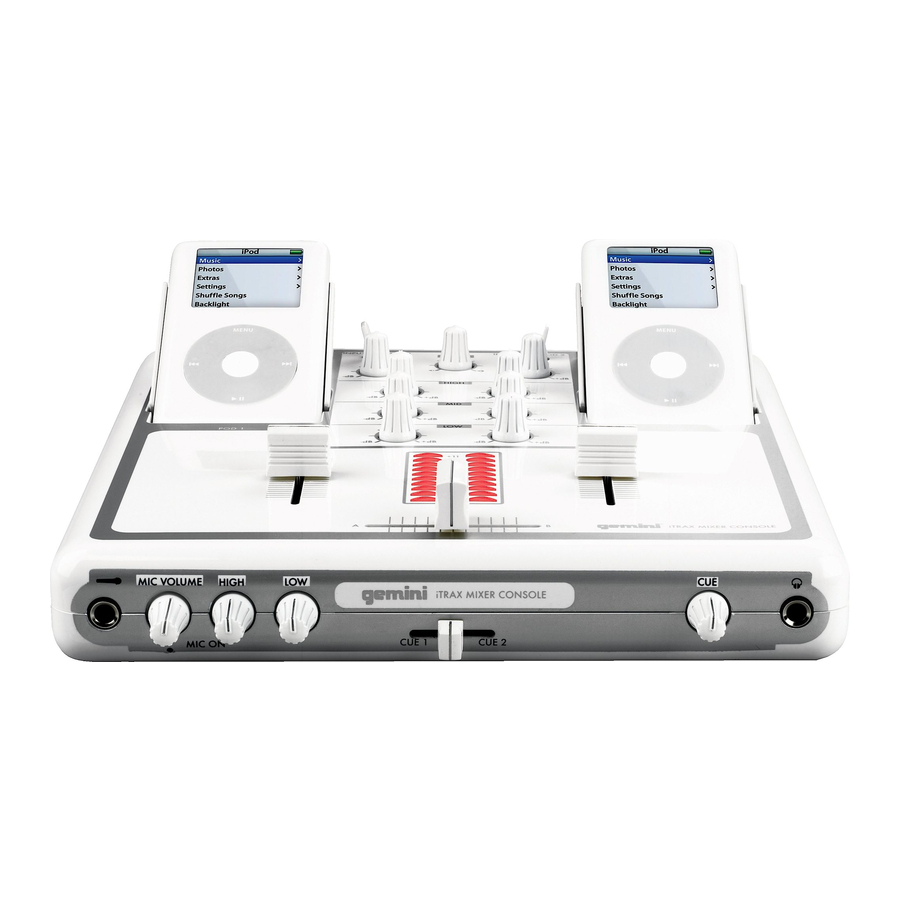
Gemini itrax Bedienungsanleitung
Ipod mixer console
Inhaltsverzeichnis
Verfügbare Sprachen
Verfügbare Sprachen
Quicklinks
Worldwide Offices
USA:
UK:
Spain:
France:
Gemini Sound Products Corp.
Gemini Sound Products LTD
Gemini Sound Products S.A.
GSL France
1, Allée d' Effiat,
Worldwide Headquarters
Unit C4 Hazleton
Rosellon 516 local
Parc de l'événement
120 Clover Place
Industrial Estate,
08026 Barcelona
Waterlooville P08 9JU
Ph: + 34 93 436 37 00
F-91160 Longjumeau
Edison, New Jersey 08837
Ph: + 33 1 69 79 97 70
Ph: 732.738.9003
Ph: +44 (0)87 087 00880
Fax: + 34 93 347 69 61
Fax: 732.738.9006
Fax: +44 (0)87 087 00990
Fax: + 33 1 69 79 97 80
In the USA: If you experience problems with this unit, please go to http://www.geminidj.com/support.html or call 1-732-738-9003 for Gemini Customer Service. Do not attempt to return this equipment to your deal-
er. Gemini stands behind their products with a 1 year limited warranty on all audio products. For larger images & detailed specs visit our website @ http://www.geminidj.com. WE ARE NOT RESPONSIBLE FOR TYPO-
GRAPHICAL ERRORS OR OMISSIONS. WE RESERVE THE RIGHT TO CHANGE WITHOUT NOTICE. Parts of the design of this product may be protected by worldwide patents. Information in this manual is subject to
change without notice and does not represent a commitment on the part of the vendor. Gemini Sound Products Corp. shall not be liable for any loss or damage whatsoever arising from the use of information or any
error contained in this manual. No part of this manual may be reproduced, stored in a retrieval system or transmitted, in any form or by any means, electronic, electrical, mechanical, optical, chemical, including pho-
tocopying and recording, for any purpose without the express written permission of Gemini Sound Products Corp. It is recommended that all maintenance and service on this product is performed by Gemini Sound
Products Corp. or its authorized agents. Gemini Sound Products Corp. will not accept liability for loss or damage caused by maintenance or repair performed by unauthorized personnel.
Germany:
Gemini Sound
Products GmbH
Liebigstrasse 16
85757 Karlsfeld
Ph: + 49 8131 39171-0
Fax: + 49 8131 39171-8
itrax
i P o d m i x e r c o n s o l e
I P O D
M I X E R
K O N S O L E
M E Z C L A D O R P A R A I P O D
C O N S O L E
D E
M I X A G E
P O U R
I P O D
Input 1
Pod 1
Input 2
Pod 2
Gain
Master
Gain
High
High
Mid
Mid
30
1
30
1
Low
Low
+ 11
+ 8
+ 5
0
- 5
- 9
- 12
- 15
- 20
Power
Inhaltsverzeichnis

Verwandte Anleitungen für Gemini itrax


Inhaltszusammenfassung für Gemini itrax
-
Seite 7: Erdung Oder Polung
empfohlenes Montageset. dass Sie auf keinen Fall irgendwelche Stromleitungen berührt. Das kann zu gefährlichen Auswirkungen führen. MOBILE UNTERLAGEN: Bewegen Sie eine Kombination aus dem Produkt BITTE UNBEDINGT VOR BENUTZUNG DES GERÄTS LESEN! und einer mobilen Unterlage mit Vorsicht. Schnelles Anhalten, zu viel ÜBERLASTUNG: Überlasten Sie keine Steckdosen, Verlängerungskabel WICHTIGE HINWEISE UND SICHERHEITSANWEISUNGEN Schub oder unebene Böden können dazu führen, dass sich Produkt und... - Seite 8 Input 1 Pod 1 Input 2 Pod 2 Gain Master Gain High High iPod Docking Ladestation + 11 - 12 - 15 - 20 Power Lieferumfang: 1. iPod Dock 9. Crossfader 16. Cue-Fader Netzteil 2. Eingangswahlschalter 10. iPod Ladestationadapter 17. Cue-Lautstärkeregler 2 x iPod Docking Ladestationen 3.
- Seite 9 15 V AC PA oder Stereo-Lautsprecher Fernsehgerät oder Monitor mit Composite-Video-Eingang CD-Player/ Plattenspieler Computer 20. Ein-/Aus-Schalter 24. Phono-/Line-Eingang 2 28. Phono-/Line- #1 Wahlschalter 21. Composite-Video-Ausgang 25. Phono-/Line- #2 Wahlschalter 29. USB-Eingang 22. Master-Cinch-Ausgänge 26. Erdungsanschluss 30. iPod 1/iPod 2 USB-Wahlschalter 23.
- Seite 10 AHLSCHALTER iTunes Software verwenden wollen, in dieser zuerst das automatische dem stylischen Design und der einfachen Bedienung ist der iTRAX ein DJ- Position stehen, bei einem Line-Signal auf der LN Position. Wichtig: Wenn Update abzuschalten, da iTunes während der Synchronisation sonst die Mixer von höchster Qualität und kann in unterschiedlichsten...
-
Seite 11: Technische Daten
Mittelposition hören Sie beide Kanäle gleich laut. OPTIONALES ZUBEHÖR: USTAUSCHTEILE 10. C (17): Hier stellen Sie die Lautstärke des Sie finden hier eine Liste der Austauschteile, die bei Ihrem Gemini-Händler AUTSTÄRKEREGLER bestellt werden können: (18) ein. OPFHÖRERAUSGANGS 11. K (7): Mit diesem Fader können Sie bestimmen, wie laut... - Seite 22 If you do not have internet access, fill out the form below and mail to the appropriate 120 Clover Place A. Gemini warrants its products to be free from defects in materials and work- address listed at the right side of this page.