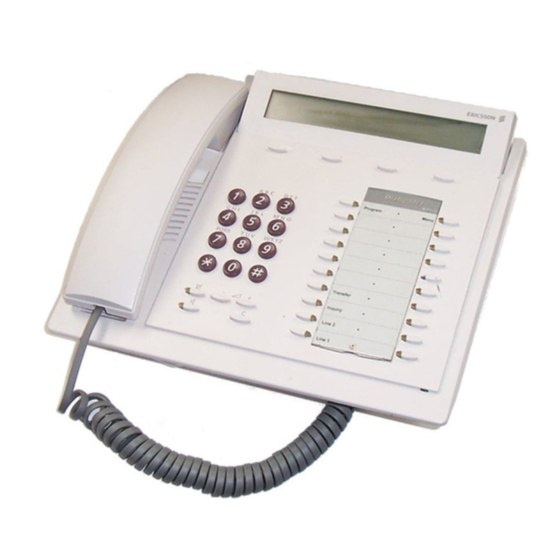
Ericsson Dialog 3213 Schnellanleitung
Vorschau ausblenden
Andere Handbücher für Dialog 3213:
- Bedienungsanleitung (148 Seiten) ,
- Kurzanleitung (41 Seiten) ,
- Bedienungsanleitung (102 Seiten)
Inhaltsverzeichnis
Verfügbare Sprachen
Verfügbare Sprachen
Quicklinks
Dialog 4223 Professional / Dialog 3213
?
BusinessPhone Communication Platform
Cover Page Graphic
Place the graphic directly on the page, do not care about
putting it in the text flow. Select Graphics > Properties
and make the following settings:
•
Width: 15,4 cm (Important!)
•
Height: 11,2 cm (May be smaller)
•
Top: 5,3 cm (Important!)
•
Left: -0,3 cm (Important!)
This text should then be hidden.
Quick Reference Guide
Inhaltsverzeichnis

Verwandte Anleitungen für Ericsson Dialog 3213


Inhaltszusammenfassung für Ericsson Dialog 3213
- Seite 2 LZTBS 160 322 R1A © Ericsson Enterprise AB 2003 BusinessPhone – Dialog 4223 Professional / Dialog 3213...
-
Seite 8: Anrufe Tätigen
Auflegen oder übergabe Hörer bei Rückruf abheben Hörer auflegen (Vor/nach Annahme) Anklopfen: anklopfen Hörer nicht auflegen Aufschalten: aufsch. Während Sie telefonieren Zum Freisprechen  wechseln: Hörer auflegen Zum Hörer wechseln: Hörer abheben BusinessPhone – Dialog 4223 Professional / Dialog 3213... -
Seite 9: Anrufweiterschaltung
* 2 2 * # Kurzanleitung sind ausschließlich die Tasten des Dialog 4223 abgebildet. Erneut aktivieren: Wenn Sie mit dem Dialog 3213 Executive arbeiten, entnehmen Sie die für Sie geltenden Tastenkombinationen bitte der nachstehenden Tabelle. Passwort ändern # * 7 2 *...