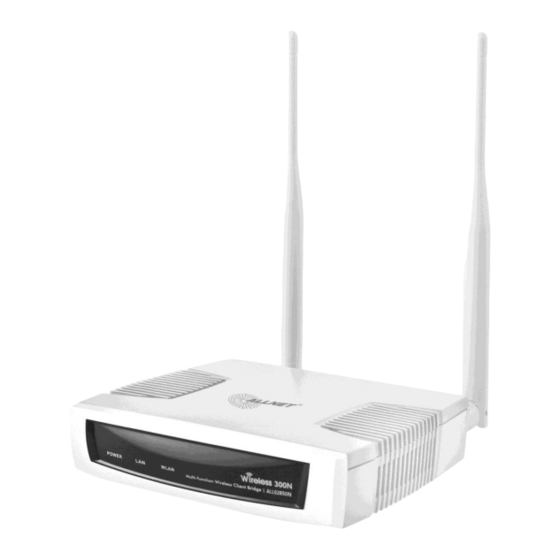
Allnet ALL02850N Kurzanleitung
Wireless n 300mbit 2,4ghz access point poe

Verwandte Anleitungen für Allnet ALL02850N


Inhaltszusammenfassung für Allnet ALL02850N
- Seite 1 ALL02850N Wireless N 300Mbit 2,4Ghz Access Point PoE Kurzanleitung...
-
Seite 2: Verpackungsinhalt
Stellen Sie sicher, dass das Kabel richtig an dem ALL02850N und dem Computer angeschlossen ist 3) Schließen Sie den DC Stecker des Netzteils an die DC-IN Buchse am ALL02850N und das Netzteil an den Stromanschluß. Bitte verwenden Sie nur das mitgelieferte Netzteil! - Seite 3 Dann können Sie weiter mit dem Wireless Verbindungen des ALL02850N fortfahren. Zwischen den verschiedenen Betriebsmodi schalten Der ALL02850N kann in folgenden Modi betrieben werden: Access Point, Client Bridge, WDS, Repeater, AP Router. 1) Klicken Sie auf den Operation Mode link unter der System Navigation Dropdown Menue.
-
Seite 4: Gnu General Public License
GPL and LGPL. Written offer for GPL and LGPL source code Where such specific license terms entitle you to the source code of such software, ALLNET will provide upon written request via e-mail and/or traditional paper mail the applicable GPL and LGPL source code files via CD-ROM for a nominal cost to cover shipping and media charges as allowed under the GPL and LGPL. - Seite 5 Program or any derivative work under copyright law: that is to say, a work containing the Program or a portion of it, either verbatim or with modifications and/or translated into another language. (Hereinafter, translation is included without limitation in the term "modification".) Each licensee is addressed as "you". © ALLNET GmbH München 2013 - Alle Rechte vorbehalten...
- Seite 6 In addition, mere aggregation of another work not based on the Program with the Program (or with a work based on the Program) on a volume of a storage or distribution medium does not bring the other work under the scope of this License. © ALLNET GmbH München 2013 - Alle Rechte vorbehalten...
- Seite 7 Program subject to these terms and conditions. You may not impose any further restrictions on the recipients' © ALLNET GmbH München 2013 - Alle Rechte vorbehalten...
- Seite 8 10. If you wish to incorporate parts of the Program into other free programs whose distribution conditions are different, write to the author to ask for permission. For software which is copyrighted by the Free Software Foundation, write to the Free Software Foundation; we sometimes make © ALLNET GmbH München 2013 - Alle Rechte vorbehalten...
- Seite 9 License, or (at your option) any later version. This program is distributed in the hope that it will be useful, but WITHOUT ANY WARRANTY; without even the implied warranty of © ALLNET GmbH München 2013 - Alle Rechte vorbehalten...
- Seite 10 Yoyodyne, Inc., hereby disclaims all copyright interest in the program `Gnomovision' (which makes passes at compilers) written by James Hacker. signature of Ty Coon, 1 April 1989 Ty Coon, President of Vice Source: http://www.gnu.org/licenses/old-licenses/gpl-2.0 © ALLNET GmbH München 2013 - Alle Rechte vorbehalten...
- Seite 11 The conformity to the above directive is indicated by the CE sign on the device. The ALLNET ALL02850N conforms to the Council EMC Directives of 2006/95/EC. This equipment meets the following conformance standards: EN 60950-1:2006 +A11:2009 + A1:2010 + A12:2011 This equipment is intended to be operated in all countries.