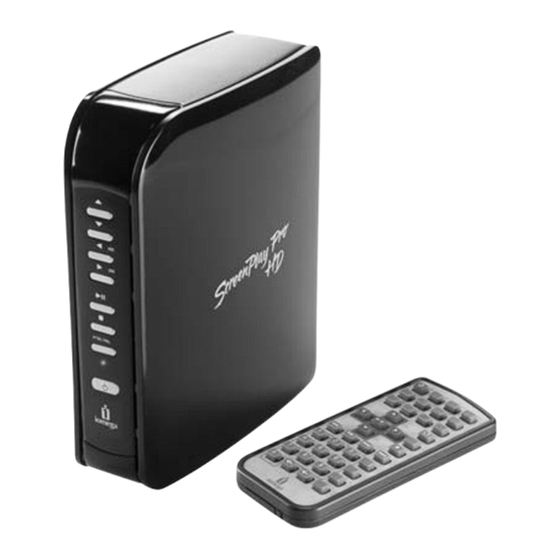
Iomega ScreenPlay Pro HD Schnellstart Handbuch
Inhaltsverzeichnis
Verfügbare Sprachen
Verfügbare Sprachen
ScreenPlay
Multimedia Drive
Quick Start Guide
Guide de démarrage rapide
Schnellstart-Handbuch
Guida di installazione rapida
Guía de instrucciones rápidas
Guia de uso rápido
Snel aan de slag
Snabbstartguide
Introduktion
™
Pro HD
Hurtigreferanse
Pikaopas
Gyors útmutató
Stručná příručka
Wprowadzenie
Краткое руководство по началу работы
Οδηγός γρήγορης εκκίνησης
Inhaltsverzeichnis
Fehlerbehebung

Verwandte Anleitungen für Iomega ScreenPlay Pro HD


Inhaltszusammenfassung für Iomega ScreenPlay Pro HD
- Seite 1 ScreenPlay ™ Pro HD Multimedia Drive Hurtigreferanse Quick Start Guide Pikaopas Guide de démarrage rapide Gyors útmutató Schnellstart-Handbuch Stručná příručka Guida di installazione rapida Wprowadzenie Guía de instrucciones rápidas Краткое руководство по началу работы Guia de uso rápido Οδηγός γρήγορης εκκίνησης Snel aan de slag Snabbstartguide Introduktion...
-
Seite 5: Übertragen Von Mediendateien Auf Das Screenplay Pro Hd
• Assurez-vous que le ScreenPlay Pro HD est alimenté correctement. • Activez le ScreenPlay Pro HD en appuyant sur le bouton STANDBY sur la télécommande ou à l’avant du disque. • Si vous utilisez la télécommande pour la première fois, tirez la languette située sur le côté de la télécommande pour permettre l’alimentation par pile. -
Seite 6: Fehlerbehebung
Im Benutzerhandbuch finden Sie weitere Informationen zur Verwendung des ScreenPlay Pro HD mit Ihrem Netzwerk. 1. Verbinden Sie das ScreenPlay Pro HD mit Ihrem Fernseher, wie in den Schritten 1 bis 4 im vorhergehenden Abschnitt beschrieben. 2. Verbinden Sie das ScreenPlay Pro HD mit Ihrem Heimnetzwerk. Verwenden Sie ein Ethernet-Kabel für eine Verbindung über Kabel oder schließen Sie einen unterstützten WiFi-Adapter an den Host-USB-Port an... - Seite 30 ENTER NETWORK ScreenPlay Pro HD HOME Network ENTER ENTER ScreenPlay Pro HD ScreenPlay Pro HD ScreenPlay Pro HD ScreenPlay Pro HD ENTER Setup ScreenPlay Pro HD HOME ScreenPlay Pro HD ENTER Network Windows ScreenPlay Pro HD My Computer Map Network Drive...
- Seite 31 ScreenPlay Pro HD ScreenPlay Pro HD ScreenPlay Pro HD ScreenPlay Pro HD ScreenPlay Pro HD Windows Explorer My Computer Windows Mac OS X NTFS MS DOS FAT ScreenPlay Pro HD ScreenPlay Pro HD HDMI ScreenPlay Pro HD HDTV ScreenPlay Pro HD...
-
Seite 33: Inanspruchnahme Des Garantieservice
à partir de notre site Web ou fourni par votre représentant Iomega et une preuve d’achat. Iomega ne protège, ne récupère ni ne retourne des données pendant le service de garantie ; assurez-vous donc de copier vos données avant d’expédier le matériel. - Seite 38 CE (Union européenne) Ce produit Iomega est certifié conforme aux normes et directives européennes suivantes : Application de la directive du Conseil : 2004/108/EC. Conformité déclarée pour les normes suivantes : EN55022, EN55024, EN61000-3-2, EN61000-3-3. Nom de l’importateur : Iomega International, S.A.
- Seite 40 поддержки по адресу www.iomega.com/support. Copyright © 2009 Iomega Corporation. All rights reserved. Iomega, the stylized “i” logo, and ScreenPlay are either registered trademarks or trademarks of Iomega Corporation in the United States and/or other countries. Microsoft and Windows are either registered trademarks or trademarks of Microsoft Corporation in the United States and/or other countries.