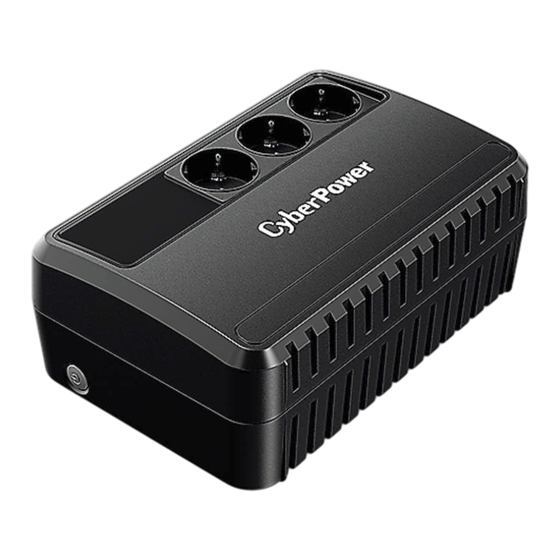
CyberPower BU650EU Benutzerhandbuch
Verfügbare Sprachen
Verfügbare Sprachen
Quicklinks
CyberPower
IMPORTANT
This manual contains important safety instructions.
Please read and follow all instructions
thoroughly
before attempting
to unpack, install, or operate your UPS.
CAUTION!
To prevent the risk of fire or electric shock, install in a temperature
specifications for the acceptable temperature and humidity range.)
CAUTION!
To reduce the risk of overheating
the UPS, do not cover the UPS' cooling vents and avoid exposing the unit to direct sunlight or installing the unit near
heat emitting appliances
such as space heaters or furnaces.
CAUTION! DO not attach non-computer-related items, such as medical equipment, life-support equipment, microwave ovens, or vacuum cleaners to LJPS.
CAUTION!
Do not allow liquids or any foreign object to enter the UPS. Do not place beverages
CAUTION!
In the event of an emergency,
press the OFF button and disconnect
CAUTION! DO not attach a power strip or surge suppressor to the UPS.
CAUTION!
Unplug the UPS prior to cleaning and do not use liquid or spray detergent.
CAUTION!
Servicing of batteries should be performed or supervised
personnel away from batteries.
INSTALLING
UNPACKING
The box contains the following: (l) UPS Unit xl; (2) USB Cable xl; (3) User Manual xl; (4) Warranty Card xl
Personal software is available on our website. Please visit www.cyberpower.com and go to the Software Section for free download.
HARDWARE
INSTALLATION
GUIDE
Your new UPS may be used immediately upon receipt. However, recharging the battery for at least 8 hours is recommended to ensure that the battery's
maximum charge capacity is achieved.
Charge loss may occur during shipping and storage. To recharge the battery, simply leave the unit plugged into an AC
outlet. The unit will charge in both the on and off position.
2.
With the UPS unit Offand unplugged, connect the computer, monitor, and any externally powered data storage device (Wireless router, broadband modem, etc.)
into the battery power supplied outlets.
DO NOT plug a laser printer, copier, space heater, vacuum, paper shredder or other large electrical device into the
battery power supplied outlets. The power demands
of these devices will overload and possibly damage the unit.
3.
Plug the UPS into a 2 pole, 3 wire grounded receptacle (wall outlet). Make sure the wall branch outlet is protected by a fuse or circuit breaker and does not
service equipment
with large electrical demands
(e.g. air conditioner, refrigerator,
4.
Press the power switch to tum the unit on. The power on indicator light will illuminate and the unit will "beep".
5.
If an overload is detected, an audible alarm will sound and the unit will emit one long beep. TOcorrect this, turn the UPS Off and unplug at least one piece Of
equipment
from the battery power supplied outlets. Wait 10 seconds. Make sure the circuit breaker is normal and then tums the UPS on.
6.
To maintain optimal battery charge, leave the UPS plugged into an AC outlet at all times.
TO store your UPS for an extended period, cover it and store with the battery fully charged. Recharge the battery every three months to ensure battery life.
7.
5
2
3
5
3
. Power
Switch
Press
the switch
for 2 seconds
to tum
the UPS
ON or OFF.
Alarm setting: The audible alarm can be tumed OFF or ON by quickly pressing the POWER button twice. The default setting is for the Alarm On. To
turn the Alarm Off, quickly press the power button twice. You will hear two short beeps when the Alarm is turned Off. TO turn the Alarm back on,
quickly press the power button twice. You will hear a single short beep when the Alarm is tumed on.
2.
LED
Indicators
The
LED indicates
the status
Of UPS.
3.
Input Power Cord
Connect to utility power.
Copyright
@ 2020 Cyber Power Systems, Inc. All rights reserved.
BU650EU
1 BUIOOOEU
User's
Manual
SAFETY
INSTRUCTIONS
carefully during installation and operation of the unit. Read this manual
and humidity controlled
indoor area free of conductive
or any other liquid-containing
containers
the power cord from the AC power supply to properly disable the UPS.
by personnel knowledgeable
of batteries and the required precautions.
YOUR
UPS
SYSTEM
copier, etc.) Avoid using extension
cords.
BASIC
OPERATION
4.
AC outlets
Provides battery backup and surge protection.
USB
port
5.
This port allows connection and communication
The UPS communicates
LED
on
Flash
Flash
contaminants.
(See the
On I Flash
on or near the unit.
Model
Capacity
(VAJW)
Keep unauthorized
Input
Voltage Range
Nominal Frequency
Output
On Battery Output Voltage
On Battery Output Frequency
Overload
Protection
Physical
Total UPS Receptacles
Dimensions (W x H x
Weight (kg)
Battery
Sealed Maintenance Free Lead Acid Battery
Typical Recharge Time
Warning Diagnostics
Indicators
Audible
Alarms
Environmental
Operating Temperature
Operating Relative Humidity
Communication
powerpanel@
personal
Software
Problem
The UPS does not perform
expected runtime.
The
UPS
will not turn
on.
Outlets do not provide
power to equipment
They ensure power is provided to connected equipment
from the USB port on the computer to the UPS.
its status to the PowerPaneI@ Personal
software.
DEFINITIONS
FOR
ILLUMINATED
LED
Alarm
Normal
Beep Twice
Utility Failure - The UPS is providing battery power to outlets.
Utility Failure - The UPS is providing battery power.
Rapid Beeping
out Of power shortl
Overload - Occurs when connected equipment
Constant
Tone
unplug at least one piece of equipment
TECHNICAL
SPECIFICATIONS
BU650EU
650/360
3
158x91.5x240
3.8
RBP0119x1
8 Hours to 90% from total discharge
On Battery, Low Battery, Overload,
Windows 7/ Windows 8/VistaJXP/2000/Server
TROUBLESHOOTING
Possible
Cause
Batteries are not fully charged.
Recharge
Battery is slightly worn out.
Contact CyberPower Systems Technical Support.
The
unit is not connected
to an AC outlet.
The
unit must
Contact CyberPower Systems Technical Support.
The battery is worn out.
Mechanical
problem.
Contact CyberPower
Turn the UPS off and unplug at least one piece connected
Fuse is blown or breaker is tripped due to
Unplug the power cord of the UPS then replace the blown fuse with a
spare one or press the circuit breaker knob. Connect power cord then turn
overload
the UPS on. Make sure that your spare fuse meets the specification.
Batteries are discharged
Allow the unit to recharge for at least 4 hours.
Unit has been damaged
by a surge or spike.
Contact CyberPower
All rights
reserved.
Reproduction
without
permission
11K, No.26, Jinzhuang Rd., Neihu Dist., Taipei City 114, Taiwan
over a period of time during power failure.
INDICATORS
Condition
The rapid beeps indicate the battery will run
exceeds the rating of the unit. Turn the UPS off and
from the UPS.
BUIOOOEU
1000/600
165-280Vac
50/60Hz
230Vac
+1-10%
50/60Hz
+/.1%
Circuit
Breaker
/ Fuse
4
190 x 110.5
x290
6.9
RBP0119x2
Power On / Using Battery
Fault
OoC to 400C
O to
2003, Linux
Solution
the battery by leaving the UPS plugged in.
be connected
to a 220-240V
outlet.
Systems Technical Support.
equipment.
Systems Technical Support.
is prohibited.
KOI-C000656-OO

Verwandte Anleitungen für CyberPower BU650EU


Inhaltszusammenfassung für CyberPower BU650EU
- Seite 2 Laden Sie die Batterie auf, indem Sie die USV eingesteckt lassen. erwartete Laufzeit. Die Batterie ist bereits leicht erschöpft. Wenden Sie sich bezüglich Ersatzbatterien an CyberPower. Das Gerät ist nicht an eine Das Gerät muss an eine 220-240V-Steckdose angeschlossen werden.